Grafana in Claude, ChatGPT and any MCP client. For your whole team.
Dashboards, Prometheus and data source queries, Loki logs, alerts, annotations, IRM incidents. One token in Loopthink, one login per person, roles per tool and an audit entry for every call.
Free for 2 connectors, no card · Pro €19 · EU-hosted · 18 read tools, 1 write tools off by default
“What is firing right now, and which of it is silenced and by whom?”
Three alerts are firing, one of them silenced:
| Alert | Severity | Silenced | Since |
|---|---|---|---|
| HighErrorRate api-gateway | critical | no | 14:12 |
| DiskUsage db-primary > 85 % | warning | yes, m.huber | 11:40 |
| LatencyP99 checkout | warning | no | 13:55 |
- read-only
- logged
One token in, the tools come out.
Grafana is where the operations picture lives: dashboards over Prometheus metrics, Loki logs, alert rules and what is firing right now, silences, deployment annotations and, on Grafana Cloud, IRM incidents. The questions are simple, "is checkout slow right now", "what was the error rate during last night's deploy", but today they take the right dashboard, the right time range and someone who can read PromQL.
With the Grafana connector, Engineering, Operations and Support ask in Claude or ChatGPT and get the answer from the live instance. Loopthink holds one Grafana service account token, every person signs in with their own identity, and every call is logged under their name. The token never reaches the AI client.
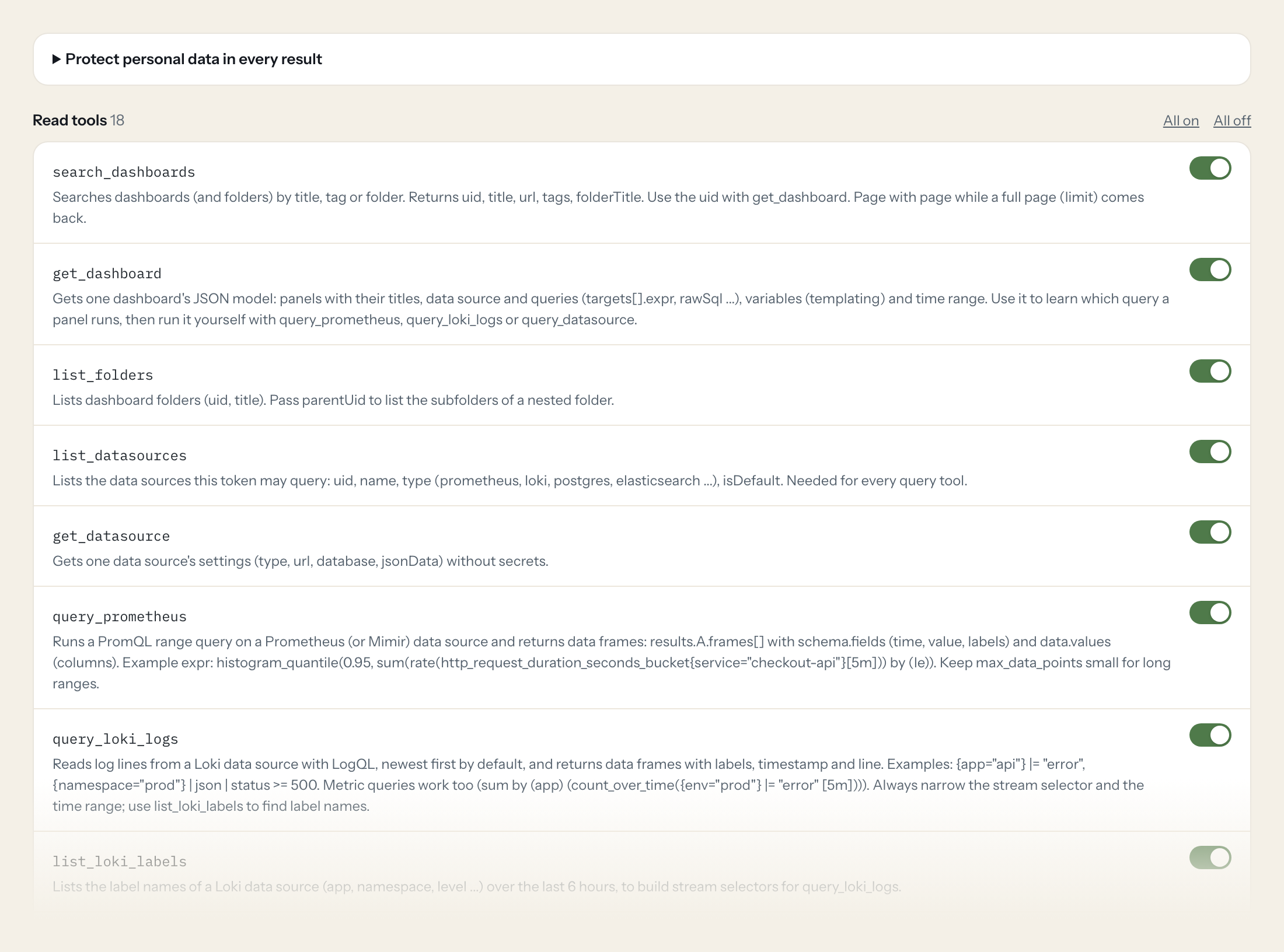
Eighteen read tools cover dashboards and folders, data sources with PromQL, LogQL and raw queries, alert rules, instances and state history, silences, contact points, annotations and IRM incidents. The one write tool, adding an annotation, stays off until you switch it on for a role.
- Operations
“What is firing right now, and which of it is silenced and by whom?”
Answered by
list_alerts - Engineering
“What was the p95 latency of checkout-api over the last six hours, in five-minute steps?”
Answered by
query_prometheus - Support
“Show me the error log lines of the api app in prod between 09:00 and 09:30 today.”
Answered by
query_loki_logs - Engineering
“Which query does the 'Orders per minute' panel on the Shop Overview dashboard run?”
Answered by
get_dashboard - Operations
“How often did the DiskAlmostFull rule go to alerting last week, and for how long each time?”
Answered by
get_alert_state_history - Engineering
“Add an annotation 'Deploy 4.12 to prod' at 14:05 today on the Shop Overview dashboard.”
Answered by
create_annotation
What the Grafana connector can do.
| Tool | What it does | Access | Default |
|---|---|---|---|
| search_dashboards | Searches dashboards (and folders) by title, tag or folder. Returns uid, title, url, tags, folderTitle. | Read | On |
| get_dashboard | Gets one dashboard's JSON model: panels with their titles, data source and queries (targets[].expr, rawSql ...), variables (templating) and time range. Use it to learn which que… | Read | On |
| list_folders | Lists dashboard folders (uid, title). Pass parentUid to list the subfolders of a nested folder. | Read | On |
| list_datasources | Lists the data sources this token may query: uid, name, type (prometheus, loki, postgres, elasticsearch ...), isDefault. Needed for every query tool. | Read | On |
| get_datasource | Gets one data source's settings (type, url, database, jsonData) without secrets. | Read | On |
| query_prometheus | Runs a PromQL range query on a Prometheus (or Mimir) data source and returns data frames: results.A.frames[] with schema.fields (time, value, labels) and data.values (columns).… | Read | On |
| query_loki_logs | Reads log lines from a Loki data source with LogQL, newest first by default, and returns data frames with labels, timestamp and line. Examples: {app="api"} |= "error", {namespac… | Read | On |
| list_loki_labels | Lists the label names of a Loki data source (app, namespace, level ...) over the last 6 hours, to build stream selectors for query_loki_logs. | Read | On |
| list_loki_label_values | Lists the values of one Loki label (e.g. every app name), to build stream selectors for query_loki_logs. | Read | On |
| query_datasource | Runs raw queries against any data source (SQL databases, Elasticsearch, CloudWatch, Tempo ...) through Grafana's query API, the same request a panel sends. Copy a panel's target… | Read | On |
| list_alerts | Lists the current alert instances of Grafana-managed alerting: labels (alertname, severity ...), annotations (summary), startsAt, status.state (active, suppressed) and silencedB… | Read | On |
| list_alert_rules | Lists alert rules with their current state (normal, pending, firing, nodata, error), health, last evaluation and active instances, grouped by folder and rule group. Filter by st… | Read | On |
| get_alert_state_history | Returns the state changes of an alert rule (e.g. Normal to Alerting and back) between from and to, as one data frame. | Read | On |
| list_silences | Lists alert silences: matchers, startsAt, endsAt, status.state (active, pending, expired), createdBy and comment. Use it to tell whether a quiet alert is silenced. | Read | On |
| list_contact_points | Lists alert contact points (where notifications go): name, type (email, slack, pagerduty, webhook ...) and settings with secrets redacted. | Read | On |
| list_annotations | Lists annotations: deployment markers, notes and alert state changes on dashboards, with time, text, tags and user. Filter by time range, dashboard, tags or type alert/annotation. | Read | On |
| query_incidents | Lists incidents of Grafana IRM (Grafana Cloud only), newest first: incidentID, title, status (active, resolved), severity, createdTime, incidentStart/End, labels. queryString fi… | Read | On |
| get_token_permissions | Lists what this connection's service account may do in Grafana (RBAC actions with scopes). Use it to explain a 403 or a missing dashboard. | Read | On |
| create_annotation | WRITE: Adds an annotation (e.g. a deployment or incident note), optionally on one dashboard. | Write | Off |
Write tools are off for every role until you switch them on, one tool for one role. The names are what the model sees; it also gets the full parameter description of each tool.
Getting the Grafana token.
Five minutes, once. Nobody on your team ever sees it.
- 1
In Grafana open Administration > Users and access > Service accounts > Add service account. Display name e.g. loopthink, Role: Viewer. Create.
- 2
Open the service account > Add service account token. Set an expiration date, generate and copy the token; it is shown once.
- 3
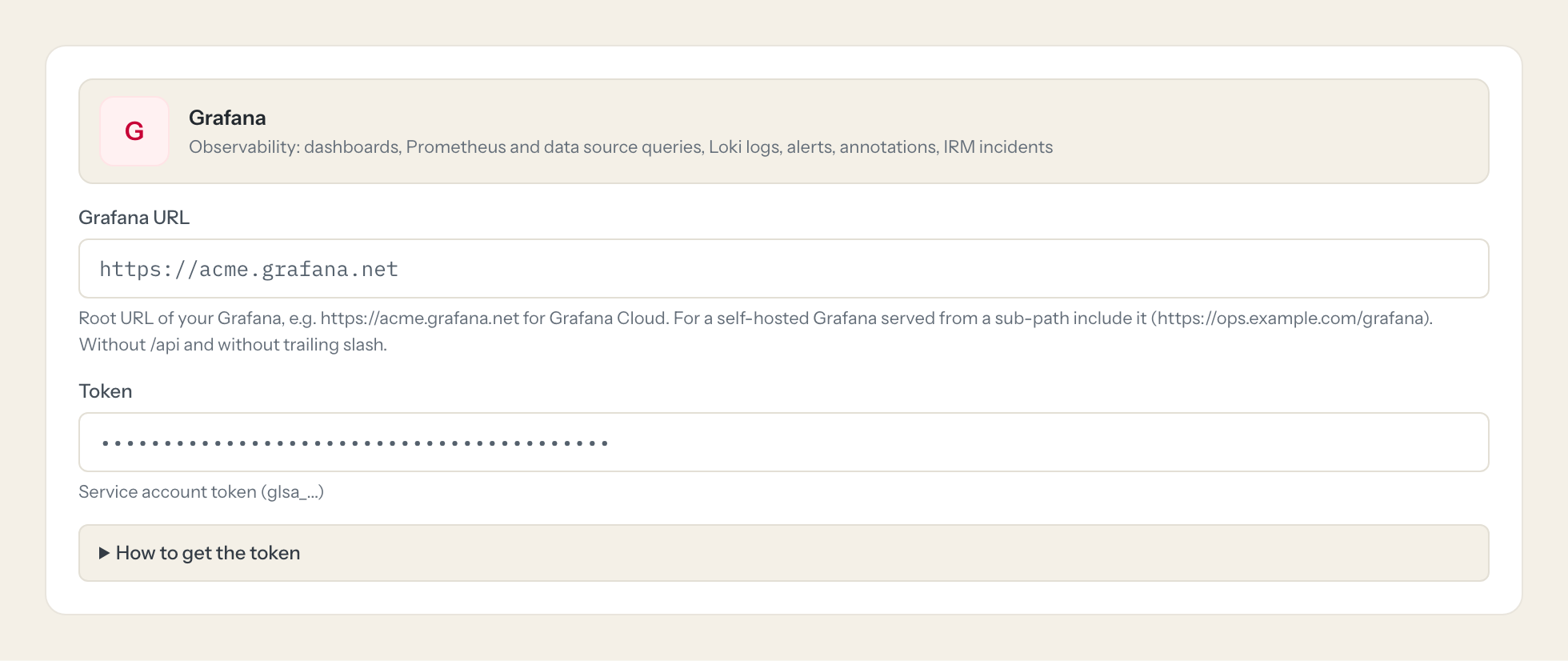
Paste the token and your Grafana URL here.
- 4
In Loopthink, add Grafana from the catalog and paste the token. It also asks for grafana url. Your team sees the tools a minute later.
A service account is already a technical identity and survives people leaving. A Viewer can query every data source it has Query permission on; remove Viewer Query on data sources that hold sensitive logs. Contact point secrets stay redacted for Viewer. OnCall schedules are a separate template (Grafana OnCall) because the OnCall API sits on its own host.
What we suggest masking in Grafana.
Logs and annotations carry whatever your applications write: log lines and raw query values, annotation text, the user who created a silence or an annotation, contact point addresses and webhook URLs, instance labels. The suggested fields let you mask log lines and values for roles that only need counts and states, so Support can see that the error rate spiked at 09:14 without reading the request payloads inside the lines, while Engineering keeps the full line.
- line
- Line
- values
- text
- userName
- login
- createdBy
- settings.addresses
- settings.url
- annotations
- labels.instance
What Grafana's own MCP server does not give you.
- One login per person in any MCP client: the Loopthink audit shows who asked, not one shared token.
- Tools per role: Support reads alerts and dashboards, nobody outside Engineering can run a raw data source query.
- Masking of log lines, annotation text and contact point addresses before the answer leaves the EU.
- Write tools off by default, switchable per tool and role.
- The same server in Claude, ChatGPT and Langdock, governed once.
Grafana and Loopthink
- Which role does the service account need?
- Viewer. It covers dashboards, folders, data source queries, alert rules and instances, silences, contact points, annotations and IRM incidents, and contact point secrets stay redacted. A Viewer can query every data source that still has the default Query permission, so an admin can withdraw it per data source to keep sensitive logs out of reach. Editor, or the annotations:create action, is only needed for create_annotation.
- Our Grafana is self-hosted and not reachable from the internet. Does it work?
- Yes, through the Loopthink Runner inside that network; a Grafana that is reachable over the internet connects directly. Enter the root URL as the Grafana URL, including a sub-path if you serve it from one, without /api and without a trailing slash.
- Where are the OnCall schedules?
- In the separate Grafana OnCall connector, because the OnCall API sits on its own host. The same service account token works for both. IRM incidents through query_incidents are available on Grafana Cloud only.
- Does every team member need their own Grafana account?
- No. Loopthink holds one key or token for Grafana. Your people sign in to Loopthink with their own identity, and every call to Grafana is logged under their name. Seats in Grafana stay where they are today.
- Where does the Grafana key live?
- In Loopthink, encrypted, in the EU. It never reaches the AI client and never reaches the people using the connector. Rotate it in Grafana whenever you like and paste the new one once.
- Can somebody write to Grafana from the chat?
- Not unless you switch it on. Write actions are a separate row in the permission matrix and are off for every role by default. If a role needs one write tool, you grant that one tool to that one role.
- What does the model see?
- The result of the tool call, after masking. Fields you mark as personal, such as emails, names or card details, are masked before the answer travels to the AI client. The model gets the numbers, not the people.
- What does it cost?
- Free for one person and two connectors, no card. Pro is €19 a month for up to five people and every connector on the site, with roles, field masking and a 30-day audit. Team is €49 for ten people and adds your own REST APIs and SQL databases, your own domain and your own identity provider. No call needed.
Stuck, or a tool you need is missing? A person who knows this connector answers within one working day.


