Connect n8n to your AI client. For your whole team.
Your n8n already reaches the systems your team asks about: a data table, a Postgres behind the firewall, an internal API. n8n's own MCP options expose that to a chat with one shared bearer token, or signed in as one user. Pick the client your team uses:
Free for 2 connectors, no card · Pro €19 · EU-hosted
Who may do what
One matrix for n8n, whichever client asks.
Tool
Front desk
Revenue
Management
Reservations search
Front desk may use Reservations search
Revenue may use Reservations search
Management may use Reservations search
Guest lookup
Front desk may use Guest lookup
Revenue may not use Guest lookup
Management may not use Guest lookup
Revenue by property
Front desk may not use Revenue by property
Revenue may use Revenue by property
Management may use Revenue by property
Availability (internal API)
Front desk may use Availability (internal API)
Revenue may use Availability (internal API)
Management may not use Availability (internal API)
Write actions off by default
Front desk may not use Write actions
Revenue may not use Write actions
Management may not use Write actions
Masked for every role: guest names and emails, phone numbers, payment details in reservation rows.
You set this once. Every user in your team, in every client, gets exactly this.
Walkthrough
A reservations table, asked in plain language.
A hotel group keeps its reservations in an n8n data table: guest, property, booking date, nights, total. The team wants to ask “which reservations were booked in April?” in their AI client and get an answer, without the table ever leaving their network.
You define the tool
Its name, what it does and which parameters a model may pass. That is the contract, and it lives in Loopthink.
Your workflow answers
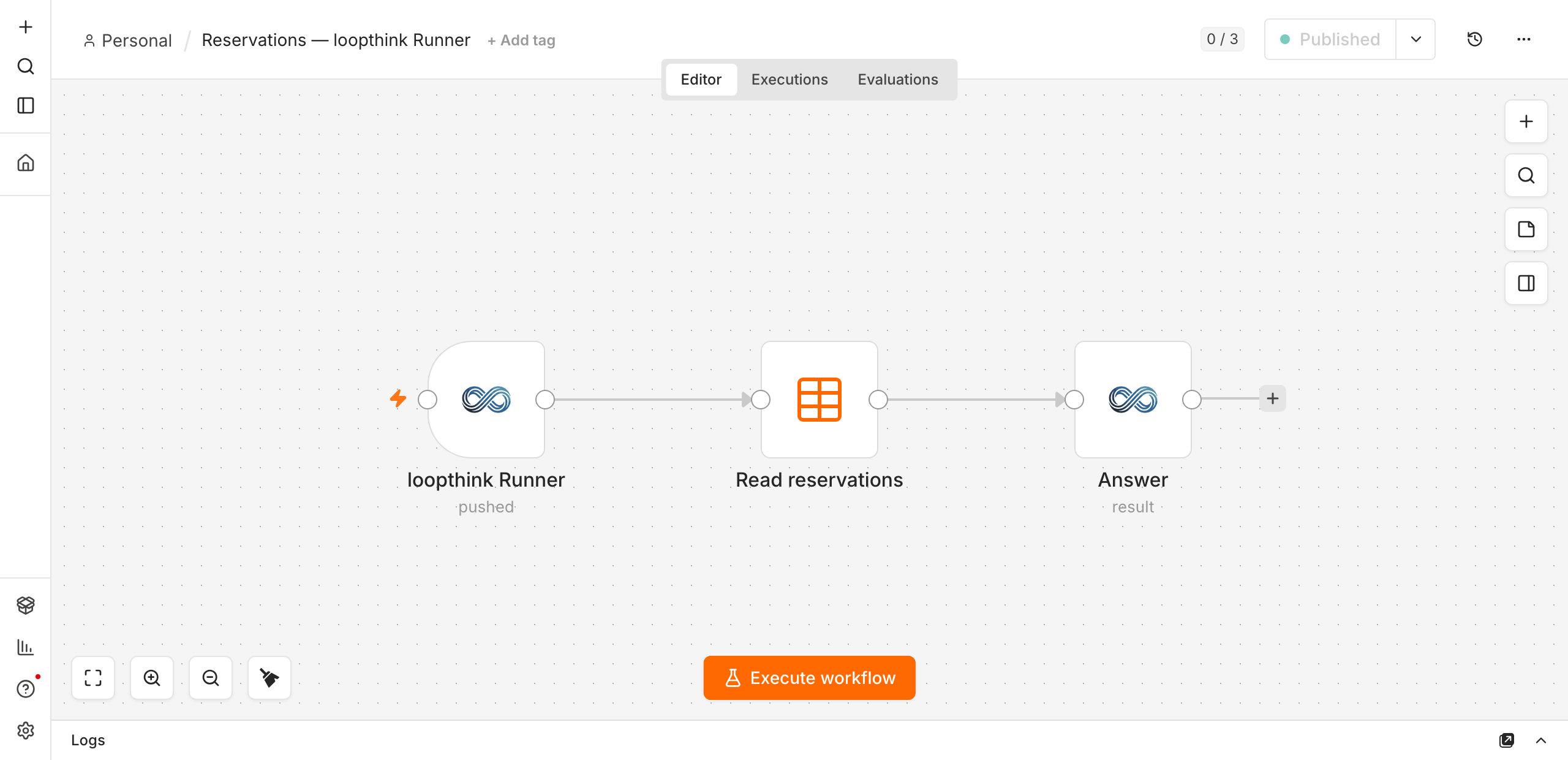
A three-node workflow is enough: claim the call, read the source, send the result back masked.
Outbound only
The runner calls us. Nothing has to reach your n8n from the internet, and no credential reaches us.
The runner is a node in your own n8n. It reaches out to Loopthink, claims the calls addressed to your server and hands them to the workflow you built. No inbound port, no VPN, no credentials on our side.
1
Install the node
In n8n, Settings → Community nodes → Install, package @loopthink/n8n-nodes-loopthink. It adds two nodes: the loopthink Runner trigger and the loopthink node that answers.
2
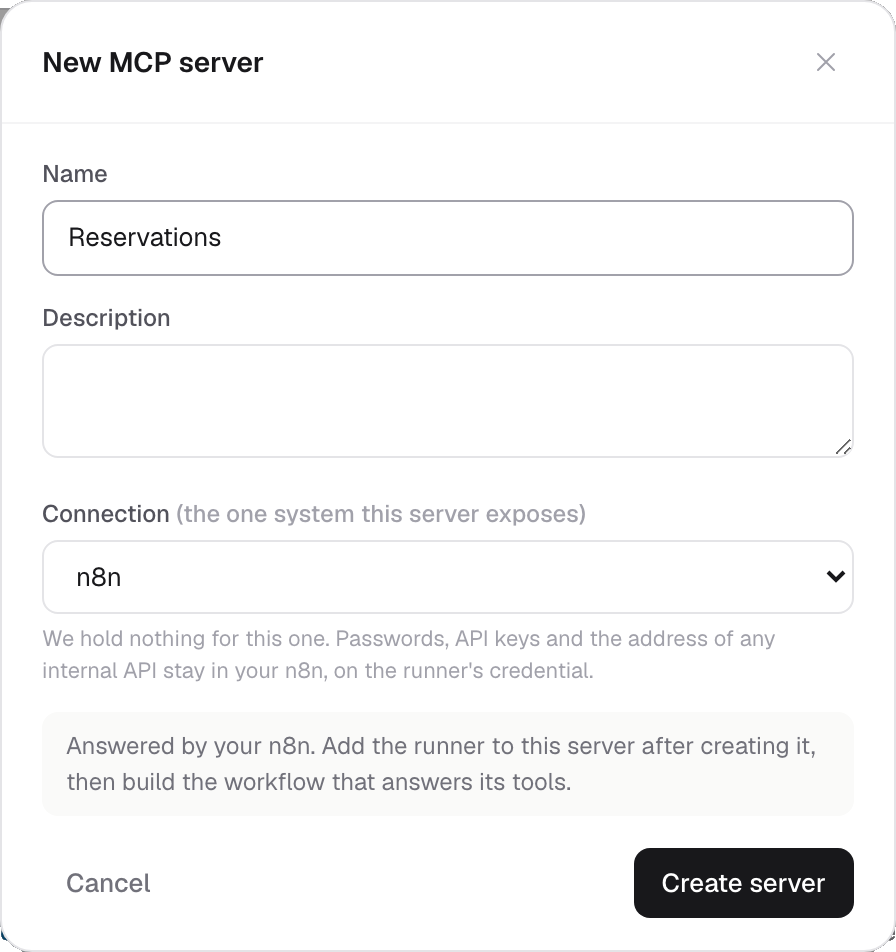
Create the server in Loopthink
Pick n8n as the connection. It asks for nothing else: passwords, API keys and the address of any internal system stay on your side.
3
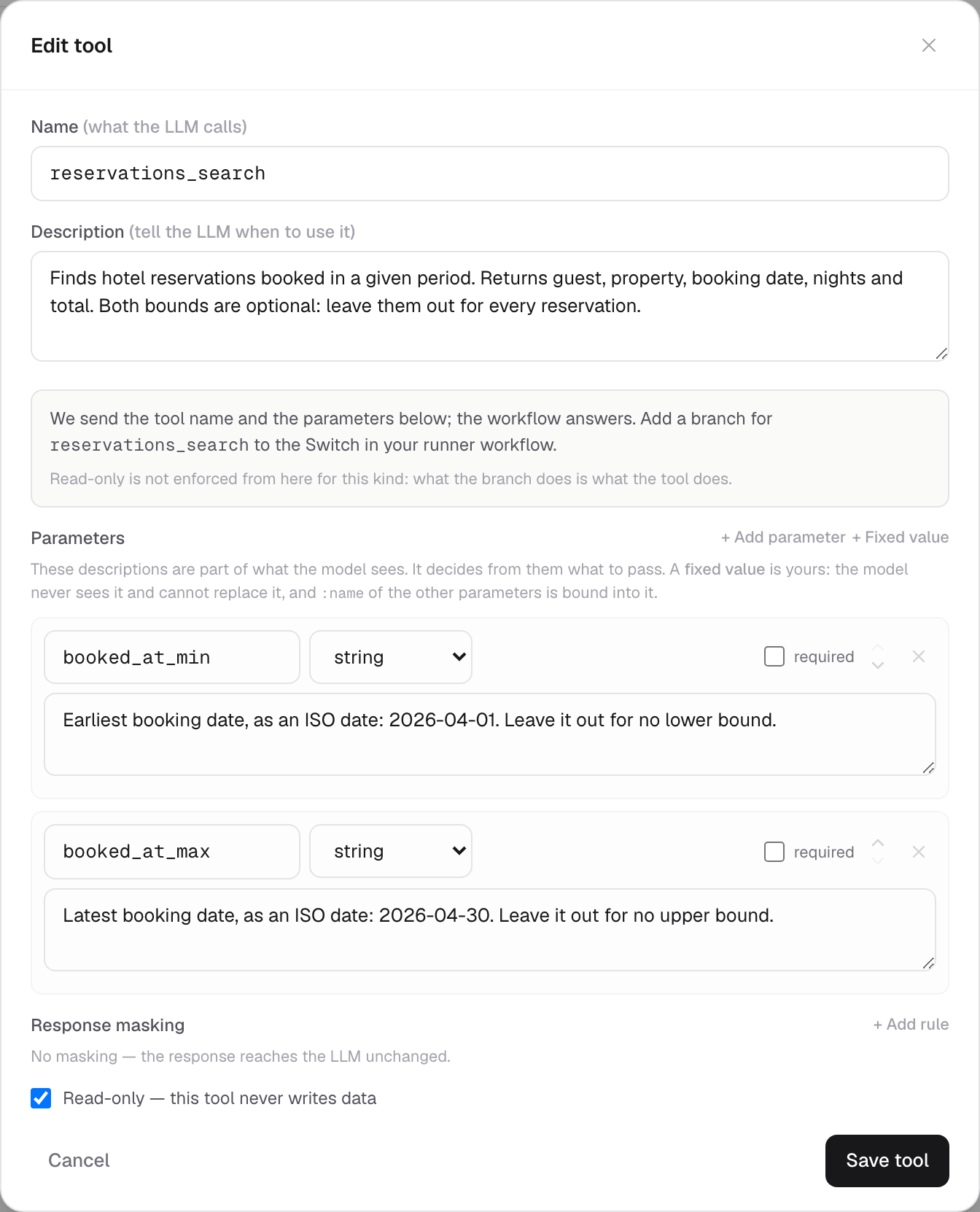
Describe the tool
Name it, say what it returns, and declare the parameters a model may pass. Here that is two optional bounds, booked_at_min and booked_at_max. The descriptions matter: they are what the model reads to decide what to send.
Both optional, so “all reservations” is a valid question too.
4
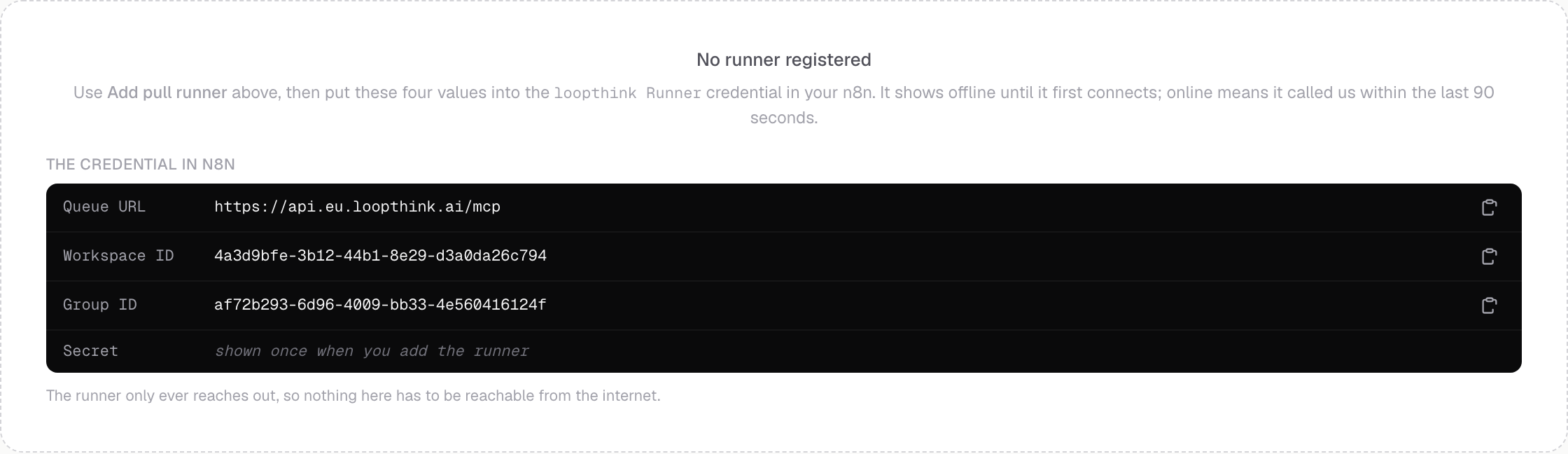
Add a runner and connect it
Under Runners, add a pull runner. You get four values; paste them into the loopthink Runner credential in n8n. The secret is shown once.
5
Build the workflow
Three nodes. The trigger claims a call, the Data Table node reads, and Send Result masks the rows and sends them back. Activate it, and the runner shows online within a minute.
6
Wire the filters
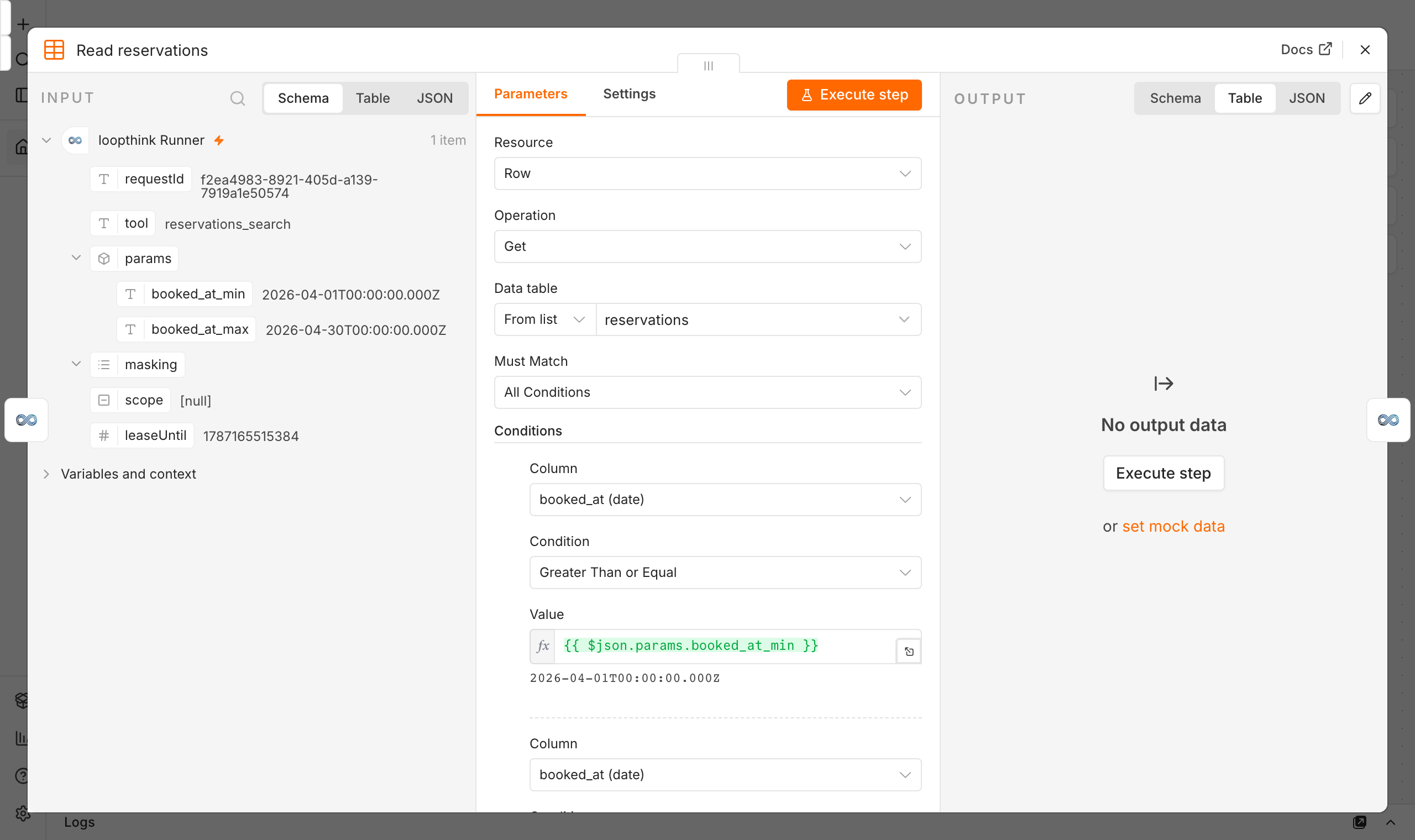
The Data Table node wants its conditions decided up front, so every row exists on every call, whether or not the model filled it. Loopthink sends a ready value for each one under $json.params, under the name you gave the parameter. Pick the column, pick the comparison once, and read the value.
One condition row per parameter, each reading the value under its own name.
What the model actually asked for
“Which reservations were booked in April 2026?” arrives at the workflow like this, with the person's name and role already checked on the way in. The bounds were written by the model as plain dates and normalised on the way; had it left one out, that key would hold a date so far outside the data that the comparison cannot exclude anything.
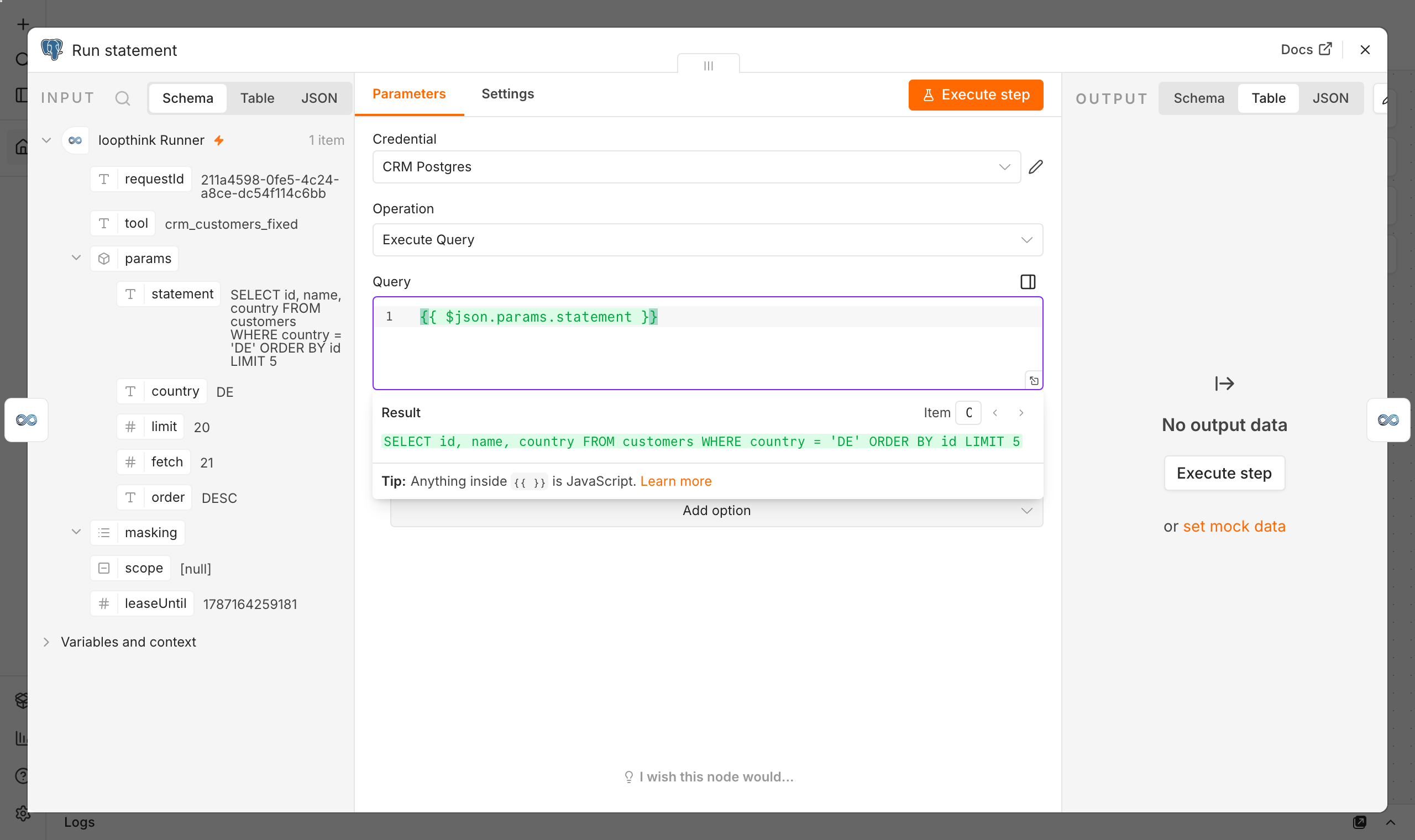
Swap the Data Table node for a Postgres node. The connection already exists in your n8n, with its own credential, and it stays there. You can let the workflow build the query from $json.params, or write the statement in Loopthink as a fixed value, a parameter the model never sees and cannot replace:
SELECT id, guest, total
FROM reservations
WHERE country = :country
ORDER BY booked_at DESC
LIMIT 50
The :country is filled from what the model passed, escaped by declared type before it leaves us, so the statement arrives ready to run. The database password is never anywhere near us.
The field holds the expression; n8n shows underneath, in green, what it resolves to for this call.
An internal API, called from n8n
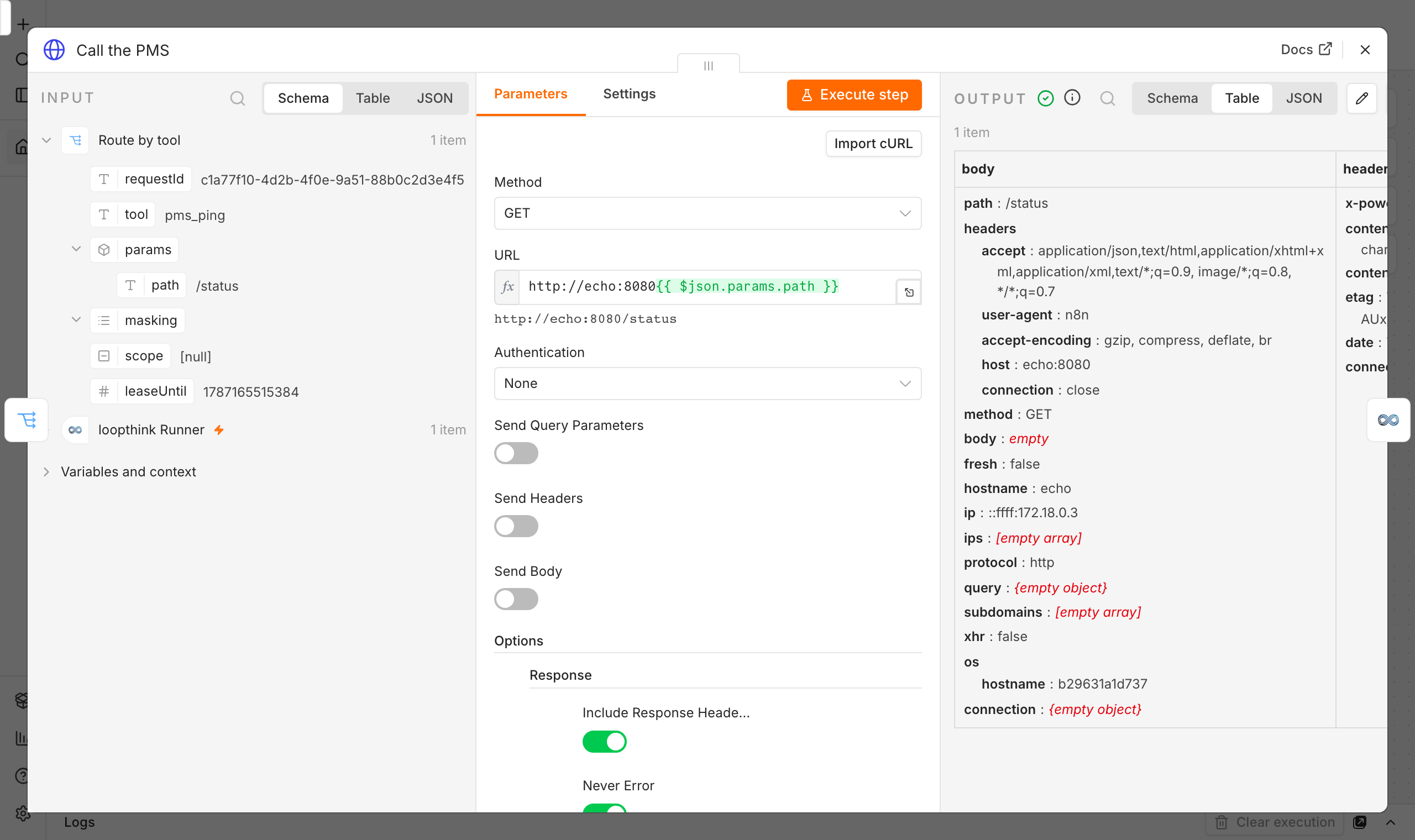
Same idea, one node further. Put the path in the tool as a fixed value and let an HTTP Request node in your workflow make the call:
Authentication is the HTTP node’s own n8n credential. Loopthink says what to reach, never what to reach it with, and the host name is one that only resolves inside your network anyway.
Same again: the expression above, the address it resolves to below.
What never leaves your network
Credentials. Database passwords and API keys live in n8n, on the node that uses them.
Addresses. An internal host name is not something we store; a tool carries a path, your runner resolves it.
Unmasked data. Masking rules travel with each call and are applied in your network, before anything is sent.
Reachability. The runner opens the connection. There is no inbound port to expose and none to secure.
Results do pass through the platform on their way back to the model, masked, and are deleted on delivery. That is the trade for a runner that needs no inbound connection, and it is the one thing this deployment does differently from the gateway runner.