sevDesk in Claude, ChatGPT and any MCP client. For your whole team.
Invoices, quotes, credit notes, vouchers, contacts, bank transactions. One token in Loopthink, one login per person, roles per tool and an audit entry for every call.
Free for 2 connectors, no card · Pro €19 · EU-hosted · 22 read tools, 1 write tools off by default
“Which invoices are open or partially paid and more than 30 days overdue, sorted by amount?”
Three invoices are more than 30 days overdue:
| Invoice | Customer | Days overdue | Open amount |
|---|---|---|---|
| RE-2026-0418 | Nordwind Handel | 47 | 12,480.00 € |
| RE-2026-0392 | Müller & Söhne GmbH | 63 | 6,215.50 € |
| RE-2026-0431 | Huber AG | 34 | 2,970.00 € |
- read-only
- logged
One token in, the tools come out.
sevDesk is where a small company's money lives: open invoices, quotes, incoming receipts, bank transactions and the contacts behind them. The questions are simple, "who still owes us money", "what did we spend with that supplier this year", but today they take a login, three clicks and a filter that only the person doing the books knows.
With the sevDesk connector, Finance, Sales and Management ask these questions in Claude or ChatGPT and get the answer from your live books. Loopthink holds one sevDesk API token, every person signs in with their own identity, and every call is logged under their name. The token never reaches the AI client.
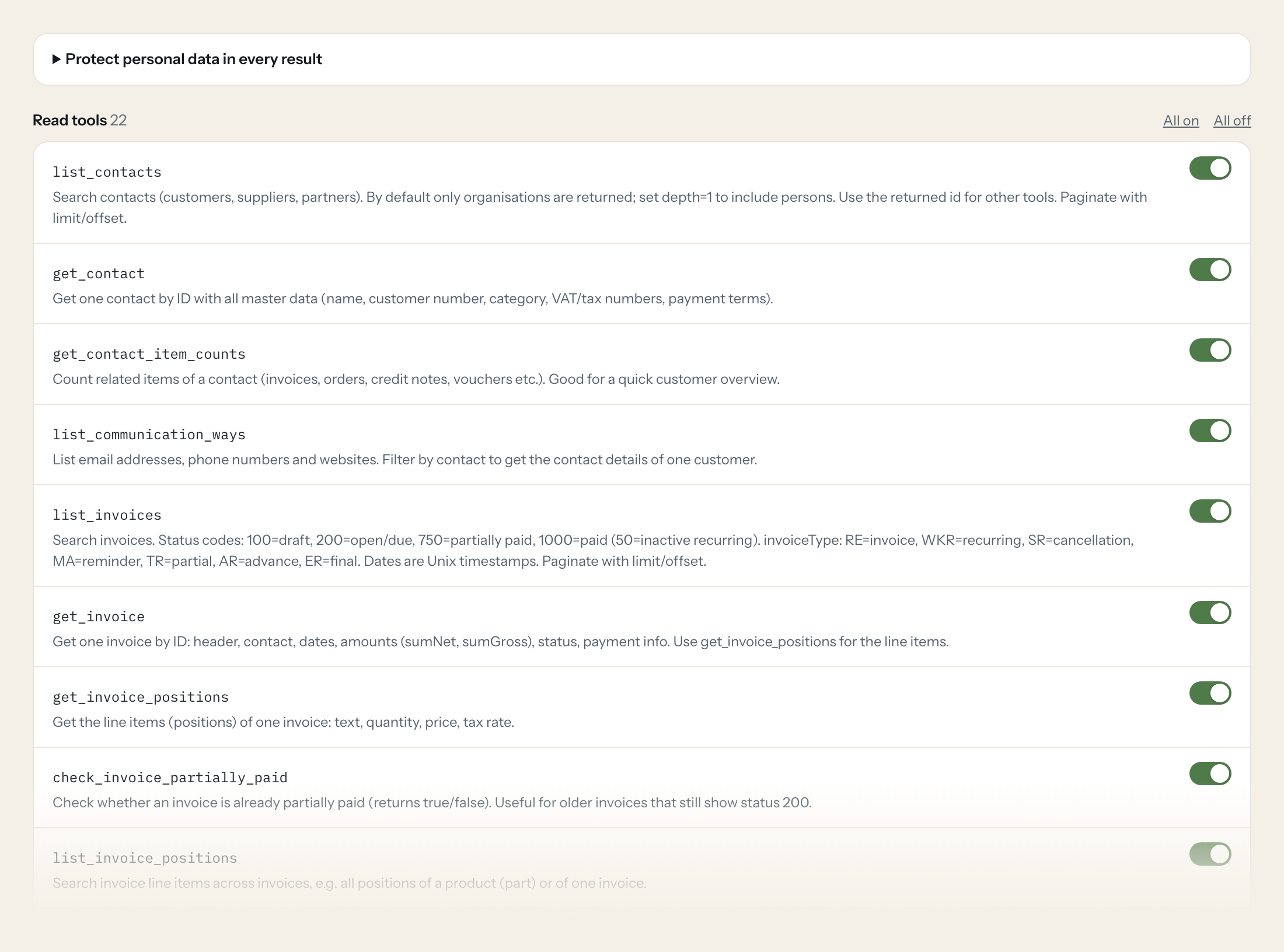
The connector is read-only by default: 22 tools for contacts, invoices, orders, credit notes, vouchers, bank accounts and products. The one write tool, creating a contact, stays off until you switch it on for a role.
- Finance
“Which invoices are open or partially paid and more than 30 days overdue, sorted by amount?”
Answered by
list_invoices - Finance
“What is the balance of our main business account as of the end of last month?”
Answered by
get_check_account_balance - Management
“Total invoiced per month this year, net and gross.”
Answered by
list_invoices - Sales
“Which quotes from the last quarter were never turned into an order confirmation?”
Answered by
list_orders - Finance
“List all incoming receipts from Hetzner this year with their status.”
Answered by
list_vouchers - Sales
“Show me the customer number, payment terms and open items of Müller & Söhne GmbH.”
Answered by
get_contact
What the sevDesk connector can do.
| Tool | What it does | Access | Default |
|---|---|---|---|
| list_contacts | Search contacts (customers, suppliers, partners). By default only organisations are returned; set depth=1 to include persons. | Read | On |
| get_contact | Get one contact by ID with all master data (name, customer number, category, VAT/tax numbers, payment terms). | Read | On |
| get_contact_item_counts | Count related items of a contact (invoices, orders, credit notes, vouchers etc.). Good for a quick customer overview. | Read | On |
| list_communication_ways | List email addresses, phone numbers and websites. Filter by contact to get the contact details of one customer. | Read | On |
| list_invoices | Search invoices. Status codes: 100=draft, 200=open/due, 750=partially paid, 1000=paid (50=inactive recurring). | Read | On |
| get_invoice | Get one invoice by ID: header, contact, dates, amounts (sumNet, sumGross), status, payment info. Use get_invoice_positions for the line items. | Read | On |
| get_invoice_positions | Get the line items (positions) of one invoice: text, quantity, price, tax rate. | Read | On |
| check_invoice_partially_paid | Check whether an invoice is already partially paid (returns true/false). Useful for older invoices that still show status 200. | Read | On |
| list_invoice_positions | Search invoice line items across invoices, e.g. all positions of a product (part) or of one invoice. | Read | On |
| list_orders | Search orders: quotes (AN), order confirmations (AB) and delivery notes (LI). Status: 100=draft, 200=delivered, 300=rejected/cancelled, 500=accepted, 750=partially calculated, 1… | Read | On |
| get_order | Get one order (quote, order confirmation or delivery note) by ID. | Read | On |
| get_order_positions | Get the line items of one order. | Read | On |
| list_credit_notes | Search credit notes. Status: 100=draft, 200=open, 1000=paid. | Read | On |
| get_credit_note | Get one credit note by ID. | Read | On |
| list_vouchers | Search vouchers (Belege: incoming supplier invoices and other receipts). Status: 50=draft, 100=unpaid/due, 150=transferred, 750=partially paid, 1000=paid. | Read | On |
| get_voucher | Get one voucher (Beleg) by ID. | Read | On |
| list_check_accounts | List bank and cash accounts (CheckAccount) with their IDs. Call first before list_transactions or get_check_account_balance. | Read | On |
| get_check_account_balance | Get the balance of one bank/cash account at a given date (end of day). | Read | On |
| list_transactions | Search bank transactions. Filter by account, date, payee/payer or purpose. | Read | On |
| list_parts | Search products/services (Part) by number or name. | Read | On |
| get_part_stock | Get the current stock of one product. | Read | On |
| list_tags | List all tags used to label invoices, orders and contacts. | Read | On |
| create_contact | WRITE: creates a new contact (organisation) in sevDesk. Does not change existing data. | Write | Off |
Write tools are off for every role until you switch them on, one tool for one role. The names are what the model sees; it also gets the full parameter description of each tool.
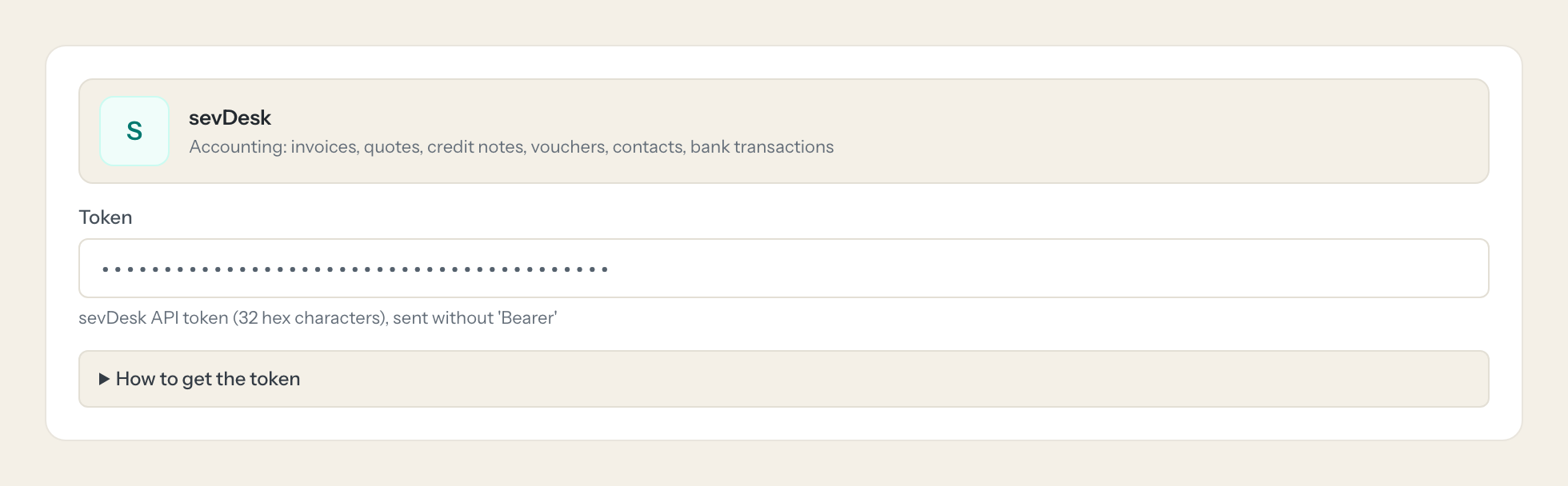
Getting the sevDesk token.
Five minutes, once. Nobody on your team ever sees it.
- 1
In sevDesk open Einstellungen > Benutzer.
- 2
Open the user that should be used for the integration.
- 3
Copy the API token shown in the user details (each user has exactly one token).
- 4
In Loopthink, add sevDesk from the catalog and paste the token. Your team sees the tools a minute later.
sevDesk has no scopes. The token carries all rights of its user, so create a dedicated user with the smallest role that still sees accounting data. Regenerating the token invalidates the old one.
What we suggest masking in sevDesk.
sevDesk mixes company data with personal data: a contact's email, phone and birthday, the names and account numbers on bank transactions, VAT and tax ids. The suggested fields keep the amounts, dates and statuses a Finance question needs and mask the rest, so a Management role can see that invoice 2026-0143 is overdue without seeing the payee's IBAN.
- phone
- value (CommunicationWay)
- bankAccount
- bankNumber
- vatNumber
- taxNumber
- birthday
- street
- surename
- familyname
- payeePayerName
- payeePayerAcctNo
- paymtPurpose
sevDesk and Loopthink
- sevDesk has no scopes. How do we limit what the token can do?
- The token carries every right of the user it belongs to, so create a dedicated sevDesk user with the smallest role that still sees accounting data and use that user's token. The connector itself exposes only read tools by default; the create_contact tool is off until you enable it for a role.
- What do the invoice status codes mean?
- 100 is a draft, 200 is open or due, 750 is partially paid and 1000 is paid. The tools return the code and the model knows the mapping from the tool description, so you can ask for "unpaid invoices" in plain words.
- Does regenerating the token in sevDesk break the connector?
- The old token stops working the moment you regenerate it. Paste the new one into the connector once; nobody on your team has to do anything.
- Does every team member need their own sevDesk account?
- No. Loopthink holds one key or token for sevDesk. Your people sign in to Loopthink with their own identity, and every call to sevDesk is logged under their name. Seats in sevDesk stay where they are today.
- Where does the sevDesk key live?
- In Loopthink, encrypted, in the EU. It never reaches the AI client and never reaches the people using the connector. Rotate it in sevDesk whenever you like and paste the new one once.
- Can somebody write to sevDesk from the chat?
- Not unless you switch it on. Write actions are a separate row in the permission matrix and are off for every role by default. If a role needs one write tool, you grant that one tool to that one role.
- What does the model see?
- The result of the tool call, after masking. Fields you mark as personal, such as emails, names or card details, are masked before the answer travels to the AI client. The model gets the numbers, not the people.
- What does it cost?
- Free for one person and two connectors, no card. Pro is €19 a month for up to five people and every connector on the site, with roles, field masking and a 30-day audit. Team is €49 for ten people and adds your own REST APIs and SQL databases, your own domain and your own identity provider. No call needed.
Stuck, or a tool you need is missing? A person who knows this connector answers within one working day.


