Billomat in Claude, ChatGPT and any MCP client. For your whole team.
Clients, invoices, quotes, reminders, incoming invoices. One token in Loopthink, one login per person, roles per tool and an audit entry for every call.
Free for 2 connectors, no card · Pro €19 · EU-hosted · 19 read tools, 4 write tools off by default
“Which invoices are overdue, with amount and days late?”
Three invoices are overdue, 11,420 € in total:
| Invoice | Client | Amount | Days late |
|---|---|---|---|
| 2026-0231 | Nordwind Handel | 6,240.00 € | 34 |
| 2026-0247 | Alpen Logistik | 3,100.00 € | 19 |
| 2026-0262 | Kraus & Partner | 2,080.00 € | 8 |
- read-only
- logged
One token in, the tools come out.
Billomat is the invoicing of a lot of freelancers and small companies: clients, offers, invoices, payments, reminders, credit notes and the incoming supplier invoices. The questions are about money owed and money due, and today they take a login and a filter.
With the Billomat connector, Finance, Sales and Management ask in Claude or ChatGPT and get the answer from the live account. Loopthink holds one API key, every person signs in with their own identity, and every call is logged under their name.
Nineteen read tools cover clients, invoices with items, payments and comments, offers, credit notes, reminders, incoming invoices, suppliers and articles, plus a revenue summary. Four write tools, creating a client or an invoice draft and adding items or comments, stay off until you switch them on for a role.
- Finance
“Which invoices are overdue, with amount and days late?”
Answered by
list_invoices - Management
“Revenue per month this year, and per client for the top ten.”
Answered by
summarize_invoices - Finance
“Which reminders are open, and for which invoices?”
Answered by
list_reminders - Sales
“Which offers are still open, and which ones did we lose this quarter?”
Answered by
list_offers - Finance
“Incoming invoices from our hosting provider this year, paid and open.”
Answered by
list_incomings - Finance
“Was invoice 2026-0231 sent, and when was it marked paid?”
Answered by
list_invoice_comments
What the Billomat connector can do.
| Tool | What it does | Access | Default |
|---|---|---|---|
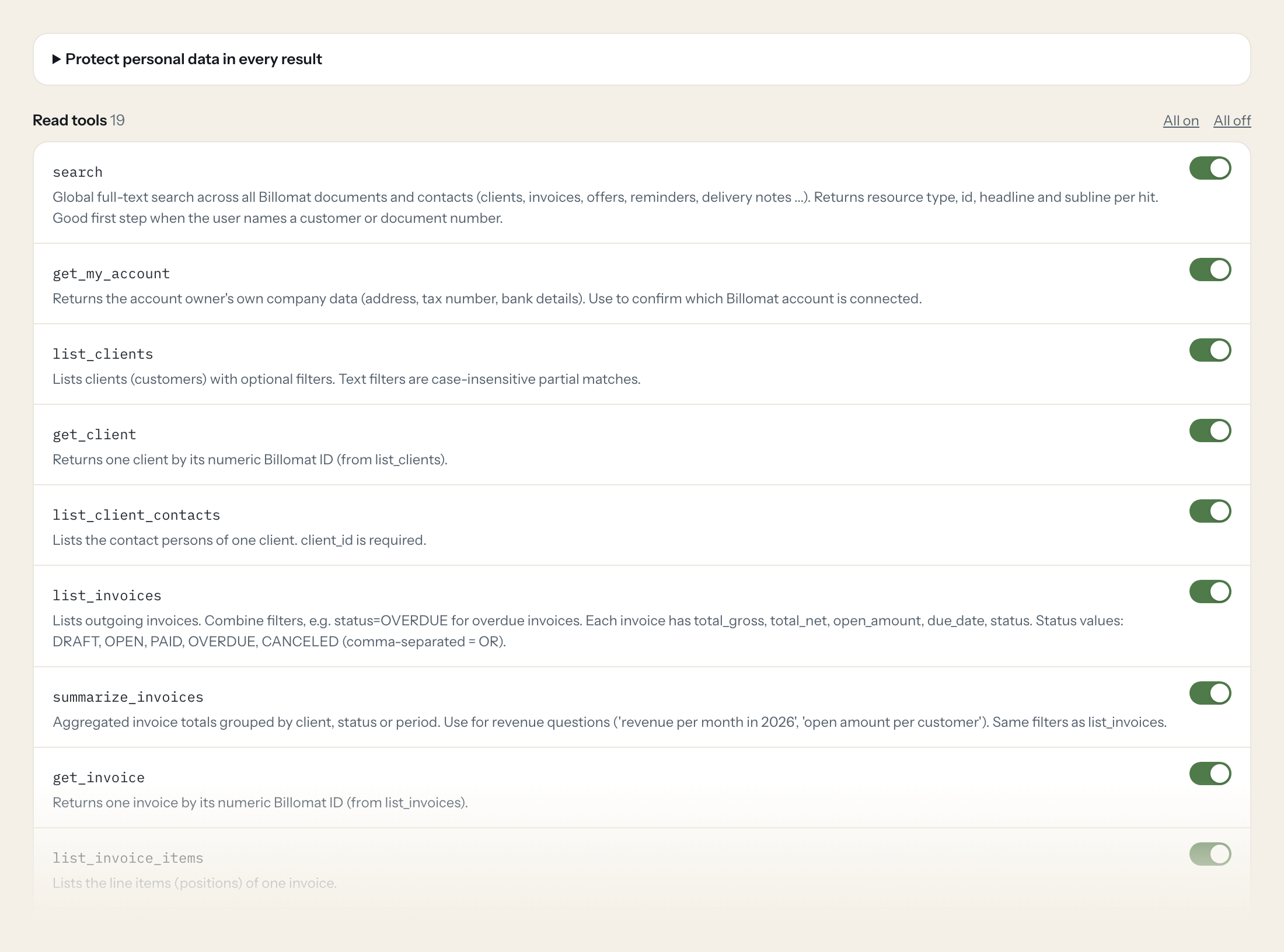
| search | Global full-text search across all Billomat documents and contacts (clients, invoices, offers, reminders, delivery notes ...). Returns resource type, id, headline and subline pe… | Read | On |
| get_my_account | Returns the account owner's own company data (address, tax number, bank details). Use to confirm which Billomat account is connected. | Read | On |
| list_clients | Lists clients (customers) with optional filters. Text filters are case-insensitive partial matches. | Read | On |
| get_client | Returns one client by its numeric Billomat ID (from list_clients). | Read | On |
| list_client_contacts | Lists the contact persons of one client. client_id is required. | Read | On |
| list_invoices | Lists outgoing invoices. Combine filters, e.g. | Read | On |
| summarize_invoices | Aggregated invoice totals grouped by client, status or period. Use for revenue questions ('revenue per month in 2026', 'open amount per customer'). | Read | On |
| get_invoice | Returns one invoice by its numeric Billomat ID (from list_invoices). | Read | On |
| list_invoice_items | Lists the line items (positions) of one invoice. | Read | On |
| list_invoice_payments | Lists recorded payments, optionally for one invoice or a date range. | Read | On |
| list_invoice_comments | Lists comments and history entries (created, sent, paid ...) of one invoice. | Read | On |
| list_offers | Lists offers (quotes). Status values: DRAFT, OPEN, WON, LOST, CANCELED, CLEARED. | Read | On |
| get_offer | Returns one offer by its numeric Billomat ID (from list_offers). | Read | On |
| list_credit_notes | Lists credit notes. Status values: DRAFT, OPEN, PAID. | Read | On |
| list_reminders | Lists payment reminders (Mahnungen). Status values: DRAFT, OPEN, OVERDUE, PAID, CANCELED. | Read | On |
| list_incomings | Lists incoming (supplier) invoices. Status values: OPEN, PAID, OVERDUE. | Read | On |
| get_incoming | Returns one incoming invoice by its numeric Billomat ID (from list_incomings). | Read | On |
| list_suppliers | Lists suppliers. Text filters are case-insensitive partial matches. | Read | On |
| list_articles | Lists articles (products and services) with prices. | Read | On |
| create_client | WRITE: Creates a new client (customer). Check list_clients first to avoid duplicates. | Write | Off |
| create_invoice_draft | WRITE: Creates a new invoice in status DRAFT for a client. Nothing is sent or finalized. | Write | Off |
| add_invoice_item | WRITE: Adds a line item to a DRAFT invoice. Fails for invoices that are already completed. | Write | Off |
| add_invoice_comment | WRITE: Adds an internal comment to an invoice (not visible in the customer portal). | Write | Off |
Write tools are off for every role until you switch them on, one tool for one role. The names are what the model sees; it also gets the full parameter description of each tool.
Getting the Billomat token.
Five minutes, once. Nobody on your team ever sees it.
- 1
Create a dedicated Billomat user for Loopthink under Einstellungen > Mitarbeiter (or use an existing user) with a role that only has the rights you want to expose.
- 2
In that user's settings enable API access.
- 3
Generate the personal API key and copy it.
- 4
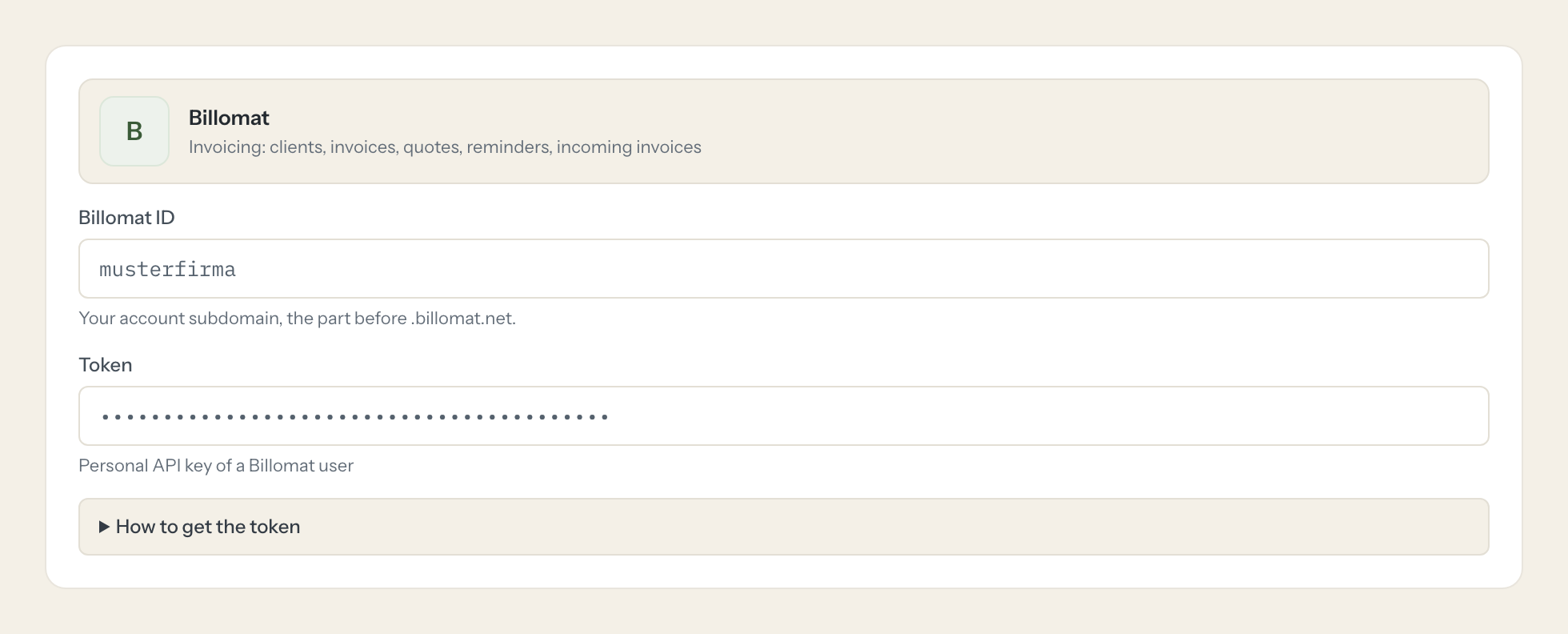
In Loopthink, add Billomat from the catalog and paste the token. It also asks for billomat id. Your team sees the tools a minute later.
The key is tied to one Billomat user and inherits that user's role rights; there are no API scopes. Rate limit is shared with all other integrations without registered app (per 15 minutes, by tariff).
What we suggest masking in Billomat.
Clients carry contact persons, email, phone, address, bank details and tax numbers. The suggested fields mask those and keep invoice numbers, amounts, dates and statuses, so a revenue question never shows a client's IBAN.
- phone
- mobile
- fax
- street
- zip
- city
- first_name
- last_name
- bank_iban
- bank_swift
- bank_account_number
- bank_account_owner
- tax_number
- vat_number
- address
Billomat and Loopthink
- What is the Billomat id the connector asks for?
- Your account id, the part before .billomat.net in your Billomat URL. The API key comes from the settings of a Billomat user.
- The key has no scopes. How do we limit it?
- The key inherits the role rights of its user. Create a dedicated user with a read role and use that user's key. On the Loopthink side only read tools are on by default.
- Can the AI send an invoice?
- No. The write tools create drafts and add items or internal comments. Nothing finalises or sends a document.
- Does every team member need their own Billomat account?
- No. Loopthink holds one key or token for Billomat. Your people sign in to Loopthink with their own identity, and every call to Billomat is logged under their name. Seats in Billomat stay where they are today.
- Where does the Billomat key live?
- In Loopthink, encrypted, in the EU. It never reaches the AI client and never reaches the people using the connector. Rotate it in Billomat whenever you like and paste the new one once.
- Can somebody write to Billomat from the chat?
- Not unless you switch it on. Write actions are a separate row in the permission matrix and are off for every role by default. If a role needs one write tool, you grant that one tool to that one role.
- What does the model see?
- The result of the tool call, after masking. Fields you mark as personal, such as emails, names or card details, are masked before the answer travels to the AI client. The model gets the numbers, not the people.
- What does it cost?
- Free for one person and two connectors, no card. Pro is €19 a month for up to five people and every connector on the site, with roles, field masking and a 30-day audit. Team is €49 for ten people and adds your own REST APIs and SQL databases, your own domain and your own identity provider. No call needed.
Stuck, or a tool you need is missing? A person who knows this connector answers within one working day.


