 Development connector
GitHub in Claude, ChatGPT and any MCP client. For your whole team.
Repositories, code, issues, pull requests, commits, releases, actions, security alerts. One token in Loopthink, one login per person, roles per tool and an audit entry for every call.
Free for 2 connectors, no card · Pro €19 · EU-hosted · 29 read tools, 3 write tools off by default
“Which open PRs in acme/checkout have waited for review for more than three days?”
Three pull requests have been waiting longer than three days:
| Pull request | Author | Opened | Waiting |
|---|---|---|---|
| #482 Retry failed webhooks | m.huber | 12 Oct 2026 | 9 d |
| #479 Rework tax rounding | s.keller | 14 Oct 2026 | 7 d |
| #491 Add SEPA mandate check | l.nowak | 17 Oct 2026 | 4 d |
- read-only
- logged
One token in, the tools come out.
GitHub is where the code and the work around it live: repositories, pull requests waiting for review, issues, Actions runs, releases and the security alerts Dependabot and code scanning raise. The questions are everyday ones, "what shipped last week", "is that vulnerability patched yet", "who still has a review open", but today they take a dozen tabs or someone from Engineering reading the answer out loud.
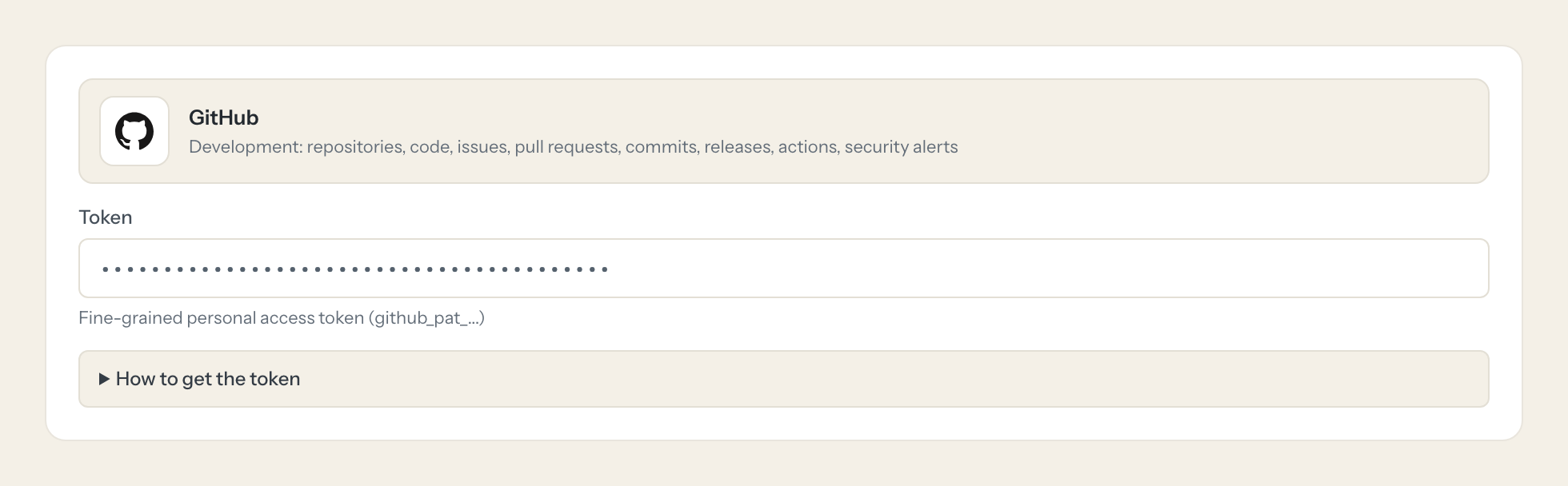
With the GitHub connector, Engineering, Product and Security ask in Claude or ChatGPT and get the answer from the live organization. Loopthink holds one fine-grained personal access token, every person signs in with their own identity, and every call is logged under their name. The token never reaches the AI client.
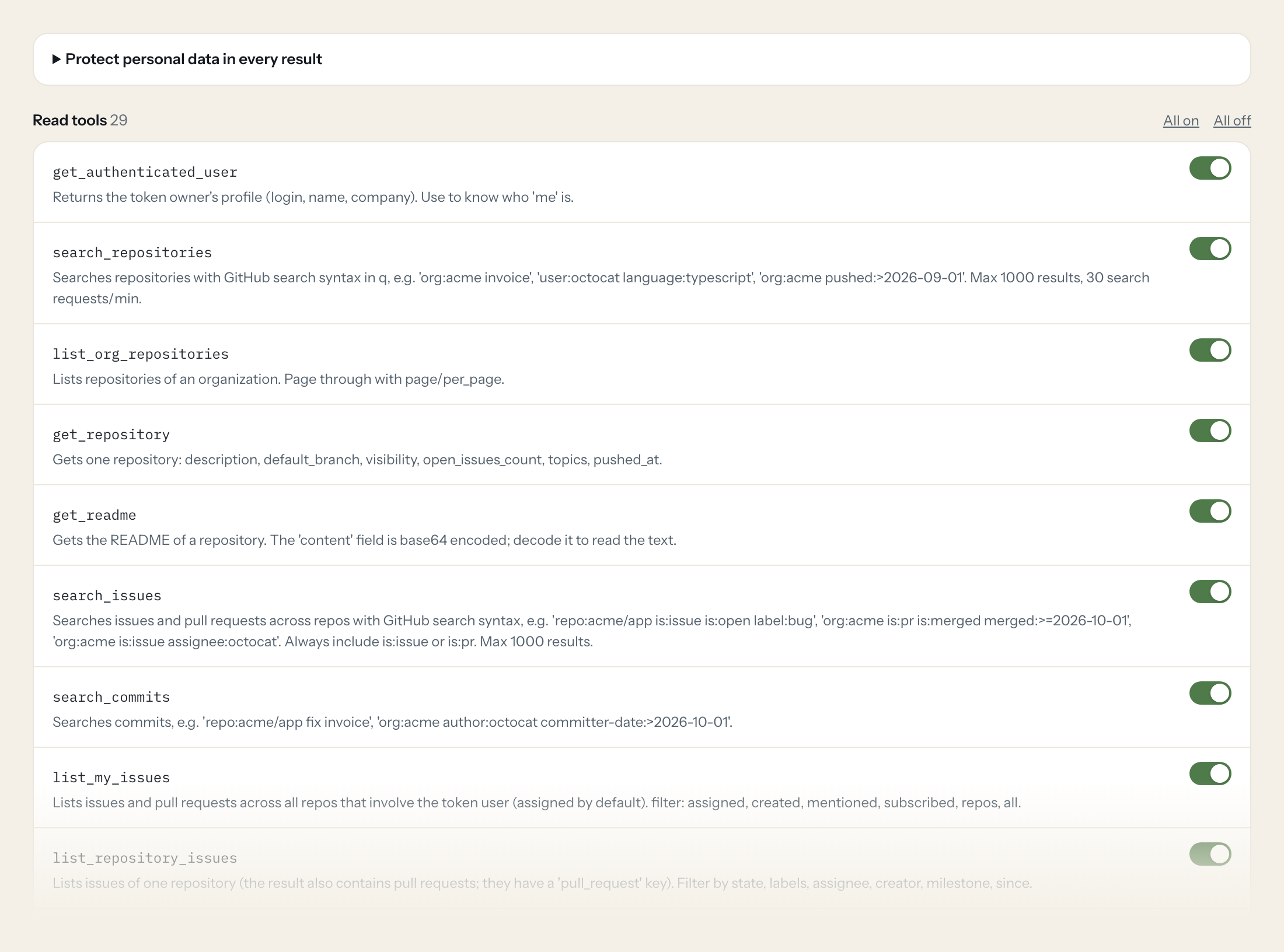
Twenty-nine read tools cover repositories, files, trees and code search, issues and pull requests with their reviews and comments, commits, releases, Actions workflow runs and Dependabot and code scanning alerts. The three write tools, creating an issue, commenting on one and adding labels, stay off until you switch them on for a role.
- Engineering
“Which open pull requests in acme/checkout have been waiting for review for more than three days?”
Answered by
list_pull_requests - Product
“Which issues labelled bug were closed in acme/app since 1 October?”
Answered by
search_issues - Security
“Which open Dependabot alerts of critical or high severity do we have across the organization?”
Answered by
list_org_dependabot_alerts - Engineering
“Did the deploy workflow on main fail this week? List the failed runs with their trigger.”
Answered by
list_workflow_runs - Product
“What went into release 4.12 of acme/app? Summarize the release notes in five bullet points.”
Answered by
list_releases - Engineering
“Open an issue in acme/app titled 'Invoice PDF renders blank for EU customers' with the steps I just described.”
Answered by
create_issue
What the GitHub connector can do.
| Tool | What it does | Access | Default |
|---|---|---|---|
| get_authenticated_user | Returns the token owner's profile (login, name, company). Use to know who 'me' is. | Read | On |
| search_repositories | Searches repositories with GitHub search syntax in q, e.g. 'org:acme invoice', 'user:octocat language:typescript', 'org:acme pushed:>2026-09-01'. | Read | On |
| list_org_repositories | Lists repositories of an organization. Page through with page/per_page. | Read | On |
| get_repository | Gets one repository: description, default_branch, visibility, open_issues_count, topics, pushed_at. | Read | On |
| get_readme | Gets the README of a repository. The 'content' field is base64 encoded; decode it to read the text. | Read | On |
| search_issues | Searches issues and pull requests across repos with GitHub search syntax, e.g. 'repo:acme/app is:issue is:open label:bug', 'org:acme is:pr is:merged merged:>=2026-10-01', 'org:a… | Read | On |
| search_commits | Searches commits, e.g. 'repo:acme/app fix invoice', 'org:acme author:octocat committer-date:>2026-10-01'. | Read | On |
| list_my_issues | Lists issues and pull requests across all repos that involve the token user (assigned by default). filter: assigned, created, mentioned, subscribed, repos, all. | Read | On |
| list_repository_issues | Lists issues of one repository (the result also contains pull requests; they have a 'pull_request' key). Filter by state, labels, assignee, creator, milestone, since. | Read | On |
| get_issue | Gets one issue (or PR as issue) with title, body, state, labels, assignees, comments count. | Read | On |
| list_issue_comments | Lists comments on an issue or pull request conversation, oldest first. | Read | On |
| list_repository_labels | Lists labels defined in a repository. Use before add_labels_to_issue or to know which label filters exist. | Read | On |
| list_pull_requests | Lists pull requests of a repository. Filter by state, base branch, head (user:branch). | Read | On |
| get_pull_request | Gets one pull request: title, body, state, merged, mergeable, additions/deletions, changed_files, requested reviewers. | Read | On |
| list_pull_request_reviews | Lists reviews of a pull request (reviewer, state APPROVED / CHANGES_REQUESTED / COMMENTED, body). | Read | On |
| list_commits | Lists commits of a branch, newest first. Filter by path, author, since/until (YYYY-MM-DDTHH:MM:SSZ). | Read | On |
| get_commit | Gets one commit with message, author, stats and changed files (paginated for large commits). | Read | On |
| list_releases | Lists releases of a repository (tag, name, release notes body, published_at), newest first. | Read | On |
| get_latest_release | Gets the latest published (non-draft, non-prerelease) release of a repository. | Read | On |
| list_workflow_runs | Lists GitHub Actions runs (CI/CD builds, deployments) of a repository. Filter by branch, event, status (e.g. | Read | On |
| get_file_contents | Reads a file or lists a directory in a repository. For a file the 'content' field is base64 encoded; decode it to read the text (files up to 1 MB). | Read | On |
| get_repository_tree | Lists every file and directory path of a branch, tag or commit at once (recursive), with type blob/tree, size and sha. Use it to find files before reading them with get_file_con… | Read | On |
| search_code | Searches file contents and paths on the default branch with GitHub code search syntax, e.g. 'InvoiceService repo:acme/app', 'createOrder org:acme language:typescript', 'TODO pat… | Read | On |
| list_dependabot_alerts | Lists Dependabot alerts (vulnerable dependencies) of a repository, newest first: package, severity, advisory summary, CVE/GHSA ids, vulnerable and patched versions, state. Filte… | Read | On |
| get_dependabot_alert | Gets one Dependabot alert with the full advisory (description, CVSS, references), the affected manifest and dismissal details. | Read | On |
| list_org_dependabot_alerts | Lists Dependabot alerts across all repositories of an organization the token can see. Needs the token owner to be an organization owner or security manager. | Read | On |
| list_code_scanning_alerts | Lists code scanning alerts (CodeQL or third-party static analysis findings) of a repository: rule, severity, tool, state, file location of the latest instance. Defaults to the d… | Read | On |
| get_code_scanning_alert | Gets one code scanning alert with the rule description, help text, tool and the most recent instance (file, lines, message). | Read | On |
| list_org_code_scanning_alerts | Lists code scanning alerts on the default branches of all repositories of an organization. Needs the token owner to be an organization owner or security manager. | Read | On |
| create_issue | WRITE: Creates a new issue in a repository. labels/assignees are only applied if the token user has push access (otherwise silently dropped). | Write | Off |
| add_issue_comment | WRITE: Adds a comment to an issue or pull request conversation. Triggers notifications. | Write | Off |
| add_labels_to_issue | WRITE: Adds labels to an issue or PR (keeps existing labels). Use list_repository_labels for valid names. | Write | Off |
Write tools are off for every role until you switch them on, one tool for one role. The names are what the model sees; it also gets the full parameter description of each tool.
Getting the GitHub token.
Five minutes, once. Nobody on your team ever sees it.
- 1
On GitHub click your profile picture > Settings > Developer settings > Personal access tokens > Fine-grained tokens > Generate new token.
- 2
Set a name and expiration. Under 'Resource owner' pick the organization (it may need admin approval; the token stays 'pending' until then).
- 3
Under 'Repository access' choose 'Only select repositories' and pick the repos Loopthink may read.
- 4
Under 'Permissions' set the repository permissions below to Read-only, then 'Generate token' and copy it.
- 5
In Loopthink, add GitHub from the catalog and paste the token. Your team sees the tools a minute later.
A fine-grained token acts as the user who created it and is limited to one resource owner (user or organization). For organization-wide access a machine user or a GitHub App is cleaner. Organizations can enforce a maximum token lifetime.
What we suggest masking in GitHub.
Every commit, issue and comment carries its author: name, login and email on commits and committers, the login of whoever dismissed an alert, and the free text in issue bodies, comments and alert messages. The suggested fields mask those and keep titles, states, labels, dates, file paths, diff statistics and severities, so a Product role can see that 14 bugs were closed in the sprint without seeing who wrote which comment.
- author.email
- committer.email
- commit.author.email
- commit.committer.email
- name
- commit.author.name
- login
- body
- dismissed_by.login
- dismissed_comment
- most_recent_instance.message.text
What GitHub's own MCP server does not give you.
- One login per person in any MCP client: the Loopthink audit shows who asked, not one shared token.
- Tools per role: Product reads issues and releases, nobody outside Engineering can open or label one.
- Masking of author names, emails and comment text before the answer leaves the EU.
- Write tools off by default, switchable per tool and role.
- The same server in Claude, ChatGPT and Langdock, governed once.
GitHub and Loopthink
- Which permissions does the fine-grained token need?
- Metadata is set automatically. Give Contents, Issues, Pull requests and Actions read access for the everyday tools; Dependabot alerts and Code scanning alerts read access only if a role should use the security tools. Switch Issues to read and write only when you enable create_issue, add_issue_comment or add_labels_to_issue; the organization-wide alert tools also need the token owner to be an organization owner or security manager.
- The token shows as pending after we created it. Why?
- When the resource owner is an organization, an organization admin may have to approve the token first; it stays pending until then. Organizations can also enforce a maximum token lifetime, so note the expiry date and paste the renewed token into the connector when it runs out.
- We have many repositories. Do we need one token per repository?
- No. Under Repository access pick Only select repositories and tick the ones Loopthink may read, or all repositories of the owner. A fine-grained token acts as the user who created it and is limited to one resource owner, so for organization-wide access a machine user or a GitHub App is cleaner. Code search is limited to 10 requests per minute and other searches to 30, which the model respects by narrowing its queries.
- Does every team member need their own GitHub account?
- No. Loopthink holds one key or token for GitHub. Your people sign in to Loopthink with their own identity, and every call to GitHub is logged under their name. Seats in GitHub stay where they are today.
- Where does the GitHub key live?
- In Loopthink, encrypted, in the EU. It never reaches the AI client and never reaches the people using the connector. Rotate it in GitHub whenever you like and paste the new one once.
- Can somebody write to GitHub from the chat?
- Not unless you switch it on. Write actions are a separate row in the permission matrix and are off for every role by default. If a role needs one write tool, you grant that one tool to that one role.
- What does the model see?
- The result of the tool call, after masking. Fields you mark as personal, such as emails, names or card details, are masked before the answer travels to the AI client. The model gets the numbers, not the people.
- What does it cost?
- Free for one person and two connectors, no card. Pro is €19 a month for up to five people and every connector on the site, with roles, field masking and a 30-day audit. Team is €49 for ten people and adds your own REST APIs and SQL databases, your own domain and your own identity provider. No call needed.
Stuck, or a tool you need is missing? A person who knows this connector answers within one working day.


