 Development connector
GitLab in Claude, ChatGPT and any MCP client. For your whole team.
Projects, issues, merge requests, pipelines, commits. One token in Loopthink, one login per person, roles per tool and an audit entry for every call.
Free for 2 connectors, no card · Pro €19 · EU-hosted · 22 read tools, 3 write tools off by default
“Which pipelines of platform/api failed in the last 24 hours, and on which branches?”
Three failed pipelines since yesterday 09:00:
| Pipeline | Branch | Finished | Duration |
|---|---|---|---|
| #20481 | main | 20 Oct 2026 16:42 | 6:18 min |
| #20476 | feature/sepa-export | 20 Oct 2026 14:05 | 4:51 min |
| #20469 | release/2.8 | 20 Oct 2026 11:37 | 7:02 min |
- read-only
- logged
One token in, the tools come out.
GitLab is where the DevOps day happens: projects in groups and subgroups, issues, merge requests waiting for review, pipelines that passed or did not, commits, milestones and releases. The questions are simple, "is main green", "which merge requests are still open for the release", but today they take a login, the right group and a filter only the team lead has saved.
With the GitLab connector, Engineering, Product and Management ask in Claude or ChatGPT and get the answer from the live instance, on GitLab.com or your own host. Loopthink holds one GitLab access token, every person signs in with their own identity, and every call is logged under their name. The token never reaches the AI client.
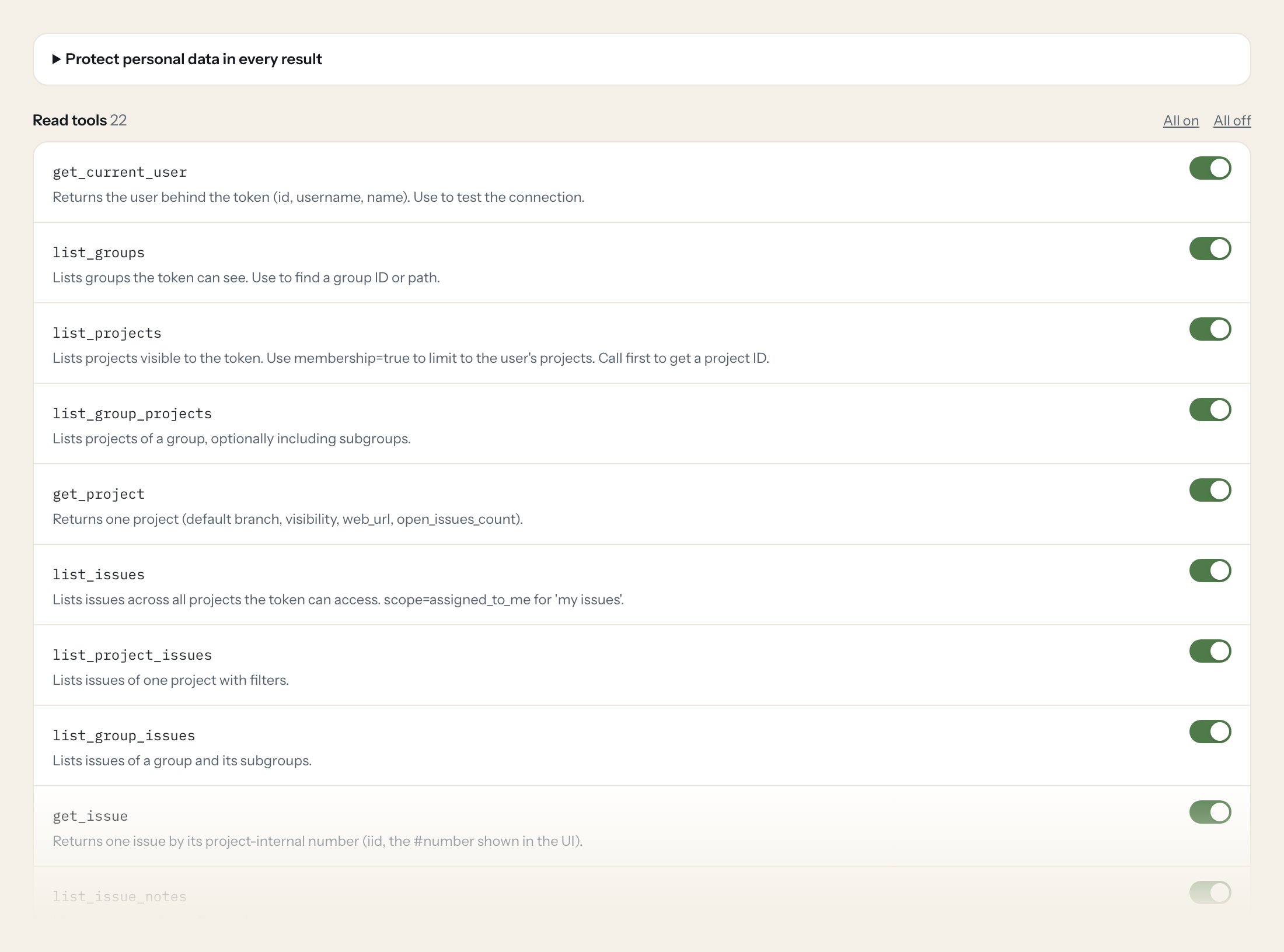
Twenty-two read tools cover groups and projects, issues and their notes, merge requests with their notes, pipelines, commits, milestones and releases. The three write tools, creating an issue and commenting on an issue or a merge request, stay off until you switch them on for a role.
- Engineering
“Which pipelines of platform/api failed in the last 24 hours, and on which branches?”
Answered by
list_pipelines - Engineering
“Is the latest pipeline on main of platform/api green?”
Answered by
get_latest_pipeline - Product
“Which open issues in the Mobile group belong to milestone 'Release 3.4', sorted by label?”
Answered by
list_group_issues - Management
“How many merge requests were merged across the Platform group in September?”
Answered by
list_group_merge_requests - Engineering
“Summarize the discussion on merge request !482 in platform/api and tell me what is still blocking it.”
Answered by
list_merge_request_notes - Engineering
“Add a note to issue #1193 in platform/api that the fix is in !482 and waits for review.”
Answered by
add_issue_note
What the GitLab connector can do.
| Tool | What it does | Access | Default |
|---|---|---|---|
| get_current_user | Returns the user behind the token (id, username, name). Use to test the connection. | Read | On |
| list_groups | Lists groups the token can see. Use to find a group ID or path. | Read | On |
| list_projects | Lists projects visible to the token. Use membership=true to limit to the user's projects. | Read | On |
| list_group_projects | Lists projects of a group, optionally including subgroups. | Read | On |
| get_project | Returns one project (default branch, visibility, web_url, open_issues_count). | Read | On |
| list_issues | Lists issues across all projects the token can access. scope=assigned_to_me for 'my issues'. | Read | On |
| list_project_issues | Lists issues of one project with filters. | Read | On |
| list_group_issues | Lists issues of a group and its subgroups. | Read | On |
| get_issue | Returns one issue by its project-internal number (iid, the #number shown in the UI). | Read | On |
| list_issue_notes | Lists comments (notes) on an issue. | Read | On |
| list_merge_requests | Lists merge requests across all projects. Default scope is created_by_me; use scope=all or reviews_for_me. | Read | On |
| list_project_merge_requests | Lists merge requests of one project with filters. | Read | On |
| list_group_merge_requests | Lists merge requests of a group and its subgroups. | Read | On |
| get_merge_request | Returns one merge request by iid (the !number in the UI): state, branches, author, reviewers, merge status. | Read | On |
| list_merge_request_notes | Lists comments (notes) on a merge request. | Read | On |
| list_pipelines | Lists CI/CD pipelines of a project. Use status=failed for broken builds. | Read | On |
| get_pipeline | Returns one pipeline with status, ref, sha, duration and user. | Read | On |
| get_latest_pipeline | Returns the latest pipeline for the most recent commit on a branch (default branch if ref omitted). 403 if none exists. | Read | On |
| list_commits | Lists commits of a project branch, optionally in a date range or for a file path. | Read | On |
| get_commit | Returns one commit with stats. | Read | On |
| list_milestones | Lists project milestones. | Read | On |
| list_releases | Lists project releases, newest first. | Read | On |
| create_issue | WRITE: Creates a new issue in a project. | Write | Off |
| add_issue_note | WRITE: Adds a comment to an issue. | Write | Off |
| add_merge_request_note | WRITE: Adds a comment to a merge request. | Write | Off |
Write tools are off for every role until you switch them on, one tool for one role. The names are what the model sees; it also gets the full parameter description of each tool.
Getting the GitLab token.
Five minutes, once. Nobody on your team ever sees it.
- 1
Personal token: avatar (top right) > Edit profile > Access > Personal access tokens > Generate token.
- 2
Alternative for a technical identity: group or project > Settings > Access tokens (creates a bot user scoped to that group/project; role Reporter is enough for reads).
- 3
Enter a name and expiration date (max 365 days by default) and select scope read_api (add api only if write tools are needed).
- 4
Generate and copy the token immediately; it is shown only once.
- 5
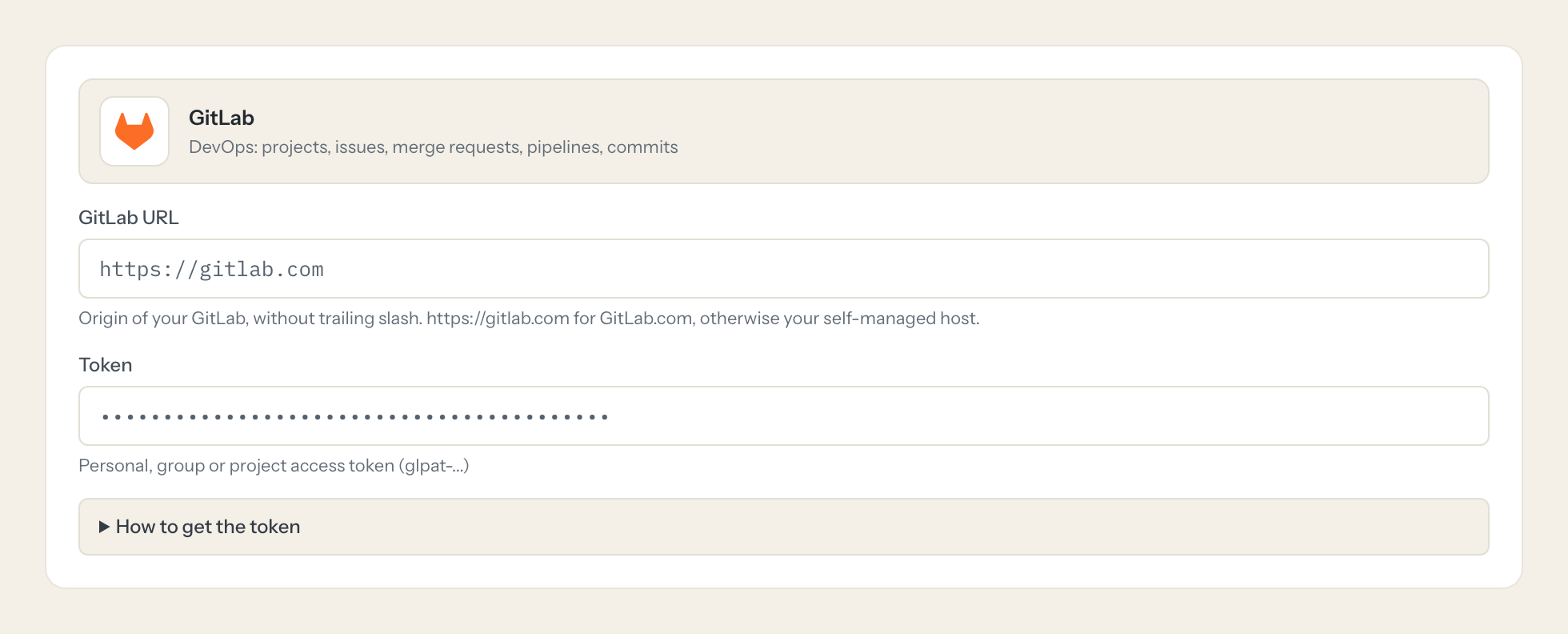
In Loopthink, add GitLab from the catalog and paste the token. It also asks for gitlab url. Your team sees the tools a minute later.
A personal token sees everything its user can see. Prefer a group access token (Premium on GitLab.com; available on self-managed) for a bot user limited to one group. Tokens expire; plan rotation.
What we suggest masking in GitLab.
Issues, merge requests and commits carry the people behind them: author and assignee names, usernames, the emails on commits and avatar links. The suggested fields mask those and keep titles, states, labels, branches, pipeline status and timestamps, so a Management role can see that 31 merge requests shipped in September without a per-person list.
- public_email
- name
- username
- author.name
- author.username
- assignee.name
- author_name
- author_email
- committer_name
- committer_email
- avatar_url
What GitLab's own MCP server does not give you.
- One login per person in any MCP client: the Loopthink audit shows who asked, not one shared token.
- Tools per role: Product reads issues and milestones, nobody outside Engineering can comment on a merge request.
- Masking of author names, usernames and commit emails before the answer leaves the EU.
- Write tools off by default, switchable per tool and role.
- The same server in Claude, ChatGPT and Langdock, governed once.
GitLab and Loopthink
- Personal, group or project access token?
- A personal token sees everything its user can see. A group or project access token creates a bot user limited to that group or project, and the Reporter role is enough for every read tool; on GitLab.com group tokens need Premium, on self-managed they are available everywhere. Prefer the group token for a technical identity that survives staff changes.
- Which scope does the token need?
- read_api for all read tools. Add api only when a role should use create_issue, add_issue_note or add_merge_request_note; without it the write tools answer with a permission error even if you enable them.
- Tokens expire. What happens then?
- GitLab limits the lifetime to 365 days by default and shows the token only once, so note the expiry date and plan the rotation. Paste the new token into the connector once; nobody on your team has to do anything. For a self-managed instance enter your host as the GitLab URL, without a trailing slash.
- Does every team member need their own GitLab account?
- No. Loopthink holds one key or token for GitLab. Your people sign in to Loopthink with their own identity, and every call to GitLab is logged under their name. Seats in GitLab stay where they are today.
- Where does the GitLab key live?
- In Loopthink, encrypted, in the EU. It never reaches the AI client and never reaches the people using the connector. Rotate it in GitLab whenever you like and paste the new one once.
- Can somebody write to GitLab from the chat?
- Not unless you switch it on. Write actions are a separate row in the permission matrix and are off for every role by default. If a role needs one write tool, you grant that one tool to that one role.
- What does the model see?
- The result of the tool call, after masking. Fields you mark as personal, such as emails, names or card details, are masked before the answer travels to the AI client. The model gets the numbers, not the people.
- What does it cost?
- Free for one person and two connectors, no card. Pro is €19 a month for up to five people and every connector on the site, with roles, field masking and a 30-day audit. Team is €49 for ten people and adds your own REST APIs and SQL databases, your own domain and your own identity provider. No call needed.
Stuck, or a tool you need is missing? A person who knows this connector answers within one working day.


