Grafana OnCall in Claude, ChatGPT and any MCP client. For your whole team.
Schedules, who is on call now, upcoming and past shifts (Grafana Cloud IRM). One token in Loopthink, one login per person, roles per tool and an audit entry for every call.
Free for 2 connectors, no card · Pro €19 · EU-hosted · 6 read tools
“Who is on call for the Payments schedule right now, and until when?”
Current shifts on the Payments schedule:
| Role | Person | Until |
|---|---|---|
| Primary | M. Huber | 21 Oct 2026 18:00 |
| Secondary | L. Nowak | 21 Oct 2026 18:00 |
| Escalation | S. Keller | 22 Oct 2026 09:00 |
- read-only
- masked
One token in, the tools come out.
Grafana OnCall holds the rota: schedules per team, who carries the pager right now, the next shifts and the ones that already happened, overrides included. The questions are ones the whole company asks, "who do I call about the API right now", "who was on call last weekend", but today the answer lives in one IRM tab that the on-call engineers have open and nobody else.
With the Grafana OnCall connector, Engineering, Support and Management ask in Claude or ChatGPT and get the answer from the live schedule. Loopthink holds one Grafana service account token, every person signs in with their own identity, and every call is logged under their name. The token never reaches the AI client.
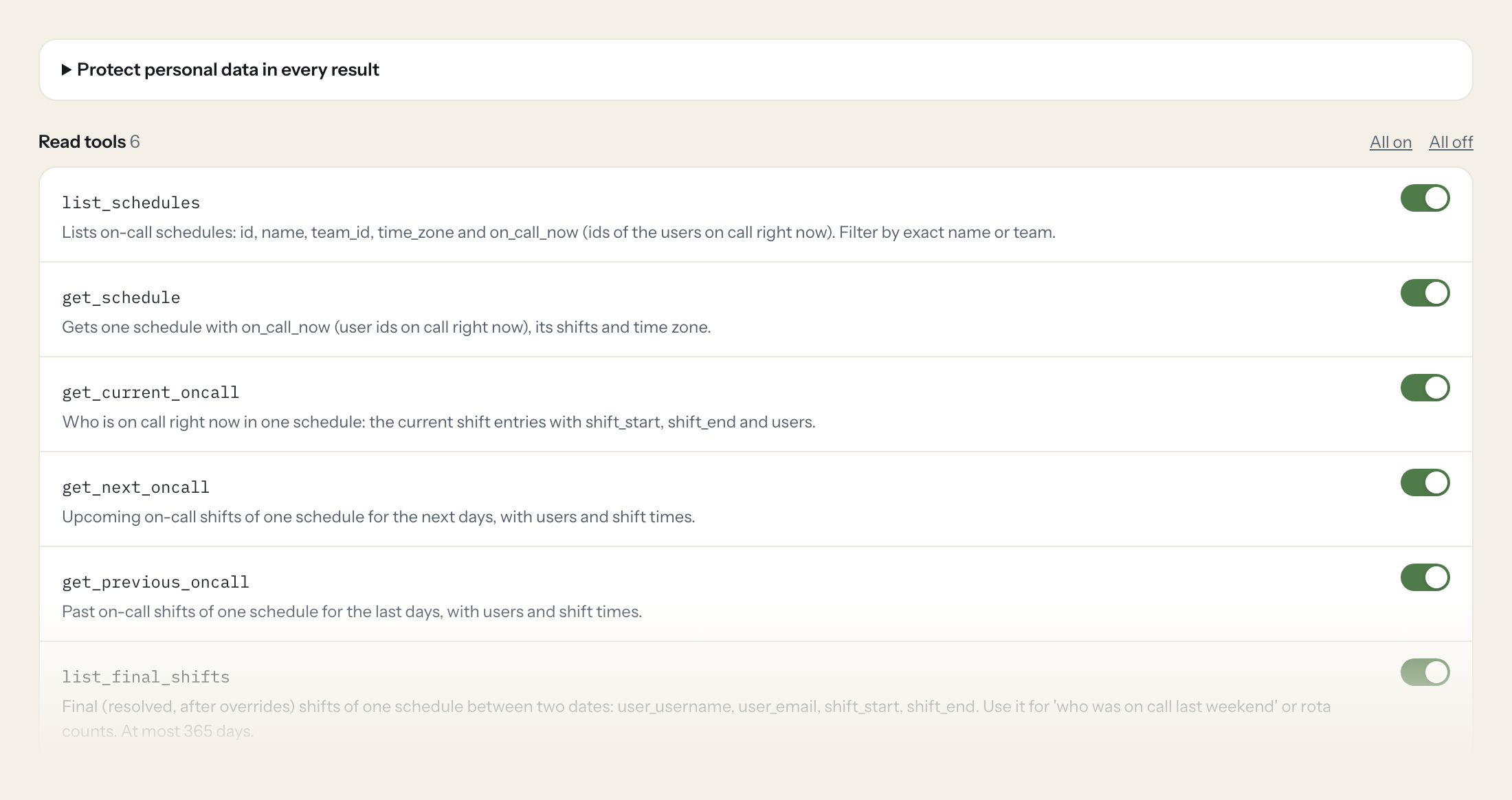
The connector is read-only: six tools cover the list of schedules, one schedule with its shifts, who is on call now, the upcoming and the past shifts, and the final shifts after overrides for any period up to a year.
- Support
“Who is on call for the Payments schedule right now, and until when?”
Answered by
get_current_oncall - Engineering
“Who takes over the Platform schedule next, and when does that shift start?”
Answered by
get_next_oncall - Management
“List our on-call schedules with their teams and time zones.”
Answered by
list_schedules - Management
“Who was on call for Platform in September, and how many shifts did each person have?”
Answered by
list_final_shifts - Engineering
“Who covered the API schedule over the last seven days?”
Answered by
get_previous_oncall - Support
“Show me the Payments schedule with its shifts and time zone.”
Answered by
get_schedule
What the Grafana OnCall connector can do.
| Tool | What it does | Access | Default |
|---|---|---|---|
| list_schedules | Lists on-call schedules: id, name, team_id, time_zone and on_call_now (ids of the users on call right now). Filter by exact name or team. | Read | On |
| get_schedule | Gets one schedule with on_call_now (user ids on call right now), its shifts and time zone. | Read | On |
| get_current_oncall | Who is on call right now in one schedule: the current shift entries with shift_start, shift_end and users. | Read | On |
| get_next_oncall | Upcoming on-call shifts of one schedule for the next days, with users and shift times. | Read | On |
| get_previous_oncall | Past on-call shifts of one schedule for the last days, with users and shift times. | Read | On |
| list_final_shifts | Final (resolved, after overrides) shifts of one schedule between two dates: user_username, user_email, shift_start, shift_end. Use it for 'who was on call last weekend' or rota… | Read | On |
Write tools are off for every role until you switch them on, one tool for one role. The names are what the model sees; it also gets the full parameter description of each tool.
Getting the Grafana OnCall token.
Five minutes, once. Nobody on your team ever sees it.
- 1
In Grafana open Administration > Users and access > Service accounts > Add service account, Role: Viewer (the same account as the Grafana server works).
- 2
Open the service account > Add service account token, set an expiration date and copy the token.
- 3
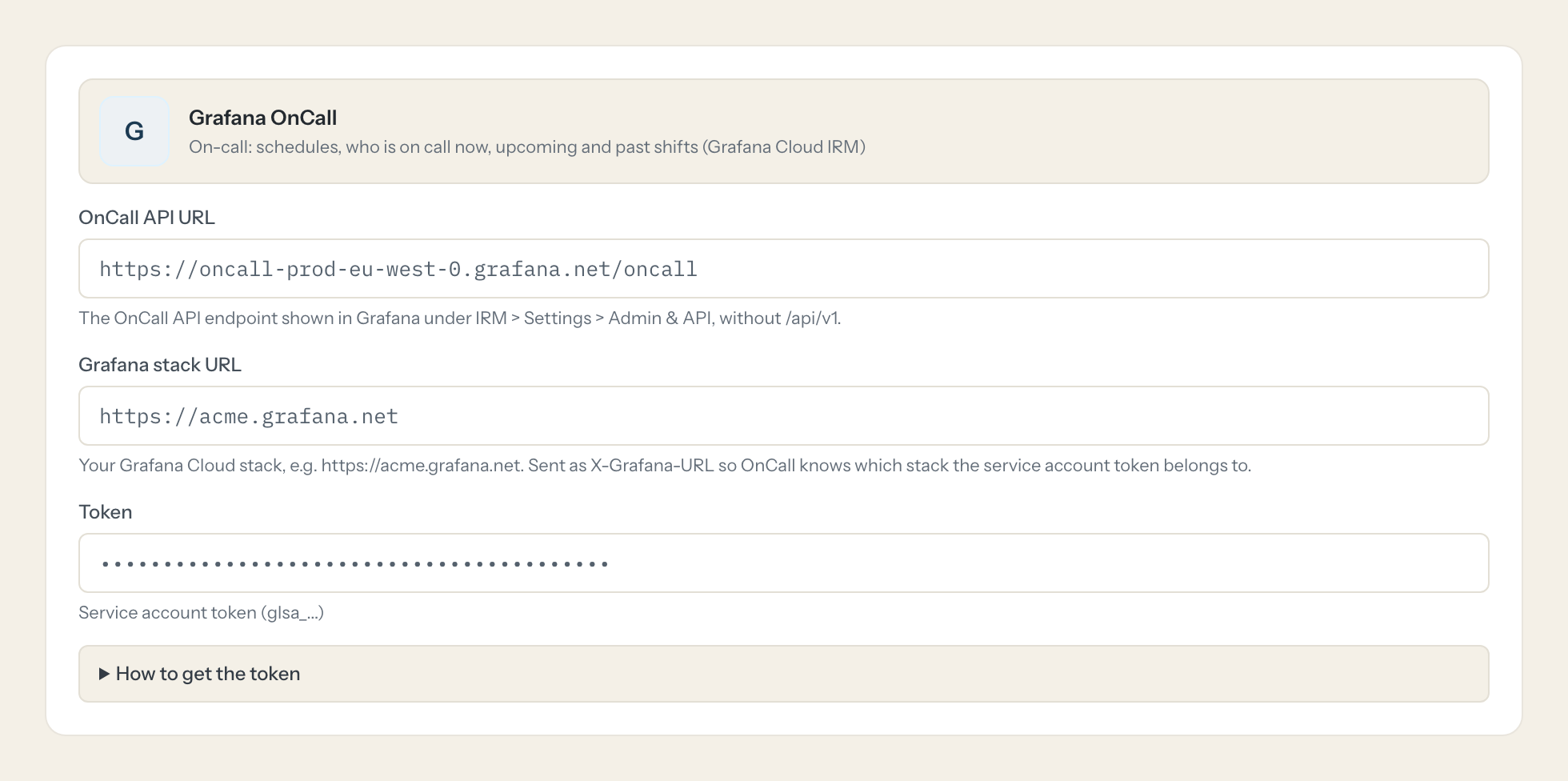
In Grafana open IRM > Settings > Admin & API and copy the OnCall API URL. Paste it here with your stack URL and the token.
- 4
In Loopthink, add Grafana OnCall from the catalog and paste the token. It also asks for oncall api url and grafana stack url. Your team sees the tools a minute later.
Some OnCall endpoints need user context and refuse service account tokens; the schedule reads used here do not.
What we suggest masking in Grafana OnCall.
A schedule is a list of people: usernames, emails and user ids on every shift. The suggested fields mask email and username, so a Management role can count shifts per month without a per-person export, while the Support role that actually has to reach someone keeps the name. Which role gets which is a switch in the connector, not a second token.
- user_email
- user_username
- users
- username
Grafana OnCall and Loopthink
- Does the same service account as the Grafana connector work?
- Yes. A service account with the Viewer role carries grafana-irm-app.schedules:read as part of its IRM read access, which is all the six tools need. Create one token and paste it into both connectors.
- Why is OnCall a separate connector from Grafana?
- The OnCall API sits on its own host. You enter the OnCall API URL from IRM > Settings > Admin & API, without /api/v1, plus your Grafana Cloud stack URL, which Loopthink sends as X-Grafana-URL so OnCall knows which stack the token belongs to.
- Some OnCall endpoints refuse service account tokens. Does that affect us?
- No. The endpoints that need user context are not used here; the schedule reads work with a service account token. list_final_shifts answers at most 365 days per call, so ask for a year at a time for longer rota counts.
- Does every team member need their own Grafana OnCall account?
- No. Loopthink holds one key or token for Grafana OnCall. Your people sign in to Loopthink with their own identity, and every call to Grafana OnCall is logged under their name. Seats in Grafana OnCall stay where they are today.
- Where does the Grafana OnCall key live?
- In Loopthink, encrypted, in the EU. It never reaches the AI client and never reaches the people using the connector. Rotate it in Grafana OnCall whenever you like and paste the new one once.
- Can somebody write to Grafana OnCall from the chat?
- Not unless you switch it on. Write actions are a separate row in the permission matrix and are off for every role by default. If a role needs one write tool, you grant that one tool to that one role.
- What does the model see?
- The result of the tool call, after masking. Fields you mark as personal, such as emails, names or card details, are masked before the answer travels to the AI client. The model gets the numbers, not the people.
- What does it cost?
- Free for one person and two connectors, no card. Pro is €19 a month for up to five people and every connector on the site, with roles, field masking and a 30-day audit. Team is €49 for ten people and adds your own REST APIs and SQL databases, your own domain and your own identity provider. No call needed.
Stuck, or a tool you need is missing? A person who knows this connector answers within one working day.


