 CRM connector
HubSpot in Claude, ChatGPT and any MCP client. For your whole team.
Contacts, companies, deals and other objects, per object type. One token in Loopthink, one login per person, roles per tool and an audit entry for every call.
Free for 2 connectors, no card · Pro €19 · EU-hosted · 3 read tools, 3 write tools off by default
“Which open deals over 20,000 have had no activity in the last 14 days, and who owns them?”
Three deals over 20,000 with no activity since 7 October:
| Deal | Owner | Amount | Last activity |
|---|---|---|---|
| Nordwind Handel, ERP rollout | M. Huber | 48,000 € | 29 Sep 2026 |
| Alpen Logistik, fleet tracking | L. Nowak | 31,500 € | 2 Oct 2026 |
| Kraus & Partner, DMS licence | S. Keller | 22,400 € | 5 Oct 2026 |
- read-only
- logged
One token in, the tools come out.
HubSpot holds the contacts, companies, deals and tickets your revenue team lives in. Today a question like "which deals over 20k went quiet this month" means a saved view, a filter and a colleague who knows where it is. With the HubSpot connector, Sales, Support and Management ask it in Claude or ChatGPT and get the answer from your live CRM.
Loopthink holds one private app token for HubSpot. Every person signs in with their own identity, gets exactly the object types and tools their role allows, and every call is logged under their name. The token itself never reaches the AI client, and fields like email addresses and phone numbers can be masked before an answer travels.
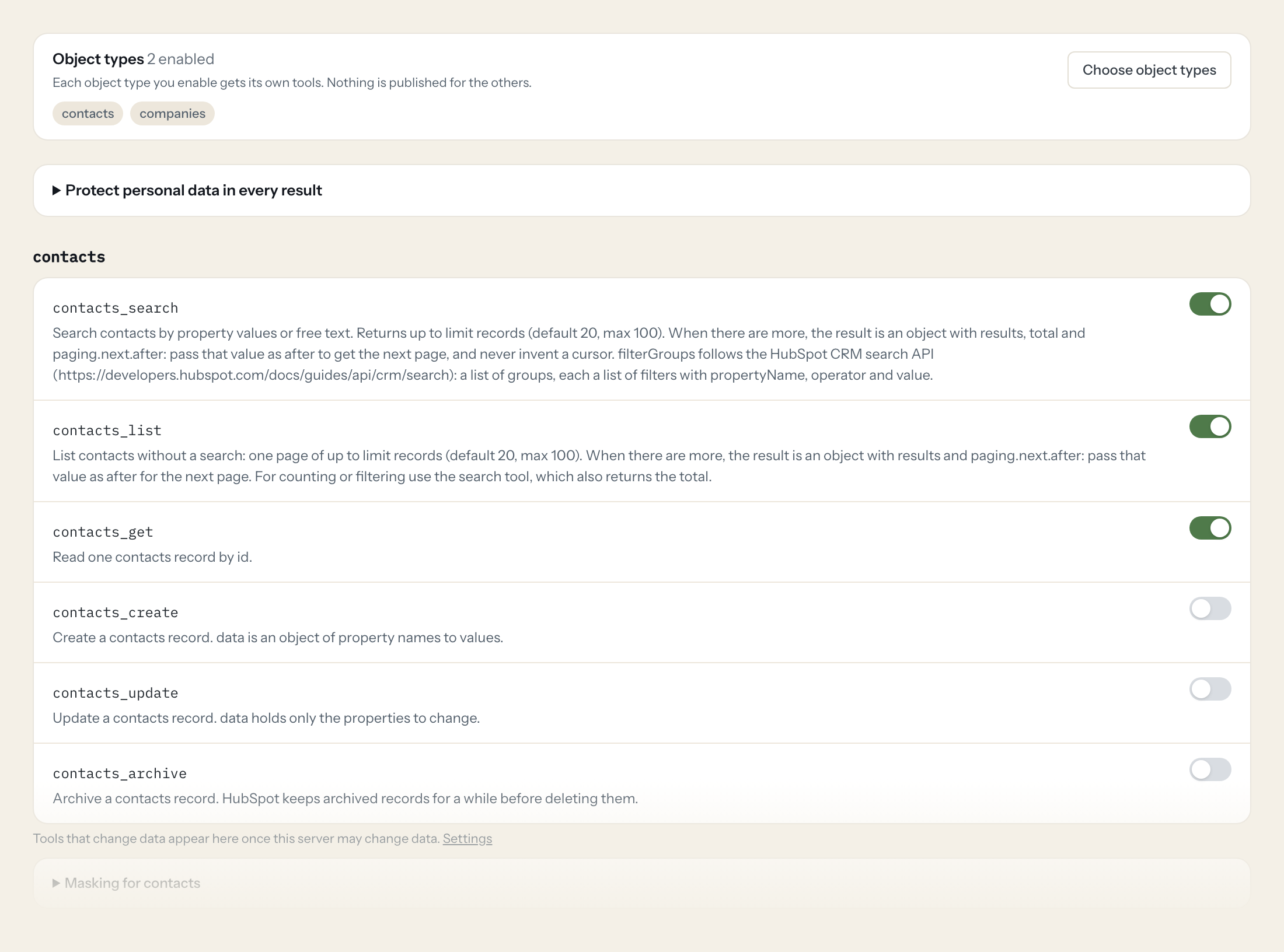
You pick the object types the server exposes: the twelve standard ones, your own custom objects, or three of them. Each enabled type gets search, list and get tools; create, update and archive stay off until you switch them on for a role that needs them.
- Sales
“Which open deals over 20,000 have had no activity in the last 14 days, and who owns them?”
Answered by
deals_search - Sales
“Show me everything we know about Acme GmbH before my call at three: contacts, open deals, last tickets.”
Answered by
companies_search - Support
“Which tickets from enterprise customers have been open for more than five days?”
Answered by
tickets_search - Marketing
“How many contacts came in from the webinar campaign last month, and how many became a deal?”
Answered by
contacts_search - Management
“Pipeline by stage for Q4, with the three biggest deals per stage.”
Answered by
deals_list - Sales ops
“Create a task for the owner of every deal that closes this week and has no next step.”
Answered by
tasks_create
What the HubSpot connector can do.
HubSpot is organised by object type. You enable the object types the server exposes (contacts, companies, deals, tickets, products and 7 more, plus your own), and each one gets the tools below, named after it. Shown here for contacts.
| Tool | What it does | Access | Default |
|---|---|---|---|
| listEntities | Lists the object types enabled on this server, with what each contains. Call this first, then use the tools named after an object type. | Read | On |
| contacts_search | Search contacts by property values or free text. Returns up to limit records (default 20, max 100). | Read | On |
| contacts_list | List contacts without a search: one page of up to limit records (default 20, max 100). When there are more, the result is an object with results and paging.next.after: pass that… | Read | On |
| contacts_get | Read one contacts record by id. | Read | On |
| contacts_create | Create a contacts record. data is an object of property names to values. | Write | Off |
| contacts_update | Update a contacts record. data holds only the properties to change. | Write | Off |
| contacts_archive | Archive a contacts record. HubSpot keeps archived records for a while before deleting them. | Write | Off |
Write tools are off for every role until you switch them on, one tool for one role. The names are what the model sees; it also gets the full parameter description of each tool.
Getting the HubSpot token.
Five minutes, once. Nobody on your team ever sees it.
- 1
In HubSpot open Settings, Integrations, Private Apps (or Service Keys) and create one.
- 2
Give it read access to the objects you want to expose, for example crm.objects.contacts.read, crm.objects.companies.read and crm.objects.deals.read.
- 3
Add crm.schemas.custom.read as well if your own object types should be offered.
- 4
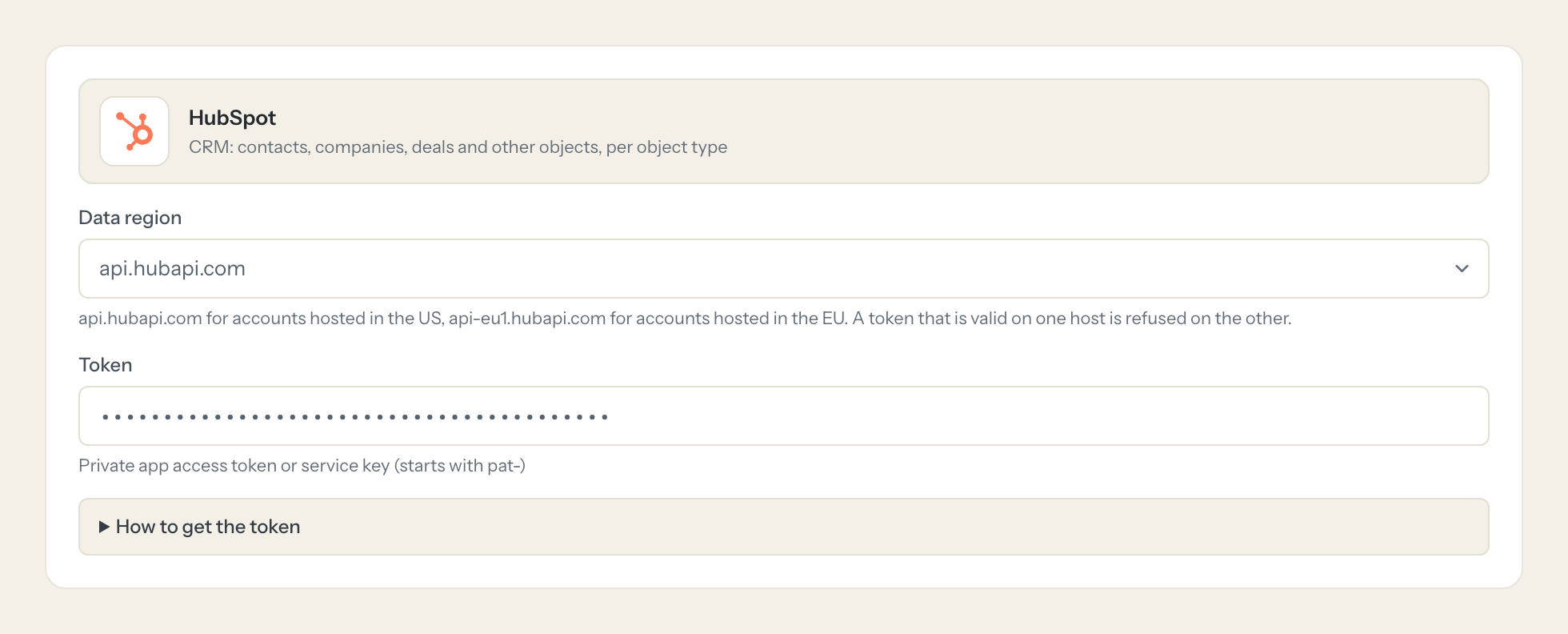
Copy the token and paste it here. Pick the data region your account is hosted in.
- 5
In Loopthink, add HubSpot from the catalog and paste the token. It also asks for data region. Your team sees the tools a minute later.
Tools that change data need the matching write scopes and the server's write access. Without crm.schemas.custom.read only the standard object types are offered.
What we suggest masking in HubSpot.
A CRM is personal data by definition. The suggested fields are the ones a model does not need to answer a pipeline or ticket question: a deal's value, stage and owner stay visible, the contact's email, phone and address are masked. Support can still find the right record, since masking replaces values in the answer, not in the search.
- phone
- firstname
- lastname
- address
- mobilephone
- hs_whatsapp_phone_number
What HubSpot's own MCP server does not give you.
- One login per person: HubSpot's server authenticates the workspace, not the user, so the audit log shows the integration, not who asked.
- Object types and tools per role: a Support role that may read tickets but not deals.
- Masking of personal fields before the answer leaves the EU.
- Write tools off by default, and switchable per tool and role.
- The same server in Claude, ChatGPT and any other MCP client, governed once.
HubSpot and Loopthink
- Which HubSpot scopes does the token need?
- Read scopes for the objects you want to expose, for example crm.objects.contacts.read, crm.objects.companies.read and crm.objects.deals.read. Add crm.schemas.custom.read if your own object types should be offered. Write tools need the matching write scopes on top, and the server's write access switched on.
- Our HubSpot account is hosted in the EU. Does that matter?
- Yes, and the connector asks for it. Pick the EU data region when you connect; a token valid on api-eu1.hubapi.com is refused on the US host and the other way round.
- Can we expose our custom objects?
- Yes. With the crm.schemas.custom.read scope the connector discovers your custom object types and offers them next to the standard ones. Each enabled type gets the same search, list and get tools.
- Does every team member need their own HubSpot account?
- No. Loopthink holds one key or token for HubSpot. Your people sign in to Loopthink with their own identity, and every call to HubSpot is logged under their name. Seats in HubSpot stay where they are today.
- Where does the HubSpot key live?
- In Loopthink, encrypted, in the EU. It never reaches the AI client and never reaches the people using the connector. Rotate it in HubSpot whenever you like and paste the new one once.
- Can somebody write to HubSpot from the chat?
- Not unless you switch it on. Write actions are a separate row in the permission matrix and are off for every role by default. If a role needs one write tool, you grant that one tool to that one role.
- What does the model see?
- The result of the tool call, after masking. Fields you mark as personal, such as emails, names or card details, are masked before the answer travels to the AI client. The model gets the numbers, not the people.
- What does it cost?
- Free for one person and two connectors, no card. Pro is €19 a month for up to five people and every connector on the site, with roles, field masking and a 30-day audit. Team is €49 for ten people and adds your own REST APIs and SQL databases, your own domain and your own identity provider. No call needed.
Stuck, or a tool you need is missing? A person who knows this connector answers within one working day.
