CentralStationCRM in Claude, ChatGPT and any MCP client. For your whole team.
People, companies, deals, projects, tasks, protocols. One token in Loopthink, one login per person, roles per tool and an audit entry for every call.
Free for 2 connectors, no card · Pro €19 · EU-hosted · 21 read tools, 1 write tools off by default
“What happened with Huber AG in the last 30 days: calls, meetings, emails?”
Three activities were logged for Huber AG:
| Date | Type | By | Summary |
|---|---|---|---|
| 17 Oct 2026 | Meeting | Anna Meier | Rollout plan agreed, pilot in Q1 |
| 09 Oct 2026 | Call | Jonas Weber | Budget approved by board |
| 25 Sep 2026 | Anna Meier | Revised quote sent |
- read-only
- masked
One token in, the tools come out.
CentralStationCRM is where a small sales team keeps its customers: people and the companies they work for, deals with a value and a state, projects, open to-dos, and the protocols that record every call, meeting and email. The questions are the ones asked before every customer call, "what happened with Huber AG last month", "how much is in the pipeline for Q4", but today they mean a login, a search and reading a timeline.
With the CentralStationCRM connector, Sales, Account Management and Management ask in Claude or ChatGPT and get the answer from the live CRM. Loopthink holds one CentralStationCRM API key, every person signs in with their own identity, and every call is logged under their name. The key never reaches the AI client.
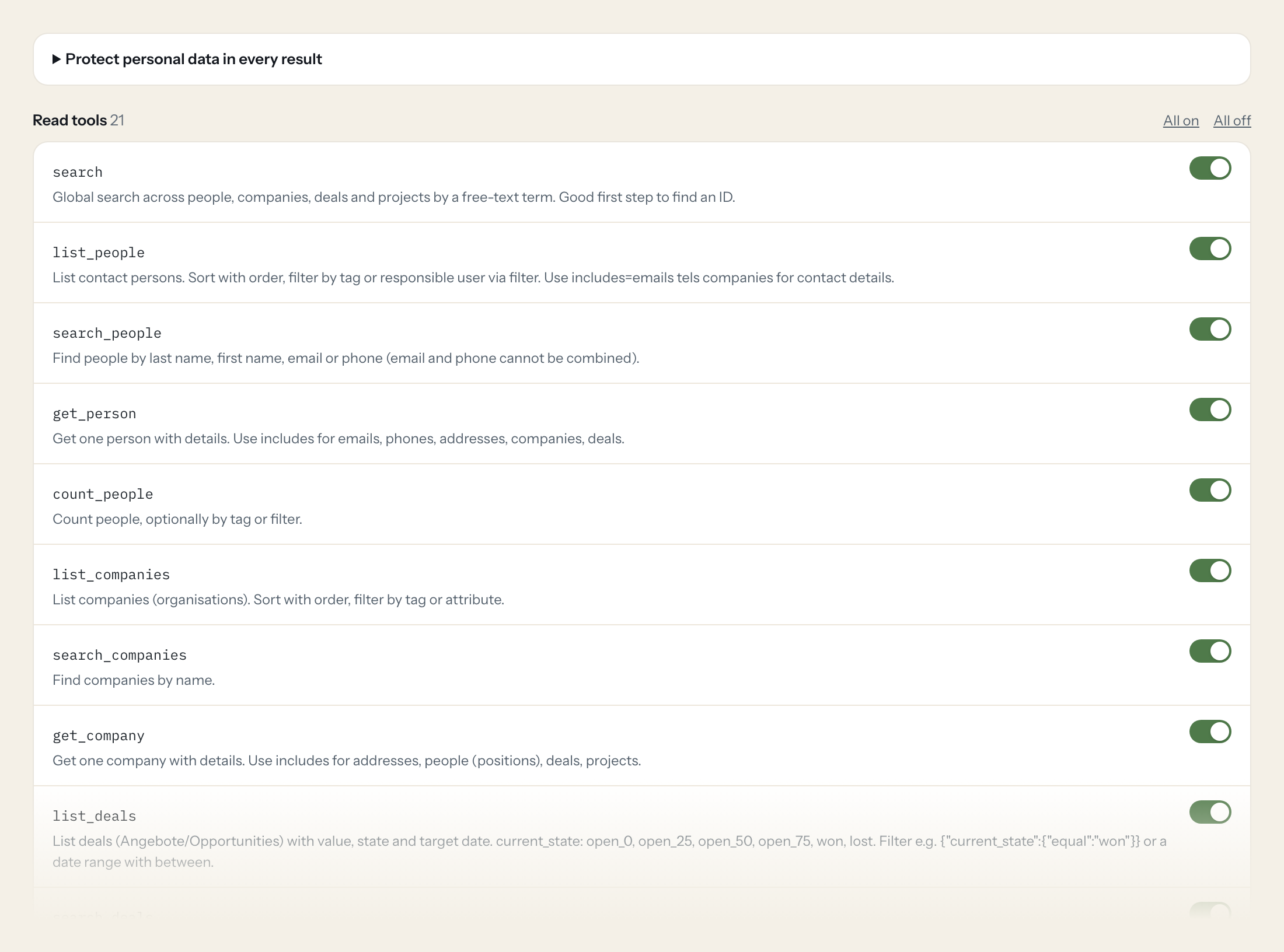
Twenty-one read tools cover global search, people and companies with their counts, deals with pipeline totals, projects, tasks, protocols, calendar events, comments and users. The one write tool, creating a task, stays off until you switch it on for a role.
- Sales
“What happened with Huber AG in the last 30 days: calls, meetings, emails?”
Answered by
list_protocols - Management
“How much is in the pipeline at open_50 or better, number of deals and total value?”
Answered by
get_deal_stats - Sales
“Which deals did we win in Q3, with value and target date?”
Answered by
list_deals - Account Management
“Which of my tasks are open and due before Friday?”
Answered by
list_tasks - Sales
“Which appointments are coming up next week, and with which companies?”
Answered by
list_cal_events - Sales
“Create a to-do 'Send revised quote' for Anna Meier, due 24 October, attached to the Huber AG deal.”
Answered by
create_task
What the CentralStationCRM connector can do.
| Tool | What it does | Access | Default |
|---|---|---|---|
| search | Global search across people, companies, deals and projects by a free-text term. Good first step to find an ID. | Read | On |
| list_people | List contact persons. Sort with order, filter by tag or responsible user via filter. | Read | On |
| search_people | Find people by last name, first name, email or phone (email and phone cannot be combined). | Read | On |
| get_person | Get one person with details. Use includes for emails, phones, addresses, companies, deals. | Read | On |
| count_people | Count people, optionally by tag or filter. | Read | On |
| list_companies | List companies (organisations). Sort with order, filter by tag or attribute. | Read | On |
| search_companies | Find companies by name. | Read | On |
| get_company | Get one company with details. Use includes for addresses, people (positions), deals, projects. | Read | On |
| list_deals | List deals (Angebote/Opportunities) with value, state and target date. current_state: open_0, open_25, open_50, open_75, won, lost. | Read | On |
| search_deals | Find deals by name. Returns matching deals with id, name, status and value. | Read | On |
| get_deal | Get one deal with value, state, pipeline stage, company and people. | Read | On |
| get_deal_stats | Pipeline totals: number of deals (total_entries) and summed value for a tag or filter, e.g. open deals of one user. | Read | On |
| count_deals | Count deals, optionally by tag or filter. | Read | On |
| list_projects | List projects with state, company and people. | Read | On |
| get_project | Get one project by ID, including its status, dates and linked records. | Read | On |
| list_tasks | List tasks (to-dos). state open/closed, due date range with after/before (YYYY-MM-DD), user_id for one assignee. | Read | On |
| list_protocols | List protocols (activity notes, call/meeting logs, emails) for a person, company, deal or project. Use for 'what happened with customer X'. | Read | On |
| get_protocol | Get one protocol (note) with full text. | Read | On |
| list_cal_events | List calendar events (appointments). state upcoming/old, date range with after/before (YYYY-MM-DD). | Read | On |
| list_comments | List comments in the account, newest activity first. | Read | On |
| list_users | List CRM users (team members). Use to resolve user_id for filters and create_task. | Read | On |
| create_task | WRITE: Creates a task (to-do) assigned to a user, optionally attached to a person, company, deal or project. | Write | Off |
Write tools are off for every role until you switch them on, one tool for one role. The names are what the model sees; it also gets the full parameter description of each tool.
Getting the CentralStationCRM token.
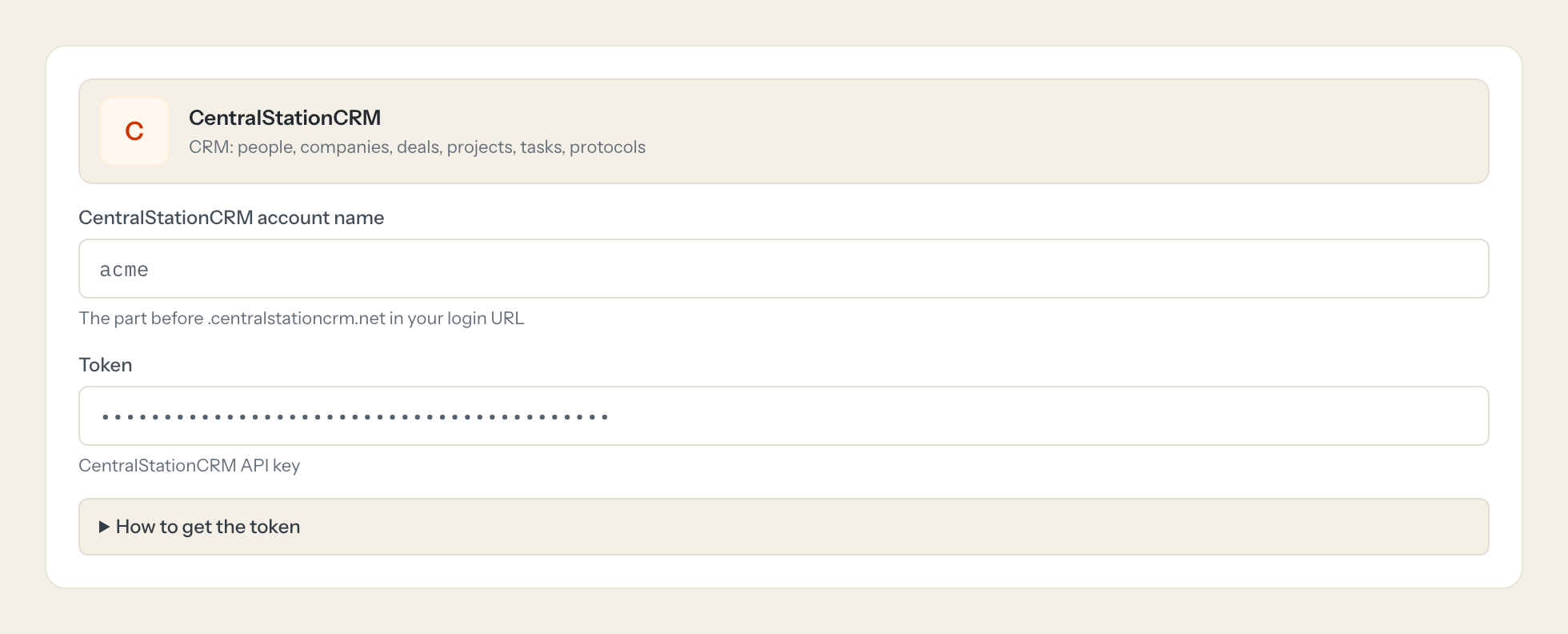
Five minutes, once. Nobody on your team ever sees it.
- 1
Log in to CentralStationCRM as an admin.
- 2
Open Settings (Einstellungen) > API and create or copy the API key.
- 3
Paste the key here; it is sent in the X-apikey header.
- 4
In Loopthink, add CentralStationCRM from the catalog and paste the token. It also asks for centralstationcrm account name. Your team sees the tools a minute later.
The API key has full account access, there are no read-only scopes. Rate limit 50 requests per 10 seconds (HTTP 429 with Retry-After).
What we suggest masking in CentralStationCRM.
A CRM is mostly people: first and last names, emails, phone numbers, postal addresses, messenger handles, homepages, background notes, birthday, gender and salutation. The suggested fields mask those and keep company names, deal values and states, task due dates and protocol timestamps, which is what a pipeline or preparation question needs. Management sees that 180,000 euros are at open_75 without any contact's mobile number in the answer.
- first_name
- name
- emails
- tels
- phone
- addrs
- street
- zip
- city
- ims
- homepages
- background
- birthday
- gender
- gender_identity
- salutation
CentralStationCRM and Loopthink
- The API key has full account access. How do we limit it?
- CentralStationCRM has no read-only scopes, so the key can do everything its account can. The connector exposes only read tools by default; create_task is off until you enable it for a role. Keep the key in Loopthink, never in a client, and use the audit log to see who asked what.
- What does the connection need besides the key?
- Your account name, the part before .centralstationcrm.net in your login URL. The key is sent in the X-apikey header on every call; nobody on your team has to enter it.
- Is there a rate limit?
- 50 requests per 10 seconds. Beyond that the API answers with HTTP 429 and a Retry-After header. A conversational question stays far below that; a long list over many pages takes a moment.
- Does every team member need their own CentralStationCRM account?
- No. Loopthink holds one key or token for CentralStationCRM. Your people sign in to Loopthink with their own identity, and every call to CentralStationCRM is logged under their name. Seats in CentralStationCRM stay where they are today.
- Where does the CentralStationCRM key live?
- In Loopthink, encrypted, in the EU. It never reaches the AI client and never reaches the people using the connector. Rotate it in CentralStationCRM whenever you like and paste the new one once.
- Can somebody write to CentralStationCRM from the chat?
- Not unless you switch it on. Write actions are a separate row in the permission matrix and are off for every role by default. If a role needs one write tool, you grant that one tool to that one role.
- What does the model see?
- The result of the tool call, after masking. Fields you mark as personal, such as emails, names or card details, are masked before the answer travels to the AI client. The model gets the numbers, not the people.
- What does it cost?
- Free for one person and two connectors, no card. Pro is €19 a month for up to five people and every connector on the site, with roles, field masking and a 30-day audit. Team is €49 for ten people and adds your own REST APIs and SQL databases, your own domain and your own identity provider. No call needed.
Stuck, or a tool you need is missing? A person who knows this connector answers within one working day.

