Salesflare in Claude, ChatGPT and any MCP client. For your whole team.
Accounts, contacts, opportunities, pipelines, tasks and account timelines. One token in Loopthink, one login per person, roles per tool and an audit entry for every call.
Free for 2 connectors, no card · Pro €19 · EU-hosted · 15 read tools, 7 write tools off by default
“Which open opportunities in the New Business pipeline are due to close this quarter, by stage and owner?”
Three opportunities in New Business close in Q4 2026:
| Opportunity | Stage | Owner | Value |
|---|---|---|---|
| Nordwind Handel | Proposal | L. Brandt | 48,000 € |
| Alpen Logistik | Negotiation | M. Sauer | 92,500 € |
| Kraus & Partner | Qualified | L. Brandt | 21,300 € |
- read-only
- logged
One token in, the tools come out.
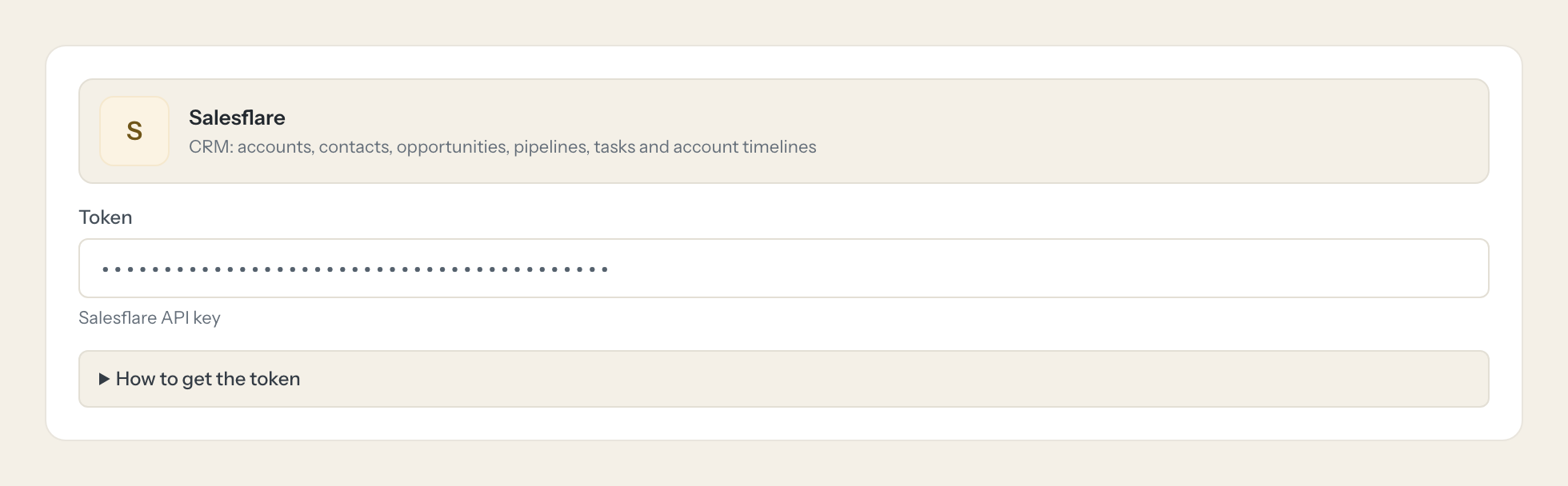
Salesflare is the CRM: the accounts and the people in them, the opportunities moving through the pipeline, the tasks, and the timeline of every account with its emails, meetings, calls and notes. The questions are simple, "which deals close this quarter", "when did we last talk to Brandt & Partner", but today they take the right pipeline view, a filter per owner and a scroll through the feed.
With the Salesflare connector, Sales, Sales Management and Customer Success ask in Claude or ChatGPT and get the answer from the live CRM. Loopthink holds one Salesflare API key, every person signs in with their own identity, and every call is logged under their name. The key never reaches the AI client.
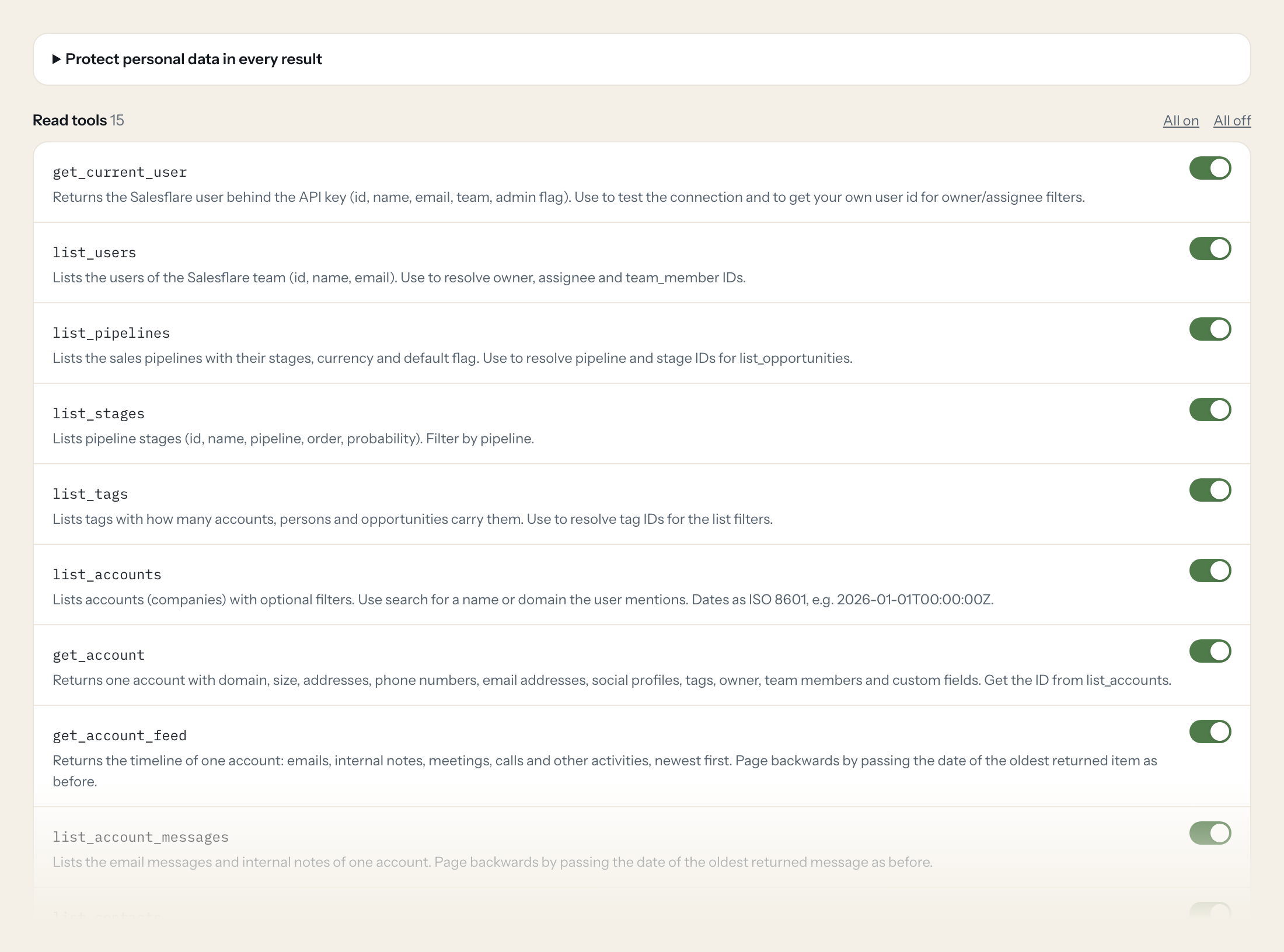
Fifteen read tools cover accounts and their feed and messages, contacts, opportunities, pipelines, stages, tags, tasks, meetings and users. The seven write tools, creating accounts, contacts, opportunities, tasks and internal notes and updating opportunities and tasks, stay off until you switch them on for a role.
- Sales Management
“Which open opportunities in the New Business pipeline are due to close this quarter, by stage and owner?”
Answered by
list_opportunities - Sales
“When did we last have contact with Brandt & Partner, and what was it about?”
Answered by
get_account_feed - Sales
“Who at Brandt & Partner do we know, and who is the main contact?”
Answered by
list_contacts - Sales Management
“What is the value, probability and lost reason of the Nordwind Logistik deal?”
Answered by
get_opportunity - Customer Success
“Which of my tasks are overdue, and for which accounts?”
Answered by
list_tasks - Sales
“Move the Nordwind Logistik deal to Proposal Sent and set the close date to 15 November.”
Answered by
update_opportunity
What the Salesflare connector can do.
| Tool | What it does | Access | Default |
|---|---|---|---|
| get_current_user | Returns the Salesflare user behind the API key (id, name, email, team, admin flag). Use to test the connection and to get your own user id for owner/assignee filters. | Read | On |
| list_users | Lists the users of the Salesflare team (id, name, email). Use to resolve owner, assignee and team_member IDs. | Read | On |
| list_pipelines | Lists the sales pipelines with their stages, currency and default flag. Use to resolve pipeline and stage IDs for list_opportunities. | Read | On |
| list_stages | Lists pipeline stages (id, name, pipeline, order, probability). Filter by pipeline. | Read | On |
| list_tags | Lists tags with how many accounts, persons and opportunities carry them. Use to resolve tag IDs for the list filters. | Read | On |
| list_accounts | Lists accounts (companies) with optional filters. Use search for a name or domain the user mentions. | Read | On |
| get_account | Returns one account with domain, size, addresses, phone numbers, email addresses, social profiles, tags, owner, team members and custom fields. Get the ID from list_accounts. | Read | On |
| get_account_feed | Returns the timeline of one account: emails, internal notes, meetings, calls and other activities, newest first. Page backwards by passing the date of the oldest returned item a… | Read | On |
| list_account_messages | Lists the email messages and internal notes of one account. Page backwards by passing the date of the oldest returned message as before. | Read | On |
| list_contacts | Lists contacts (people) with optional filters. Use search, name, email or domain to find a person; account to list the people of a company. | Read | On |
| get_contact | Returns one contact with email, phone numbers, positions, addresses, account, tags, owner and custom fields. | Read | On |
| list_opportunities | Lists opportunities (deals) with optional filters. Use for pipeline questions (open deals per stage, per owner, deals closing this quarter). | Read | On |
| get_opportunity | Returns one opportunity with account, stage, pipeline, value, currency, probability, close date, owner, assignee, main contact, lost reason, tags and custom fields. | Read | On |
| list_tasks | Lists tasks. By default only tasks assigned to the API key's user; pass assignees for other users. | Read | On |
| get_meeting | Returns one meeting or call with date, end date, subject, description, notes and participants. Meeting IDs appear in get_account_feed. | Read | On |
| create_account | Creates an account (company). Set update_if_exists to update an existing account with the same domain instead of creating a duplicate. | Write | Off |
| create_contact | Creates a contact (person), optionally linked to an account. With force=false no contact is created when one with the same email exists. | Write | Off |
| create_opportunity | Creates an opportunity on an account. Get stage IDs from list_pipelines or list_stages. | Write | Off |
| update_opportunity | Updates an opportunity: move it to another stage, change value, close date, owner, assignee or mark it closed/done. Only the fields you pass change. | Write | Off |
| create_tasks | Creates one or more tasks. Pass tasks as a JSON array of objects with description (required), optionally account (account ID), reminder_date (due date, ISO 8601) and assignees (… | Write | Off |
| update_task | Updates a task: change description, due date or assignees, or mark it completed. Only the fields you pass change. | Write | Off |
| create_internal_note | Adds an internal note to an account's timeline, visible to the team. Mention users by passing their IDs in mentions. | Write | Off |
Write tools are off for every role until you switch them on, one tool for one role. The names are what the model sees; it also gets the full parameter description of each tool.
Getting the Salesflare token.
Five minutes, once. Nobody on your team ever sees it.
- 1
Log in to Salesflare as the user Loopthink should act as.
- 2
Open Settings > API keys (app.salesflare.com/#/settings/apikeys).
- 3
Click the orange '+' button (bottom right) to create an API key.
- 4
Copy the key and paste it into Loopthink.
- 5
In Loopthink, add Salesflare from the catalog and paste the token. Your team sees the tools a minute later.
Salesflare API keys have no scopes and act as the user who created them, with that user's visibility. Some filters (e.g. list_tasks) default to that user. A dedicated user keeps the audit trail clear; it needs a paid seat.
What we suggest masking in Salesflare.
A CRM is personal data by design: the names, email addresses, phone numbers, addresses, social profiles, pictures and birth dates of contacts, the participants of meetings, and the subject and body of emails and notes in the feed. The suggested fields mask all of these and keep account name, stage, value, probability, close date, owner and timestamps, so a Sales Management role can see that twelve deals worth 380,000 euros sit in Proposal Sent without reading the emails behind them.
- name
- firstname
- lastname
- middle
- email_addresses
- phone_number
- mobile_phone_number
- home_phone_number
- fax_number
- phone_numbers
- address
- addresses
- social_profiles
- picture
- birth_date
- body
- notes
- description
- participants
- subject
Salesflare and Loopthink
- The API key has no scopes. Whose data does it see?
- The key acts as the user who created it, with that user's visibility in Salesflare. Create it from Settings > API keys while logged in as a dedicated user; that keeps the audit trail on the Salesflare side clear. Note that a dedicated user needs a paid seat.
- Why does list_tasks only show some tasks?
- By default it returns the tasks assigned to the user behind the API key. To see another person's tasks, the model passes their user id in assignees; it finds the id with list_users.
- Can the AI create duplicates when writing?
- The write tools are off until you enable them for a role. When enabled, create_account can update an existing account with the same domain instead of creating a second one, and create_contact can skip creation when a contact with the same email exists. update_opportunity and update_task only change the fields you pass.
- Does every team member need their own Salesflare account?
- No. Loopthink holds one key or token for Salesflare. Your people sign in to Loopthink with their own identity, and every call to Salesflare is logged under their name. Seats in Salesflare stay where they are today.
- Where does the Salesflare key live?
- In Loopthink, encrypted, in the EU. It never reaches the AI client and never reaches the people using the connector. Rotate it in Salesflare whenever you like and paste the new one once.
- Can somebody write to Salesflare from the chat?
- Not unless you switch it on. Write actions are a separate row in the permission matrix and are off for every role by default. If a role needs one write tool, you grant that one tool to that one role.
- What does the model see?
- The result of the tool call, after masking. Fields you mark as personal, such as emails, names or card details, are masked before the answer travels to the AI client. The model gets the numbers, not the people.
- What does it cost?
- Free for one person and two connectors, no card. Pro is €19 a month for up to five people and every connector on the site, with roles, field masking and a 30-day audit. Team is €49 for ten people and adds your own REST APIs and SQL databases, your own domain and your own identity provider. No call needed.
Stuck, or a tool you need is missing? A person who knows this connector answers within one working day.

