Pipedrive in Claude, ChatGPT and any MCP client. For your whole team.
Deals, pipelines, persons, organizations, activities, notes. One token in Loopthink, one login per person, roles per tool and an audit entry for every call.
Free for 2 connectors, no card · Pro €19 · EU-hosted · 19 read tools, 4 write tools off by default
“Which open deals over 10,000 have no activity scheduled, and who owns them?”
Three open deals over 10,000 without a next activity:
| Deal | Owner | Value | Stage |
|---|---|---|---|
| Nordwind Handel, warehouse scanners | M. Huber | 24,500 € | Proposal sent |
| Alpen Logistik, fleet licences | L. Nowak | 18,200 € | Negotiation |
| Huber AG, onboarding package | S. Keller | 11,900 € | Qualified |
- read-only
- logged
One token in, the tools come out.
Pipedrive is the pipeline of a small sales team: deals by stage, the persons and organizations behind them, activities due today, leads not yet qualified, notes from the last call. It is good at showing one pipeline; it is less good at answering "which deals went quiet" across all of them.
With the Pipedrive connector, Sales, Sales ops and Management ask in Claude or ChatGPT and get the answer from the live account. Loopthink holds one API token, every person signs in with their own identity, and every call is logged under their name.
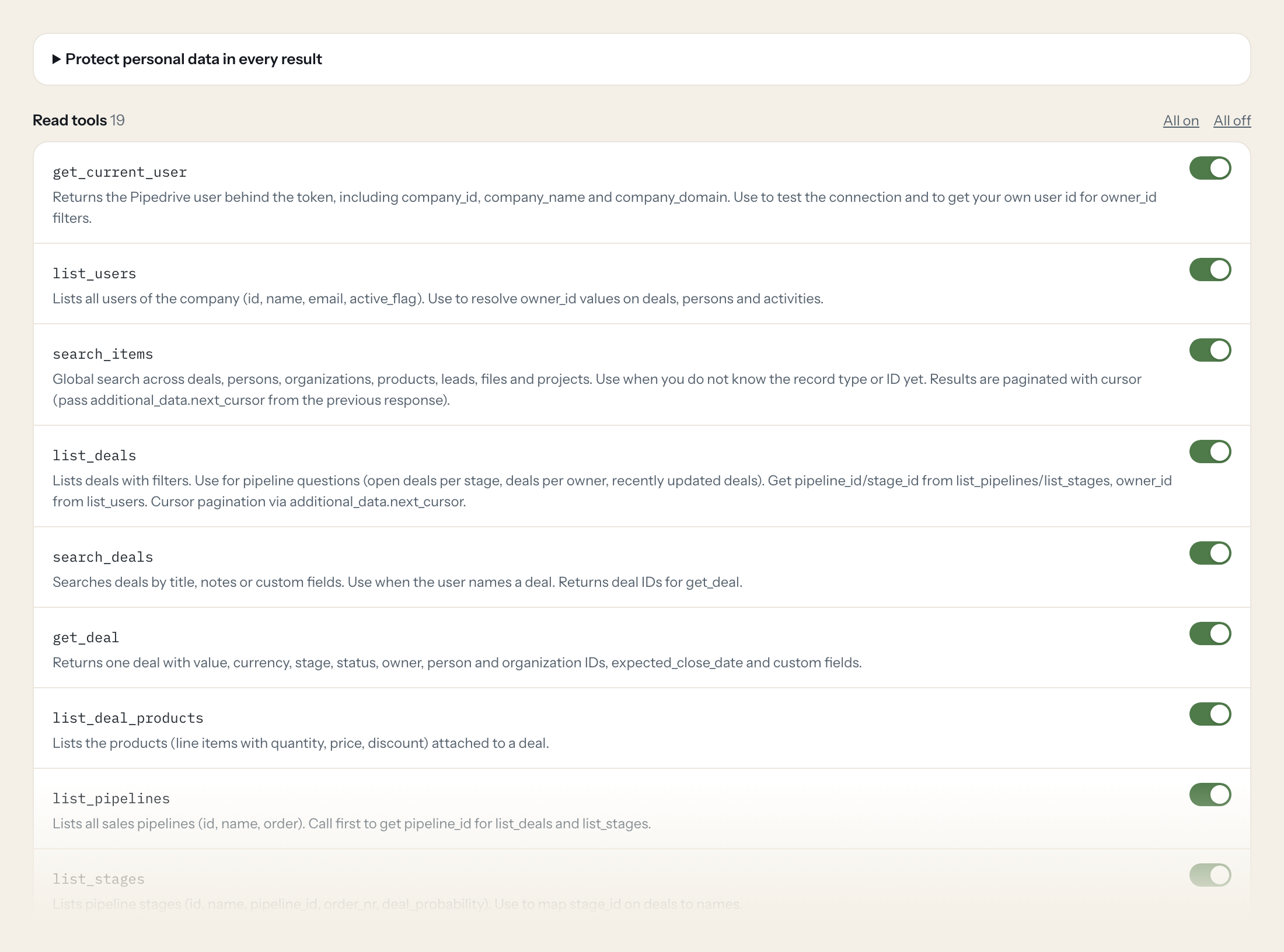
Nineteen read tools cover deals, pipelines, stages, persons, organizations, activities, leads, notes, products and users. Four write tools, creating an activity, a note or a deal and updating a deal, stay off until you switch them on for a role.
- Sales
“Which open deals over 10,000 have no activity scheduled, and who owns them?”
Answered by
list_deals - Sales
“What do we know about Brandt Logistik: contacts, open deals, last notes?”
Answered by
search_organizations - Sales ops
“Deals per stage in the Enterprise pipeline, with total value per stage.”
Answered by
list_deals - Management
“Deals won and lost this month, by owner.”
Answered by
list_deals - Sales
“What is due today across my deals: calls, meetings, tasks?”
Answered by
list_activities - Sales
“Add a note to the Brandt deal: budget confirmed, decision in two weeks.”
Answered by
create_note
What the Pipedrive connector can do.
| Tool | What it does | Access | Default |
|---|---|---|---|
| get_current_user | Returns the Pipedrive user behind the token, including company_id, company_name and company_domain. Use to test the connection and to get your own user id for owner_id filters. | Read | On |
| list_users | Lists all users of the company (id, name, email, active_flag). Use to resolve owner_id values on deals, persons and activities. | Read | On |
| search_items | Global search across deals, persons, organizations, products, leads, files and projects. Use when you do not know the record type or ID yet. | Read | On |
| list_deals | Lists deals with filters. Use for pipeline questions (open deals per stage, deals per owner, recently updated deals). | Read | On |
| search_deals | Searches deals by title, notes or custom fields. Use when the user names a deal. | Read | On |
| get_deal | Returns one deal with value, currency, stage, status, owner, person and organization IDs, expected_close_date and custom fields. | Read | On |
| list_deal_products | Lists the products (line items with quantity, price, discount) attached to a deal. | Read | On |
| list_pipelines | Lists all sales pipelines (id, name, order). Call first to get pipeline_id for list_deals and list_stages. | Read | On |
| list_stages | Lists pipeline stages (id, name, pipeline_id, order_nr, deal_probability). Use to map stage_id on deals to names. | Read | On |
| list_persons | Lists contact persons with filters (organization, owner, linked deal, updated since). Cursor pagination. | Read | On |
| search_persons | Searches persons by name, email, phone, notes or custom fields. Use when the user names a contact. | Read | On |
| get_person | Returns one person with emails, phones, organization and owner. | Read | On |
| list_organizations | Lists organizations (companies) with optional owner and updated-since filters. Cursor pagination. | Read | On |
| search_organizations | Searches organizations by name, address, notes or custom fields. | Read | On |
| get_organization | Returns one organization with address, owner and optional deal/activity counts. | Read | On |
| list_activities | Lists activities (calls, meetings, tasks) with filters. Use for 'what is due', 'what happened with deal X'. | Read | On |
| list_leads | Lists leads (not yet qualified deals). Offset pagination with start and limit. | Read | On |
| list_notes | Lists notes (HTML content) attached to deals, persons, organizations or leads. Offset pagination with start and limit. | Read | On |
| search_products | Searches products by name, code or custom fields. | Read | On |
| create_activity | WRITE: Creates an activity (call, meeting, task, etc.) in Pipedrive, optionally linked to a deal, organization or lead. | Write | Off |
| create_note | WRITE: Adds a note to a deal, person, organization or lead. At least one of deal_id, person_id, org_id, lead_id is required. | Write | Off |
| create_deal | WRITE: Creates a new deal. Without pipeline_id/stage_id it lands in the first stage of the default pipeline. | Write | Off |
| update_deal | WRITE: Updates fields of an existing deal (e.g. move stage, change value, mark won/lost). | Write | Off |
Write tools are off for every role until you switch them on, one tool for one role. The names are what the model sees; it also gets the full parameter description of each tool.
Getting the Pipedrive token.
Five minutes, once. Nobody on your team ever sees it.
- 1
Log in to Pipedrive as the user Loopthink should act as.
- 2
Click your account name (top right) > Company settings > Personal preferences > API, or open app.pipedrive.com/settings/api.
- 3
Copy the personal API token and paste it into Loopthink.
- 4
If 'API' is not shown in settings, an admin must enable API access for the company first.
- 5
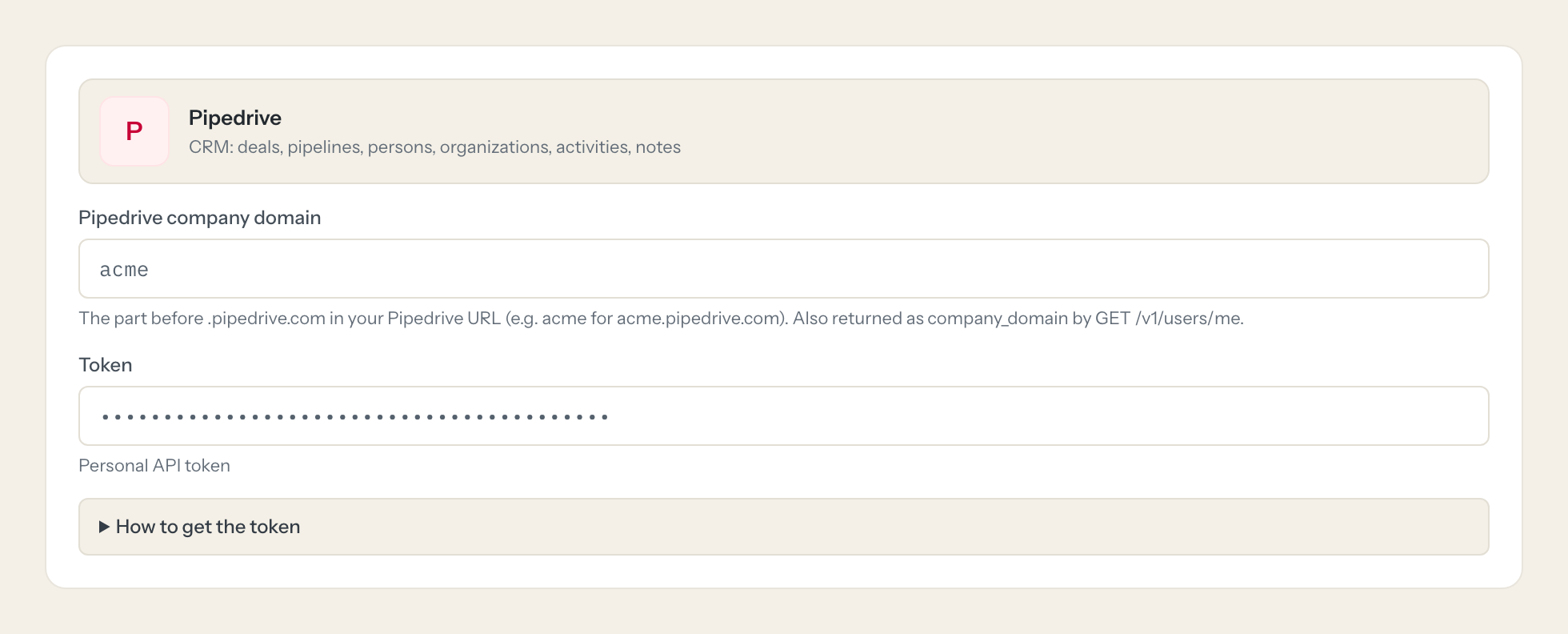
In Loopthink, add Pipedrive from the catalog and paste the token. It also asks for pipedrive company domain. Your team sees the tools a minute later.
Pipedrive API tokens have no scopes. The token acts as its user and sees exactly what that user can see (visibility groups, permission sets). Each user has one active token per company; regenerating it breaks existing integrations. Use a dedicated user with a restricted permission set.
What we suggest masking in Pipedrive.
Persons in Pipedrive are people with emails, phones and addresses, and notes often hold what was said on a call. The suggested fields mask contact data and note content and keep deal titles, values, stages, dates and owners. A pipeline question needs the numbers, not the phone number.
- emails
- phone
- phones
- name
- first_name
- last_name
- owner_name
- address
- person_name
- cc_email
- smart_bcc_email
- content
- note
Pipedrive and Loopthink
- Pipedrive tokens have no scopes. How do we limit what the AI sees?
- The token sees exactly what its user sees, through visibility groups and permission sets. Create a dedicated user with a restricted permission set and use that user's token. Each user has one active token per company, so do not reuse a colleague's.
- What is the company domain the connector asks for?
- The part before .pipedrive.com in your Pipedrive URL. If you sign in at acme.pipedrive.com, enter acme.
- Regenerating the token breaks other integrations?
- Yes, that is how Pipedrive works: one active token per user. Give Loopthink its own user and its own token, and nothing else is affected when you rotate it.
- Does every team member need their own Pipedrive account?
- No. Loopthink holds one key or token for Pipedrive. Your people sign in to Loopthink with their own identity, and every call to Pipedrive is logged under their name. Seats in Pipedrive stay where they are today.
- Where does the Pipedrive key live?
- In Loopthink, encrypted, in the EU. It never reaches the AI client and never reaches the people using the connector. Rotate it in Pipedrive whenever you like and paste the new one once.
- Can somebody write to Pipedrive from the chat?
- Not unless you switch it on. Write actions are a separate row in the permission matrix and are off for every role by default. If a role needs one write tool, you grant that one tool to that one role.
- What does the model see?
- The result of the tool call, after masking. Fields you mark as personal, such as emails, names or card details, are masked before the answer travels to the AI client. The model gets the numbers, not the people.
- What does it cost?
- Free for one person and two connectors, no card. Pro is €19 a month for up to five people and every connector on the site, with roles, field masking and a 30-day audit. Team is €49 for ten people and adds your own REST APIs and SQL databases, your own domain and your own identity provider. No call needed.
Stuck, or a tool you need is missing? A person who knows this connector answers within one working day.

