 Database connector
Airtable in Claude, ChatGPT and any MCP client. For your whole team.
Bases, tables, records and comments. One token in Loopthink, one login per person, roles per tool and an audit entry for every call.
Free for 2 connectors, no card · Pro €19 · EU-hosted · 8 read tools, 3 write tools off by default
“Which Pipeline deals are in stage Proposal, over 10,000, with no activity since 1 October?”
Three deals match, sorted by amount:
| Deal | Amount | Last activity | Owner |
|---|---|---|---|
| Nordwind Handel | 48,500 | 22 Sep 2026 | S. Keller |
| Alpen Logistik | 27,900 | 29 Sep 2026 | M. Berger |
| Kraus & Partner | 14,200 | 18 Sep 2026 | S. Keller |
- read-only
- logged
One token in, the tools come out.
Airtable is where teams keep the lists that never fit a spreadsheet: the deal pipeline, the content calendar, the supplier register, the event sign-ups, each as a base with tables, views and comments. The questions are plain, "which deals over 10k are still open", "what did Anna note on that record last week", but today they mean opening the base, finding the right view and reading the filter someone else built.
With the Airtable connector, Sales, Operations and Marketing ask in Claude or ChatGPT and get the answer from the live base. Loopthink holds one personal access token, every person signs in with their own identity, and every call is logged under their name. The token never reaches the AI client.
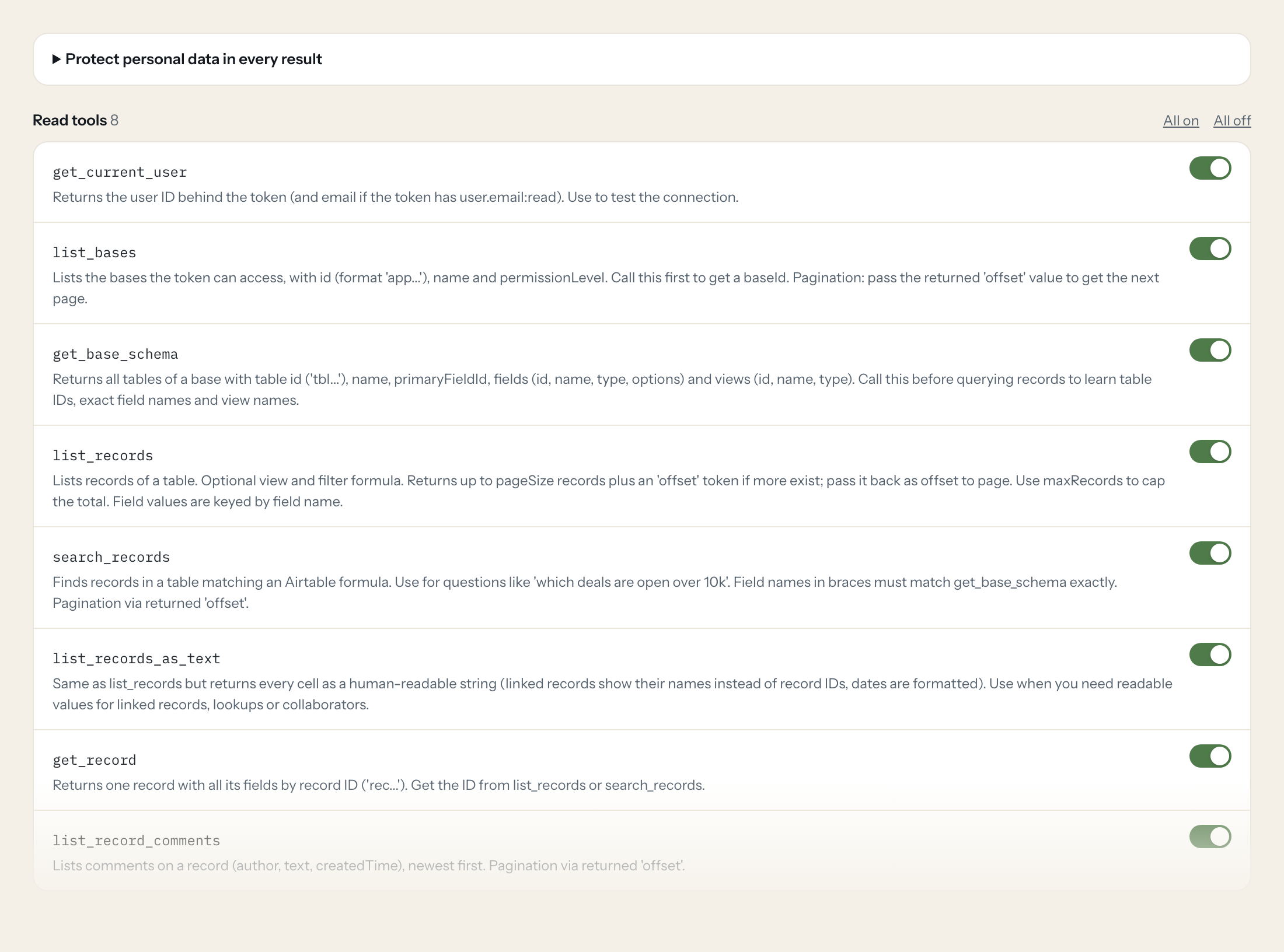
Eight read tools cover bases, table schemas, records as raw values or readable text, formula search, single records and record comments. The three write tools, creating a record, updating a record and adding a comment, stay off until you switch them on for a role.
- Sales
“Which deals in the Pipeline table are in stage Proposal with an amount over 10,000 and no activity since 1 October?”
Answered by
search_records - Operations
“List all suppliers in the Vendors base with contract end dates in Q1 2027, with the owner's name instead of the record id.”
Answered by
list_records_as_text - Marketing
“What is in the Content Calendar view 'Next 30 days', grouped by channel?”
Answered by
list_records - Operations
“What fields and views does the Inventory table have, and which field is the primary one?”
Answered by
get_base_schema - Sales
“Show me the comment thread on the Müller & Söhne record, newest first.”
Answered by
list_record_comments - Sales
“Set the status of deal rec7Kq2 to Won and the close date to today.”
Answered by
update_record
What the Airtable connector can do.
| Tool | What it does | Access | Default |
|---|---|---|---|
| get_current_user | Returns the user ID behind the token (and email if the token has user.email:read). Use to test the connection. | Read | On |
| list_bases | Lists the bases the token can access, with id (format 'app...'), name and permissionLevel. Call this first to get a baseId. | Read | On |
| get_base_schema | Returns all tables of a base with table id ('tbl...'), name, primaryFieldId, fields (id, name, type, options) and views (id, name, type). Call this before querying records to le… | Read | On |
| list_records | Lists records of a table. Optional view and filter formula. | Read | On |
| search_records | Finds records in a table matching an Airtable formula. Use for questions like 'which deals are open over 10k'. | Read | On |
| list_records_as_text | Same as list_records but returns every cell as a human-readable string (linked records show their names instead of record IDs, dates are formatted). Use when you need readable v… | Read | On |
| get_record | Returns one record with all its fields by record ID ('rec...'). Get the ID from list_records or search_records. | Read | On |
| list_record_comments | Lists comments on a record (author, text, createdTime), newest first. Pagination via returned 'offset'. | Read | On |
| create_record | WRITE: Creates one new record in a table. Pass field values as a JSON object keyed by exact field names from get_base_schema, e.g. | Write | Off |
| update_record | WRITE: Updates only the given fields of an existing record (PATCH, other fields stay unchanged). Pass fields as JSON keyed by exact field names, e.g. | Write | Off |
| add_record_comment | WRITE: Adds a comment to a record. Optionally reply to an existing comment via parentCommentId. | Write | Off |
Write tools are off for every role until you switch them on, one tool for one role. The names are what the model sees; it also gets the full parameter description of each tool.
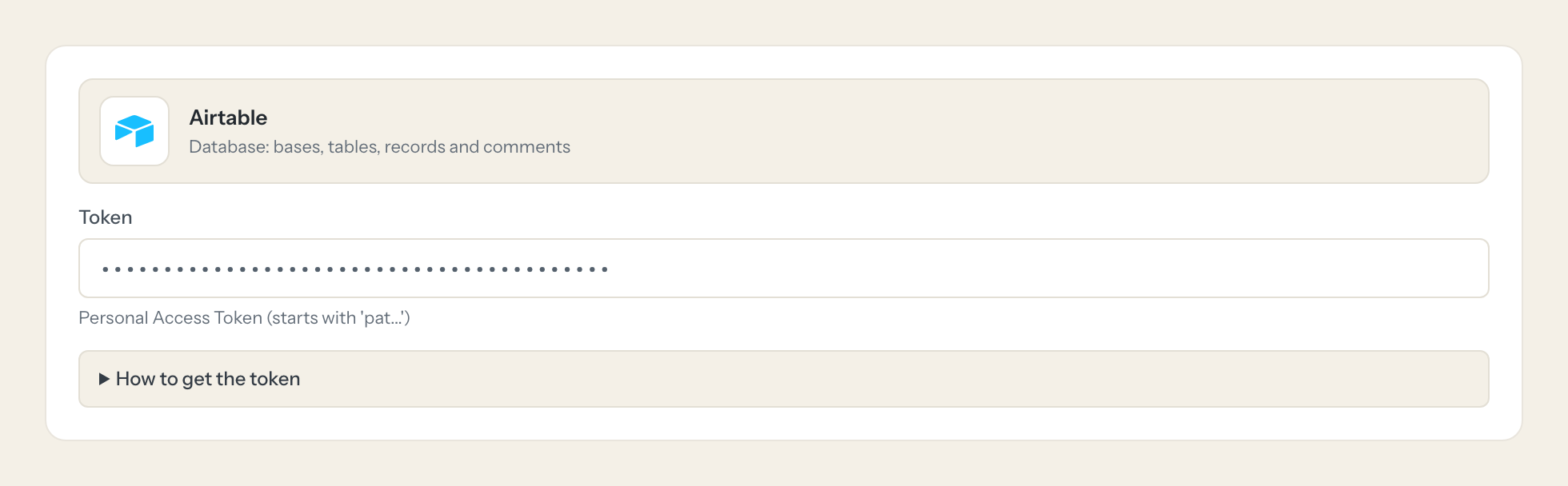
Getting the Airtable token.
Five minutes, once. Nobody on your team ever sees it.
- 1
Open airtable.com/create/tokens and click 'Create new token'.
- 2
Give it a name (it appears in record revision history) and add the scopes listed below.
- 3
Click 'Add a base' and select only the bases or workspaces Loopthink should see.
- 4
Create the token and copy it immediately (it is shown only once).
- 5
In Loopthink, add Airtable from the catalog and paste the token. Your team sees the tools a minute later.
A personal access token acts as the user who created it, limited to its scopes and selected bases. On Enterprise plans an admin can create the token for a service account in the Admin Panel. Rate limit is 5 requests per second per base.
What we suggest masking in Airtable.
An Airtable base can hold anything, and often holds people: a contact's email, phone and address, an IBAN in a payout table, the email of whoever created or commented on a record. The suggested fields mask those values and the collaborator, author and creator emails, and keep the statuses, amounts, dates and names of things a business question needs. Marketing can see that the September newsletter record is still in review without seeing the contributor's phone number.
- phone
- name
- address
- iban
- collaborator.email
- createdBy.email
- author.email
Airtable and Loopthink
- Which scopes does the token need?
- data.records:read, data.recordComments:read and schema.bases:read for the read tools. Add data.records:write only if a role should use create_record or update_record, and data.recordComments:write only for add_record_comment. When you create the token, add only the bases or workspaces Loopthink should see; everything else stays invisible.
- Whose name shows up in the revision history?
- The token acts as the user who created it, so writes appear under that user with the token's name. Use a dedicated user, or on an Enterprise plan let an admin create the token for a service account in the Admin Panel. The Loopthink audit log records which person asked, so you still know who changed what.
- Is there a rate limit?
- Airtable allows 5 requests per second per base. A conversational question rarely comes close, but a broad search_records over many pages will take a moment. Use maxRecords or a view to keep results small.
- Does every team member need their own Airtable account?
- No. Loopthink holds one key or token for Airtable. Your people sign in to Loopthink with their own identity, and every call to Airtable is logged under their name. Seats in Airtable stay where they are today.
- Where does the Airtable key live?
- In Loopthink, encrypted, in the EU. It never reaches the AI client and never reaches the people using the connector. Rotate it in Airtable whenever you like and paste the new one once.
- Can somebody write to Airtable from the chat?
- Not unless you switch it on. Write actions are a separate row in the permission matrix and are off for every role by default. If a role needs one write tool, you grant that one tool to that one role.
- What does the model see?
- The result of the tool call, after masking. Fields you mark as personal, such as emails, names or card details, are masked before the answer travels to the AI client. The model gets the numbers, not the people.
- What does it cost?
- Free for one person and two connectors, no card. Pro is €19 a month for up to five people and every connector on the site, with roles, field masking and a 30-day audit. Team is €49 for ten people and adds your own REST APIs and SQL databases, your own domain and your own identity provider. No call needed.
Stuck, or a tool you need is missing? A person who knows this connector answers within one working day.


