awork in Claude, ChatGPT and any MCP client. For your whole team.
Projects, tasks, time tracking, clients, absences. One token in Loopthink, one login per person, roles per tool and an audit entry for every call.
Free for 2 connectors, no card · Pro €19 · EU-hosted · 20 read tools, 3 write tools off by default
“How many billable hours on the Huber AG relaunch are not yet billed, by type of work?”
38.5 unbilled billable hours, split by type of work:
| Type of work | Hours | Entries |
|---|---|---|
| Development | 22.0 | 14 |
| Design | 11.5 | 7 |
| Project management | 5.0 | 4 |
- read-only
- logged
One token in, the tools come out.
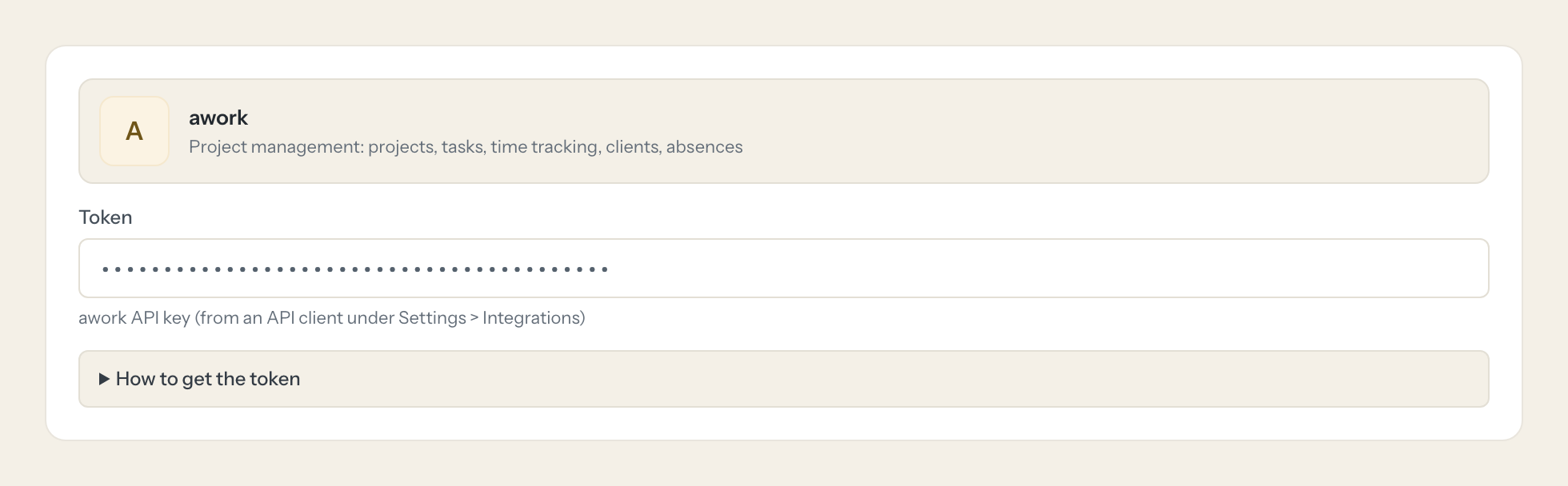
awork is where an agency's work is planned and booked: projects per client, tasks in lists and statuses, time entries per person and type of work, absences for capacity. The questions come up every week, "how many billable hours went into the relaunch", "who is free in November", but today they take a project view, a time report and someone who knows the filters.
With the awork connector, Project Management, Account Management and Finance ask in Claude or ChatGPT and get the answer from the live workspace. Loopthink holds one awork API key, every person signs in with their own identity, and every call is logged under their name. The key never reaches the AI client.
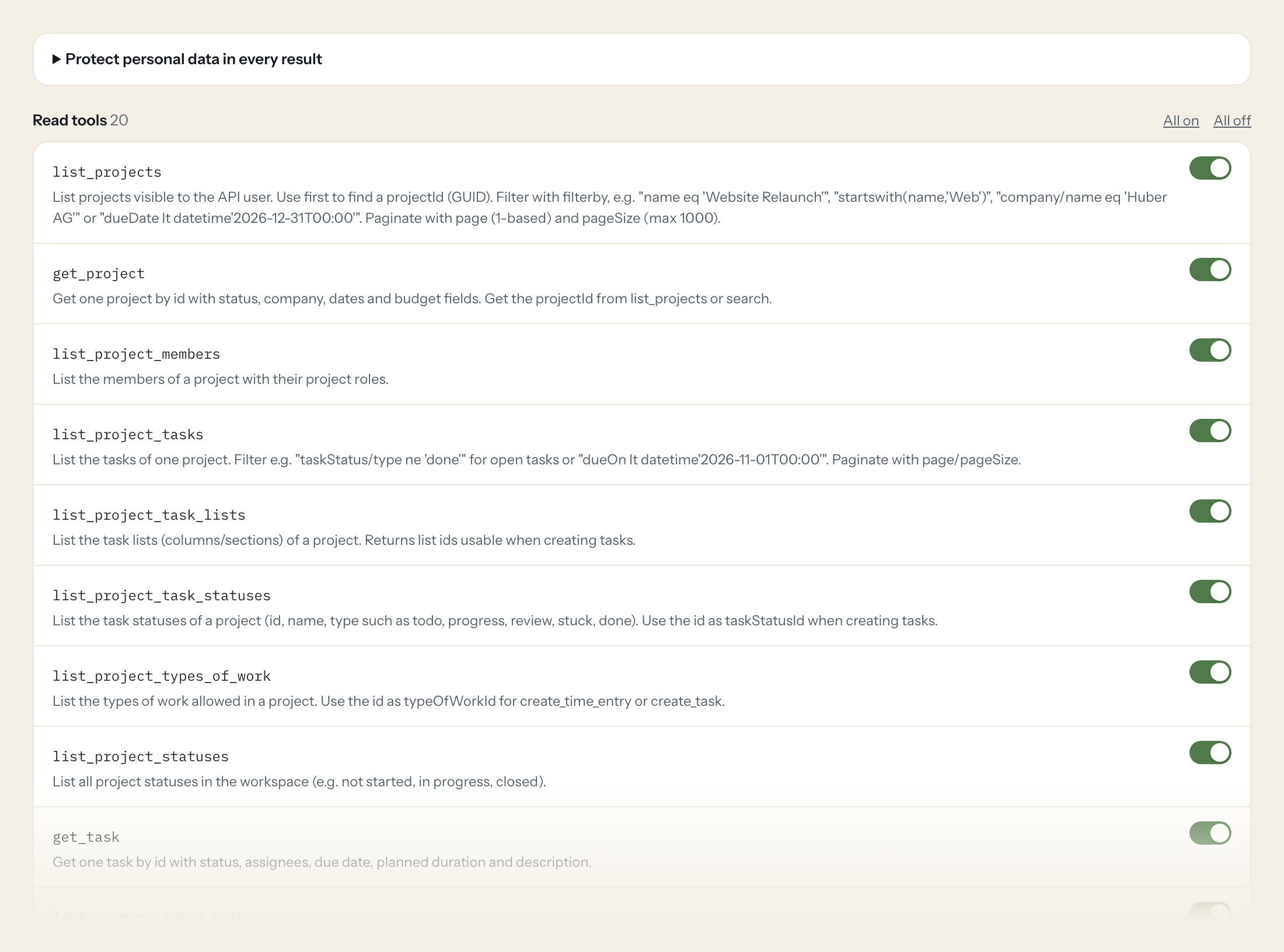
Twenty read tools cover projects with their members, tasks, lists and statuses, time entries per workspace, project and task, users, companies, absences and full-text search. The three write tools, creating a task, adding a task comment and booking a time entry, stay off until you switch them on for a role.
- Finance
“How many billable hours on the Huber AG website relaunch are not yet billed, by type of work?”
Answered by
list_project_time_entries - Project Management
“Which tasks in the 'App Redesign' project are not done and due before 1 November?”
Answered by
list_project_tasks - Project Management
“What is Anna Meier working on right now, and what is overdue?”
Answered by
list_user_assigned_tasks - Management
“Who is on vacation or sick in the second week of November?”
Answered by
list_absences - Account Management
“Total hours logged in October across all projects, per person.”
Answered by
list_time_entries - Project Management
“Create a task 'Prepare kickoff deck' in the Huber AG relaunch project in the To do status.”
Answered by
create_task
What the awork connector can do.
| Tool | What it does | Access | Default |
|---|---|---|---|
| list_projects | List projects visible to the API user. Use first to find a projectId (GUID). | Read | On |
| get_project | Get one project by id with status, company, dates and budget fields. Get the projectId from list_projects or search. | Read | On |
| list_project_members | List the members of a project with their project roles. | Read | On |
| list_project_tasks | List the tasks of one project. Filter e.g. | Read | On |
| list_project_task_lists | List the task lists (columns/sections) of a project. Returns list ids usable when creating tasks. | Read | On |
| list_project_task_statuses | List the task statuses of a project (id, name, type such as todo, progress, review, stuck, done). Use the id as taskStatusId when creating tasks. | Read | On |
| list_project_types_of_work | List the types of work allowed in a project. Use the id as typeOfWorkId for create_time_entry or create_task. | Read | On |
| list_project_statuses | List all project statuses in the workspace (e.g. not started, in progress, closed). | Read | On |
| get_task | Get one task by id with status, assignees, due date, planned duration and description. | Read | On |
| list_user_assigned_tasks | List tasks assigned to a specific user. Get userId from list_users. | Read | On |
| list_task_comments | List the comments of a task. | Read | On |
| list_time_entries | List time entries across the workspace. Filter e.g. | Read | On |
| list_project_time_entries | List time entries booked on one project. Use for project effort and billable hours. | Read | On |
| list_task_time_entries | List time entries booked on one task. | Read | On |
| list_users | List workspace users. Use to resolve a person's name to a userId. | Read | On |
| get_me | Get the current API user and workspace info. Use to check the connection. | Read | On |
| list_companies | List companies (clients). Filter e.g. | Read | On |
| get_company | Get one company by id including contact infos and project counts. | Read | On |
| list_absences | List absences (vacation, sick leave) of users. Filter by date, e.g. | Read | On |
| search | Full-text search across the workspace. Fastest way to find a project, task, user or company by name. | Read | On |
| create_task | WRITE: Creates a new task in a project. Requires entityId = projectId (from list_projects). | Write | Off |
| add_task_comment | WRITE: Adds a comment to a task. Visible to everyone with access to the task. | Write | Off |
| create_time_entry | WRITE: Books a time entry for a user. Requires userId (list_users), typeOfWorkId (list_project_types_of_work) and timezone. | Write | Off |
Write tools are off for every role until you switch them on, one tool for one role. The names are what the model sees; it also gets the full parameter description of each tool.
Getting the awork token.
Five minutes, once. Nobody on your team ever sees it.
- 1
In awork open Settings > Integrations.
- 2
Create a new API client (or pick an existing one).
- 3
Open the context menu (...) of the client and choose 'Manage API Keys'.
- 4
Create a new key and click 'Copy API Key'.
- 5
In Loopthink, add awork from the catalog and paste the token. Your team sees the tools a minute later.
API keys are not user-specific and grant admin-level access to the whole workspace. There are no read-only scopes, so restrict access through Loopthink policies (read tools only where possible). Endpoints under /me may not resolve a user for an API key; prefer the user-scoped tools with an explicit userId.
What we suggest masking in awork.
awork knows its users and client contacts as people: first and last names, birth date, gender, contact details, company addresses, notes on companies. The suggested fields mask those and keep project names, task statuses, due dates, durations and billable flags, which is what a planning or billing question needs. Finance sees 142 unbilled hours on the Huber AG project without the contact's private phone number.
- firstName
- lastName
- birthDate
- gender
- userContactInfos
- companyContactInfos
- value
- addressLine1
- addressLine2
- zipCode
- city
- note
awork and Loopthink
- The API key has no scopes. How do we keep it to reading?
- You cannot in awork: API keys are not user-specific and grant admin-level access to the whole workspace. The connector exposes only read tools by default; create_task, add_task_comment and create_time_entry are off until you enable them for a role. That policy, plus the per-call audit, is the boundary.
- Why does the connector ask for a userId instead of 'me'?
- Endpoints under /me may not resolve a user for an API key, because the key belongs to the workspace, not to a person. Resolve the person with list_users first and pass the userId, which is what list_user_assigned_tasks and create_time_entry expect.
- Can the AI book time for someone?
- Only if you switch create_time_entry on for that role. It needs a userId, a typeOfWorkId from list_project_types_of_work and a timezone, and it books on a project or task. Durations come back in seconds, so hours in an answer are the model's conversion.
- Does every team member need their own awork account?
- No. Loopthink holds one key or token for awork. Your people sign in to Loopthink with their own identity, and every call to awork is logged under their name. Seats in awork stay where they are today.
- Where does the awork key live?
- In Loopthink, encrypted, in the EU. It never reaches the AI client and never reaches the people using the connector. Rotate it in awork whenever you like and paste the new one once.
- Can somebody write to awork from the chat?
- Not unless you switch it on. Write actions are a separate row in the permission matrix and are off for every role by default. If a role needs one write tool, you grant that one tool to that one role.
- What does the model see?
- The result of the tool call, after masking. Fields you mark as personal, such as emails, names or card details, are masked before the answer travels to the AI client. The model gets the numbers, not the people.
- What does it cost?
- Free for one person and two connectors, no card. Pro is €19 a month for up to five people and every connector on the site, with roles, field masking and a 30-day audit. Team is €49 for ten people and adds your own REST APIs and SQL databases, your own domain and your own identity provider. No call needed.
Stuck, or a tool you need is missing? A person who knows this connector answers within one working day.

