Float in Claude, ChatGPT and any MCP client. For your whole team.
People, projects, allocations, logged time, time off, capacity reports. One token in Loopthink, one login per person, roles per tool and an audit entry for every call.
Free for 2 connectors, no card · Pro €19 · EU-hosted · 20 read tools, 4 write tools off by default
“Who in the Design department has more than 10 unscheduled hours between 9 and 20 November?”
Three designers have more than 10 free hours in that window:
| Person | Capacity | Scheduled | Unscheduled |
|---|---|---|---|
| Anna Kowalski | 80 | 52 | 28 |
| Jonas Berger | 80 | 64 | 16 |
| Mia Schulz | 64 | 52 | 12 |
- read-only
- logged
One token in, the tools come out.
Float is the schedule: who is booked on which project for how many hours a day, phases and milestones, logged time against the plan, time off and public holidays, and the capacity report that says who still has room. The questions are simple, "who is free in the second week of November", "how many hours are planned on the Nordic project this quarter", "is Anna off next week", but today they take the schedule view, the right filter and a scroll through a week at a time.
With the Float connector, Resource Managers, Project Managers and Management ask in Claude or ChatGPT and get the answer from the live schedule. Loopthink holds one Float API token, every person signs in with their own identity, and every call is logged under their name. The token never reaches the AI client.
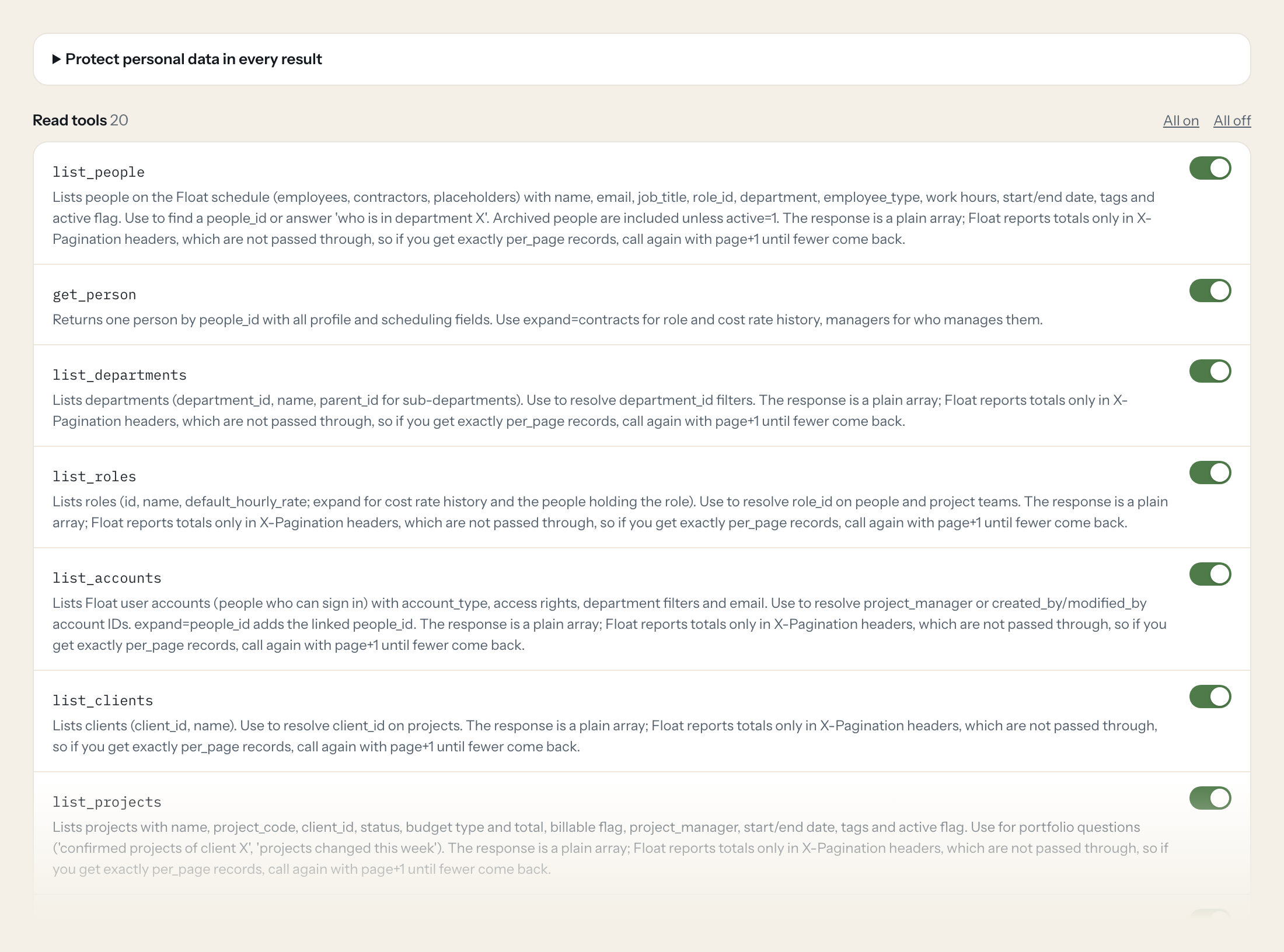
Twenty read tools cover people, departments, roles and accounts, clients and projects with phases, project tasks and milestones, allocations, logged time, time off and time off types, public and team holidays, and the capacity reports per person and per project. The four write tools, creating and updating an allocation, logging time and booking time off, stay off until you switch them on for a role.
- Resource Manager
“Who in the Design department has more than 10 unscheduled hours between 9 and 20 November?”
Answered by
report_people - Project Manager
“Who is booked on the Nordic Relaunch project next week, and for how many hours a day?”
Answered by
list_allocations - Management
“Scheduled hours per project for Q4, billable and non-billable separately.”
Answered by
report_projects - Resource Manager
“Who is off in calendar week 46, and is it confirmed or tentative?”
Answered by
list_time_off - Project Manager
“How many hours did Anna Kowalski log on the Nordic Relaunch in October compared to her allocation?”
Answered by
list_logged_time - Resource Manager
“Book Jonas Berger on the Nordic Relaunch from 10 to 14 November, 6 hours a day.”
Answered by
create_allocation
What the Float connector can do.
| Tool | What it does | Access | Default |
|---|---|---|---|
| list_people | Lists people on the Float schedule (employees, contractors, placeholders) with name, email, job_title, role_id, department, employee_type, work hours, start/end date, tags and a… | Read | On |
| get_person | Returns one person by people_id with all profile and scheduling fields. Use expand=contracts for role and cost rate history, managers for who manages them. | Read | On |
| list_departments | Lists departments (department_id, name, parent_id for sub-departments). Use to resolve department_id filters. | Read | On |
| list_roles | Lists roles (id, name, default_hourly_rate; expand for cost rate history and the people holding the role). Use to resolve role_id on people and project teams. | Read | On |
| list_accounts | Lists Float user accounts (people who can sign in) with account_type, access rights, department filters and email. Use to resolve project_manager or created_by/modified_by accou… | Read | On |
| list_clients | Lists clients (client_id, name). Use to resolve client_id on projects. | Read | On |
| list_projects | Lists projects with name, project_code, client_id, status, budget type and total, billable flag, project_manager, start/end date, tags and active flag. Use for portfolio questio… | Read | On |
| get_project | Returns one project by project_id. expand=project_team,phases,project_tasks gives the team with hourly rates, the phases and the task list in one call. | Read | On |
| list_phases | Lists project phases (phase_id, project_id, name, start/end date, budget, billable flag). The response is a plain array; Float reports totals only in X-Pagination headers, which… | Read | On |
| list_project_tasks | Lists the project tasks (task_meta_id, task_name, project_id, phase_id, billable, budget). These are the task names allocations and logged time are booked against, not the alloc… | Read | On |
| list_milestones | Lists project milestones (name, date, end_date, project_id, phase_id). The response is a plain array; Float reports totals only in X-Pagination headers, which are not passed thr… | Read | On |
| list_allocations | Lists scheduled allocations (Float calls them tasks): who is booked on which project, from start_date to end_date, hours per day, status (0 Draft, 1 Tentative, 2 Confirmed, 3 Co… | Read | On |
| get_allocation | Returns one allocation (Float task) by task_id with person, project, dates, hours per day, status and notes. | Read | On |
| list_logged_time | Lists logged (actual) time entries for a person or project in a date range: people_id, project_id, phase_id, task_name, date, hours, billable, notes, locked. Use for actuals vs. | Read | On |
| list_time_off | Lists scheduled time off (vacation, sick leave, ...): timeoff_type_id, people_ids, start/end date, hours per day, full_day, status (1 Tentative, 2 Confirmed) and notes. Use for… | Read | On |
| list_time_off_types | Lists time off types (timeoff_type_id, name such as Vacation or Sick, color, active). The response is a plain array; Float reports totals only in X-Pagination headers, which are… | Read | On |
| list_public_holidays | Lists public holidays by region (name, date, region). Defaults to the current year; use year or start_date/end_date for another range. | Read | On |
| list_team_holidays | Lists team holidays (company-wide days off defined in Float, e.g. office closure) with holiday_id, name, date and end_date. | Read | On |
| report_people | Capacity report per person for a date range: capacity, scheduled (billable + nonBillable), overtime, timeoff and unscheduled hours, plus department. Use for utilisation and 'who… | Read | On |
| report_projects | Scheduled hours per project for a date range: scheduled, billable and nonBillable hours, client_id. Use for 'how many hours are planned on project X this quarter'. | Read | On |
| create_allocation | WRITE: Schedules a person on a project (creates a Float allocation/task) for a date range with hours per day. Changes the team's schedule; only use when the user explicitly asks… | Write | Off |
| update_allocation | WRITE: Changes an existing allocation (Float task): dates, hours per day, person, status or notes. Send only the fields to change. | Write | Off |
| create_logged_time | WRITE: Logs actual time for a person on a project and day. Hours are rounded to 2 decimals. | Write | Off |
| create_time_off | WRITE: Books time off for one or more people (vacation, sick leave, ...). Get timeoff_type_id from list_time_off_types. | Write | Off |
Write tools are off for every role until you switch them on, one tool for one role. The names are what the model sees; it also gets the full parameter description of each tool.
Getting the Float token.
Five minutes, once. Nobody on your team ever sees it.
- 1
Log in to Float as the account owner (only the account owner can see the API token).
- 2
Open Settings > Team settings > Integrations (avatar in the bottom-left corner) and scroll to the API section.
- 3
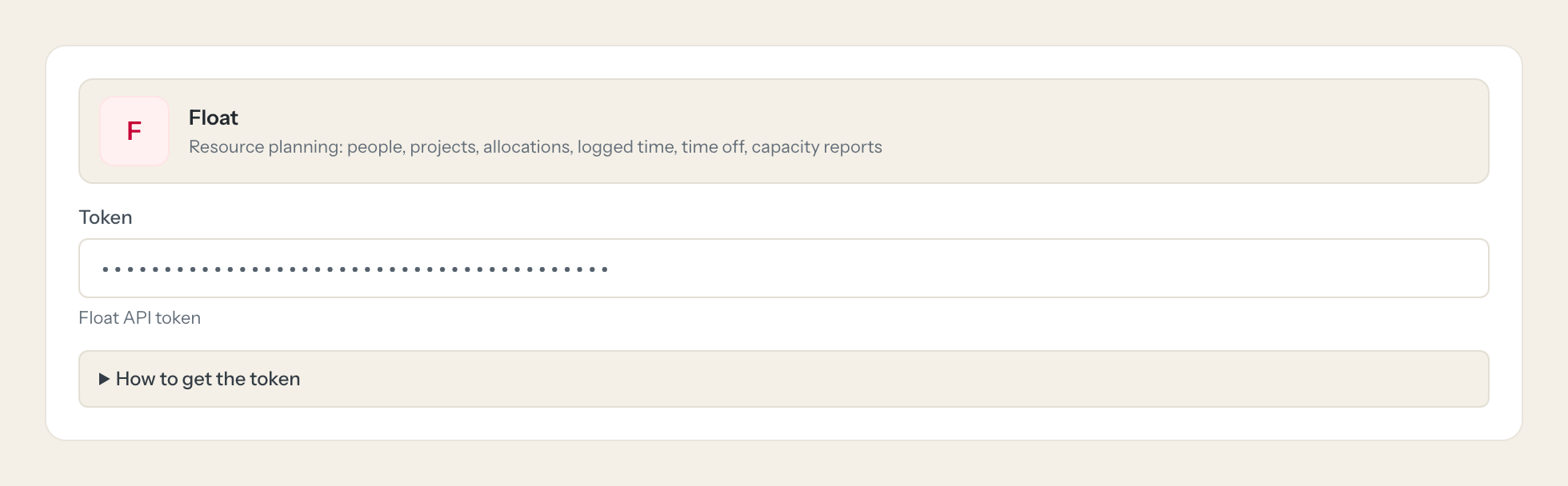
Copy the API token and paste it into Loopthink.
- 4
Regenerating the token on that page invalidates the old one for every integration.
- 5
In Loopthink, add Float from the catalog and paste the token. Your team sees the tools a minute later.
Float has one API token per team, issued to the account owner, with no scopes: it can read and change the whole schedule, people and projects. A technical user is not possible because the token always acts as the account owner. Write tools ship disabled.
What we suggest masking in Float.
Float's people records carry names, email, job title, notes and people codes, and the rates: default hourly rate, cost rate and hourly rate on roles and project teams, plus the notes on time off. The suggested fields mask all of that, so a Project Manager role can see that the Nordic Relaunch has 220 hours planned in November and two people with free capacity without seeing anyone's cost rate, and a Management role can read utilisation per department without the reason someone is off.
- name
- notes
- people_code
- job_title
- timeoff_notes
- avatar_file
- avatar
- default_hourly_rate
- cost_rate
- hourly_rate
Float and Loopthink
- The Float token has no scopes and belongs to the account owner. How do we limit it?
- You cannot on the Float side: there is one API token per team, issued to the account owner, and it can read and change the whole schedule, people and projects. A technical user is not possible because the token always acts as the account owner. The limit sits in Loopthink: read tools only by default, tools per role, masking of rates and notes, and the four write tools off until you enable them for a role.
- Why does the model sometimes call a list tool several times?
- Float returns plain arrays and reports totals only in pagination headers that are not passed through. If a page comes back full, the tool asks for the next page until fewer records arrive. The capacity reports are not paged but have a lower rate limit of 30 requests per minute, so the model asks them once per date range.
- What happens if we regenerate the token in Float?
- Regenerating the token on the Integrations page invalidates the old one for every integration, not only this connector. If you do regenerate it, paste the new token into the connector once; nobody on your team has to do anything.
- Does every team member need their own Float account?
- No. Loopthink holds one key or token for Float. Your people sign in to Loopthink with their own identity, and every call to Float is logged under their name. Seats in Float stay where they are today.
- Where does the Float key live?
- In Loopthink, encrypted, in the EU. It never reaches the AI client and never reaches the people using the connector. Rotate it in Float whenever you like and paste the new one once.
- Can somebody write to Float from the chat?
- Not unless you switch it on. Write actions are a separate row in the permission matrix and are off for every role by default. If a role needs one write tool, you grant that one tool to that one role.
- What does the model see?
- The result of the tool call, after masking. Fields you mark as personal, such as emails, names or card details, are masked before the answer travels to the AI client. The model gets the numbers, not the people.
- What does it cost?
- Free for one person and two connectors, no card. Pro is €19 a month for up to five people and every connector on the site, with roles, field masking and a 30-day audit. Team is €49 for ten people and adds your own REST APIs and SQL databases, your own domain and your own identity provider. No call needed.
Stuck, or a tool you need is missing? A person who knows this connector answers within one working day.

