factro in Claude, ChatGPT and any MCP client. For your whole team.
Projects, packages, tasks, comments, work records, users, companies and contacts. One token in Loopthink, one login per person, roles per tool and an audit entry for every call.
Free for 2 connectors, no card · Pro €19 · EU-hosted · 20 read tools, 5 write tools off by default
“Which tasks in the project "Website Relaunch" are overdue or due, and who is the executor?”
Three tasks are overdue or due today:
| Task | Executor | Due | State |
|---|---|---|---|
| Prepare offer for Bergmann | Anna Meier | 16 Oct 2026 | inProcess |
| Migrate product pages | Tim Vogel | 19 Oct 2026 | inProcess |
| Go-live checklist | Lea Brandt | 21 Oct 2026 | review |
- read-only
- logged
One token in, the tools come out.
factro is where project work lives: projects with their packages and tasks, who is executor and who is officer, planned and booked effort, comments, checklists, absences, and the companies and contacts behind each project. The questions are simple, "which tasks in the relaunch project are overdue", "how many hours did we book on the Hansen project this month", "who is out next week", but today they take a login, the project board and a view that only the project lead has set up.
With the factro connector, Project Leads, Team and Management ask in Claude or ChatGPT and get the answer from the live cloud. Loopthink holds one factro API token, every person signs in with their own identity, and every call is logged under their name. The token never reaches the AI client.
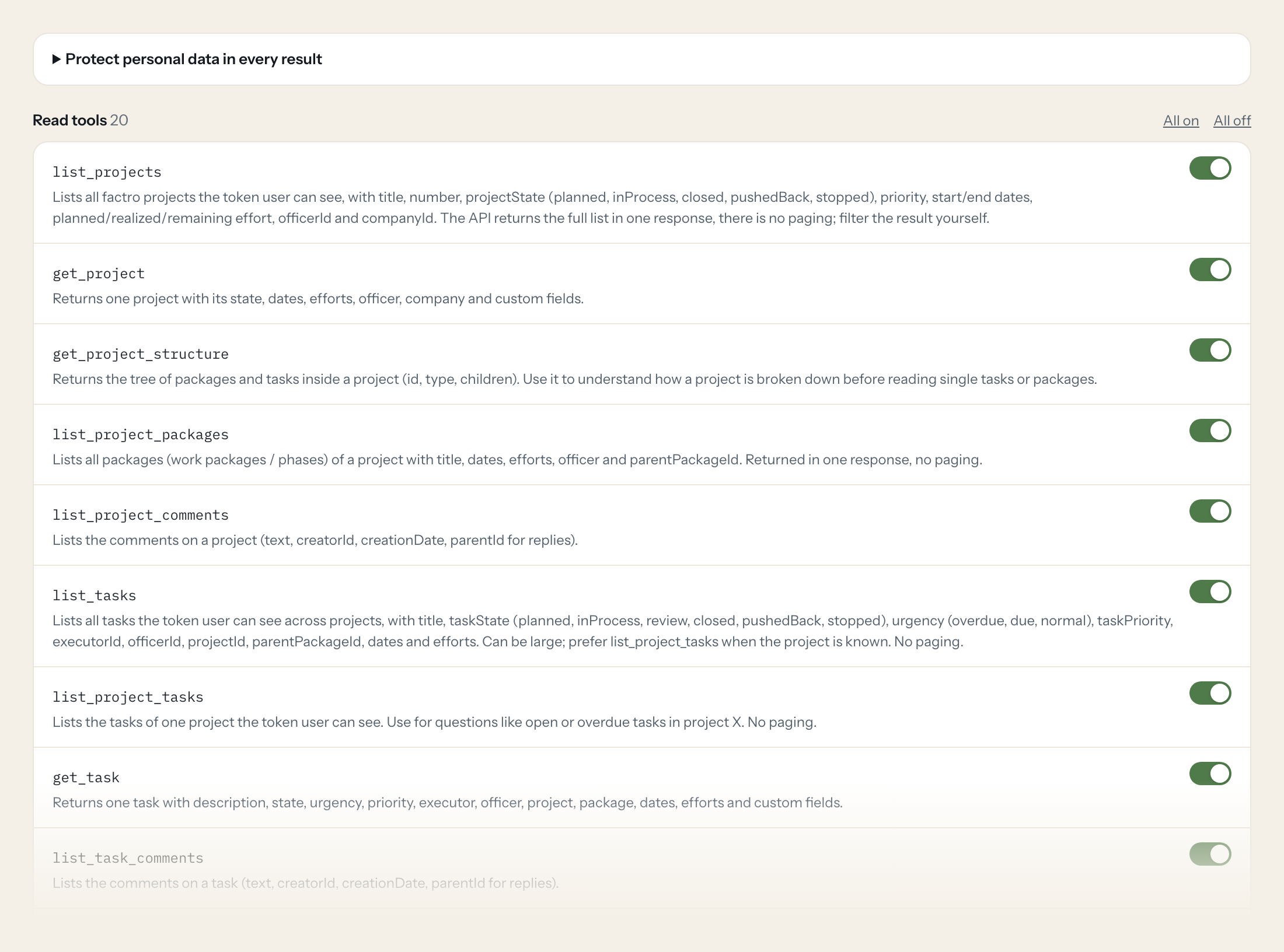
Twenty read tools cover projects, their structure, packages and comments, tasks with comments and checklists, to-do lists, users and teams, absences, work records per user and per project, and companies and contacts. The five write tools, creating and updating a task, setting its state and commenting on tasks and projects, stay off until you switch them on for a role.
- Project Lead
“Which tasks in the project "Website Relaunch" are overdue or due, and who is the executor?”
Answered by
list_project_tasks - Management
“Planned versus realized effort for all projects that are in process, sorted by remaining effort.”
Answered by
list_projects - Project Lead
“How many hours were booked on the Hansen Logistik project in September, and how much of it is billable?”
Answered by
list_project_work_records - Team
“Who is absent in calendar week 44?”
Answered by
list_absences - Team
“What is still open on the checklist of task "Go-live checklist"?”
Answered by
list_task_checklist - Project Lead
“Set the task "Prepare offer for Bergmann" to review.”
Answered by
set_task_state
What the factro connector can do.
| Tool | What it does | Access | Default |
|---|---|---|---|
| list_projects | Lists all factro projects the token user can see, with title, number, projectState (planned, inProcess, closed, pushedBack, stopped), priority, start/end dates, planned/realized… | Read | On |
| get_project | Returns one project with its state, dates, efforts, officer, company and custom fields. | Read | On |
| get_project_structure | Returns the tree of packages and tasks inside a project (id, type, children). Use it to understand how a project is broken down before reading single tasks or packages. | Read | On |
| list_project_packages | Lists all packages (work packages / phases) of a project with title, dates, efforts, officer and parentPackageId. Returned in one response, no paging. | Read | On |
| list_project_comments | Lists the comments on a project (text, creatorId, creationDate, parentId for replies). | Read | On |
| list_tasks | Lists all tasks the token user can see across projects, with title, taskState (planned, inProcess, review, closed, pushedBack, stopped), urgency (overdue, due, normal), taskPrio… | Read | On |
| list_project_tasks | Lists the tasks of one project the token user can see. Use for questions like open or overdue tasks in project X. | Read | On |
| get_task | Returns one task with description, state, urgency, priority, executor, officer, project, package, dates, efforts and custom fields. | Read | On |
| list_task_comments | Lists the comments on a task (text, creatorId, creationDate, parentId for replies). | Read | On |
| list_task_checklist | Lists the checklist entries of a task (title, checked, position, assigneeId, endDate). | Read | On |
| list_todo_lists | Lists the to-do lists of the token user with title, officerId, isArchived and their list elements. | Read | On |
| list_users | Lists the factro users visible to the token user (id, firstName, lastName, emailAddress, isActive, securityGroup). Use to resolve executorId, officerId and creatorId values. | Read | On |
| get_user | Returns one factro user by ID. | Read | On |
| list_teams | Lists the teams (id, name, color, isActive). | Read | On |
| list_absences | Lists all absences visible to the token user (employeeId, type, startDate, endDate). Use for availability questions. | Read | On |
| list_work_records | Lists work records (booked time) visible to the token user: workEmployeeId, startDate, startTime, endTime, minutesWorked, isBillable, isBilled, bookedOnReferenceId and bookedOnR… | Read | On |
| list_project_work_records | Lists the work records that reference any element (task, package, project) of one project. Use for effort per project questions. | Read | On |
| list_companies | Lists the companies (customers, partners) in factro with name, shortName, companyNumber, customerId, address, phone, website and contactIds. No paging. | Read | On |
| get_company | Returns one company by ID. | Read | On |
| list_contacts | Lists the contacts (persons at companies) with name, emailAddress, phone, mobilePhone and companyId. No paging. | Read | On |
| create_task | WRITE: Creates a task in factro and returns it. Put it into a project or package via target_parent_id; the task is created in the name of the token user. | Write | Off |
| update_task | WRITE: Updates fields of an existing task (title, description, executor, officer, dates, effort, priority). Only send the fields to change. | Write | Off |
| set_task_state | WRITE: Sets the state of a task. Allowed states: planned, inProcess, review, closed, pushedBack, stopped. | Write | Off |
| create_task_comment | WRITE: Adds a comment to a task in the name of the token user. Pass parent_comment_id to reply to an existing comment. | Write | Off |
| create_project_comment | WRITE: Adds a comment to a project in the name of the token user. Pass parent_comment_id to reply to an existing comment. | Write | Off |
Write tools are off for every role until you switch them on, one tool for one role. The names are what the model sees; it also gets the full parameter description of each tool.
Getting the factro token.
Five minutes, once. Nobody on your team ever sees it.
- 1
The cloud owner must allow API use first: personal settings of the cloud owner > API (Settings > Account > ApiKeySettings).
- 2
Log in to factro as the user Loopthink should act as and open https://cloud.factro.com/Settings/Account/ApiKeySettings.
- 3
Create an API token there and copy it.
- 4
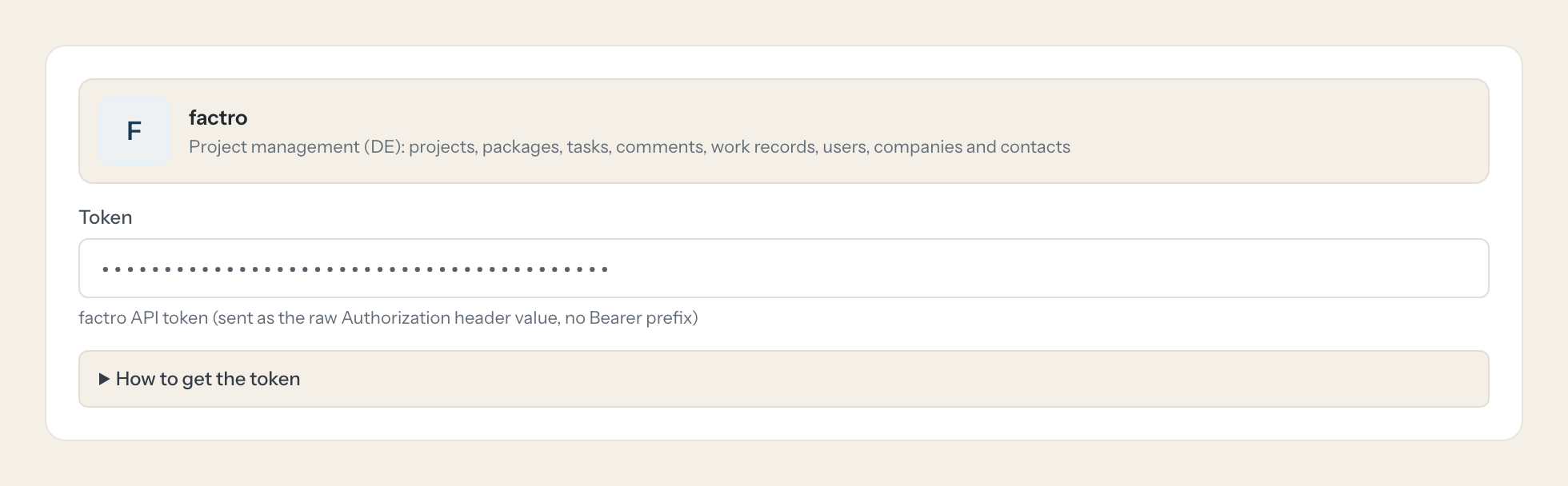
Paste the token into Loopthink. It is sent unchanged in the Authorization header.
- 5
In Loopthink, add factro from the catalog and paste the token. Your team sees the tools a minute later.
factro API tokens have no scopes: every call runs as the user the token belongs to and sees only what that user may see. Use a dedicated factro user with read rights only on the projects the assistant should reach. Data outside your tariff is not available through the API (realized efforts need the Professional cloud).
What we suggest masking in factro.
factro mixes project data with people data: the names, email addresses, phones and employee numbers of users, the addresses and phones of companies and contacts, and the free text of descriptions, comments and booking details. The suggested fields mask all of that, so a Management role can see that the relaunch has 11 open tasks and 140 hours remaining without seeing any email address, and a Team role can see who is absent without the employee number next to the name.
- firstName
- lastName
- emailAddress
- street
- zipCode
- city
- phone
- mobilePhone
- salutation
- employeeNumber
- fallbackImageText
- text
- description
- location
- externalBookingDetails
- internalBookingDetails
factro and Loopthink
- The factro token has no scopes. How do we limit what it can do?
- The token runs every call as the user it belongs to and sees only what that user may see, so create a dedicated factro user with read rights only on the projects the assistant should reach and use that user's token. The cloud owner must allow API use first under Settings > Account > ApiKeySettings. The five write tools are off until you enable them for a role.
- Why are realized efforts missing?
- Data outside your tariff is not available through the API; realized efforts need the Professional cloud. Everything else, projects, tasks, comments and work records, comes back for the projects the token user may see.
- Who appears as the author when a write tool is used?
- Tasks and comments are created in the name of the token user, so with a dedicated user they appear as "Loopthink" in factro while the Loopthink audit log shows which person asked. If you want the real author in factro, use the token of that person instead, at the cost of a wider view.
- Does every team member need their own factro account?
- No. Loopthink holds one key or token for factro. Your people sign in to Loopthink with their own identity, and every call to factro is logged under their name. Seats in factro stay where they are today.
- Where does the factro key live?
- In Loopthink, encrypted, in the EU. It never reaches the AI client and never reaches the people using the connector. Rotate it in factro whenever you like and paste the new one once.
- Can somebody write to factro from the chat?
- Not unless you switch it on. Write actions are a separate row in the permission matrix and are off for every role by default. If a role needs one write tool, you grant that one tool to that one role.
- What does the model see?
- The result of the tool call, after masking. Fields you mark as personal, such as emails, names or card details, are masked before the answer travels to the AI client. The model gets the numbers, not the people.
- What does it cost?
- Free for one person and two connectors, no card. Pro is €19 a month for up to five people and every connector on the site, with roles, field masking and a 30-day audit. Team is €49 for ten people and adds your own REST APIs and SQL databases, your own domain and your own identity provider. No call needed.
Stuck, or a tool you need is missing? A person who knows this connector answers within one working day.

