Planio in Claude, ChatGPT and any MCP client. For your whole team.
Hosted Redmine from Germany: issues, projects, time tracking, wiki, Help Desk customers. One token in Loopthink, one login per person, roles per tool and an audit entry for every call.
Free for 2 connectors, no card · Pro €19 · EU-hosted · 21 read tools, 4 write tools off by default
“Which issues in the Weber Relaunch project are still open for version 2.4, and who is assigned?”
Three open issues on version 2.4:
| Issue | Assignee | Status | Due |
|---|---|---|---|
| #1842 Checkout form validation | M. Huber | In progress | 24 Oct 2026 |
| #1851 Image CDN cache headers | L. Nowak | New | 28 Oct 2026 |
| #1856 Accessibility audit fixes | S. Keller | Feedback | 30 Oct 2026 |
- read-only
- logged
One token in, the tools come out.
Planio is hosted Redmine with a Help Desk on top: the projects, their tickets with every comment, the versions and sprints, the logged hours, the wiki, and the customer companies and contacts behind the support tickets. The questions are simple, "what is still open for the March release", "how many hours went into the Weber relaunch last month", but today they take the right project, a saved filter and a spreadsheet export of the time report.
With the Planio connector, Project Managers, Support and Management ask in Claude or ChatGPT and get the answer from the live account. Loopthink holds one Planio API access key, every person signs in with their own identity, and every call is logged under their name. The key never reaches the AI client.
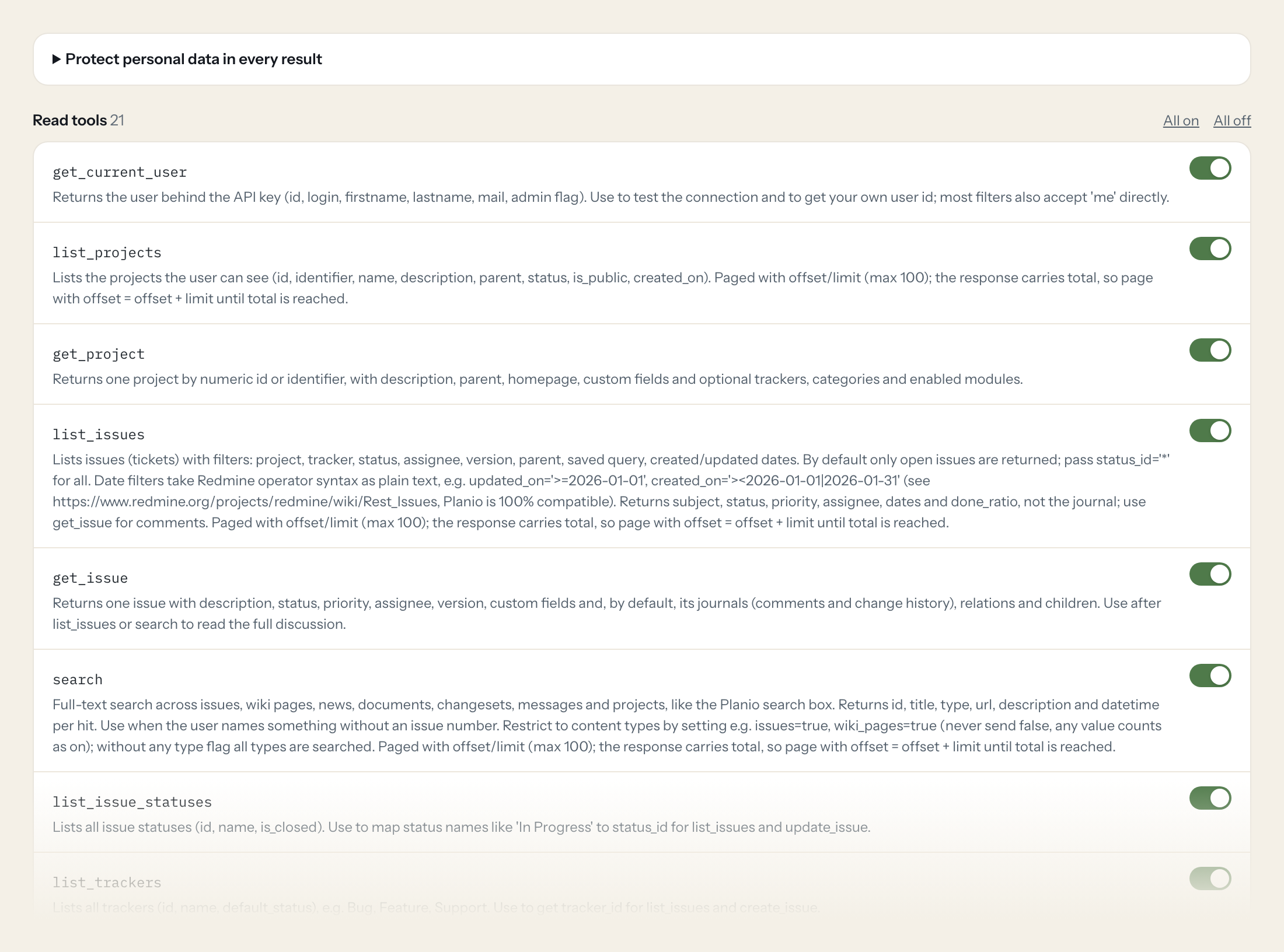
Twenty-one read tools cover projects, issues and their journals, full-text search, statuses, trackers, priorities, saved queries, versions, memberships, time entries, wiki pages and the Help Desk companies and contacts. The four write tools, creating an issue, updating an issue, adding a comment and logging time, stay off until you switch them on for a role.
- Project Manager
“Which issues in the Weber Relaunch project are still open for version 2.4 and who is assigned to them?”
Answered by
list_issues - Management
“How many hours were logged on the Weber Relaunch project in September, by activity?”
Answered by
list_time_entries - Support
“What was the last comment on ticket #4821 and is it still waiting on the customer?”
Answered by
get_issue - Support
“Which Help Desk company does the address support@nordlicht-media.de belong to?”
Answered by
list_company_contacts - Project Manager
“Which versions of the Kundenportal project are still open, and what are their due dates?”
Answered by
list_project_versions - Project Manager
“Set ticket #4821 to Resolved, assign it to Lena Berger and add the comment "Fixed in 2.4.1".”
Answered by
update_issue
What the Planio connector can do.
| Tool | What it does | Access | Default |
|---|---|---|---|
| get_current_user | Returns the user behind the API key (id, login, firstname, lastname, mail, admin flag). Use to test the connection and to get your own user id; most filters also accept 'me' dir… | Read | On |
| list_projects | Lists the projects the user can see (id, identifier, name, description, parent, status, is_public, created_on). Paged with offset/limit (max 100); the response carries total, so… | Read | On |
| get_project | Returns one project by numeric id or identifier, with description, parent, homepage, custom fields and optional trackers, categories and enabled modules. | Read | On |
| list_issues | Lists issues (tickets) with filters: project, tracker, status, assignee, version, parent, saved query, created/updated dates. By default only open issues are returned; pass stat… | Read | On |
| get_issue | Returns one issue with description, status, priority, assignee, version, custom fields and, by default, its journals (comments and change history), relations and children. Use a… | Read | On |
| search | Full-text search across issues, wiki pages, news, documents, changesets, messages and projects, like the Planio search box. Returns id, title, type, url, description and datetim… | Read | On |
| list_issue_statuses | Lists all issue statuses (id, name, is_closed). Use to map status names like 'In Progress' to status_id for list_issues and update_issue. | Read | On |
| list_trackers | Lists all trackers (id, name, default_status), e.g. Bug, Feature, Support. | Read | On |
| list_issue_priorities | Lists issue priorities (id, name, is_default, active). Use to get priority_id for filters and new issues. | Read | On |
| list_time_entry_activities | Lists time entry activities (id, name, is_default), e.g. Development, Design. | Read | On |
| list_queries | Lists the saved issue queries (custom filters) visible to the user: id, name, is_public, project_id. Pass an id as query_id to list_issues to reuse a team's filter such as 'Open… | Read | On |
| list_project_versions | Lists the versions (milestones, releases, sprints) of a project, including shared versions of other projects: id, name, status (open, locked, closed), due_date, description. Use… | Read | On |
| list_project_memberships | Lists the members of a project (users and groups) with their roles. Use to find who works on a project and which user ids can be assigned issues. | Read | On |
| list_users | Lists users of the instance (id, login, firstname, lastname, mail, created_on, last_login_on). Requires an API key of an administrator; for others use list_project_memberships i… | Read | On |
| list_time_entries | Lists logged time (id, project, issue, user, activity, hours, comments, spent_on). Use for timesheets and effort reports: filter by project, user and a date range with from/to (… | Read | On |
| list_wiki_pages | Lists all wiki pages of a project (title, parent, version, created_on, updated_on). Use the title with get_wiki_page. | Read | On |
| get_wiki_page | Returns one wiki page with its full text (Textile or Markdown, as configured), author, version and comments. Use list_wiki_pages first to get the exact title. | Read | On |
| create_issue | WRITE: Creates an issue in a project. Needs project_id and subject; tracker, status and priority fall back to the project defaults. | Write | Off |
| update_issue | WRITE: Changes fields of an existing issue (status, assignee, priority, version, done ratio, dates) and optionally adds a comment in the same step. Only send what should change. | Write | Off |
| add_issue_comment | WRITE: Adds a comment (journal note) to an issue without changing any field. Responds 204 with no body on success. | Write | Off |
| create_time_entry | WRITE: Logs time on an issue or a project. Needs hours and either issue_id or project_id; activity_id is required unless the instance has a default activity (see list_time_entry… | Write | Off |
| list_companies | Lists Planio customer companies (Help Desk customers): id, name, address, mails, phones, custom fields. Use for 'which customer is X' and to get company_id for list_company_cont… | Read | On |
| get_company | Returns one Planio customer company with address, mails, phones, issue priority, linked projects and custom fields. | Read | On |
| list_company_contacts | Lists the contacts (people) of a Planio customer company: id, firstname, lastname, mails, phones. Help Desk tickets from these addresses are linked to the company. | Read | On |
| get_contact | Returns one contact of a Planio customer company with name, mails, phones and custom fields. | Read | On |
Write tools are off for every role until you switch them on, one tool for one role. The names are what the model sees; it also gets the full parameter description of each tool.
Getting the Planio token.
Five minutes, once. Nobody on your team ever sees it.
- 1
As administrator: avatar > Administration > Settings > Authentication and tick 'Enable REST API'. Save.
- 2
Log in as the user Loopthink should act as (ideally a dedicated technical user that is a member of exactly the projects the AI may read).
- 3
Avatar > My account, open the sidebar and click 'Show' under 'API Access Key', then confirm your password.
- 4
Copy the key and paste it into Loopthink.
- 5
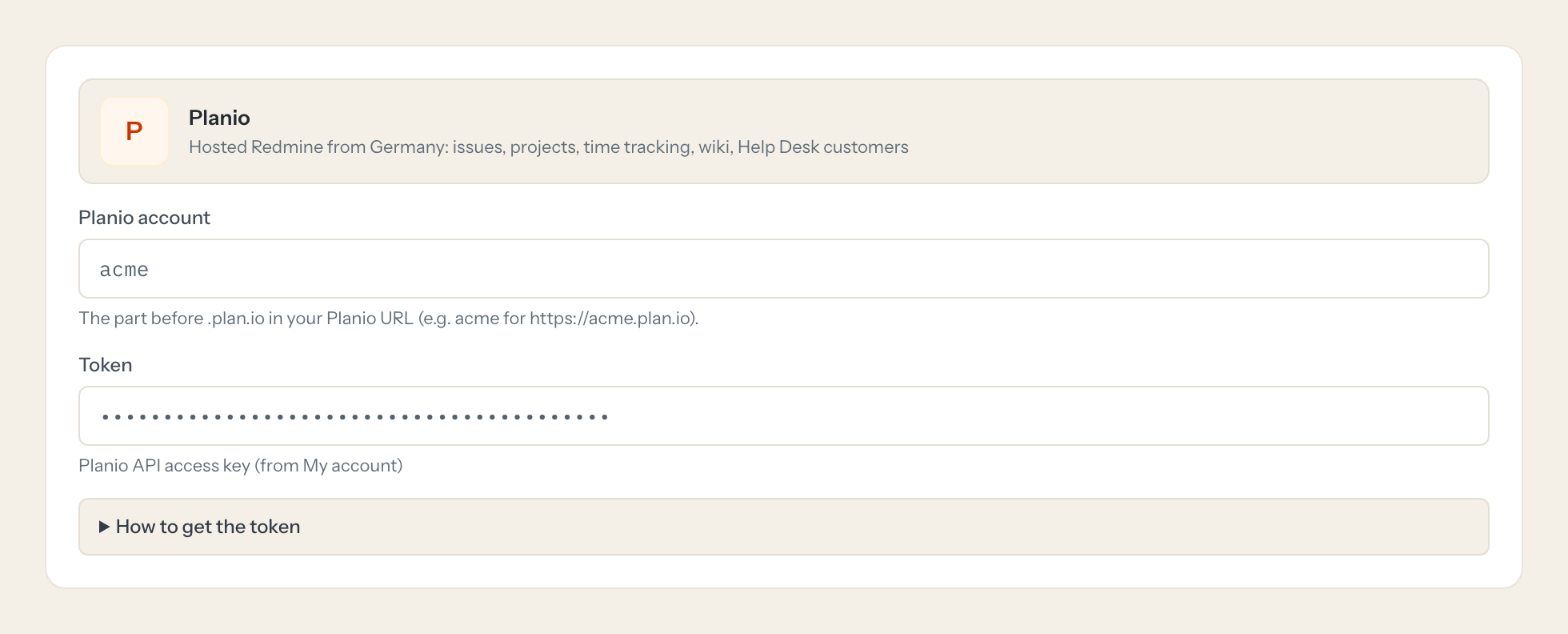
In Loopthink, add Planio from the catalog and paste the token. It also asks for planio account. Your team sees the tools a minute later.
Planio lists the API key header as a deprecated method next to its recommended OAuth 2.0 (authorization code), but it still works and is the only one Loopthink supports here; no removal date is announced. The key has no scopes and acts with its user's roles. Companies and contacts belong to Planio Help Desk and need the view_customers permission. list_users needs an administrator key.
What we suggest masking in Planio.
Planio carries people on every object: the author and assignee of an issue, the login and email of users and project members, the names, emails, phones and addresses of Help Desk companies and contacts, and free text in descriptions, notes and comments. The suggested fields mask names, logins, emails, phones, addresses and the free text, and keep subject, status, priority, dates, hours and done ratio, so a Management role can see that 14 issues are still open for version 2.4 and 86 hours were logged in September without reading who wrote what to whom.
- firstname
- lastname
- name
- login
- mails
- author
- assigned_to
- user
- description
- notes
- comments
- text
- phones
- address1
- address2
- zip
- town
Planio and Loopthink
- Planio lists the API key as deprecated. Will the connector stop working?
- Planio recommends OAuth 2.0 for new integrations and lists the API key header as a deprecated method, but it still works and no removal date is announced. The API key is the method Loopthink supports here. If Planio ever announces a date, you will hear about it from us before it matters.
- The key has no scopes. How do we limit what the AI can see?
- The key acts with the roles and project memberships of its user. Create a dedicated technical user, make it a member of exactly the projects the AI may read, and use that user's key. Companies and contacts belong to Planio Help Desk and need the view_customers permission; list_users needs an administrator key, so most teams leave it out and use list_project_memberships instead.
- Can the AI change tickets or log time?
- Only if you switch the write tools on for a role. create_issue, update_issue, add_issue_comment and create_time_entry are off by default. When enabled, every change still runs under the technical user in Planio, and Loopthink logs which person asked for it.
- Does every team member need their own Planio account?
- No. Loopthink holds one key or token for Planio. Your people sign in to Loopthink with their own identity, and every call to Planio is logged under their name. Seats in Planio stay where they are today.
- Where does the Planio key live?
- In Loopthink, encrypted, in the EU. It never reaches the AI client and never reaches the people using the connector. Rotate it in Planio whenever you like and paste the new one once.
- Can somebody write to Planio from the chat?
- Not unless you switch it on. Write actions are a separate row in the permission matrix and are off for every role by default. If a role needs one write tool, you grant that one tool to that one role.
- What does the model see?
- The result of the tool call, after masking. Fields you mark as personal, such as emails, names or card details, are masked before the answer travels to the AI client. The model gets the numbers, not the people.
- What does it cost?
- Free for one person and two connectors, no card. Pro is €19 a month for up to five people and every connector on the site, with roles, field masking and a 30-day audit. Team is €49 for ten people and adds your own REST APIs and SQL databases, your own domain and your own identity provider. No call needed.
Stuck, or a tool you need is missing? A person who knows this connector answers within one working day.

