 Development connector
Sentry in Claude, ChatGPT and any MCP client. For your whole team.
Issues, events, releases, error statistics. One token in Loopthink, one login per person, roles per tool and an audit entry for every call.
Free for 2 connectors, no card · Pro €19 · EU-hosted · 16 read tools, 1 write tools off by default
“Which issues in the checkout project are new since the last release, sorted by users affected?”
Three new issues since release 2.14.0, by users affected:
| Issue | Users | Events | First seen |
|---|---|---|---|
| TypeError: cart.items is undefined | 412 | 1,836 | 19 Oct 2026 |
| PaymentDeclined: 3DS timeout | 97 | 244 | 20 Oct 2026 |
| ChunkLoadError: checkout.js | 38 | 61 | 20 Oct 2026 |
- read-only
- logged
One token in, the tools come out.
Sentry is where production errors land: issues grouped by cause, the events behind them with stack traces, releases, deploys and the environments they went to. The on-call engineer lives in it; Product and Support only ever get a link to it.
With the Sentry connector, Engineering, Product and Support ask in Claude or ChatGPT and get the answer from the live organization. Loopthink holds one internal integration token, every person signs in with their own identity, and every call is logged under their name.
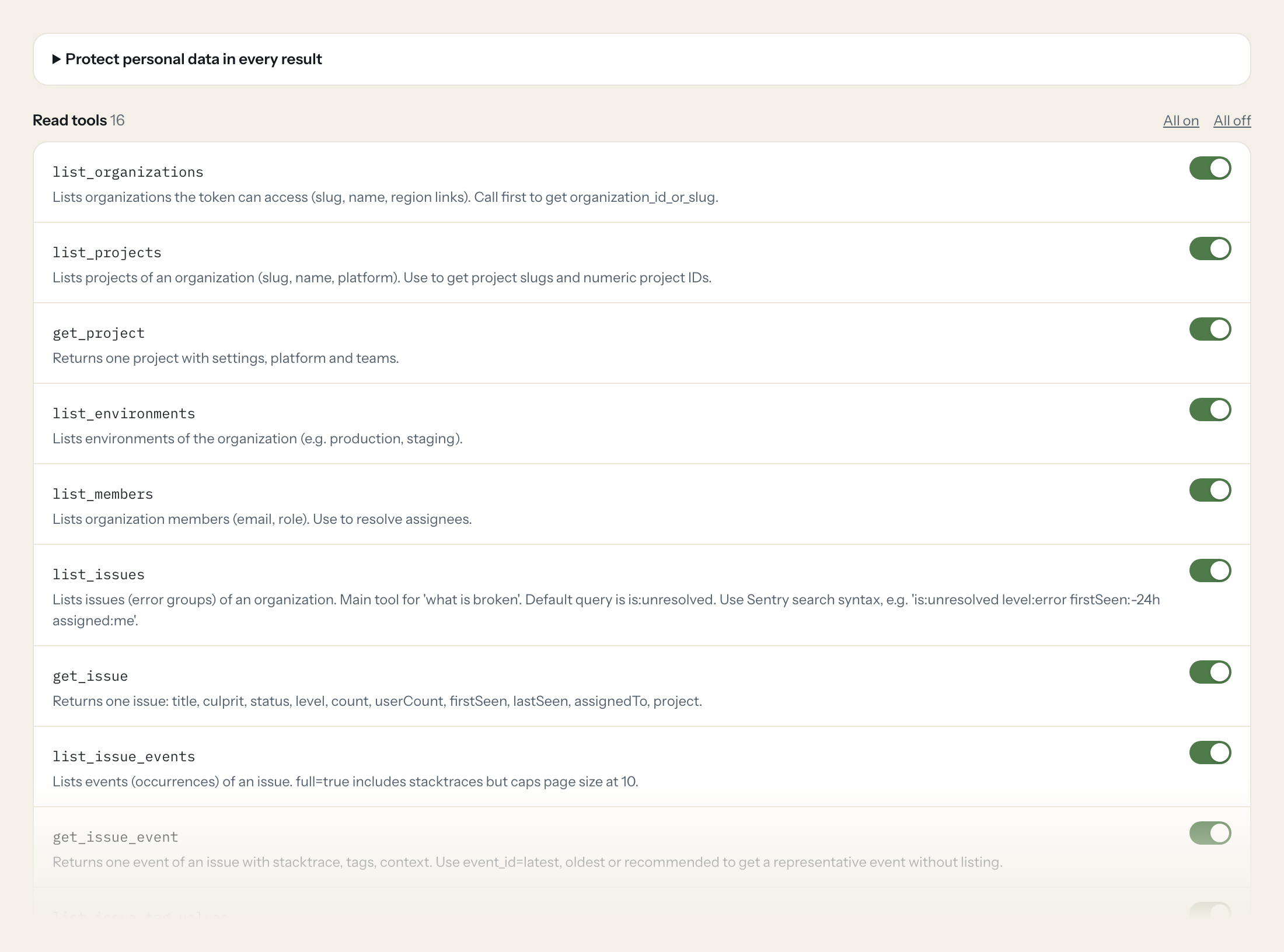
Sixteen read tools cover organizations, projects, environments, members, issues with their events and tag values, project events, event counts, releases and deploys. The one write tool, updating an issue's status or assignee, stays off until you switch it on for a role.
- Engineering
“Which issues in the checkout project are new since the last release, sorted by users affected?”
Answered by
list_issues - Support
“Is the error a customer reported at 09:14 today known? Search the API project for 'TimeoutError'.”
Answered by
list_issues - Engineering
“Show me the stack trace of the latest event of issue 4821.”
Answered by
get_issue_event - Product
“Which browsers and releases does issue 4821 hit, with counts?”
Answered by
list_issue_tag_values - Engineering
“What went to production this week, and how many new issues did each release bring?”
Answered by
list_releases - Engineering
“Assign issue 4821 to me and set it to resolved in the next release.”
Answered by
update_issue
What the Sentry connector can do.
| Tool | What it does | Access | Default |
|---|---|---|---|
| list_organizations | Lists organizations the token can access (slug, name, region links). Call first to get organization_id_or_slug. | Read | On |
| list_projects | Lists projects of an organization (slug, name, platform). Use to get project slugs and numeric project IDs. | Read | On |
| get_project | Returns one project with settings, platform and teams. | Read | On |
| list_environments | Lists environments of the organization (e.g. production, staging). | Read | On |
| list_members | Lists organization members (email, role). Use to resolve assignees. | Read | On |
| list_issues | Lists issues (error groups) of an organization. Main tool for 'what is broken'. | Read | On |
| get_issue | Returns one issue: title, culprit, status, level, count, userCount, firstSeen, lastSeen, assignedTo, project. | Read | On |
| list_issue_events | Lists events (occurrences) of an issue. full=true includes stacktraces but caps page size at 10. | Read | On |
| get_issue_event | Returns one event of an issue with stacktrace, tags, context. Use event_id=latest, oldest or recommended to get a representative event without listing. | Read | On |
| list_issue_tag_values | Lists the values of one tag for an issue with counts, e.g. which browsers, releases or users are affected. | Read | On |
| list_project_events | Lists recent error events of a project. | Read | On |
| get_project_event | Returns one event of a project by event ID. | Read | On |
| get_event_counts | Returns event volume statistics for the organization (accepted, filtered, rate-limited) as time series. Use for 'how many errors this week' or quota questions. | Read | On |
| list_releases | Lists releases of the organization, newest first. | Read | On |
| get_release | Returns one release with commit count, new issue count, projects and optional health data. | Read | On |
| list_release_deploys | Lists deploys of a release (environment, dateFinished). | Read | On |
| update_issue | WRITE: Changes an issue's status, assignee or priority. Only sent fields change. | Write | Off |
Write tools are off for every role until you switch them on, one tool for one role. The names are what the model sees; it also gets the full parameter description of each tool.
Getting the Sentry token.
Five minutes, once. Nobody on your team ever sees it.
- 1
Recommended (org-owned, not tied to a person): Settings > Custom Integrations > Create New Integration > Internal Integration > Next, enter a name (Manager or Admin role required).
- 2
Under Permissions set Issue & Event: Read, Project: Read, Organization: Read, Release: Read, Member: Read (Issue & Event: Write only if update_issue is needed). Save Changes.
- 3
Scroll to Tokens at the bottom and copy the generated token.
- 4
Alternative: User settings > Personal Tokens (acts as that user).
- 5
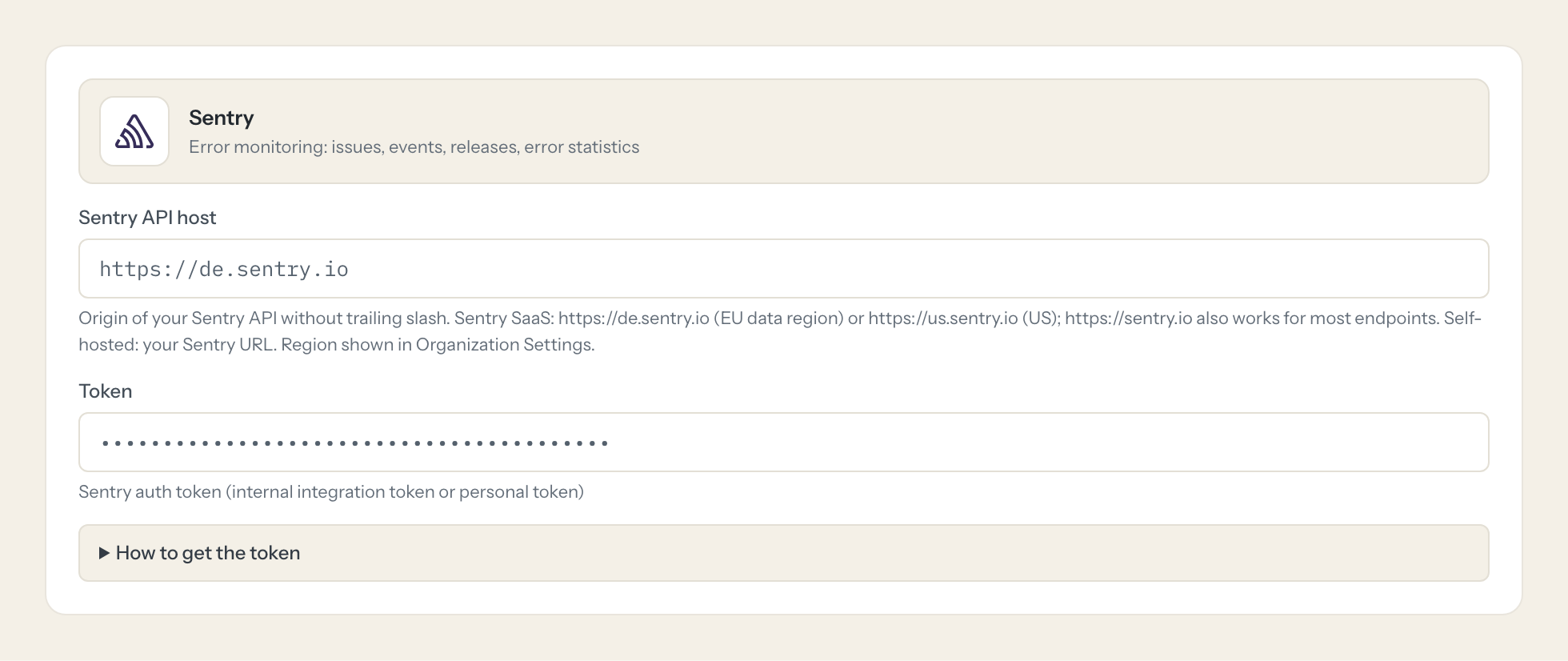
In Loopthink, add Sentry from the catalog and paste the token. It also asks for sentry api host. Your team sees the tools a minute later.
Internal integration tokens belong to the organization and survive staff changes. Personal tokens act as the user and see all of their organizations. Choose the API host matching the organization's data region (de.sentry.io for EU).
What we suggest masking in Sentry.
Error events carry the user they happened to: email, username, IP address, request headers, cookies, form data, breadcrumbs. The suggested fields mask all of that and keep the error title, culprit, counts, releases and the stack trace, which is what a debugging question needs. Support gets the diagnosis without the customer's cookie jar.
- user.email
- user.ip_address
- user.username
- user.name
- ip_address
- contexts
- request.headers
- request.cookies
- request.data
- extra
- breadcrumbs
- tags.user
What Sentry's own MCP server does not give you.
- One login per person in any MCP client: the Loopthink audit shows who asked, not one shared token.
- Tools per role: Support reads issues, nobody outside Engineering can change one.
- Masking of user data, request headers and cookies in event payloads before the answer leaves the EU.
- Write tools off by default, switchable per tool and role.
- The same server in Claude, ChatGPT and Langdock, governed once.
Sentry and Loopthink
- Internal integration or personal token?
- Internal integration. Its token belongs to the organization and survives staff changes, and you grant it exactly the scopes it needs: event:read, project:read, org:read, project:releases, member:read. Add event:write only if a role should use update_issue.
- Our Sentry organization is in the EU region. What do we enter?
- Pick de.sentry.io as the API host. A token for an EU organization is refused on sentry.io and the other way round.
- Does the AI get full stack traces?
- Yes, through get_issue_event and list_issue_events with full=true. Masking applies to the user and request parts of the event, not to the frames, so the trace stays useful.
- Does every team member need their own Sentry account?
- No. Loopthink holds one key or token for Sentry. Your people sign in to Loopthink with their own identity, and every call to Sentry is logged under their name. Seats in Sentry stay where they are today.
- Where does the Sentry key live?
- In Loopthink, encrypted, in the EU. It never reaches the AI client and never reaches the people using the connector. Rotate it in Sentry whenever you like and paste the new one once.
- Can somebody write to Sentry from the chat?
- Not unless you switch it on. Write actions are a separate row in the permission matrix and are off for every role by default. If a role needs one write tool, you grant that one tool to that one role.
- What does the model see?
- The result of the tool call, after masking. Fields you mark as personal, such as emails, names or card details, are masked before the answer travels to the AI client. The model gets the numbers, not the people.
- What does it cost?
- Free for one person and two connectors, no card. Pro is €19 a month for up to five people and every connector on the site, with roles, field masking and a 30-day audit. Team is €49 for ten people and adds your own REST APIs and SQL databases, your own domain and your own identity provider. No call needed.
Stuck, or a tool you need is missing? A person who knows this connector answers within one working day.


