bexio in Claude, ChatGPT and any MCP client. For your whole team.
Contacts, invoices, quotes, orders, items, supplier bills, bank accounts, projects, time tracking. One token in Loopthink, one login per person, roles per tool and an audit entry for every call.
Free for 2 connectors, no card · Pro €19 · EU-hosted · 22 read tools, 1 write tools off by default
“Which invoices are still unpaid, with customer and open amount?”
Three invoices are open, CHF 14,265.00 in total:
| Invoice | Customer | Due | Open amount |
|---|---|---|---|
| RE-00412 | Bergmann Treuhand AG | 14 Nov 2026 | CHF 7,540.00 |
| RE-00418 | Atelier Keller GmbH | 21 Nov 2026 | CHF 4,125.00 |
| RE-00423 | Velo Zürisee AG | 02 Dec 2026 | CHF 2,600.00 |
- read-only
- logged
One token in, the tools come out.
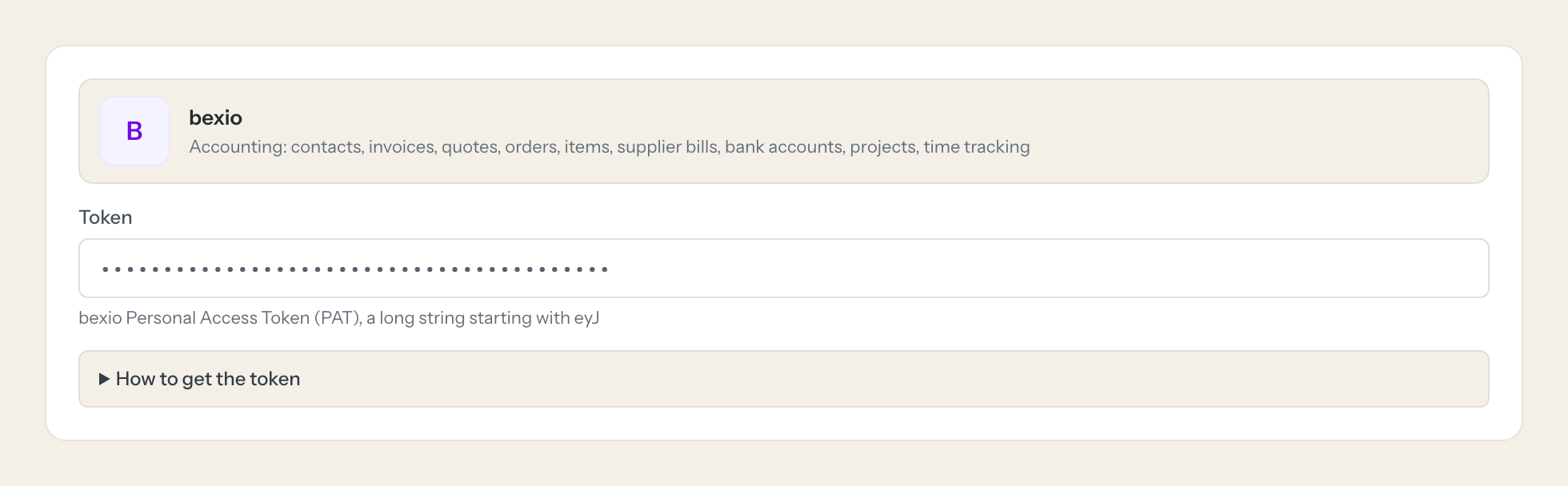
bexio is the business software of a great many Swiss small companies: contacts, quotes, orders and invoices on the sales side, supplier bills on the purchase side, bank accounts, projects and time tracking. Whether an invoice is paid and what a customer still owes is in there, but getting to it takes a login and knowing where to click.
With the bexio connector, Finance, Sales and Management ask in Claude or ChatGPT and get the answer from the live account. Loopthink holds one bexio token, every person signs in with their own identity, and every call is logged under their name. The token never reaches the AI client.
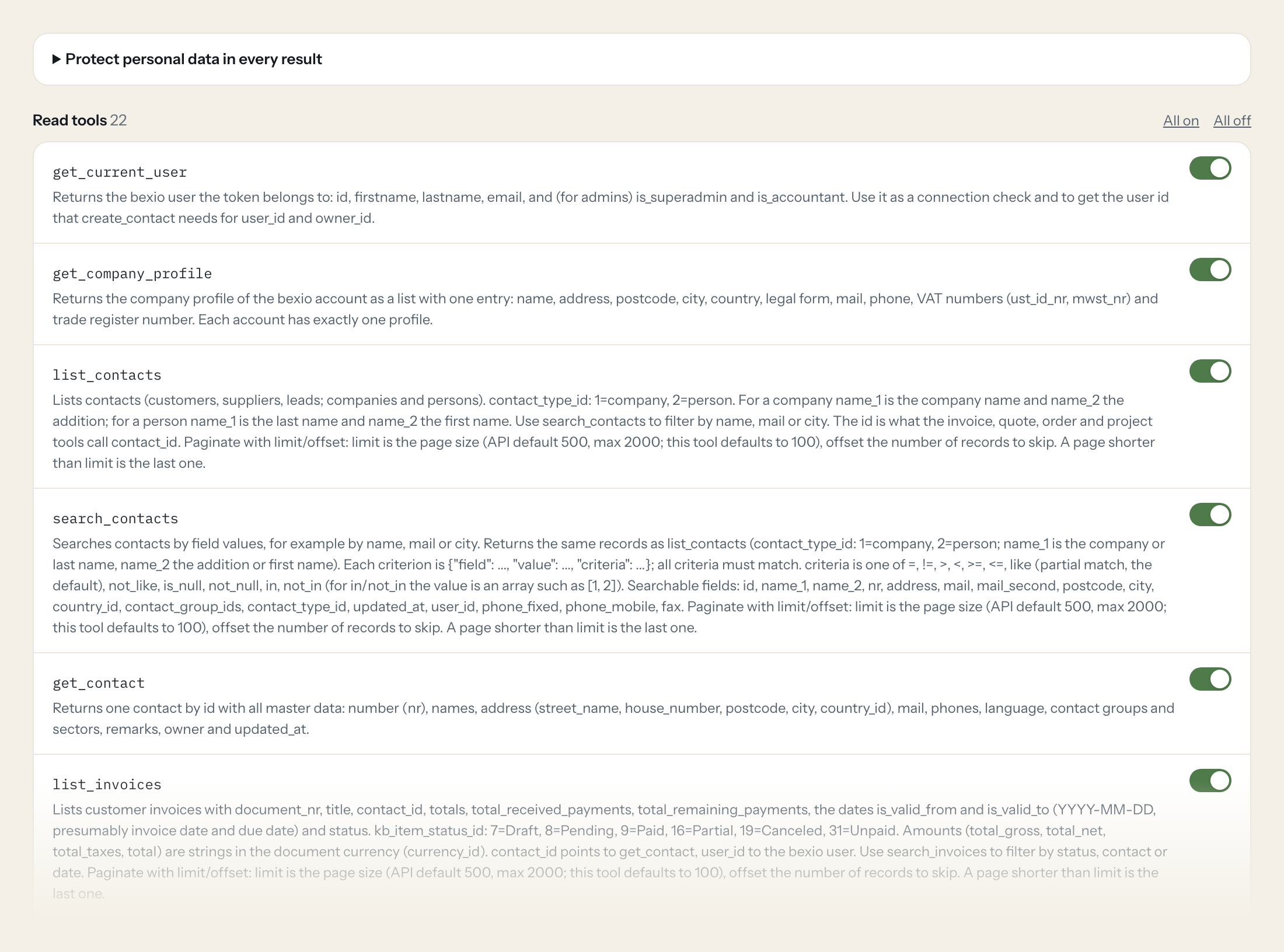
Twenty-two read tools cover contacts, invoices with their payments, quotes, orders, items, supplier bills, bank accounts, projects and timesheets. The one write tool, creating a contact, stays off until you switch it on for a role.
- Finance
“Which invoices are still unpaid, with customer and open amount?”
Answered by
search_invoices - Finance
“Which payments were recorded on invoice RE-00412, and what is still open?”
Answered by
list_invoice_payments - Sales
“Which quotes are pending and older than 30 days?”
Answered by
search_quotes - Management
“Total invoiced per month this year, net and gross.”
Answered by
list_invoices - Finance
“Which supplier bills are due in the next two weeks?”
Answered by
list_bills - Project lead
“Hours booked on the Seefeld project this month, by person.”
Answered by
search_timesheets
What the bexio connector can do.
| Tool | What it does | Access | Default |
|---|---|---|---|
| get_current_user | Returns the bexio user the token belongs to: id, firstname, lastname, email, and (for admins) is_superadmin and is_accountant. Use it as a connection check and to get the user i… | Read | On |
| get_company_profile | Returns the company profile of the bexio account as a list with one entry: name, address, postcode, city, country, legal form, mail, phone, VAT numbers (ust_id_nr, mwst_nr) and… | Read | On |
| list_contacts | Lists contacts (customers, suppliers, leads; companies and persons). contact_type_id: 1=company, 2=person. | Read | On |
| search_contacts | Searches contacts by field values, for example by name, mail or city. Returns the same records as list_contacts (contact_type_id: 1=company, 2=person; name_1 is the company or l… | Read | On |
| get_contact | Returns one contact by id with all master data: number (nr), names, address (street_name, house_number, postcode, city, country_id), mail, phones, language, contact groups and s… | Read | On |
| list_invoices | Lists customer invoices with document_nr, title, contact_id, totals, total_received_payments, total_remaining_payments, the dates is_valid_from and is_valid_to (YYYY-MM-DD, pres… | Read | On |
| search_invoices | Searches customer invoices, for example all unpaid invoices or all invoices of one contact. kb_item_status_id: 7=Draft, 8=Pending, 9=Paid, 16=Partial, 19=Canceled, 31=Unpaid. | Read | On |
| get_invoice | Returns one invoice by id with header, totals, taxes (taxs), payment figures (total_received_payments, total_remaining_payments), status and the line items in positions (text, a… | Read | On |
| list_invoice_payments | Lists the payments recorded on one invoice: date, value, bank_account_id (see list_bank_accounts), is_cash_discount and is_client_account_redemption. Use it to see when and how… | Read | On |
| list_quotes | Lists quotes (offers) with document_nr, title, contact_id, totals, is_valid_from, is_valid_until and status. kb_item_status_id: 1=Draft, 2=Pending, 3=Confirmed, 4=Declined. | Read | On |
| search_quotes | Searches quotes (offers), for example all pending quotes or the quotes of one contact. kb_item_status_id: 1=Draft, 2=Pending, 3=Confirmed, 4=Declined. | Read | On |
| get_quote | Returns one quote (offer) by id with header, totals, taxes, validity dates, delivery address, status and the line items in positions. kb_item_status_id: 1=Draft, 2=Pending, 3=Co… | Read | On |
| list_orders | Lists sales orders with document_nr, title, contact_id, totals and status. kb_item_status_id: 5=Pending, 6=Done, 15=Partial, 21=Canceled. | Read | On |
| get_order | Returns one sales order by id with header, totals, taxes, status and the line items in positions. kb_item_status_id: 5=Pending, 6=Done, 15=Partial, 21=Canceled. | Read | On |
| list_articles | Lists items (products and services) with intern_code, intern_name, intern_description, sale_price, purchase_price, currency_id, unit_id and stock figures (stock_nr, stock_availa… | Read | On |
| search_articles | Searches items (products and services) by name or code. Returns the same records as list_articles (article_type_id: 1=physical product, 2=service). | Read | On |
| list_bills | Lists supplier bills (purchase side) with document_no, title, vendor, vendor_ref, bill_date, due_date, net, gross, pending_amount, currency_code, overdue and status. Bill status… | Read | On |
| get_bill | Returns one supplier bill by id with supplier (supplier_id, address), vendor_ref, bill_date, due_date, currency and exchange rate, pending_amount, the line_items (title, amount,… | Read | On |
| list_bank_accounts | Lists the company's bank accounts as shown in bexio Banking: name, owner, bank_name, iban_nr, bank_account_nr, BIC (bank_nr), currency_id, linked ledger account (account_id) and… | Read | On |
| list_projects | Lists projects with nr, name, start_date, end_date, comment, contact_id, status (pr_state_id), type (pr_project_type_id), invoice and budget type with amounts, and user_id. The… | Read | On |
| list_timesheets | Lists time tracking entries with date, duration (text such as 01:40), text, user_id, contact_id, pr_project_id, client_service_id (business activity), status_id, allowable_bill… | Read | On |
| search_timesheets | Searches time tracking entries, for example all entries of one project or one user. Returns the same records as list_timesheets. | Read | On |
| create_contact | WRITE: creates a new contact (company or person) in bexio and returns it with its id. Does not change existing data. | Write | Off |
Write tools are off for every role until you switch them on, one tool for one role. The names are what the model sees; it also gets the full parameter description of each tool.
Getting the bexio token.
Five minutes, once. Nobody on your team ever sees it.
- 1
Log in to the bexio developer portal at https://developer.bexio.com with your bexio credentials and accept the terms and conditions if asked.
- 2
Open https://developer.bexio.com/pat (Personal Access Tokens).
- 3
Create a new token and copy it. Paste it here.
- 4
Create a new token before the old one expires (60 days after creation) and replace it here.
- 5
In Loopthink, add bexio from the catalog and paste the token. Your team sees the tools a minute later.
A Personal Access Token cannot be limited to scopes: it has all default scopes and therefore full access to the company's data, limited only by the bexio user rights of the person who created it. Create it with a bexio user that has the smallest rights that still cover what the assistant should read. A token is valid for 60 days after creation. Deleting it in the developer portal revokes it; this can take up to one hour to take full effect. bexio intends PATs for personal use and asks not to share them with other parties. The API is rate limited per company and per minute (429 when exceeded).
What we suggest masking in bexio.
Contacts in bexio carry names, mail addresses, phone numbers and postal addresses, the company profile and the bank accounts carry IBAN and VAT numbers. The suggested fields mask those and keep document numbers, amounts, dates and statuses, so a Management role sees that RE-00412 is overdue without seeing the contact's private phone number.
- name_1
- name_2
- firstname
- lastname
- mail_second
- phone_fixed
- phone_fixed_second
- phone_mobile
- fax
- skype_name
- birthday
- address
- street_name
- house_number
- address_addition
- postcode
- city
- contact_address
- contact_address_manual
- delivery_address
- delivery_address_manual
- remarks
- owner
- owner_address
- owner_house_number
- owner_zip
- owner_city
- iban_nr
- bank_account_nr
- qr_invoice_iban
- esr_post_account_nr
- iban
- account_no
- ust_id_nr
- mwst_nr
- trade_register_nr
- firstname_suffix
- lastname_company
- vendor
- address_line
bexio and Loopthink
- How long does the bexio token last?
- bexio issues Personal Access Tokens that are valid for 60 days. Before one runs out, create a new token in the bexio developer portal and paste it into the connector once. Nobody on your team has to reconnect anything.
- Can the token be limited to reading?
- No. A bexio token has all default scopes and the rights of the user who created it. Create it with a bexio user that has the smallest rights that still cover what should be read. The connector itself only offers read tools by default; create_contact is off until you enable it for a role.
- What do the status numbers on invoices mean?
- 7 is a draft, 8 is pending, 9 is paid, 16 is partially paid, 19 is cancelled and 31 is unpaid. The tools return the number and the model knows the mapping from the tool description, so you can ask for "unpaid invoices" in plain words.
- Are credit notes included?
- No. bexio does not offer credit notes through its API, so the connector cannot read them.
- Does every team member need their own bexio account?
- No. Loopthink holds one key or token for bexio. Your people sign in to Loopthink with their own identity, and every call to bexio is logged under their name. Seats in bexio stay where they are today.
- Where does the bexio key live?
- In Loopthink, encrypted, in the EU. It never reaches the AI client and never reaches the people using the connector. Rotate it in bexio whenever you like and paste the new one once.
- Can somebody write to bexio from the chat?
- Not unless you switch it on. Write actions are a separate row in the permission matrix and are off for every role by default. If a role needs one write tool, you grant that one tool to that one role.
- What does the model see?
- The result of the tool call, after masking. Fields you mark as personal, such as emails, names or card details, are masked before the answer travels to the AI client. The model gets the numbers, not the people.
- What does it cost?
- Free for one person and two connectors, no card. Pro is €19 a month for up to five people and every connector on the site, with roles, field masking and a 30-day audit. Team is €49 for ten people and adds your own REST APIs and SQL databases, your own domain and your own identity provider. No call needed.
Stuck, or a tool you need is missing? A person who knows this connector answers within one working day.

