Mollie in Claude, ChatGPT and any MCP client. For your whole team.
Payments, customers, refunds, subscriptions, settlements, balances. One token in Loopthink, one login per person, roles per tool and an audit entry for every call.
Free for 2 connectors, no card · Pro €19 · EU-hosted · 21 read tools, 1 write tools off by default
“Has payment tr_7UhSN1zuXS been paid, and was any of it refunded?”
Payment tr_7UhSN1zuXS, Nordwind Handel, order 10482:
| Field | Value | Note |
|---|---|---|
| Status | paid | 14 Oct 2026 |
| Amount | 1,240.00 € | iDEAL |
| Refunded | 310.00 € | 2 refunds |
- read-only
- logged
One token in, the tools come out.
Mollie is where the money comes in: payments with their status, refunds and chargebacks, customers and subscriptions, payment links, and the settlements that land on your bank account with Mollie's fees taken out. The questions are simple, "did order 4711 get paid", "what was paid out on Monday and which payments were in it", but today they take a login to the dashboard and an export to a spreadsheet.
With the Mollie connector, Finance, Support and Management ask in Claude or ChatGPT and get the answer from the live organization. Loopthink holds one Mollie organization access token with read scopes, every person signs in with their own identity, and every call is logged under their name. The token never reaches the AI client.
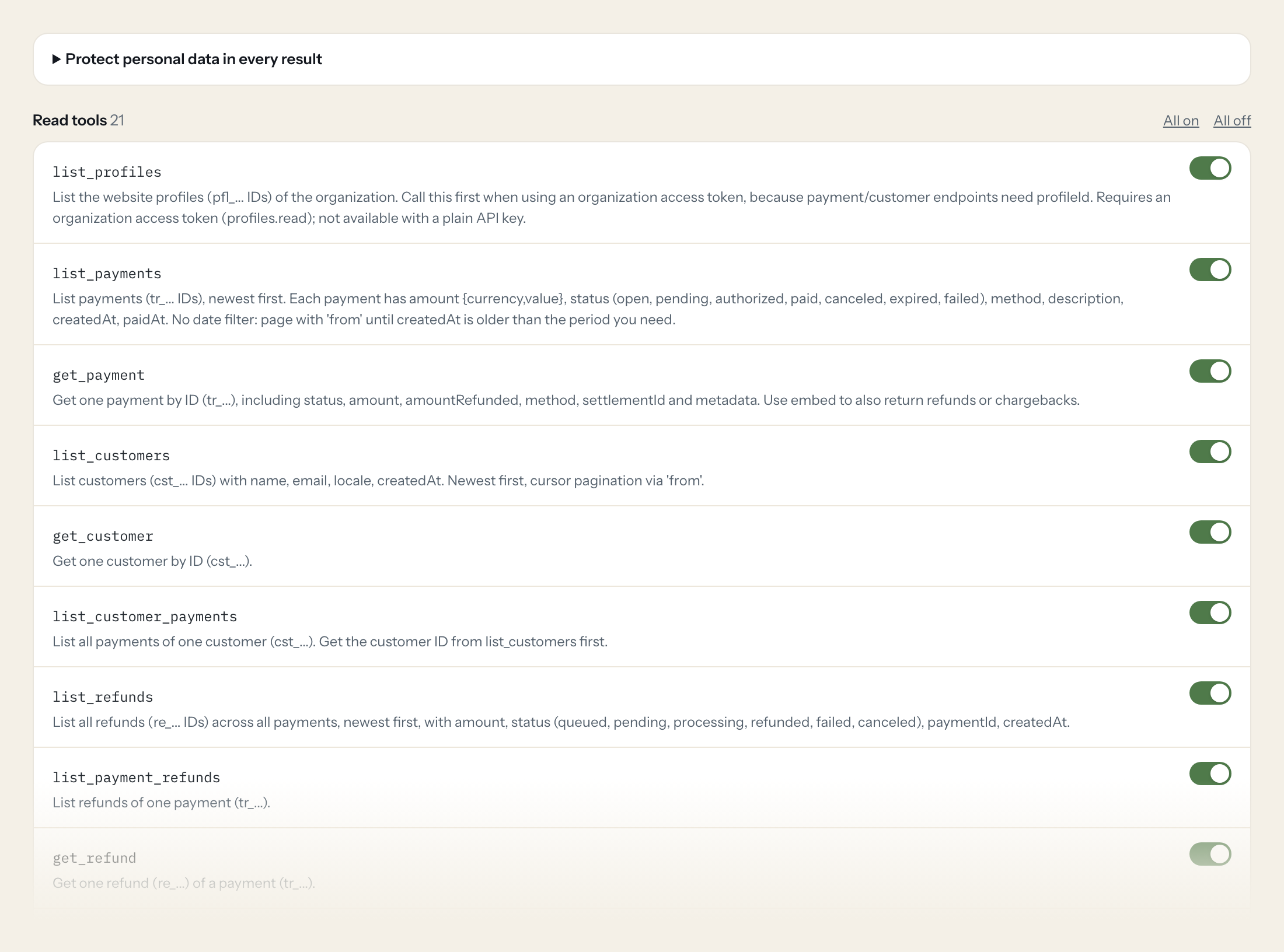
Twenty-one read tools cover profiles, payments, customers, refunds, chargebacks, subscriptions, payment links, settlements, balances and balance reports, Mollie's fee invoices and payment methods. The one write tool, creating a payment link, stays off until you switch it on for a role.
- Support
“Has payment tr_7UhSN1zuXS been paid, and was any of it refunded?”
Answered by
get_payment - Finance
“Which payments were in the settlement paid out on 6 October, and does the total match the bank statement?”
Answered by
list_settlement_payments - Finance
“Revenue, refunds and Mollie fees for September as one summary.”
Answered by
get_balance_report - Management
“How many subscriptions are active, and how many were cancelled this month?”
Answered by
list_subscriptions - Finance
“Which chargebacks came in during the last 30 days, with amount and reason?”
Answered by
list_chargebacks - Support
“Create a payment link for 149.00 EUR with the description 'Invoice 2026-0231'.”
Answered by
create_payment_link
What the Mollie connector can do.
| Tool | What it does | Access | Default |
|---|---|---|---|
| list_profiles | List the website profiles (pfl_... IDs) of the organization. | Read | On |
| list_payments | List payments (tr_... IDs), newest first. | Read | On |
| get_payment | Get one payment by ID (tr_...), including status, amount, amountRefunded, method, settlementId and metadata. Use embed to also return refunds or chargebacks. | Read | On |
| list_customers | List customers (cst_... IDs) with name, email, locale, createdAt. | Read | On |
| get_customer | Get one customer by ID (cst_...). | Read | On |
| list_customer_payments | List all payments of one customer (cst_...). Get the customer ID from list_customers first. | Read | On |
| list_refunds | List all refunds (re_... IDs) across all payments, newest first, with amount, status (queued, pending, processing, refunded, failed, canceled), paymentId, createdAt. | Read | On |
| list_payment_refunds | List refunds of one payment (tr_...). | Read | On |
| get_refund | Get one refund (re_...) of a payment (tr_...). | Read | On |
| list_chargebacks | List all chargebacks (chb_... IDs) across payments, newest first, with amount, reason, paymentId, createdAt, reversedAt. | Read | On |
| list_subscriptions | List all recurring subscriptions (sub_... IDs) with customerId, amount, interval (e.g. | Read | On |
| list_payment_links | List payment links (pl_... IDs) with description, amount, paidAt, expiresAt and the public link URL. | Read | On |
| list_settlements | List settlements (payouts to the merchant's bank account, stl_... IDs) with reference, amount, status (open, pending, paidout, failed), settledAt. | Read | On |
| get_settlement | Get one settlement by ID (stl_...) including amount, revenue and costs breakdown per period. Requires an organization access token (settlements.read). | Read | On |
| get_open_settlement | Get the currently open settlement: funds collected but not yet paid out. Requires an organization access token (settlements.read). | Read | On |
| list_settlement_payments | List the payments included in a settlement (stl_...). Useful to reconcile a bank payout. | Read | On |
| list_balances | List the organization's balances (bal_... IDs) with availableAmount and pendingAmount per currency. | Read | On |
| list_balance_transactions | List movements on a balance (payments, refunds, fees, chargebacks, payouts), newest first. Requires balances.read. | Read | On |
| get_balance_report | Get a summarized balance report for a date range (opening/closing balance, totals per transaction type). Good for monthly revenue and fee questions. | Read | On |
| list_invoices | List the invoices Mollie issued to the merchant for its fees (not customer invoices), with reference, netAmount, vatAmount, grossAmount, status, issuedAt. Requires an organizati… | Read | On |
| list_payment_methods | List payment methods enabled for the profile (ideal, creditcard, paypal, ...) with min/max amounts. Not paginated. | Read | On |
| create_payment_link | WRITE: Creates a new Mollie payment link the customer can open to pay. No money moves until the customer pays. | Write | Off |
Write tools are off for every role until you switch them on, one tool for one role. The names are what the model sees; it also gets the full parameter description of each tool.
Getting the Mollie token.
Five minutes, once. Nobody on your team ever sees it.
- 1
Log in to my.mollie.com as a user with the Admin role.
- 2
Go to Developers > API keys and choose to create an advanced (organization) access token.
- 3
Name it e.g. 'Loopthink read-only', tick only the read permissions listed below, optionally limit it to live mode.
- 4
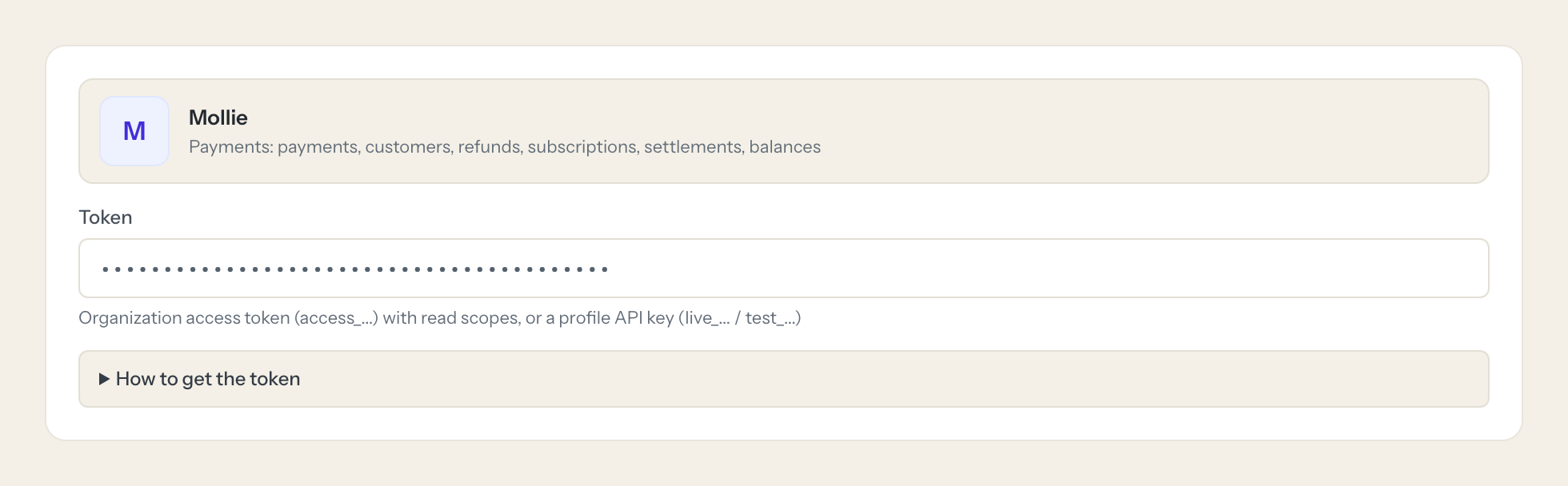
Copy the token and paste it into Loopthink. A profile API key (live_...) also works but cannot read settlements, balances, invoices or profiles.
- 5
In Loopthink, add Mollie from the catalog and paste the token. Your team sees the tools a minute later.
Only Admins can create organization access tokens. With an organization token, profile-level lists (payments, refunds, customer payments, payment methods) need profileId from list_profiles. Live and test data are separate; organization tokens use testmode=true for test data.
What we suggest masking in Mollie.
Payments carry the consumer: name, email, bank account and BIC, card holder, billing and shipping address, phone, and whatever your shop put into metadata. The suggested fields mask all of that and keep amounts, statuses, methods, dates and the settlement reference, so Support can confirm that tr_7UhSN1zuXS is paid without seeing the payer's IBAN.
- name
- consumerName
- consumerAccount
- consumerBic
- cardHolder
- cardNumber
- billingAddress
- shippingAddress
- phone
- metadata
- bankAccount
Mollie and Loopthink
- Organization access token or profile API key?
- Organization access token. Only an Admin can create one, and you tick exactly the read permissions the connector lists: profiles, payments, refunds, customers, subscriptions, payment links, settlements, balances, balance reports and invoices. A profile API key (live_...) works too but cannot read settlements, balances, fee invoices or profiles, so the reconciliation questions stay unanswered.
- Why does the AI call list_profiles first?
- With an organization token, the profile-level lists (payments, refunds, customer payments, payment methods) need a profileId, and list_profiles returns the pfl_... ids of your websites. Live and test data are separate; an organization token reads test data with testmode=true.
- Can the connector move money?
- No. Every scope is a read scope except payment-links.write, which is needed only for create_payment_link, and that tool creates a link a customer can open; no money moves until the customer pays. There is no tool that creates a refund, a payout or a charge, and the one write tool is off until you enable it for a role.
- Does every team member need their own Mollie account?
- No. Loopthink holds one key or token for Mollie. Your people sign in to Loopthink with their own identity, and every call to Mollie is logged under their name. Seats in Mollie stay where they are today.
- Where does the Mollie key live?
- In Loopthink, encrypted, in the EU. It never reaches the AI client and never reaches the people using the connector. Rotate it in Mollie whenever you like and paste the new one once.
- Can somebody write to Mollie from the chat?
- Not unless you switch it on. Write actions are a separate row in the permission matrix and are off for every role by default. If a role needs one write tool, you grant that one tool to that one role.
- What does the model see?
- The result of the tool call, after masking. Fields you mark as personal, such as emails, names or card details, are masked before the answer travels to the AI client. The model gets the numbers, not the people.
- What does it cost?
- Free for one person and two connectors, no card. Pro is €19 a month for up to five people and every connector on the site, with roles, field masking and a 30-day audit. Team is €49 for ten people and adds your own REST APIs and SQL databases, your own domain and your own identity provider. No call needed.
Stuck, or a tool you need is missing? A person who knows this connector answers within one working day.


