Mondu in Claude, ChatGPT and any MCP client. For your whole team.
Orders, invoices, credit notes, payouts, buyer limits. One token in Loopthink, one login per person, roles per tool and an audit entry for every call.
Free for 2 connectors, no card · Pro €19 · EU-hosted · 14 read tools, 3 write tools off by default
“Which Mondu orders from this week are still pending or were declined, and what is the reason?”
Three orders since Monday are not confirmed:
| Order | Buyer | Amount | State |
|---|---|---|---|
| ORD-88412 | Nordwind Handel | 7,850.00 € | pending |
| ORD-88419 | Alpen Logistik | 12,300.00 € | declined |
| ORD-88427 | Müller & Söhne GmbH | 3,120.00 € | pending |
- read-only
- logged
One token in, the tools come out.
Mondu is where B2B orders on invoice or instalments live: every order with its state and buyer, the invoices submitted against it, credit notes, the payouts Mondu makes to you with their fees, and the purchasing limit of each buyer. The questions are simple, "which orders are still pending", "what did Mondu pay out last week and which invoices were in it", "can this buyer still place a 12,000 euro order", but today they take the merchant portal, a UUID and a payout report in PDF.
With the Mondu connector, Finance, Sales and Order Management ask in Claude or ChatGPT and get the answer from the live merchant account. Loopthink holds one Mondu API key, every person signs in with their own identity, and every call is logged under their name. The key never reaches the AI client.
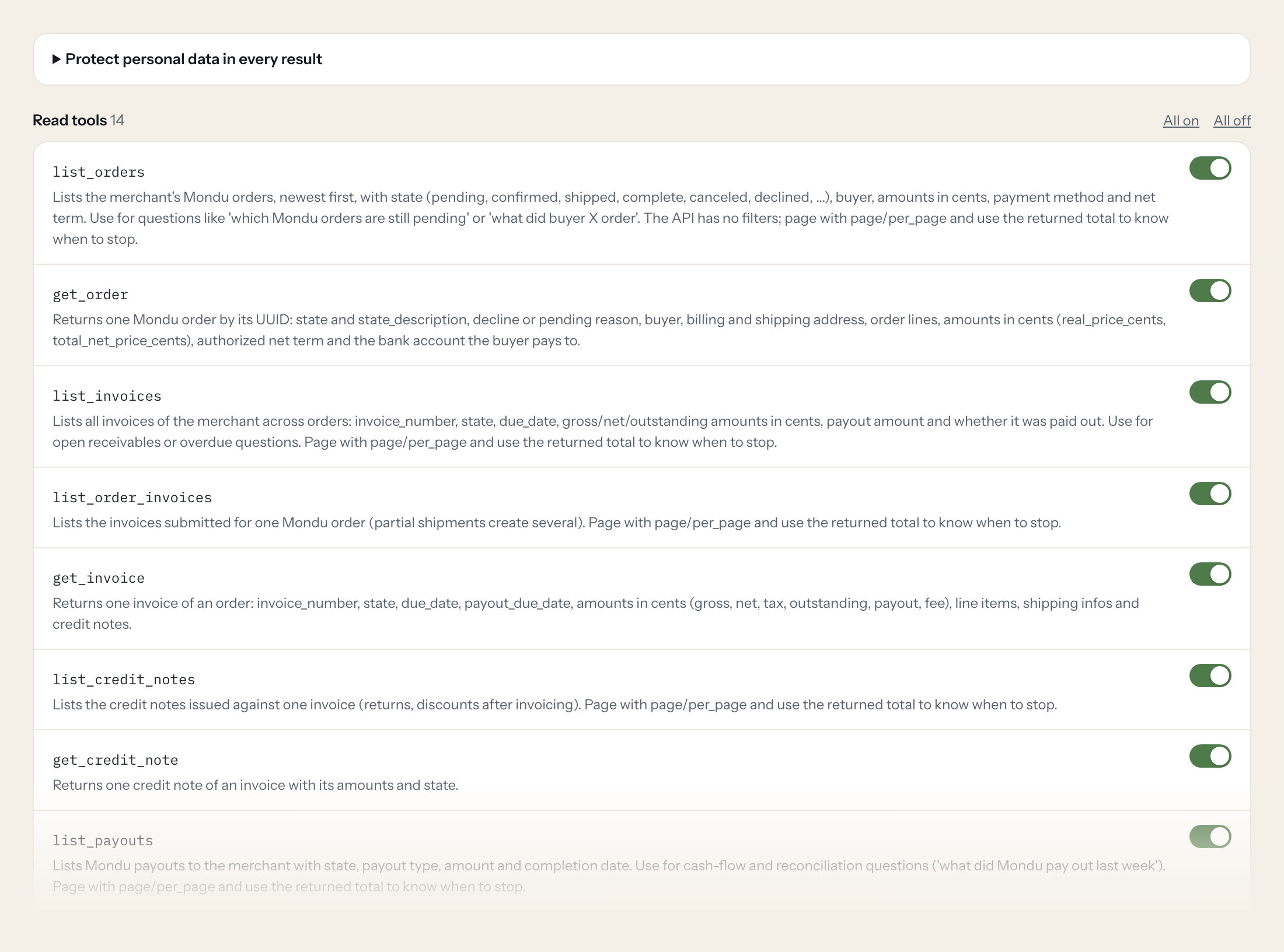
Fourteen read tools cover orders, invoices per merchant and per order, credit notes, payouts, buyer purchasing limits, factorings, sellers for marketplaces and registered webhooks. The three write tools, setting your own order and invoice references and creating a back-office order, stay off until you switch them on for a role.
- Order Management
“Which Mondu orders from this week are still pending or were declined, and what is the reason?”
Answered by
list_orders - Finance
“Which invoices are overdue and not yet paid out, with the outstanding amount?”
Answered by
list_invoices - Finance
“Reconcile the bank statement line of 8,412.50 euros from 14 October: which payout is it, and what were the fees?”
Answered by
get_payout - Sales
“What purchasing limit does Werkstatt Lindner GmbH still have, and which payment terms are eligible?”
Answered by
get_buyer_purchasing_limit - Order Management
“Do our order and invoice webhooks still point to the right endpoints?”
Answered by
list_webhooks - Order Management
“Set our ERP order number SO-20261019-044 on Mondu order 3f9c...a1.”
Answered by
update_order_external_info
What the Mondu connector can do.
| Tool | What it does | Access | Default |
|---|---|---|---|
| list_orders | Lists the merchant's Mondu orders, newest first, with state (pending, confirmed, shipped, complete, canceled, declined, ...), buyer, amounts in cents, payment method and net ter… | Read | On |
| get_order | Returns one Mondu order by its UUID: state and state_description, decline or pending reason, buyer, billing and shipping address, order lines, amounts in cents (real_price_cents… | Read | On |
| list_invoices | Lists all invoices of the merchant across orders: invoice_number, state, due_date, gross/net/outstanding amounts in cents, payout amount and whether it was paid out. Use for ope… | Read | On |
| list_order_invoices | Lists the invoices submitted for one Mondu order (partial shipments create several). Page with page/per_page and use the returned total to know when to stop. | Read | On |
| get_invoice | Returns one invoice of an order: invoice_number, state, due_date, payout_due_date, amounts in cents (gross, net, tax, outstanding, payout, fee), line items, shipping infos and c… | Read | On |
| list_credit_notes | Lists the credit notes issued against one invoice (returns, discounts after invoicing). Page with page/per_page and use the returned total to know when to stop. | Read | On |
| get_credit_note | Returns one credit note of an invoice with its amounts and state. | Read | On |
| list_payouts | Lists Mondu payouts to the merchant with state, payout type, amount and completion date. Use for cash-flow and reconciliation questions ('what did Mondu pay out last week'). | Read | On |
| get_payout | Returns one payout by UUID: state, amount_cents, transfer_amount, Mondu fees (MDR, fixed, total), VAT percentage, SEPA ID, completion date and report_url (the payout report list… | Read | On |
| get_buyer_purchasing_limit | Returns a buyer's Mondu purchasing limit: purchasing_limit_cents, balance_cents (still available), max_purchase_value_cents and eligible payment terms. Use before quoting a larg… | Read | On |
| get_factoring | Returns the details of a factoring (an invoice sold to Mondu for early payout) by its UUID. | Read | On |
| list_sellers | Marketplaces only: lists the sellers registered for the merchant, newest first, with their external_reference_id and Mondu uuid. Page with page/per_page (1-based) and use the re… | Read | On |
| get_seller | Marketplaces only: returns one seller by its Mondu uuid. A 404 means the uuid is unknown or belongs to another merchant. | Read | On |
| list_webhooks | Lists the webhooks the merchant has registered with Mondu (topic and target address). Use to check whether order and invoice events reach your systems. | Read | On |
| update_order_external_info | WRITE: Sets the merchant's own order number (external_reference_id) on a Mondu order, e.g. after the ERP assigned it. | Write | Off |
| update_invoice_external_info | WRITE: Sets the merchant's own invoice reference and/or a public invoice URL on a Mondu invoice. Changes no amounts or state. | Write | Off |
| create_async_order | WRITE: Creates a back-office (async) Mondu order, e.g. for a phone or ERP sale. | Write | Off |
Write tools are off for every role until you switch them on, one tool for one role. The names are what the model sees; it also gets the full parameter description of each tool.
Getting the Mondu token.
Five minutes, once. Nobody on your team ever sees it.
- 1
Mondu issues API keys itself: the sandbox (demo) key at the start of onboarding, the production key after the integration review. Request them from integration@mondu.ai or your Mondu account manager.
- 2
If you already have keys, take the one you use for your shop or ERP integration from your internal secret store, or ask Mondu for a separate key for Loopthink.
- 3
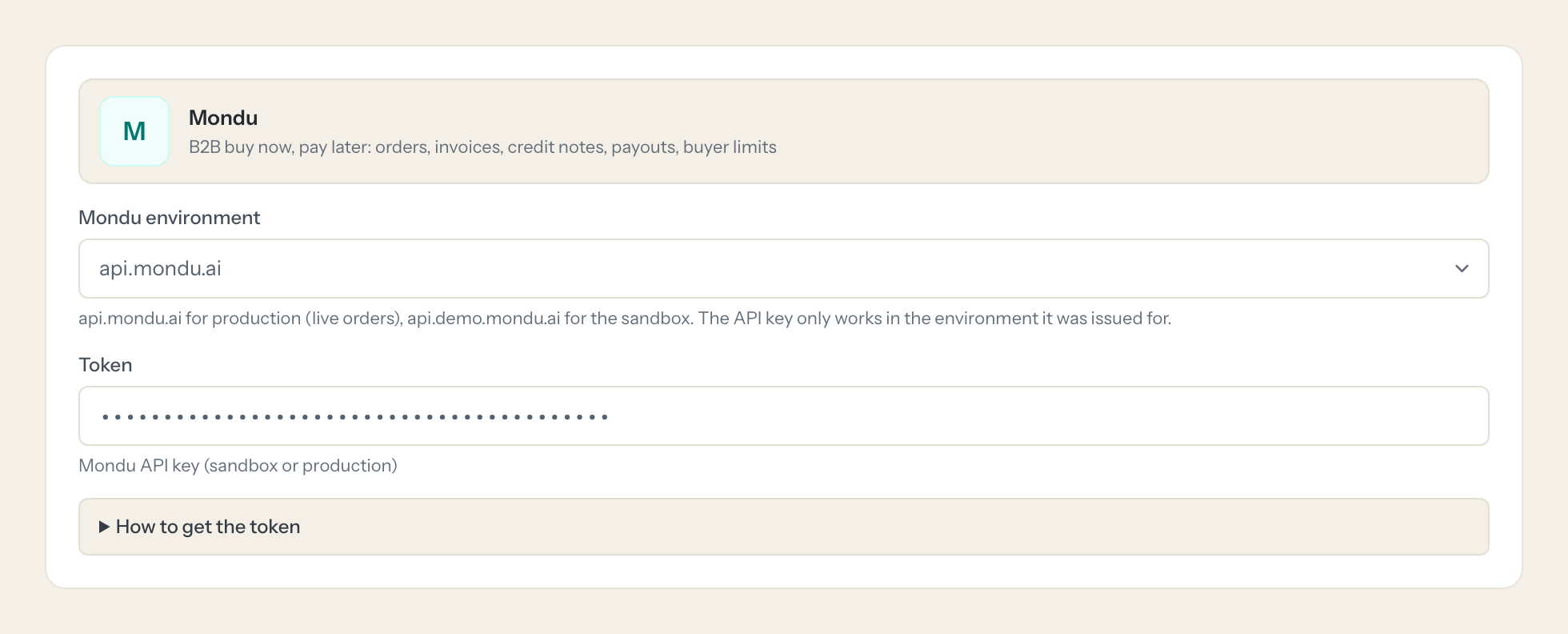
Pick the matching environment in Loopthink: api.demo.mondu.ai for the sandbox key, api.mondu.ai for the production key.
- 4
Paste the key into Loopthink.
- 5
In Loopthink, add Mondu from the catalog and paste the token. It also asks for mondu environment. Your team sees the tools a minute later.
Mondu API keys have no scopes: a key can read and change every order, invoice and payout of the merchant account. Write tools ship disabled; keep them off unless the assistant should create orders. Ask Mondu for a dedicated key so it can be revoked without breaking your shop integration.
What we suggest masking in Mondu.
Every Mondu order carries the buyer: company name, first and last name, email and phone, billing and shipping address, plus the IBAN, BIC and account holder of the account the buyer pays to and the bank details on payouts, notes, cancellation notes and the invoice URL. The suggested fields mask all of that, so a Sales role can see that a buyer has 9,500 euros of limit left, and Finance can match a payout of 8,412.50 euros to its invoices, without an IBAN or a personal email appearing in the chat.
- first_name
- last_name
- company_name
- phone
- iban
- bic
- account_holder
- account_number
- sort_code
- address_line1
- address_line2
- zip_code
- city
- notes
- cancelation_notes
- invoice_url
Mondu and Loopthink
- The Mondu API key has no scopes. How do we limit what it can do?
- A key can read and change every order, invoice and payout of the merchant account. Ask Mondu, via integration@mondu.ai or your account manager, for a dedicated key for Loopthink so it can be revoked without breaking your shop or ERP integration. In Loopthink only read tools are on by default; the three write tools stay off until you enable them for a role.
- Sandbox or production, which key goes where?
- Mondu issues the sandbox (demo) key at the start of onboarding and the production key after the integration review. A key only works in the environment it was issued for, so pick api.demo.mondu.ai for the sandbox key and api.mondu.ai for the production key when you set up the connector. Start with the sandbox if you want to try the tools on test orders first.
- What can the write tools change, and what can they not?
- update_order_external_info and update_invoice_external_info only set your own references and a public invoice URL; they change no amounts and no state. create_async_order creates a back-office order for a phone or ERP sale, after which Mondu emails the buyer for confirmation and you still have to confirm the order yourself. None of the tools can confirm, ship or cancel an order or touch a payout.
- Does every team member need their own Mondu account?
- No. Loopthink holds one key or token for Mondu. Your people sign in to Loopthink with their own identity, and every call to Mondu is logged under their name. Seats in Mondu stay where they are today.
- Where does the Mondu key live?
- In Loopthink, encrypted, in the EU. It never reaches the AI client and never reaches the people using the connector. Rotate it in Mondu whenever you like and paste the new one once.
- Can somebody write to Mondu from the chat?
- Not unless you switch it on. Write actions are a separate row in the permission matrix and are off for every role by default. If a role needs one write tool, you grant that one tool to that one role.
- What does the model see?
- The result of the tool call, after masking. Fields you mark as personal, such as emails, names or card details, are masked before the answer travels to the AI client. The model gets the numbers, not the people.
- What does it cost?
- Free for one person and two connectors, no card. Pro is €19 a month for up to five people and every connector on the site, with roles, field masking and a 30-day audit. Team is €49 for ten people and adds your own REST APIs and SQL databases, your own domain and your own identity provider. No call needed.
Stuck, or a tool you need is missing? A person who knows this connector answers within one working day.


