ChurchTools in Claude, ChatGPT and any MCP client. For your whole team.
Persons, groups, members, events and services, calendars, resource bookings, songs. One token in Loopthink, one login per person, roles per tool and an audit entry for every call.
Free for 2 connectors, no card · Pro €19 · EU-hosted · 20 read tools, 3 write tools off by default
“Who is assigned to which service at the 10:00 service on Sunday, and is the welcome team missing someone?”
Assignments for Sunday 10:00, the welcome team still has one open slot:
| Service | Assigned | Status |
|---|---|---|
| Preaching | Thomas Richter | confirmed |
| Worship lead | Lena Hartmann | confirmed |
| Welcome team | Jonas Weber, open slot | 1 missing |
- read-only
- masked
One token in, the tools come out.
ChurchTools is where a congregation keeps its people and its week: members and friends with their addresses and birthdays, small groups and teams with their members, services with who is preaching and who is on the sound desk, calendars, room bookings and the song database. The questions are simple, "who is serving on Sunday", "which birthdays fall in the next two weeks", "is the big hall free on Saturday evening", but today they take a login, the right module and a filter the office set up months ago.
With the ChurchTools connector, Pastor, Office and Board ask in Claude or ChatGPT and get the answer from the live instance. Loopthink holds one ChurchTools login token, every person signs in with their own identity, and every call is logged under their name. The token never reaches the AI client.
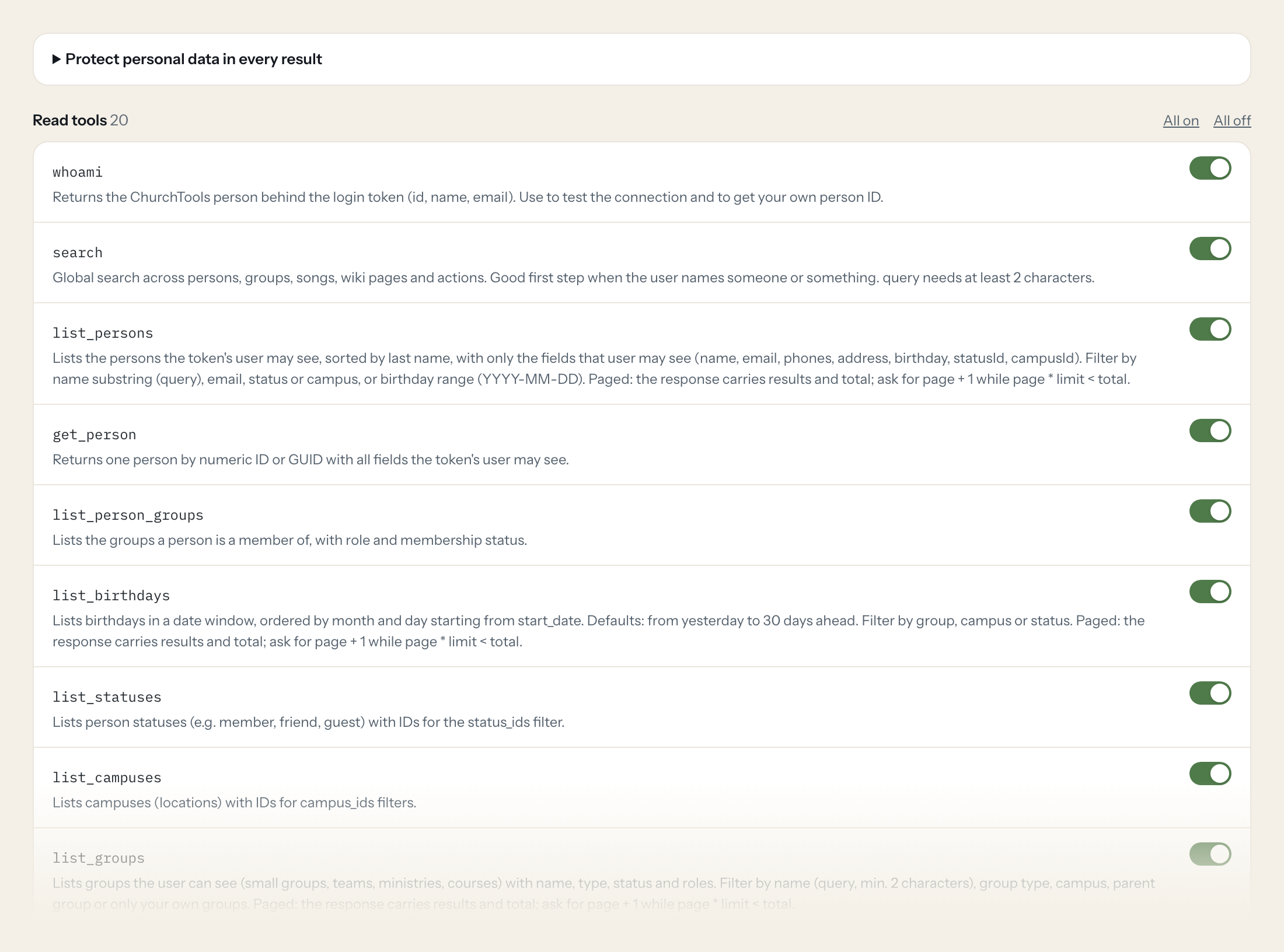
Twenty read tools cover persons and groups, group members and meetings, birthdays, statuses and campuses, events with their services and agendas, calendars and appointments, resources and bookings, and songs. The three write tools, adding a group member, updating a person and creating a follow-up, stay off until you switch them on for a role.
- Pastor
“Who is assigned to which service at the 10:00 service on Sunday, and is the welcome team still missing someone?”
Answered by
get_event - Office
“Which members have a birthday in the next 14 days, grouped by week?”
Answered by
list_birthdays - Office
“Is the main hall booked on Saturday 7 November between 18:00 and 22:00?”
Answered by
list_bookings - Board
“How many active members does the youth group have, and how many requests are waiting?”
Answered by
list_group_members - Pastor
“Show me the agenda for the Advent service on 29 November with the songs and who is responsible for each item.”
Answered by
get_event_agenda - Office
“Add Jonas Weber to the worship team as an active member.”
Answered by
add_group_member
What the ChurchTools connector can do.
| Tool | What it does | Access | Default |
|---|---|---|---|
| whoami | Returns the ChurchTools person behind the login token (id, name, email). Use to test the connection and to get your own person ID. | Read | On |
| search | Global search across persons, groups, songs, wiki pages and actions. Good first step when the user names someone or something. | Read | On |
| list_persons | Lists the persons the token's user may see, sorted by last name, with only the fields that user may see (name, email, phones, address, birthday, statusId, campusId). Filter by n… | Read | On |
| get_person | Returns one person by numeric ID or GUID with all fields the token's user may see. | Read | On |
| list_person_groups | Lists the groups a person is a member of, with role and membership status. | Read | On |
| list_birthdays | Lists birthdays in a date window, ordered by month and day starting from start_date. Defaults: from yesterday to 30 days ahead. | Read | On |
| list_statuses | Lists person statuses (e.g. member, friend, guest) with IDs for the status_ids filter. | Read | On |
| list_campuses | Lists campuses (locations) with IDs for campus_ids filters. | Read | On |
| list_groups | Lists groups the user can see (small groups, teams, ministries, courses) with name, type, status and roles. Filter by name (query, min. | Read | On |
| get_group | Returns one group by ID with information, settings and roles. | Read | On |
| list_group_members | Lists the members of one group with personId, person name, role (groupTypeRoleId), status and membership dates. Filter by name, role or status (active, requested, waiting, to_de… | Read | On |
| list_group_meetings | Lists meetings of one group (date, canceled, completed), optionally with attendance. Dates YYYY-MM-DD; to is exclusive. | Read | On |
| list_events | Lists service-planning events (services, worship, Gottesdienste) with name, start, end and calendar. Two modes: give from and to (YYYY-MM-DD) for a date range, then page/limit a… | Read | On |
| get_event | Returns one event by ID including its services (who is assigned to which service). | Read | On |
| get_event_agenda | Returns the agenda (Ablaufplan) of one event: items, times, songs and responsible service groups. | Read | On |
| list_calendars | Lists calendars with IDs, names and colors. Calendar IDs are needed for list_appointments. | Read | On |
| list_appointments | Lists calendar appointments of one or more calendars in a date range (YYYY-MM-DD, to exclusive). Recurring appointments come back per occurrence. | Read | On |
| list_resources | Lists bookable resources (rooms, equipment, vehicles) with IDs and resource types. | Read | On |
| list_bookings | Lists resource bookings (room/equipment reservations) for one or more resources in a date range (YYYY-MM-DD). Status 1 pending, 2 approved, 3 canceled; default pending and appro… | Read | On |
| list_songs | Lists songs of the song database (title, author, CCLI, category, arrangements on request). Search with query over title or author. | Read | On |
| add_group_member | Adds a person to a group (or sets the membership if it exists). Optional role (groupTypeRoleId from get_group), status (active, requested, waiting) and comment. | Write | Off |
| update_person | Updates fields of a person. Send only the fields to change, as a JSON object with ChurchTools field names: firstName, lastName, nickname, email, mobile, phonePrivate, phoneWork,… | Write | Off |
| create_person_followup | Creates a follow-up task concerning a person (e.g. 'call back', 'visit'). | Write | Off |
Write tools are off for every role until you switch them on, one tool for one role. The names are what the model sees; it also gets the full parameter description of each tool.
Getting the ChurchTools token.
Five minutes, once. Nobody on your team ever sees it.
- 1
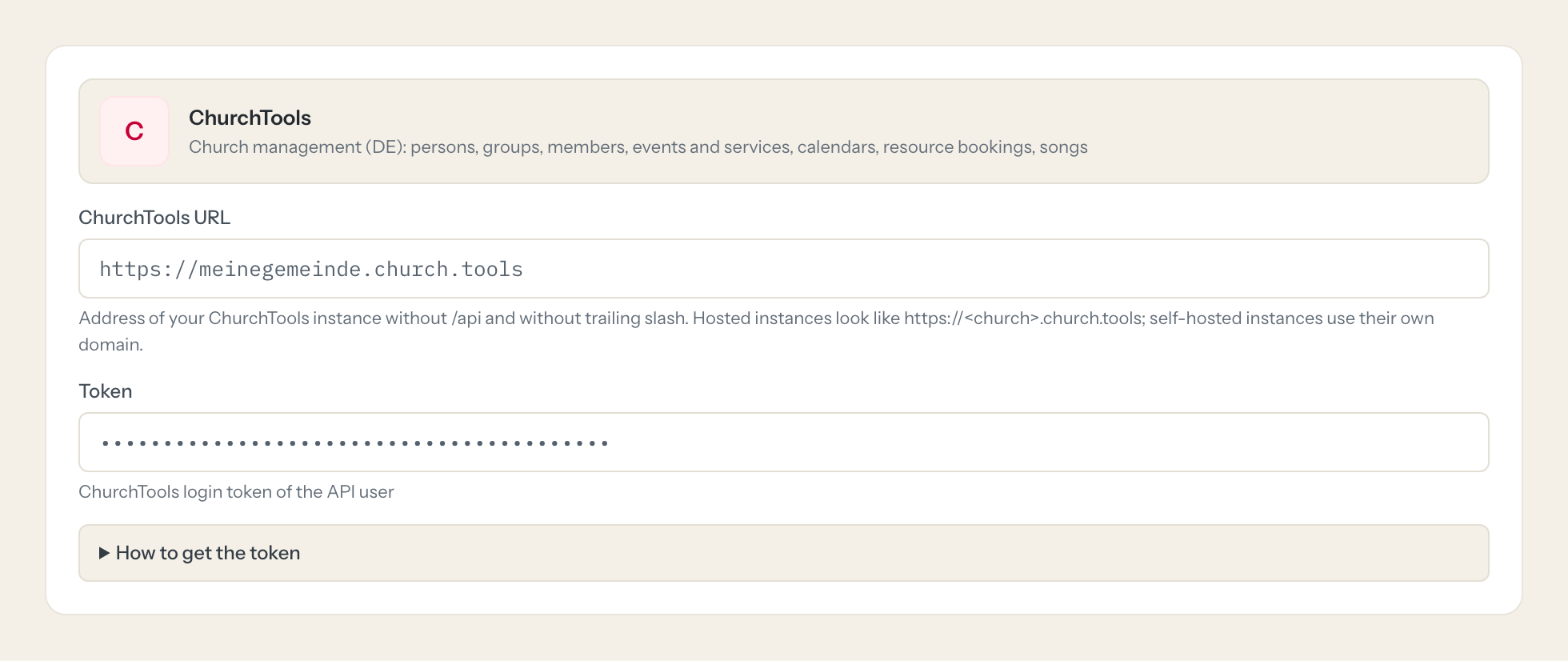
Create (or pick) a dedicated ChurchTools person for Loopthink, e.g. 'Loopthink API', give it a login and only the permissions (Personen & Gruppen, Events, Kalender, Ressourcen, Songs) and person visibility the assistant needs.
- 2
Log in to your ChurchTools instance as that person in the browser.
- 3
Open <your ChurchTools URL>/api/whoami and note the id in data.id.
- 4
Open <your ChurchTools URL>/api/persons/<id>/logintoken. The response shows the persistent login token in data (it is created on first call). Copy it.
- 5
Paste the token into Loopthink. Revoking: the same person calls DELETE /api/persons/<id>/logintoken (e.g. in the API browser at <your ChurchTools URL>/api).
- 6
In Loopthink, add ChurchTools from the catalog and paste the token. It also asks for churchtools url. Your team sees the tools a minute later.
A ChurchTools login token has no scopes and no expiry: it acts with all permissions of its person until revoked, including writes. That is why a dedicated person with narrow permissions is strongly advised. Only that person can fetch its own token. Self-hosted instances must be reachable from Loopthink (or through the Runner).
What we suggest masking in ChurchTools.
ChurchTools holds more personal data than most business systems: names, private and work phones, email, street and city, birthday and birthplace, dates of baptism, wedding and death, job, photos, coordinates and free-text comments. The suggested fields mask all of that, so a Board role can see that the youth group has 34 active members and three pending requests, or that the sound desk on Sunday is unstaffed, without seeing anyone's address or baptism date. For the Office role you can leave name and email visible and keep the rest hidden.
- firstName
- lastName
- nickname
- birthName
- emails
- mobile
- phonePrivate
- phoneWork
- fax
- street
- zip
- city
- addressAddition
- birthday
- birthplace
- dateOfBaptism
- placeOfBaptism
- baptisedBy
- weddingDate
- dateOfDeath
- job
- imageUrl
- familyImageUrl
- latitude
- longitude
- comment
- title
- description
ChurchTools and Loopthink
- The login token has no scopes and no expiry. How do we limit what it can do?
- On the ChurchTools side, create a dedicated person such as "Loopthink API" with a login and only the permissions the assistant needs (persons and groups, events, calendar, resources, songs) and only the person visibility it needs. The token acts with exactly that person's rights, including writes, until you revoke it with DELETE /api/persons/<id>/logintoken. On the Loopthink side the three write tools are off until you enable them for a role.
- Our ChurchTools runs on our own server. Does the connector still work?
- Yes, enter your own domain as the ChurchTools URL instead of the church.tools address. The instance must be reachable from Loopthink; if it is not reachable from the internet, the Loopthink Runner inside that network makes the calls.
- Can the connector change membership data?
- Only if you switch a write tool on. add_group_member adds a person to a group with role and status, update_person changes the fields you send such as phone, address or status, and create_person_followup creates a task like "call back" for a person. All three stay off by default and run under the dedicated person's rights, so ChurchTools still enforces what that person may write.
- Does every team member need their own ChurchTools account?
- No. Loopthink holds one key or token for ChurchTools. Your people sign in to Loopthink with their own identity, and every call to ChurchTools is logged under their name. Seats in ChurchTools stay where they are today.
- Where does the ChurchTools key live?
- In Loopthink, encrypted, in the EU. It never reaches the AI client and never reaches the people using the connector. Rotate it in ChurchTools whenever you like and paste the new one once.
- Can somebody write to ChurchTools from the chat?
- Not unless you switch it on. Write actions are a separate row in the permission matrix and are off for every role by default. If a role needs one write tool, you grant that one tool to that one role.
- What does the model see?
- The result of the tool call, after masking. Fields you mark as personal, such as emails, names or card details, are masked before the answer travels to the AI client. The model gets the numbers, not the people.
- What does it cost?
- Free for one person and two connectors, no card. Pro is €19 a month for up to five people and every connector on the site, with roles, field masking and a 30-day audit. Team is €49 for ten people and adds your own REST APIs and SQL databases, your own domain and your own identity provider. No call needed.
Stuck, or a tool you need is missing? A person who knows this connector answers within one working day.


