easyVerein in Claude, ChatGPT and any MCP client. For your whole team.
Members, contacts, groups, invoices, bookings, events, inventory. One token in Loopthink, one login per person, roles per tool and an audit entry for every call.
Free for 2 connectors, no card · Pro €19 · EU-hosted · 21 read tools, 3 write tools off by default
“How many members joined since 1 January and how many resigned in the same period?”
Net growth of 29 members this year:
| Period | Joined | Resigned | Net |
|---|---|---|---|
| Q1 2026 | 18 | 6 | +12 |
| Q2 2026 | 14 | 9 | +5 |
| Q3 2026 | 21 | 9 | +12 |
- read-only
- masked
One token in, the tools come out.
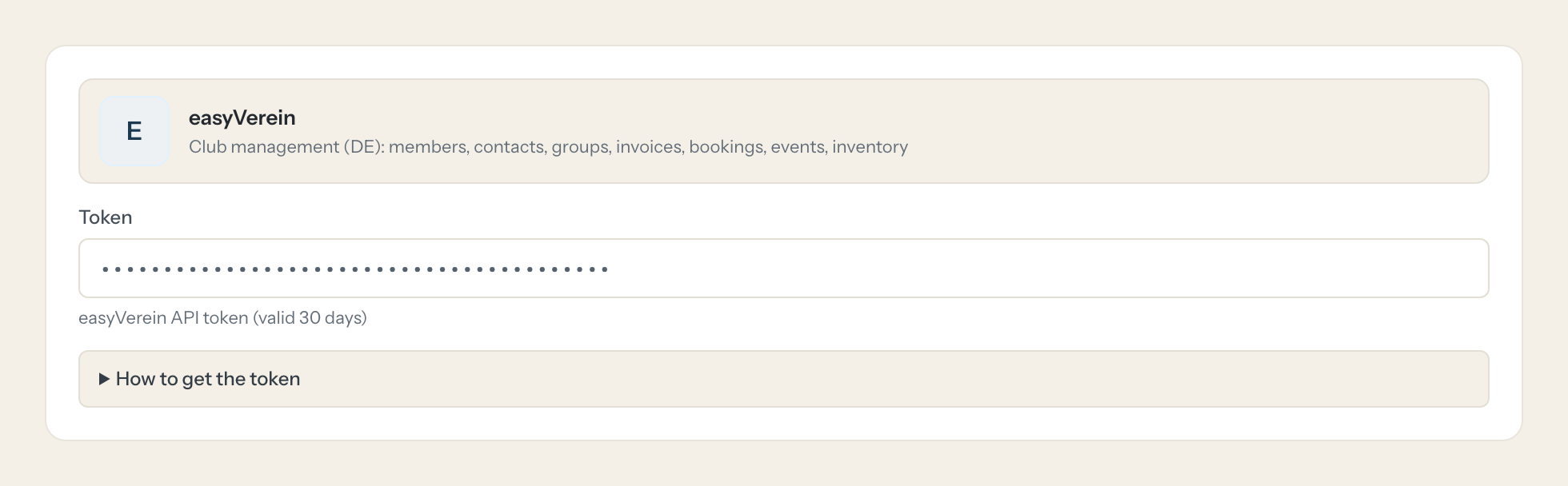
easyVerein is where a club keeps its members and its money: membership numbers and join dates, departments and fee groups, contact details, invoices for fees, bank and cash bookings, events with their participants, equipment and who borrowed it. The questions are simple, "how many members joined this year", "which fee invoices are still open", "who has not returned the two tents", but today they take a login, the right module and an export the treasurer knows how to build.
With the easyVerein connector, Board, Treasurer and Office ask in Claude or ChatGPT and get the answer from the live club data. Loopthink holds one easyVerein API token, every person signs in with their own identity, and every call is logged under their name. The token never reaches the AI client.
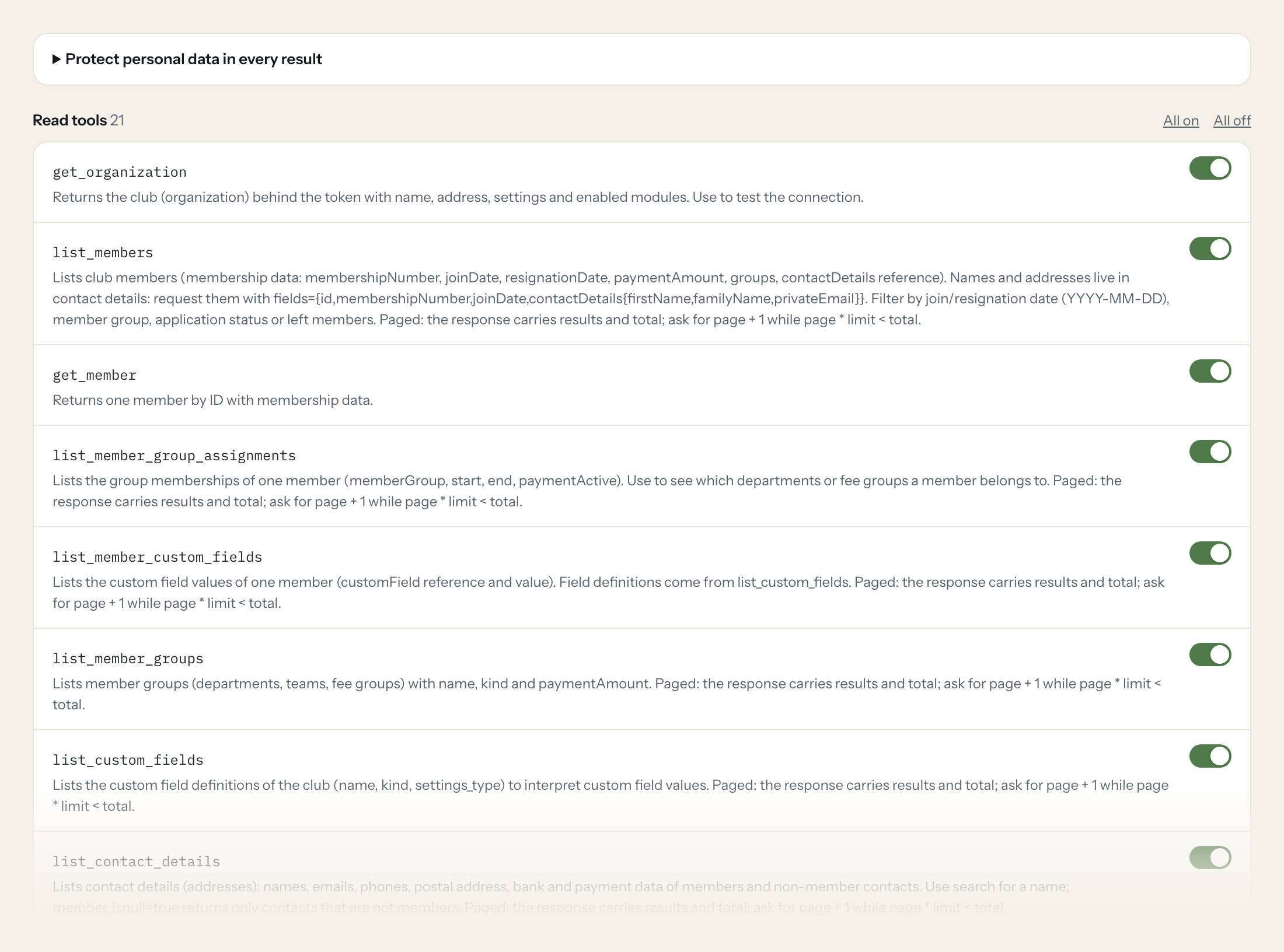
Twenty-one read tools cover the organisation, members and their group assignments and custom fields, member groups, contact details, invoices and invoice items, bookings and billing accounts, events and participations, calendars, inventory and lendings, and tasks. The three write tools, creating and updating contact details and creating an event, stay off until you switch them on for a role.
- Board
“How many members joined since 1 January and how many resigned in the same period?”
Answered by
list_members - Treasurer
“Which fee invoices from the spring run still have an open payment difference?”
Answered by
list_invoices - Treasurer
“Sum the bookings on the account "Spenden" for the last quarter.”
Answered by
list_bookings - Office
“How many people have confirmed for the summer festival on 12 July, and how many declined?”
Answered by
list_event_participations - Office
“Which inventory items are currently lent out and not yet returned?”
Answered by
list_lendings - Office
“Create the event "Annual General Meeting" on 14 March from 19:00 to 21:00 in the club house calendar.”
Answered by
create_event
What the easyVerein connector can do.
| Tool | What it does | Access | Default |
|---|---|---|---|
| get_organization | Returns the club (organization) behind the token with name, address, settings and enabled modules. Use to test the connection. | Read | On |
| list_members | Lists club members (membership data: membershipNumber, joinDate, resignationDate, paymentAmount, groups, contactDetails reference). Names and addresses live in contact details:… | Read | On |
| get_member | Returns one member by ID with membership data. | Read | On |
| list_member_group_assignments | Lists the group memberships of one member (memberGroup, start, end, paymentActive). Use to see which departments or fee groups a member belongs to. | Read | On |
| list_member_custom_fields | Lists the custom field values of one member (customField reference and value). Field definitions come from list_custom_fields. | Read | On |
| list_member_groups | Lists member groups (departments, teams, fee groups) with name, kind and paymentAmount. Paged: the response carries results and total; ask for page + 1 while page * limit < total. | Read | On |
| list_custom_fields | Lists the custom field definitions of the club (name, kind, settings_type) to interpret custom field values. Paged: the response carries results and total; ask for page + 1 whil… | Read | On |
| list_contact_details | Lists contact details (addresses): names, emails, phones, postal address, bank and payment data of members and non-member contacts. Use search for a name; member_isnull=true ret… | Read | On |
| get_contact_details | Returns one contact details record by ID (name, email, phone, address, payment data). | Read | On |
| list_invoices | Lists invoices (invNumber, date, totalPrice, receiver, kind, paymentDifference, isDraft). Open invoices have a paymentDifference other than 0. | Read | On |
| get_invoice | Returns one invoice by ID. | Read | On |
| list_invoice_items | Lists invoice line items (title, description, quantity, price, tax, billing account), optionally for one invoice. Paged: the response carries results and total; ask for page + 1… | Read | On |
| list_bookings | Lists bookings (bank and cash transactions: amount, date, receiver, description, billingAccount, related invoices). Filter by date range (YYYY-MM-DD) or billing account. | Read | On |
| list_billing_accounts | Lists billing accounts (Buchungskonten / chart of accounts: name, number, skr). Paged: the response carries results and total; ask for page + 1 while page * limit < total. | Read | On |
| list_events | Lists calendar events (name, start, end, location, calendar, canceled). Filter by start date range; datetimes as YYYY-MM-DDTHH:MM:SS or dates as YYYY-MM-DD. | Read | On |
| get_event | Returns one event by ID. | Read | On |
| list_event_participations | Lists the participations of one event (participationAddress, state, description). Use for attendance questions. | Read | On |
| list_calendars | Lists the club's calendars (name, short, color). Paged: the response carries results and total; ask for page + 1 while page * limit < total. | Read | On |
| list_inventory_objects | Lists inventory objects (equipment: name, identifier, location, availability for lending). Paged: the response carries results and total; ask for page + 1 while page * limit < t… | Read | On |
| list_lendings | Lists lendings of inventory objects (borrowingDate, returnDate, quantity, state, borrower). Filter by borrowing date (YYYY-MM-DD). | Read | On |
| list_tasks | Lists tasks (to-dos) with name, state, due date and assigned member. Filter by due date range (YYYY-MM-DD). | Read | On |
| create_contact_details | Creates a contact details record (address). For a person firstName and familyName are required, for a company (_isCompany true) companyName. | Write | Off |
| update_contact_details | Updates a contact details record (PATCH, only the fields sent change). Pass the fields as a JSON object with easyVerein field names, e.g. | Write | Off |
| create_event | Creates a calendar event. Pass a JSON object with easyVerein field names: name (required, max 500 chars), start and end (YYYY-MM-DDTHH:MM:SS), allDay, calendar (calendar ID from… | Write | Off |
Write tools are off for every role until you switch them on, one tool for one role. The names are what the model sees; it also gets the full parameter description of each tool.
Getting the easyVerein token.
Five minutes, once. Nobody on your team ever sees it.
- 1
Log in to easyVerein with an account that has admin (Vorstand) rights for the data Loopthink should see.
- 2
Open Settings > API (easyverein.com/app/settings/easyVereinApi/).
- 3
Create a token. Choose read access only unless write tools will be switched on; write access is needed for create/update tools.
- 4
Copy the token and paste it into Loopthink.
- 5
Set a reminder: the token expires 30 days after creation. Create a new token before then and replace it in Loopthink.
- 6
In Loopthink, add easyVerein from the catalog and paste the token. Your team sees the tools a minute later.
Since API v2.0 easyVerein tokens are valid for 30 days. From day 15 the API signals tokenRefreshNeeded in every response header, and GET /refresh-token would rotate it, invalidating the old token immediately. Loopthink cannot refresh tokens, so after 30 days every call fails with 401 until a new token is pasted. Every API call counts as a data processing instruction of the club under the easyVerein DPA. Rate limit: 100 requests per minute.
What we suggest masking in easyVerein.
A club's member file is personal data from top to bottom: names, private and company email and phone, street and city, date of birth, IBAN, BIC, account owner and SEPA mandate, the membership number, internal notes and the counterpart IBAN on bookings. The suggested fields mask all of that, so a Board role can see that 28 fee invoices are open for a total of 1,540 euros, or that 61 people confirmed for the summer festival, without seeing a single bank account or birthday. The Treasurer role can have the bank fields unmasked while the rest of the board does not.
- firstName
- familyName
- name
- companyName
- privateEmail
- companyEmail
- emailOrUserName
- privatePhone
- companyPhone
- mobilePhone
- street
- zip
- city
- dateOfBirth
- iban
- bic
- bankAccountOwner
- sepaMandate
- internalNote
- membershipNumber
- receiver
- counterpartIban
- counterpartBic
- companyStreet
- companyCity
- companyZip
- addressSuffix
- nameAffix
- salutation
- companion_name
- companion_email
- blockReason
easyVerein and Loopthink
- The token expires after 30 days. What happens then?
- Since API v2.0 easyVerein tokens are valid for 30 days, and Loopthink cannot refresh them. After 30 days every call fails with a 401 until an admin creates a new token under Settings > API and pastes it into the connector once. Set a reminder for day 25; nobody else on the team has to do anything.
- Which access should the token have?
- Choose read access only (read:all) unless you plan to switch on create_contact_details, update_contact_details or create_event; those need write:all. Create the token with an account that has Vorstand rights for the data the assistant should see, ideally a dedicated one. Every API call counts as a data processing instruction of the club under the easyVerein DPA, and the rate limit is 100 requests per minute, which the paged tools stay well within.
- Why does list_members not show names?
- In easyVerein the membership record and the contact details are separate objects. list_members returns membership data such as membershipNumber, joinDate and paymentAmount and refers to contact details for the name; the tool can request firstName, familyName and privateEmail from the linked record in the same call. Whether a role sees those fields is then decided by the masking you set.
- Does every team member need their own easyVerein account?
- No. Loopthink holds one key or token for easyVerein. Your people sign in to Loopthink with their own identity, and every call to easyVerein is logged under their name. Seats in easyVerein stay where they are today.
- Where does the easyVerein key live?
- In Loopthink, encrypted, in the EU. It never reaches the AI client and never reaches the people using the connector. Rotate it in easyVerein whenever you like and paste the new one once.
- Can somebody write to easyVerein from the chat?
- Not unless you switch it on. Write actions are a separate row in the permission matrix and are off for every role by default. If a role needs one write tool, you grant that one tool to that one role.
- What does the model see?
- The result of the tool call, after masking. Fields you mark as personal, such as emails, names or card details, are masked before the answer travels to the AI client. The model gets the numbers, not the people.
- What does it cost?
- Free for one person and two connectors, no card. Pro is €19 a month for up to five people and every connector on the site, with roles, field masking and a 30-day audit. Team is €49 for ten people and adds your own REST APIs and SQL databases, your own domain and your own identity provider. No call needed.
Stuck, or a tool you need is missing? A person who knows this connector answers within one working day.


