d.velop documents in Claude, ChatGPT and any MCP client. For your whole team.
Search documents and files, properties, versions, notes. One token in Loopthink, one login per person, roles per tool and an audit entry for every call.
Free for 2 connectors, no card · Pro €19 · EU-hosted · 10 read tools
“Which contracts in the 'Verträge' category have an end date in 2027, with the supplier name?”
Three contracts end in 2027:
| Contract | Supplier | End date |
|---|---|---|
| Framework agreement hosting | Nordwind Handel | 31 Mar 2027 |
| Maintenance contract fleet | Alpen Logistik | 30 Jun 2027 |
| Consulting retainer | Kraus & Partner | 31 Dec 2027 |
- read-only
- logged
One token in, the tools come out.
d.velop documents is where a company's paper went: invoices, contracts, delivery notes and personnel files as documents with categories and properties, grouped into dossiers, each with versions and notes. The questions are routine, "which contracts with Huber AG expire next year", "is the invoice for order 4711 already filed", but today they mean opening the DMS, picking the repository and building a property search.
With the d.velop documents connector, Purchasing, Finance and Back Office ask in Claude or ChatGPT and get the answer from the live repository. Loopthink holds one d.velop API key, every person signs in with their own identity, and every call is logged under their name. The key never reaches the AI client.
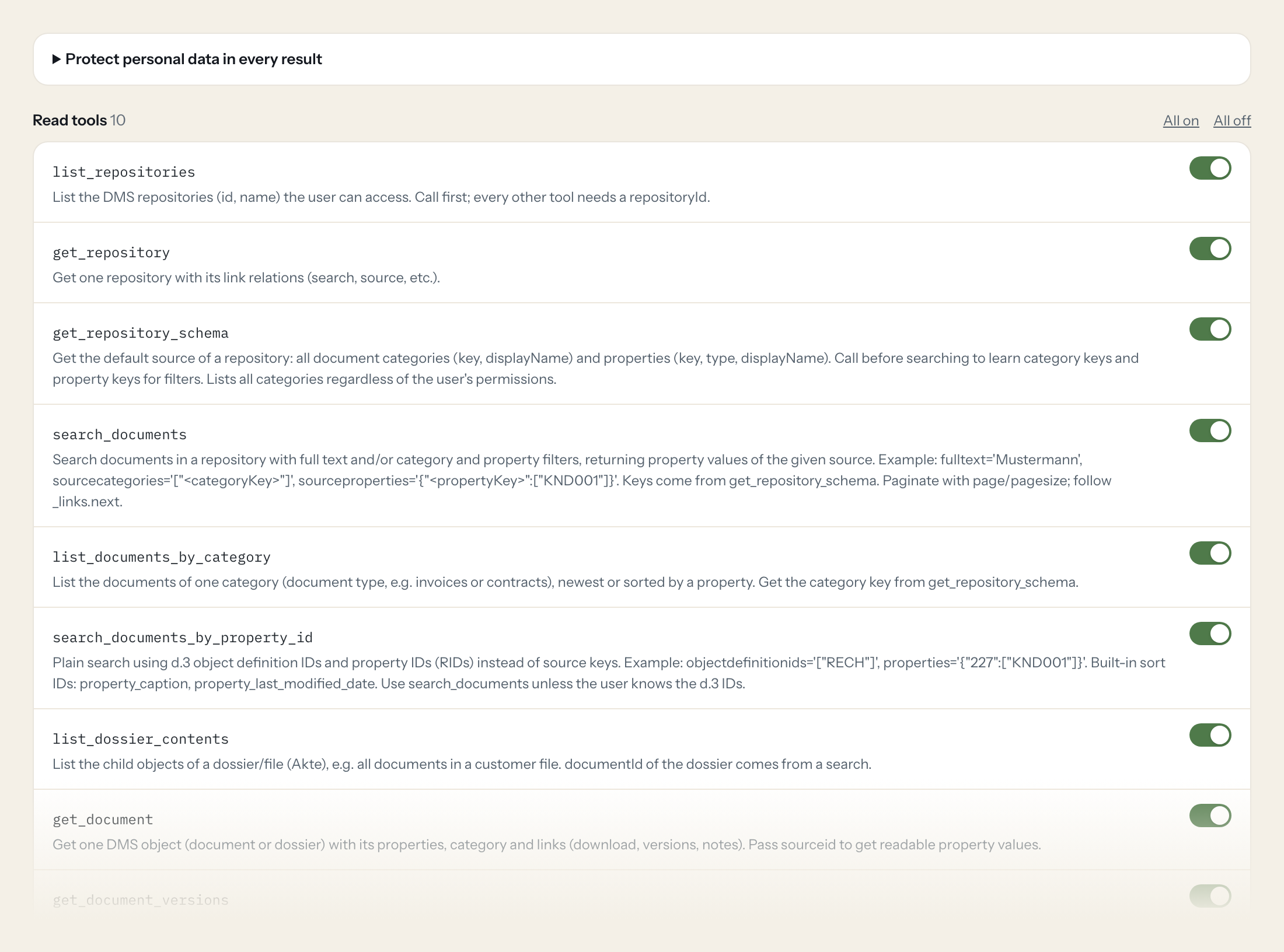
The connector is read-only: ten tools for repositories and their schema, full-text and property search, documents by category, dossier contents, single documents with their properties, versions and notes. Nothing in it can create, change or delete a document.
- Purchasing
“Which contracts in the 'Verträge' category have an end date in 2027, with the supplier name?”
Answered by
search_documents - Finance
“Is there an incoming invoice filed for customer number KND001 with order number 4711?”
Answered by
search_documents - Back Office
“What is in the customer file of Huber AG, newest document first?”
Answered by
list_dossier_contents - Finance
“Show me the 20 most recent documents in the invoices category.”
Answered by
list_documents_by_category - Legal
“Who changed the framework agreement with Müller & Söhne, and when was the last version saved?”
Answered by
get_document_versions - Back Office
“Which categories and properties does the main repository have, so I can search by project number?”
Answered by
get_repository_schema
What the d.velop documents connector can do.
| Tool | What it does | Access | Default |
|---|---|---|---|
| list_repositories | List the DMS repositories (id, name) the user can access. Call first; every other tool needs a repositoryId. | Read | On |
| get_repository | Get one repository with its link relations (search, source, etc.). | Read | On |
| get_repository_schema | Get the default source of a repository: all document categories (key, displayName) and properties (key, type, displayName). Call before searching to learn category keys and prop… | Read | On |
| search_documents | Search documents in a repository with full text and/or category and property filters, returning property values of the given source. Example: fulltext='Mustermann', sourcecatego… | Read | On |
| list_documents_by_category | List the documents of one category (document type, e.g. invoices or contracts), newest or sorted by a property. | Read | On |
| search_documents_by_property_id | Plain search using d.3 object definition IDs and property IDs (RIDs) instead of source keys. Example: objectdefinitionids='["RECH"]', properties='{"227":["KND001"]}'. | Read | On |
| list_dossier_contents | List the child objects of a dossier/file (Akte), e.g. all documents in a customer file. | Read | On |
| get_document | Get one DMS object (document or dossier) with its properties, category and links (download, versions, notes). Pass sourceid to get readable property values. | Read | On |
| get_document_versions | List the versions of a DMS object (who changed it and when). | Read | On |
| get_document_notes | Get the notes (comments) of a DMS object. Only exists if notes were saved; get_document shows a 'notes' link in that case, otherwise expect 404. | Read | On |
Write tools are off for every role until you switch them on, one tool for one role. The names are what the model sees; it also gets the full parameter description of each tool.
Getting the d.velop documents token.
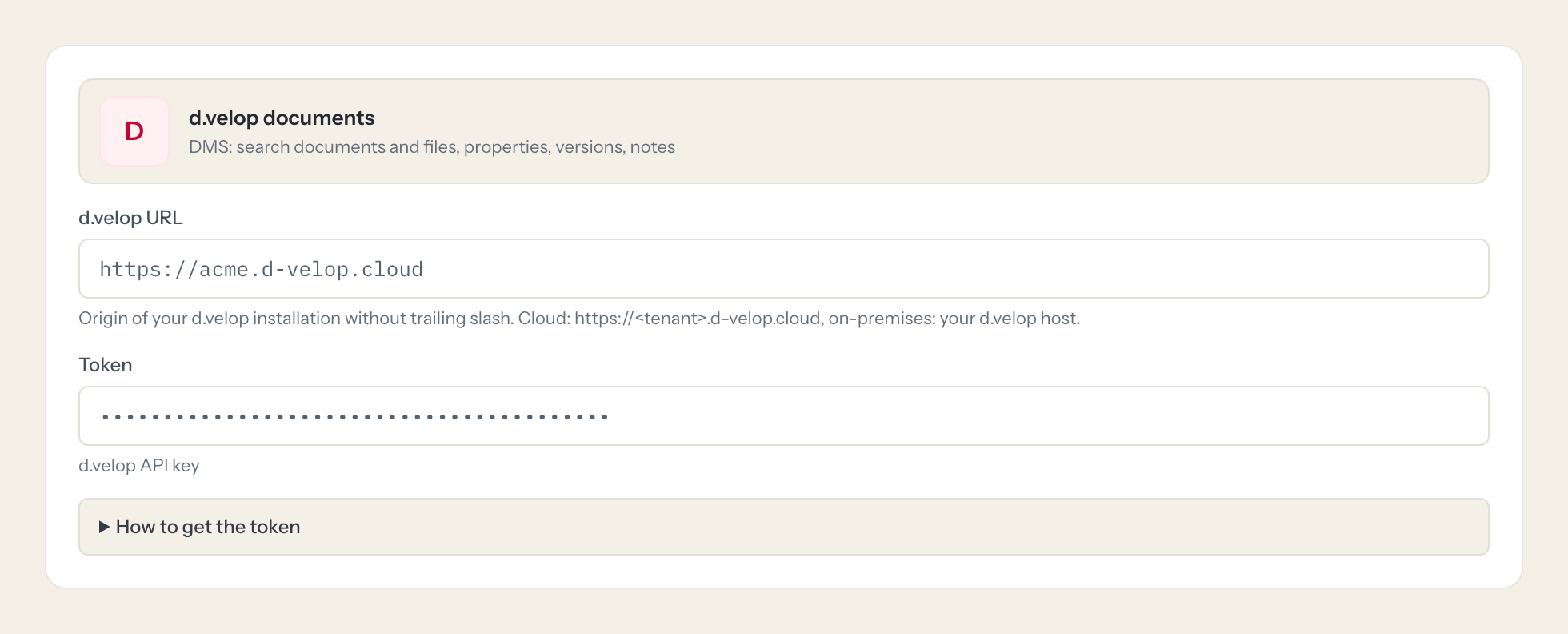
Five minutes, once. Nobody on your team ever sees it.
- 1
In d.velop cloud open Konfiguration > Infrastruktur und Sicherheit > Anmeldeoptionen (on-premises: identityprovider app).
- 2
Create a new API key and assign it to a technical user.
- 3
Open the new key and copy its value.
- 4
Give the technical user read rights only on the repositories and categories the AI may see.
- 5
In Loopthink, add d.velop documents from the catalog and paste the token. It also asks for d.velop url. Your team sees the tools a minute later.
The key acts as the assigned user; d.velop checks permissions per document, so the user's rights define what the AI can find.
What we suggest masking in d.velop documents.
Document properties carry whatever was indexed: customer names, personnel numbers, email addresses, IBANs on invoices, postal addresses, and any custom property value. The suggested fields mask the property values, captions and names that identify a person and keep category, document id, dates, version history and the structure of a dossier, which is what a filing or retrieval question needs. Purchasing sees that twelve contracts end in 2027 without the signatory's personal details in the answer.
- sourceProperties
- displayValue
- value
- caption
- name
- iban
- address
- customer_name
- personnel_number
d.velop documents and Loopthink
- What does the technical user need?
- The API key acts as the user it is assigned to, and d.velop checks permissions per document. Give that user read rights only on the repositories and categories the AI may see; everything else does not appear in a search, even though get_repository_schema lists all categories regardless of permissions.
- Cloud or on-premises?
- Both. Enter the origin of your installation without a trailing slash: https://<tenant>.d-velop.cloud for the cloud, or your own d.velop host for on-premises. The API key is created under Anmeldeoptionen in the cloud or in the identityprovider app on-premises.
- Does the AI see the document content?
- It sees properties, full-text search hits, versions and notes, not the file itself. The connector has no download tool, so the answer is about which documents exist and what is indexed on them, which is what most retrieval questions need.
- Does every team member need their own d.velop documents account?
- No. Loopthink holds one key or token for d.velop documents. Your people sign in to Loopthink with their own identity, and every call to d.velop documents is logged under their name. Seats in d.velop documents stay where they are today.
- Where does the d.velop documents key live?
- In Loopthink, encrypted, in the EU. It never reaches the AI client and never reaches the people using the connector. Rotate it in d.velop documents whenever you like and paste the new one once.
- Can somebody write to d.velop documents from the chat?
- Not unless you switch it on. Write actions are a separate row in the permission matrix and are off for every role by default. If a role needs one write tool, you grant that one tool to that one role.
- What does the model see?
- The result of the tool call, after masking. Fields you mark as personal, such as emails, names or card details, are masked before the answer travels to the AI client. The model gets the numbers, not the people.
- What does it cost?
- Free for one person and two connectors, no card. Pro is €19 a month for up to five people and every connector on the site, with roles, field masking and a 30-day audit. Team is €49 for ten people and adds your own REST APIs and SQL databases, your own domain and your own identity provider. No call needed.
Stuck, or a tool you need is missing? A person who knows this connector answers within one working day.


