 Documents connector
paperless-ngx in Claude, ChatGPT and any MCP client. For your whole team.
Documents, full-text search, correspondents, tags. One token in Loopthink, one login per person, roles per tool and an audit entry for every call.
Free for 2 connectors, no card · Pro €19 · EU-hosted · 16 read tools, 3 write tools off by default
“Find all invoices from Telekom created between January and March 2026, with dates and titles.”
Three Telekom invoices in Q1 2026:
| Title | Created | Amount | Tags |
|---|---|---|---|
| Telekom invoice January 2026 | 2 Feb 2026 | 184.30 € | invoice, telco |
| Telekom invoice February 2026 | 3 Mar 2026 | 184.30 € | invoice, telco |
| Telekom invoice March 2026 | 1 Apr 2026 | 212.80 € | invoice, telco, hardware |
- read-only
- logged
One token in, the tools come out.
paperless-ngx is the archive: every scanned letter, invoice and contract with its OCR text, a correspondent, a document type, tags and custom fields. The questions are everyday ones, "where is the Telekom invoice from March", "what is still sitting in the inbox", but today they take the search box, the right filter and someone who knows how the tags were named.
With the paperless-ngx connector, Back Office, Finance and Management ask in Claude or ChatGPT and get the answer from your own instance. Loopthink holds one paperless-ngx API token, every person signs in with their own identity, and every call is logged under their name. The token never reaches the AI client.
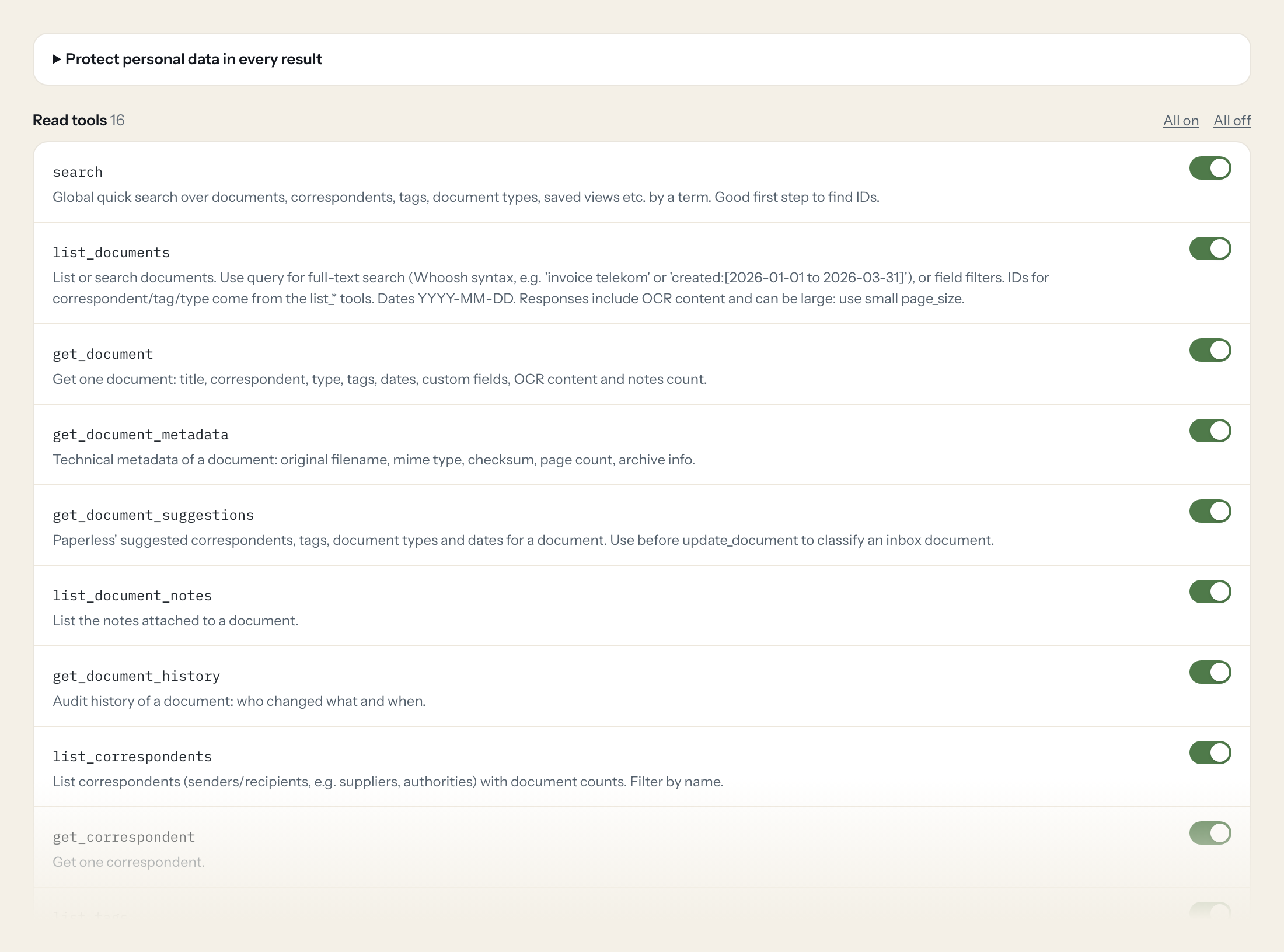
Sixteen read tools cover quick search and full-text document queries, single documents with their metadata, suggestions, notes and history, correspondents, tags, document types, storage paths, custom fields, saved views, statistics and background tasks. The three write tools, adding a note, updating document metadata and changing tags, stay off until you switch them on for a role.
- Finance
“Find all invoices from Telekom created between January and March 2026, with their dates and titles.”
Answered by
list_documents - Back Office
“What does paperless suggest as correspondent, document type and date for document 1287?”
Answered by
get_document_suggestions - Management
“How many documents do we have in total, and how many are still in the inbox?”
Answered by
get_statistics - Back Office
“Who changed document 1287, what did they change and when?”
Answered by
get_document_history - Finance
“Which ten correspondents have the most documents?”
Answered by
list_correspondents - Back Office
“Remove the Inbox tag from documents 1287, 1288 and 1290 and add 'Buchhaltung 2026'.”
Answered by
bulk_modify_tags
What the paperless-ngx connector can do.
| Tool | What it does | Access | Default |
|---|---|---|---|
| search | Global quick search over documents, correspondents, tags, document types, saved views etc. by a term. | Read | On |
| list_documents | List or search documents. Use query for full-text search (Whoosh syntax, e.g. | Read | On |
| get_document | Get one document: title, correspondent, type, tags, dates, custom fields, OCR content and notes count. | Read | On |
| get_document_metadata | Technical metadata of a document: original filename, mime type, checksum, page count, archive info. | Read | On |
| get_document_suggestions | Paperless' suggested correspondents, tags, document types and dates for a document. Use before update_document to classify an inbox document. | Read | On |
| list_document_notes | List the notes attached to a document. | Read | On |
| get_document_history | Audit history of a document: who changed what and when. | Read | On |
| list_correspondents | List correspondents (senders/recipients, e.g. suppliers, authorities) with document counts. | Read | On |
| get_correspondent | Get one correspondent. | Read | On |
| list_tags | List tags with document counts. Filter by name. | Read | On |
| list_document_types | List document types (e.g. Rechnung, Vertrag, Bescheid). | Read | On |
| list_storage_paths | List the storage paths of paperless-ngx. Use to resolve storage path IDs on documents. | Read | On |
| list_custom_fields | List custom field definitions (id, name, data_type). Needed to build custom_field_query. | Read | On |
| list_saved_views | List saved views (stored filters) defined by users. | Read | On |
| get_statistics | Archive statistics: number of documents, documents in inbox, character count, file types. | Read | On |
| list_tasks | List background tasks (consumption/OCR of uploads) with status. Use to check whether an upload finished. | Read | On |
| add_document_note | WRITE: Adds a note to a document. | Write | Off |
| update_document | WRITE: Updates document metadata (title, correspondent, document type, created date). Only send fields to change. | Write | Off |
| bulk_modify_tags | WRITE: Adds and/or removes tags on one or more documents (e.g. remove the inbox tag after review). | Write | Off |
Write tools are off for every role until you switch them on, one tool for one role. The names are what the model sees; it also gets the full parameter description of each tool.
Getting the paperless-ngx token.
Five minutes, once. Nobody on your team ever sees it.
- 1
Log in to paperless-ngx with the user whose documents the AI may see (ideally a dedicated user with view permissions).
- 2
Open 'My Profile' (user menu top right).
- 3
Click the circular arrow next to 'API Auth Token' to generate the token and copy it.
- 4
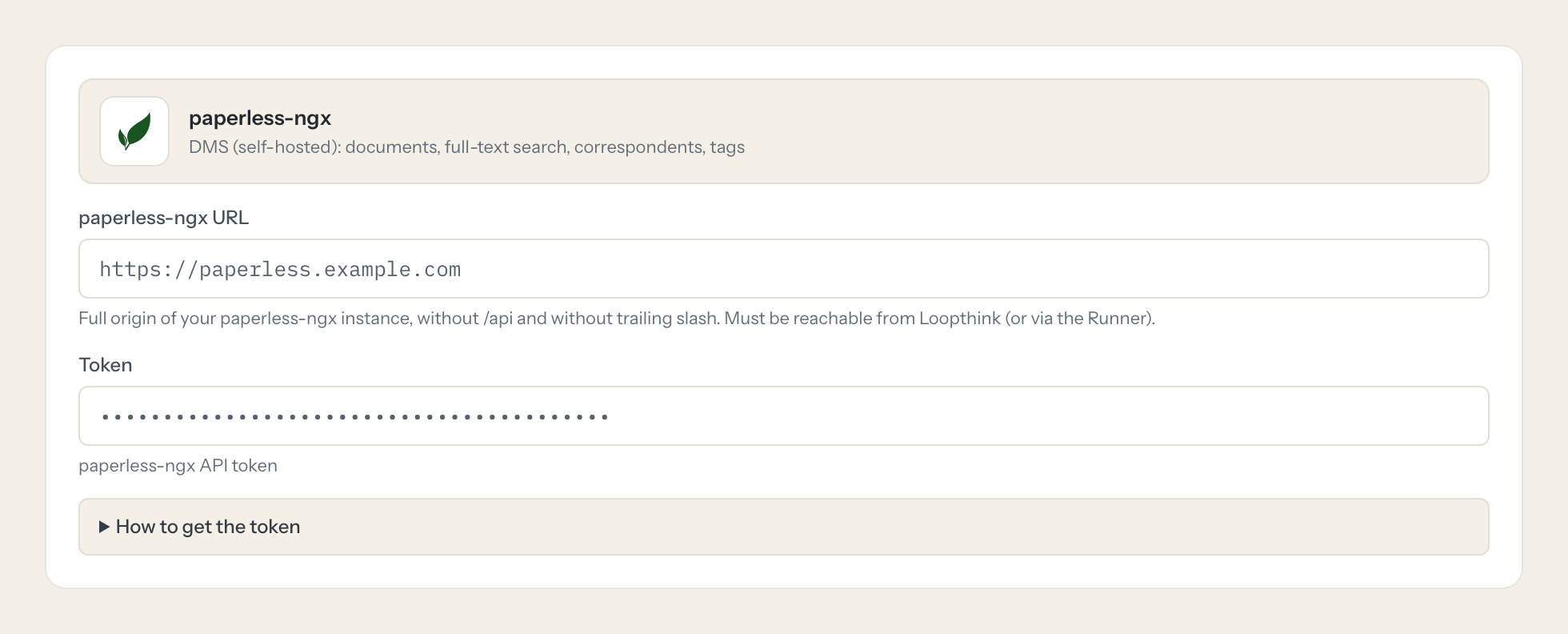
In Loopthink, add paperless-ngx from the catalog and paste the token. It also asks for paperless-ngx url. Your team sees the tools a minute later.
The token has the full rights of its user. Regenerating it invalidates the old one. Self-hosted only: the instance must be reachable over HTTPS or connected through the Loopthink Runner.
What we suggest masking in paperless-ngx.
The OCR text is the document, and documents are about people: the content, titles and original filenames, notes, custom fields, the correspondent's name, the owner and their username and email. The suggested fields let you mask the content for roles that only need to find a document, so a Management role can see that 43 documents from one correspondent arrived in 2026 without reading each letter, while the role that works the inbox keeps the full text.
- content
- title
- original_file_name
- notes
- note
- custom_fields
- correspondent__name
- owner
- username
paperless-ngx and Loopthink
- Which user should own the token?
- The token carries the full rights of its user, and paperless-ngx has no scopes. Create a dedicated user and grant it view permissions on the documents, tags, correspondents and document types the AI may see through the owner and permission model. Regenerating the token invalidates the old one; paste the new one into the connector once.
- Our paperless-ngx runs on a server in the office and is not reachable from the internet. Does it work?
- Yes, through the Loopthink Runner inside that network. An instance that is reachable over HTTPS connects directly. Enter the origin of your instance as the URL, without /api and without a trailing slash.
- Can the AI see the files or change them?
- It reads the OCR text and the metadata through list_documents and get_document, not the file itself, and list_documents responses can be large, so the model asks for small pages. update_document changes title, correspondent, type and date and does not touch the file; there is no tool that uploads or deletes a document, and all three write tools are off until you enable them for a role.
- Does every team member need their own paperless-ngx account?
- No. Loopthink holds one key or token for paperless-ngx. Your people sign in to Loopthink with their own identity, and every call to paperless-ngx is logged under their name. Seats in paperless-ngx stay where they are today.
- Where does the paperless-ngx key live?
- In Loopthink, encrypted, in the EU. It never reaches the AI client and never reaches the people using the connector. Rotate it in paperless-ngx whenever you like and paste the new one once.
- Can somebody write to paperless-ngx from the chat?
- Not unless you switch it on. Write actions are a separate row in the permission matrix and are off for every role by default. If a role needs one write tool, you grant that one tool to that one role.
- What does the model see?
- The result of the tool call, after masking. Fields you mark as personal, such as emails, names or card details, are masked before the answer travels to the AI client. The model gets the numbers, not the people.
- What does it cost?
- Free for one person and two connectors, no card. Pro is €19 a month for up to five people and every connector on the site, with roles, field masking and a 30-day audit. Team is €49 for ten people and adds your own REST APIs and SQL databases, your own domain and your own identity provider. No call needed.
Stuck, or a tool you need is missing? A person who knows this connector answers within one working day.


