ePages in Claude, ChatGPT and any MCP client. For your whole team.
Online shop (ePages Now / Base): orders, order documents, sales figures, customers, products, categories, newsletters. One token in Loopthink, one login per person, roles per tool and an audit entry for every call.
Free for 2 connectors, no card · Pro €19 · EU-hosted · 18 read tools, 1 write tools off by default
“Which orders from the last seven days are paid but not yet dispatched?”
Three paid orders are still waiting for dispatch:
| Order | Customer | Total | Paid on |
|---|---|---|---|
| 10087 | Huber AG | 1,248.90 € | 15 Oct 2026 |
| 10091 | Müller & Söhne GmbH | 389.00 € | 17 Oct 2026 |
| 10094 | Acme GmbH | 2,075.40 € | 19 Oct 2026 |
- read-only
- masked
One token in, the tools come out.
ePages is the shop: orders with their payment and dispatch dates, invoices and delivery notes, customers, products with stock levels and variations, categories, shipping methods and newsletter campaigns. The questions are simple, "which orders are paid but not dispatched", "how much did we sell last month", "is the blue jacket in size M still in stock", but today they take the admin area, the right tab and a filter per question.
With the ePages connector, Sales, Fulfilment and Management ask in Claude or ChatGPT and get the answer from the live shop. Loopthink holds one private app access token, every person signs in with their own identity, and every call is logged under their name. The token never reaches the AI client.
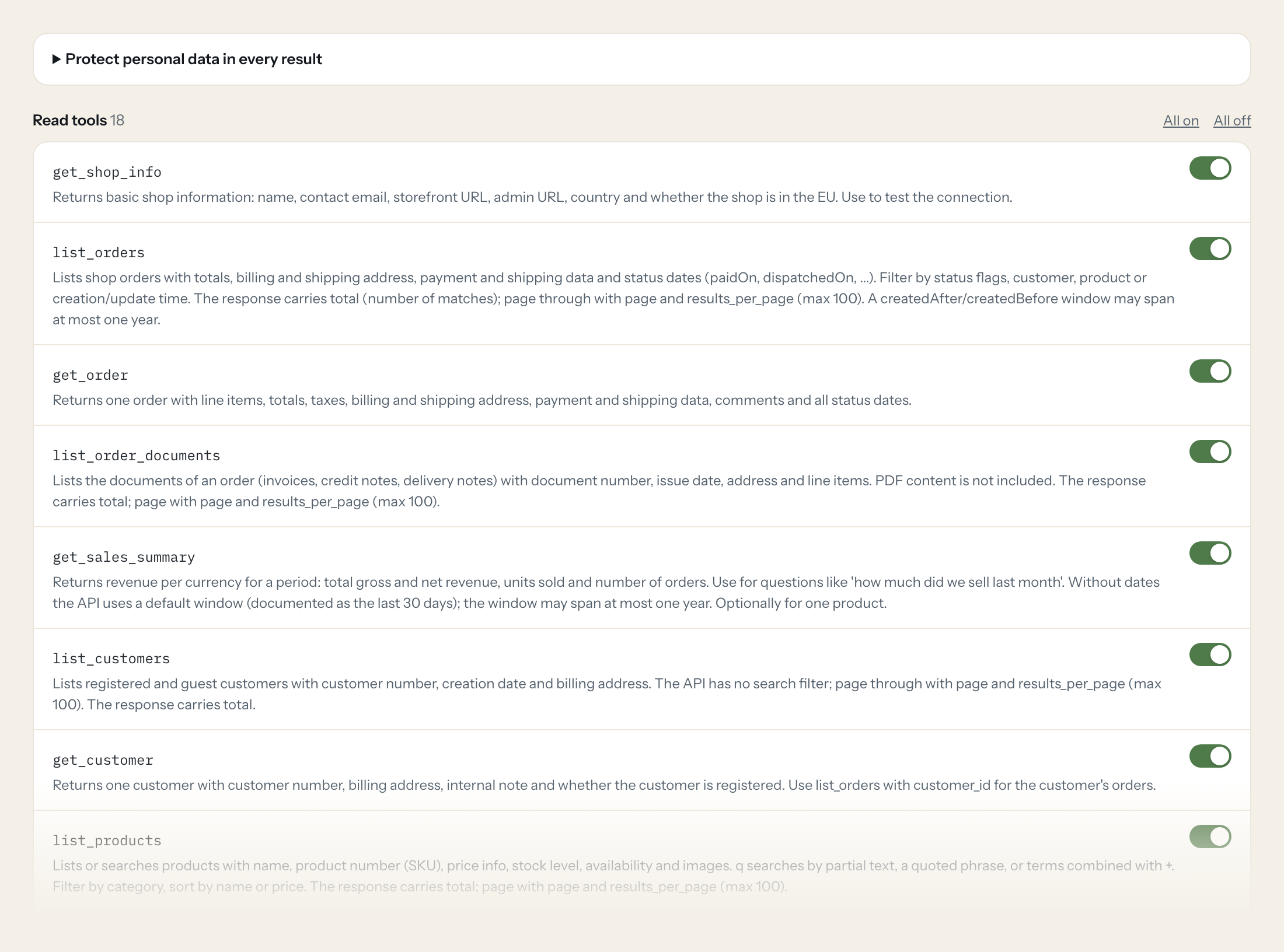
Eighteen read tools cover shop information, orders and order documents, the sales summary, customers, products, SKU search, variations and lowest prices, categories, shipping methods, tax classes, coupon campaigns and newsletter campaigns with their subscribers. The one write tool, creating a customer, stays off until you switch it on for a role.
- Fulfilment
“Which orders from the last seven days are paid but not yet dispatched?”
Answered by
list_orders - Management
“Gross and net revenue, units sold and number of orders for September.”
Answered by
get_sales_summary - Sales
“Is article 4711-M still in stock, and what is its current price?”
Answered by
search_products_by_sku - Sales
“Show me order 10087 with its line items, payment status and the invoice number.”
Answered by
get_order - Management
“How many subscribers does the "Herbst 2026" newsletter campaign have?”
Answered by
list_newsletter_campaigns - Sales
“Create a customer for Bergmann Büro GmbH, Hauptstraße 12, 80331 München, with the email from the enquiry.”
Answered by
create_customer
What the ePages connector can do.
| Tool | What it does | Access | Default |
|---|---|---|---|
| get_shop_info | Returns basic shop information: name, contact email, storefront URL, admin URL, country and whether the shop is in the EU. Use to test the connection. | Read | On |
| list_orders | Lists shop orders with totals, billing and shipping address, payment and shipping data and status dates (paidOn, dispatchedOn, ...). Filter by status flags, customer, product or… | Read | On |
| get_order | Returns one order with line items, totals, taxes, billing and shipping address, payment and shipping data, comments and all status dates. | Read | On |
| list_order_documents | Lists the documents of an order (invoices, credit notes, delivery notes) with document number, issue date, address and line items. PDF content is not included. | Read | On |
| get_sales_summary | Returns revenue per currency for a period: total gross and net revenue, units sold and number of orders. Use for questions like 'how much did we sell last month'. | Read | On |
| list_customers | Lists registered and guest customers with customer number, creation date and billing address. The API has no search filter; page through with page and results_per_page (max 100). | Read | On |
| get_customer | Returns one customer with customer number, billing address, internal note and whether the customer is registered. Use list_orders with customer_id for the customer's orders. | Read | On |
| create_customer | Creates a customer. billing_address is a JSON object with fields such as company, salutation, firstName, lastName, street, zipCode, city, country (ISO 3166-1 alpha-2), emailAddr… | Write | Off |
| list_products | Lists or searches products with name, product number (SKU), price info, stock level, availability and images. q searches by partial text, a quoted phrase, or terms combined with +. | Read | On |
| search_products_by_sku | Finds products by their product number (SKU). Use when the user names an article number instead of a product name. | Read | On |
| get_product | Returns one product with descriptions, product number, EAN, manufacturer, prices (incl. bulk and lowest price), stock level, minimum stock level, availability, delivery period,… | Read | On |
| list_product_variations | Lists the variations of a variation master product (e.g. sizes and colours) with their variation attributes and links to the variation products. | Read | On |
| get_product_lowest_price | Returns the lowest price among the purchasable variations of a variation master product (the 'from' price). Returns 404 when the variations have no independent prices or the sho… | Read | On |
| list_categories | Returns the shop's category tree (categoryId, name, alias, visibility, sub-categories) as one list without paging. Optionally only the categories a product is assigned to. | Read | On |
| list_shipping_methods | Lists the shop's shipping methods with name, description and price. Returns all methods in one list. | Read | On |
| list_tax_classes | Lists the shop's tax classes (e.g. regular and reduced VAT) that products refer to. | Read | On |
| get_coupon_campaign | Returns one coupon campaign: name, identifier, currency, discount type, whether shipping is waived and the minimum order value. The API has no list endpoint; the ID comes from t… | Read | On |
| list_newsletter_campaigns | Lists newsletter campaigns with name, subject, language and number of subscribers. The response carries total; page with page and results_per_page (max 100). | Read | On |
| list_newsletter_subscribers | Lists the subscribers of a newsletter campaign (email, name, subscribed). The response carries total; page with page and results_per_page (max 100). | Read | On |
Write tools are off for every role until you switch them on, one tool for one role. The names are what the model sees; it also gets the full parameter description of each tool.
Getting the ePages token.
Five minutes, once. Nobody on your team ever sees it.
- 1
Log in to the administration area of your ePages Now shop as the shop owner.
- 2
Click Apps in the sidebar and open the Private apps tab.
- 3
Click Add, enter an app name such as Loopthink and select the app scopes (see below).
- 4
Click Generate access data. Copy the Access token and paste it into Loopthink; Client ID and Client Secret are not needed.
- 5
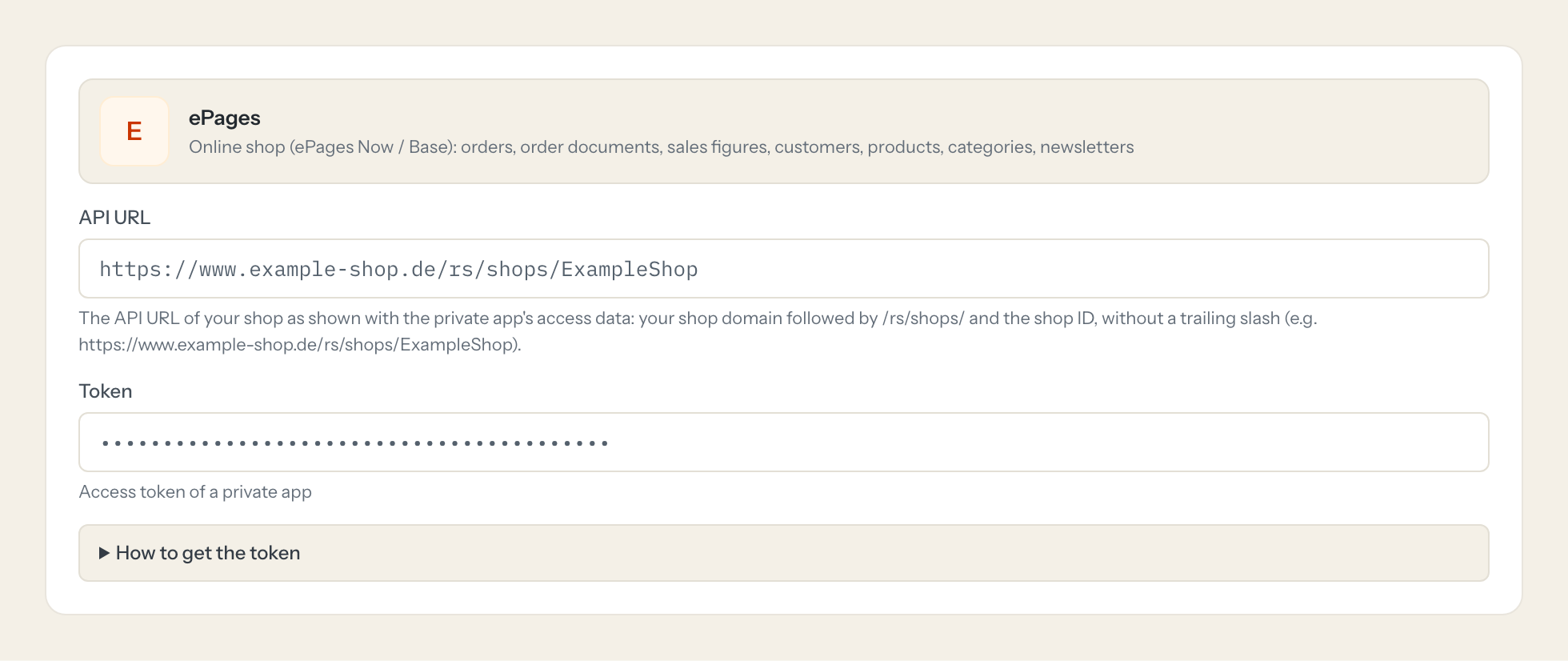
Enter the shop's API URL (https://<your shop domain>/rs/shops/<shop ID>) as the API URL.
- 6
In Loopthink, add ePages from the catalog and paste the token. It also asks for api url. Your team sees the tools a minute later.
Private apps exist only in ePages Now (the successor of ePages Base; Base shops are being updated to Now). The token belongs to the shop, not to a user, and carries exactly the scopes chosen when generating it, so choose read scopes only unless writes are wanted. ePages Beyond is a separate product with its own API and is not covered by this template. The API has an hourly call limit per shop.
What we suggest masking in ePages.
Shop data carries the buyer in every order: billing and shipping address, names, email and phone numbers, birthday, VAT id, bank details, door codes, customer comments and internal notes, and the newsletter subscriber list is email addresses by definition. The suggested fields mask all of that, so a Management role can see that 43 orders are paid and waiting for dispatch, or that September brought 18,400 euros net, without seeing who bought what. A Fulfilment role can have the shipping address unmasked and still not see email or bank fields.
- billingAddress
- shippingAddress
- address
- firstName
- lastName
- middleName
- displayName
- company
- street
- streetDetails
- zipCode
- city
- emailAddress
- privateEmailAddress
- businessEmailAddress
- phoneNumber
- mobilePhoneNumber
- privatePhoneNumber
- businessPhoneNumber
- faxNumber
- birthday
- vatId
- fiscalCode
- bankAccountHolder
- bankAccountNumber
- bankName
- bankSortCode
- doorCode
- customerComment
- internalNote
- name
- documentPdf
ePages and Loopthink
- What does the private app token need, and what can it not do?
- The token belongs to the shop, not to a user, and carries exactly the scopes you tick when you generate it: products_read, orders_read, customers_read, newsletters_read and coupons_read for the read tools, and customers_write only if you plan to switch on create_customer. Choose read scopes only unless writes are wanted; the token cannot do anything outside its scopes, whatever the connector asks.
- We are on ePages Base or ePages Beyond. Does this work?
- Private apps exist only in ePages Now, the successor of ePages Base, and Base shops are being updated to Now. ePages Beyond is a separate product with its own API and is not covered by this connector.
- Are there limits on how far back a question can reach?
- An order window with createdAfter and createdBefore may span at most one year, and so may the sales summary, which without dates uses the shop's default window of the last 30 days. The API also has an hourly call limit per shop; lists page with up to 100 results per call, so the model keeps questions to the period you name.
- Does every team member need their own ePages account?
- No. Loopthink holds one key or token for ePages. Your people sign in to Loopthink with their own identity, and every call to ePages is logged under their name. Seats in ePages stay where they are today.
- Where does the ePages key live?
- In Loopthink, encrypted, in the EU. It never reaches the AI client and never reaches the people using the connector. Rotate it in ePages whenever you like and paste the new one once.
- Can somebody write to ePages from the chat?
- Not unless you switch it on. Write actions are a separate row in the permission matrix and are off for every role by default. If a role needs one write tool, you grant that one tool to that one role.
- What does the model see?
- The result of the tool call, after masking. Fields you mark as personal, such as emails, names or card details, are masked before the answer travels to the AI client. The model gets the numbers, not the people.
- What does it cost?
- Free for one person and two connectors, no card. Pro is €19 a month for up to five people and every connector on the site, with roles, field masking and a 30-day audit. Team is €49 for ten people and adds your own REST APIs and SQL databases, your own domain and your own identity provider. No call needed.
Stuck, or a tool you need is missing? A person who knows this connector answers within one working day.


