Factorial in Claude, ChatGPT and any MCP client. For your whole team.
Employees, absences, time tracking, projects, recruiting, expenses. One token in Loopthink, one login per person, roles per tool and an audit entry for every call.
Free for 2 connectors, no card · Pro €19 · EU-hosted · 20 read tools, 1 write tools off by default
“Who in the support team is on approved or pending leave between 3 and 7 November?”
Three people in Support are away that week:
| Person | Type | Days | Status |
|---|---|---|---|
| Anna Meier | Vacation | 3 to 7 Nov | approved |
| Jonas Weber | Vacation | 5 to 6 Nov | pending |
| Lea Brandt | Training | 4 Nov | approved |
- read-only
- masked
One token in, the tools come out.
Factorial is where the people data of a company lives: employees with team, location and manager, time off and allowances, shifts and worked time, project hours, job postings and applications, expenses, documents. The questions are asked every week, "who is off next week", "how many hours did the support team work in September", but today they go through HR, because only HR has the login.
With the Factorial connector, Team Leads, Finance and HR ask in Claude or ChatGPT and get the answer from the live account. Loopthink holds one Factorial API key, every person signs in with their own identity, and every call is logged under their name. The key never reaches the AI client.
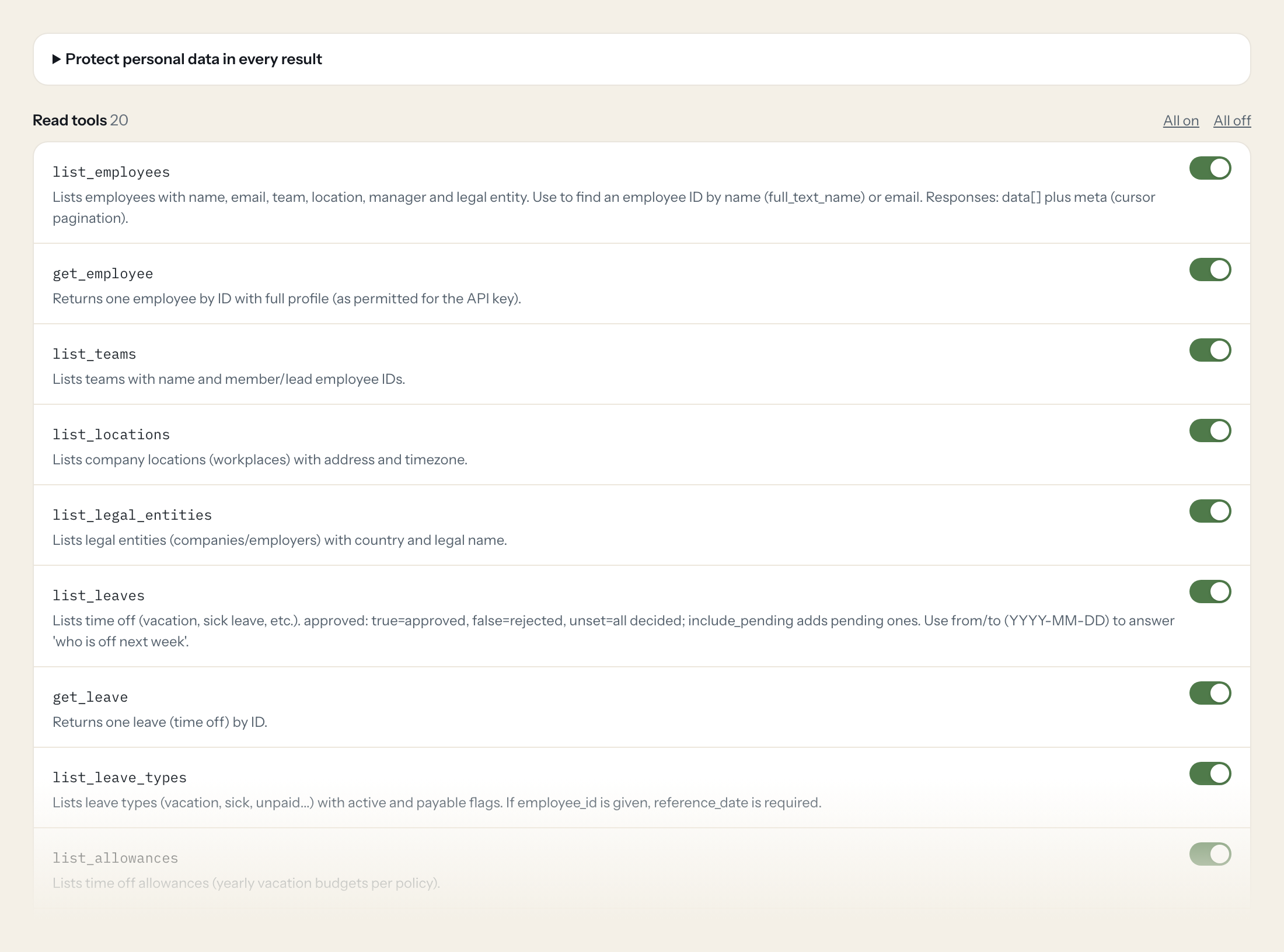
Twenty read tools cover employees, teams, locations and legal entities, leaves with their types and allowances, shifts and worked time, company holidays, employee updates for payroll, projects and time records, job postings, candidates and applications, expenses and document metadata. The one write tool, creating a leave request, stays off until you switch it on for a role.
- Team Lead
“Who in the support team is on approved or pending leave between 3 and 7 November?”
Answered by
list_leaves - Finance
“How many hours did each employee at the Munich location work in September?”
Answered by
list_worked_times - HR
“Which hires, terminations and contract changes happened in October, for payroll?”
Answered by
list_employee_updates - Recruiting
“How many applications does the 'Senior Backend Engineer' posting have, by phase?”
Answered by
list_applications - Finance
“Total expenses submitted in Q3, per employee and category.”
Answered by
list_expenses - Team Lead
“Request two days of vacation for Anna Meier on 11 and 12 December.”
Answered by
create_leave
What the Factorial connector can do.
| Tool | What it does | Access | Default |
|---|---|---|---|
| list_employees | Lists employees with name, email, team, location, manager and legal entity. Use to find an employee ID by name (full_text_name) or email. | Read | On |
| get_employee | Returns one employee by ID with full profile (as permitted for the API key). | Read | On |
| list_teams | Lists teams with name and member/lead employee IDs. | Read | On |
| list_locations | Lists company locations (workplaces) with address and timezone. | Read | On |
| list_legal_entities | Lists legal entities (companies/employers) with country and legal name. | Read | On |
| list_leaves | Lists time off (vacation, sick leave, etc.). approved: true=approved, false=rejected, unset=all decided; include_pending adds pending ones. | Read | On |
| get_leave | Returns one leave (time off) by ID. | Read | On |
| list_leave_types | Lists leave types (vacation, sick, unpaid...) with active and payable flags. If employee_id is given, reference_date is required. | Read | On |
| list_allowances | Lists time off allowances (yearly vacation budgets per policy). | Read | On |
| list_shifts | Lists attendance shifts (clock in/out entries). Use start_on/end_on (YYYY-MM-DD) for a period. | Read | On |
| list_worked_times | Returns worked time per employee and day for a date range (start_on and end_on both needed). Good for 'how many hours did X work last week'. | Read | On |
| list_company_holidays | Lists public/company holidays per location. | Read | On |
| list_employee_updates | Lists HR changes (new hires, terminations, contract and personal changes, absences) for payroll preparation. | Read | On |
| list_projects | Lists time tracking projects with code, status, client and tracked minutes. | Read | On |
| list_time_records | Lists project time records (hours booked on projects). Filter by month/year or project_worker_ids[]. | Read | On |
| list_job_postings | Lists recruiting job postings. | Read | On |
| list_candidates | Lists recruiting candidates. | Read | On |
| list_applications | Lists applications (candidate per job posting) with phase and qualification. | Read | On |
| list_expenses | Lists employee expenses. Date window: from (inclusive) and to (exclusive) on effective_on, ISO 8601, both needed. | Read | On |
| list_documents | Lists HR documents (metadata only) per employee or folder. | Read | On |
| create_leave | WRITE: creates a time off request for an employee. Get employee_id from list_employees and leave_type_id from list_leave_types. | Write | Off |
Write tools are off for every role until you switch them on, one tool for one role. The names are what the model sees; it also gets the full parameter description of each tool.
Getting the Factorial token.
Five minutes, once. Nobody on your team ever sees it.
- 1
Log in to Factorial with an admin account.
- 2
Go to Settings > API Keys and click 'New API Key'.
- 3
Name it (e.g. Loopthink) and click 'Get my API Key'.
- 4
Copy the key immediately, it is shown only once.
- 5
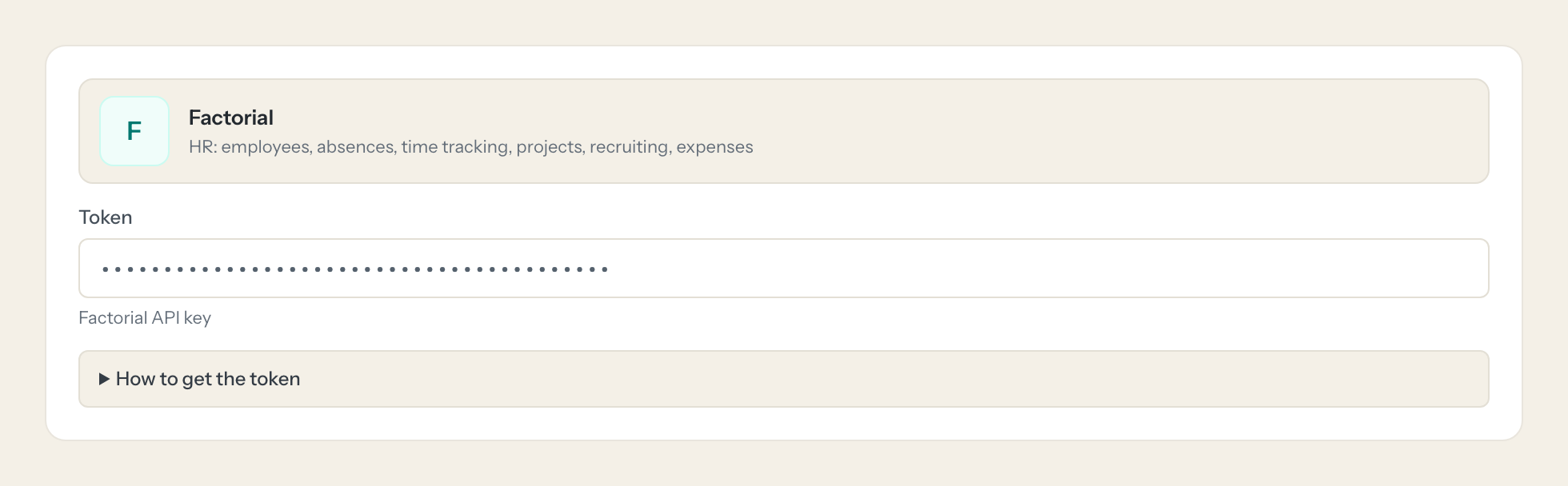
In Loopthink, add Factorial from the catalog and paste the token. Your team sees the tools a minute later.
API keys have full company-wide admin access and no scopes; they do not expire but can be revoked under Settings > API Keys. Limit exposure via Loopthink tool permissions and masking. API version 2026-10-01 is pinned in the base URL; versions are supported for one year.
What we suggest masking in Factorial.
An HR system is personal data by definition: private email and phone, birthday, identifier and social security number, bank details and IBAN, home address, nationality, gender, salary and expense amounts. The suggested fields mask all of that and keep names, teams, leave dates and types, worked hours and application phases, which is what a planning or capacity question needs. A Team Lead sees that two people are out next Thursday without seeing anyone's salary or address.
- phone_number
- personal_email
- birthday_on
- identifier
- social_security_number
- bank_number
- iban
- address_line_1
- postal_code
- nationality
- gender
- salary
- amount_in_cents
Factorial and Loopthink
- The API key is a full admin key. How do we limit it?
- Factorial keys have company-wide admin access and no scopes; they do not expire but can be revoked under Settings > API Keys. The connector exposes only read tools by default, create_leave is off until you enable it, and masking strips the sensitive profile fields before an answer leaves Loopthink. Tool permissions and masking are where the limit lives.
- What happens to a leave request the AI creates?
- It is created for the employee you name and follows the normal Factorial flow, so it may still need approval there. Nothing is approved by the connector itself.
- Which API version does the connector use?
- Version 2026-10-01, pinned in the base URL. Factorial supports a version for one year, and Loopthink moves the connector forward in time, so there is nothing to configure on your side.
- Does every team member need their own Factorial account?
- No. Loopthink holds one key or token for Factorial. Your people sign in to Loopthink with their own identity, and every call to Factorial is logged under their name. Seats in Factorial stay where they are today.
- Where does the Factorial key live?
- In Loopthink, encrypted, in the EU. It never reaches the AI client and never reaches the people using the connector. Rotate it in Factorial whenever you like and paste the new one once.
- Can somebody write to Factorial from the chat?
- Not unless you switch it on. Write actions are a separate row in the permission matrix and are off for every role by default. If a role needs one write tool, you grant that one tool to that one role.
- What does the model see?
- The result of the tool call, after masking. Fields you mark as personal, such as emails, names or card details, are masked before the answer travels to the AI client. The model gets the numbers, not the people.
- What does it cost?
- Free for one person and two connectors, no card. Pro is €19 a month for up to five people and every connector on the site, with roles, field masking and a 30-day audit. Team is €49 for ten people and adds your own REST APIs and SQL databases, your own domain and your own identity provider. No call needed.
Stuck, or a tool you need is missing? A person who knows this connector answers within one working day.


