Forecast in Claude, ChatGPT and any MCP client. For your whole team.
Projects, tasks, time registrations, utilization, allocations and project financials. One token in Loopthink, one login per person, roles per tool and an audit entry for every call.
Free for 2 connectors, no card · Pro €19 · EU-hosted · 20 read tools, 4 write tools off by default
“Which running projects are currently yellow or red, and what was the last status description?”
Two projects are yellow, one is red:
| Project | Status | Last description | Updated |
|---|---|---|---|
| P-214 Müller Relaunch | RED | Client feedback delayed by two weeks | 19 Oct 2026 |
| P-227 Nordwind Portal | YELLOW | Backend estimate exceeded by 15 % | 16 Oct 2026 |
| P-231 Alpen Logistik App | YELLOW | Key developer on sick leave | 20 Oct 2026 |
- read-only
- logged
One token in, the tools come out.
Forecast is the agency's operating system: projects with their stage and traffic-light status, budgets and financials, phases, sprints and tasks on a board, allocations of people, time registrations and the utilisation of every person. The questions are simple, "which projects are red and why", "how much of the budget on P-214 is already burned", "who has capacity next month", but today they take the right page, the right date range and a report that someone exports every Monday.
With the Forecast connector, Project Managers, Finance and Management ask in Claude or ChatGPT and get the answer from the live account. Loopthink holds one Forecast API key, every person signs in with their own identity, and every call is logged under their name. The key never reaches the AI client.
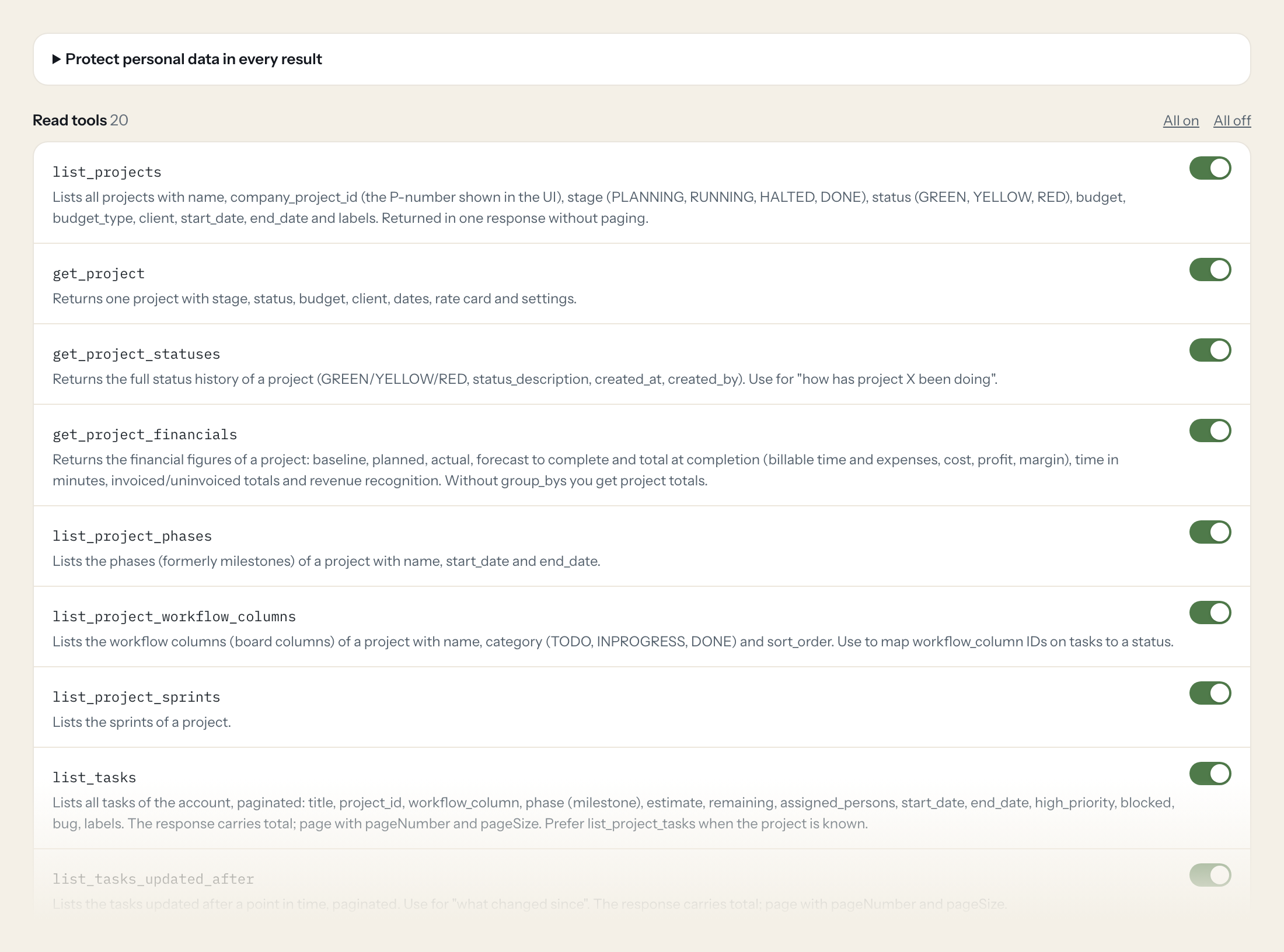
Twenty read tools cover projects with their status history and financials, phases, workflow columns and sprints, tasks and comments, persons and their utilisation, allocations, time registrations per account, project and person, and clients. The four write tools, creating and updating a task, commenting on a task and booking time, stay off until you switch them on for a role.
- Management
“Which running projects are currently yellow or red, and what was the last status description?”
Answered by
get_project_statuses - Finance
“Actual cost, forecast to complete and margin for project P-214 Müller Relaunch.”
Answered by
get_project_financials - Project Manager
“Which tasks in P-214 are still in TODO or IN PROGRESS, and which are blocked?”
Answered by
list_project_tasks - Project Manager
“What was Lena Hartmann's utilisation in October?”
Answered by
get_person_utilization - Finance
“How many billable minutes were registered on P-214 since 1 October, and how many are still unapproved?”
Answered by
list_project_time_registrations - Project Manager
“Create the task "Collect feedback from client workshop" in P-214 with a 4 hour estimate.”
Answered by
create_task
What the Forecast connector can do.
| Tool | What it does | Access | Default |
|---|---|---|---|
| list_projects | Lists all projects with name, company_project_id (the P-number shown in the UI), stage (PLANNING, RUNNING, HALTED, DONE), status (GREEN, YELLOW, RED), budget, budget_type, clien… | Read | On |
| get_project | Returns one project with stage, status, budget, client, dates, rate card and settings. | Read | On |
| get_project_statuses | Returns the full status history of a project (GREEN/YELLOW/RED, status_description, created_at, created_by). Use for "how has project X been doing". | Read | On |
| get_project_financials | Returns the financial figures of a project: baseline, planned, actual, forecast to complete and total at completion (billable time and expenses, cost, profit, margin), time in m… | Read | On |
| list_project_phases | Lists the phases (formerly milestones) of a project with name, start_date and end_date. | Read | On |
| list_project_workflow_columns | Lists the workflow columns (board columns) of a project with name, category (TODO, INPROGRESS, DONE) and sort_order. Use to map workflow_column IDs on tasks to a status. | Read | On |
| list_project_sprints | Lists the sprints of a project. | Read | On |
| list_tasks | Lists all tasks of the account, paginated: title, project_id, workflow_column, phase (milestone), estimate, remaining, assigned_persons, start_date, end_date, high_priority, blo… | Read | On |
| list_tasks_updated_after | Lists the tasks updated after a point in time, paginated. Use for "what changed since". | Read | On |
| list_project_tasks | Lists all tasks of one project (not paginated). Combine with list_project_workflow_columns to tell open from done tasks. | Read | On |
| get_task | Returns one task with description, estimate, remaining, assignees, workflow column, phase, sprint, dates and flags. | Read | On |
| list_task_comments | Lists the comments on a task (comment as HTML, person_id, created_at). | Read | On |
| list_persons | Lists all persons (users) of the account with first_name, last_name, email, job_title, active, default_role, department_id and weekly working minutes per day. Use to resolve per… | Read | On |
| get_person_utilization | Returns the utilization of one person for a date range (inclusive). Use for capacity and workload questions. | Read | On |
| list_allocations | Lists all allocations (planned person time on projects or non-project time) with person, project, start_date, end_date, minutes per weekday and is_soft. Not paginated. | Read | On |
| list_time_registrations | Lists all time registrations of the account, paginated: person, project, task, phase, time_registered and billable_minutes_registered (minutes), date, notes, approval_status. Th… | Read | On |
| list_time_registrations_since | Lists the time registrations dated after a given day, paginated. Use for "hours booked this month". | Read | On |
| list_project_time_registrations | Lists the time registrations of one project (not paginated). Narrow with date_after or updated_after. | Read | On |
| list_person_time_registrations | Lists the time registrations of one person (not paginated). Narrow with date_after or updated_after. | Read | On |
| list_clients | Lists all clients with name, address, country, vat_number and notes. | Read | On |
| create_task | WRITE: Creates a task in a project and returns it. Without workflow_column it lands in the first column. | Write | Off |
| update_task | WRITE: Updates fields of a task (move to another workflow column, change dates, estimate, assignees). Only send fields to change. | Write | Off |
| create_task_comment | WRITE: Adds a comment to a task. person_id is the author shown in Forecast. | Write | Off |
| create_time_registration | WRITE: Books time for a person on a task, a project or non-project time. Exactly one of task, project or non_project_time must be given. | Write | Off |
Write tools are off for every role until you switch them on, one tool for one role. The names are what the model sees; it also gets the full parameter description of each tool.
Getting the Forecast token.
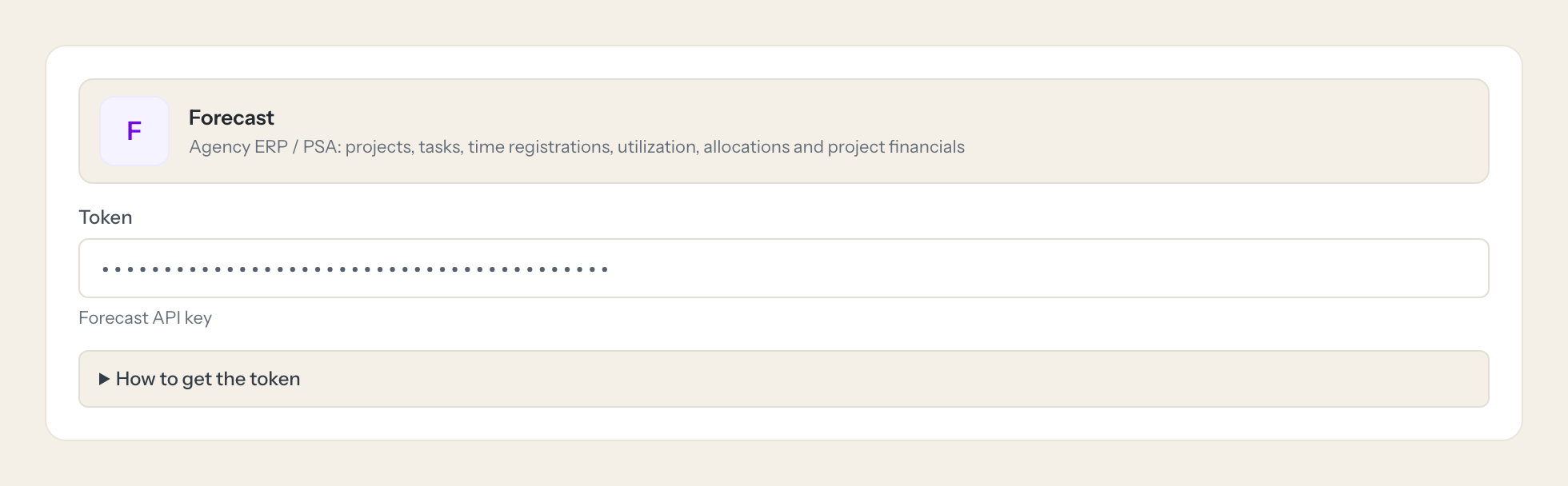
Five minutes, once. Nobody on your team ever sees it.
- 1
Log in to Forecast as an administrator.
- 2
Click Admin in the top bar and choose API Keys.
- 3
Click Generate New API Key and give it a name such as Loopthink.
- 4
Copy the key and paste it into Loopthink.
- 5
In Loopthink, add Forecast from the catalog and paste the token. Your team sees the tools a minute later.
Forecast API keys have no scopes and grant full access to the whole Forecast account, independent of a user. Create one key just for Loopthink so it can be disabled on its own, and keep write tools off unless needed. Comments and time registrations need a person_id; use a dedicated person if writes should be traceable.
What we suggest masking in Forecast.
Forecast holds personal and commercial data side by side: the names, email addresses and job titles of persons, cost figures, notes and comments, and the address and VAT number of clients. The suggested fields mask all of that, so a Project Manager role can see that P-214 has 38 open tasks and 60 per cent of its budget used without seeing cost rates, and a Finance role can read margins per project without the client's VAT number or the comments on a task.
- first_name
- last_name
- job_title
- cost
- notes
- comment
- street
- zip
- city
- vat_number
Forecast and Loopthink
- The API key has no scopes. How do we limit what it can do?
- You cannot on the Forecast side: an API key grants full access to the whole account, independent of a user. Generate one key just for Loopthink under Admin > API Keys so it can be disabled on its own. The limit sits in Loopthink: read tools only by default, tools per role, masking, and the four write tools off until you enable them for a role.
- Who appears as the author when the connector writes a comment or books time?
- Comments and time registrations need a person_id, and that person is shown as the author in Forecast. If writes should be traceable in Forecast itself, create a dedicated person for the assistant; the Loopthink audit log records in any case which real person asked.
- How does the model tell an open task from a done one?
- Tasks carry a workflow column, not a status. The tool list_project_workflow_columns returns the columns of a project with their category TODO, INPROGRESS or DONE, and the model maps each task's column to that category. Account-wide task and time lists are paginated with a total, project and person lists come back in one response.
- Does every team member need their own Forecast account?
- No. Loopthink holds one key or token for Forecast. Your people sign in to Loopthink with their own identity, and every call to Forecast is logged under their name. Seats in Forecast stay where they are today.
- Where does the Forecast key live?
- In Loopthink, encrypted, in the EU. It never reaches the AI client and never reaches the people using the connector. Rotate it in Forecast whenever you like and paste the new one once.
- Can somebody write to Forecast from the chat?
- Not unless you switch it on. Write actions are a separate row in the permission matrix and are off for every role by default. If a role needs one write tool, you grant that one tool to that one role.
- What does the model see?
- The result of the tool call, after masking. Fields you mark as personal, such as emails, names or card details, are masked before the answer travels to the AI client. The model gets the numbers, not the people.
- What does it cost?
- Free for one person and two connectors, no card. Pro is €19 a month for up to five people and every connector on the site, with roles, field masking and a 30-day audit. Team is €49 for ten people and adds your own REST APIs and SQL databases, your own domain and your own identity provider. No call needed.
Stuck, or a tool you need is missing? A person who knows this connector answers within one working day.

