Harvest in Claude, ChatGPT and any MCP client. For your whole team.
Time entries, projects, budgets, expenses, invoices, estimates. One token in Loopthink, one login per person, roles per tool and an audit entry for every call.
Free for 2 connectors, no card · Pro €19 · EU-hosted · 20 read tools, 3 write tools off by default
“Hours per project for Nordlicht GmbH in September, billable and non-billable.”
September 2026 for Nordlicht GmbH, by project:
| Project | Billable | Non-billable | Total |
|---|---|---|---|
| Shop relaunch | 148.5 h | 12.0 h | 160.5 h |
| SEO retainer | 36.0 h | 2.5 h | 38.5 h |
| Support contract | 21.0 h | 8.0 h | 29.0 h |
- read-only
- logged
One token in, the tools come out.
Harvest is where the billable day is recorded: time entries per project and task, budgets and how far they are burnt, expenses, invoices and estimates. The questions are simple, "how many hours went into the Nordlicht project this month", "what is still uninvoiced", but today they take a report screen, the right grouping and someone with Manager rights.
With the Harvest connector, Project Management, Finance and Management ask in Claude or ChatGPT and get the answer from the live account. Loopthink holds one Harvest personal access token, every person signs in with their own identity, and every call is logged under their name. The token never reaches the AI client.
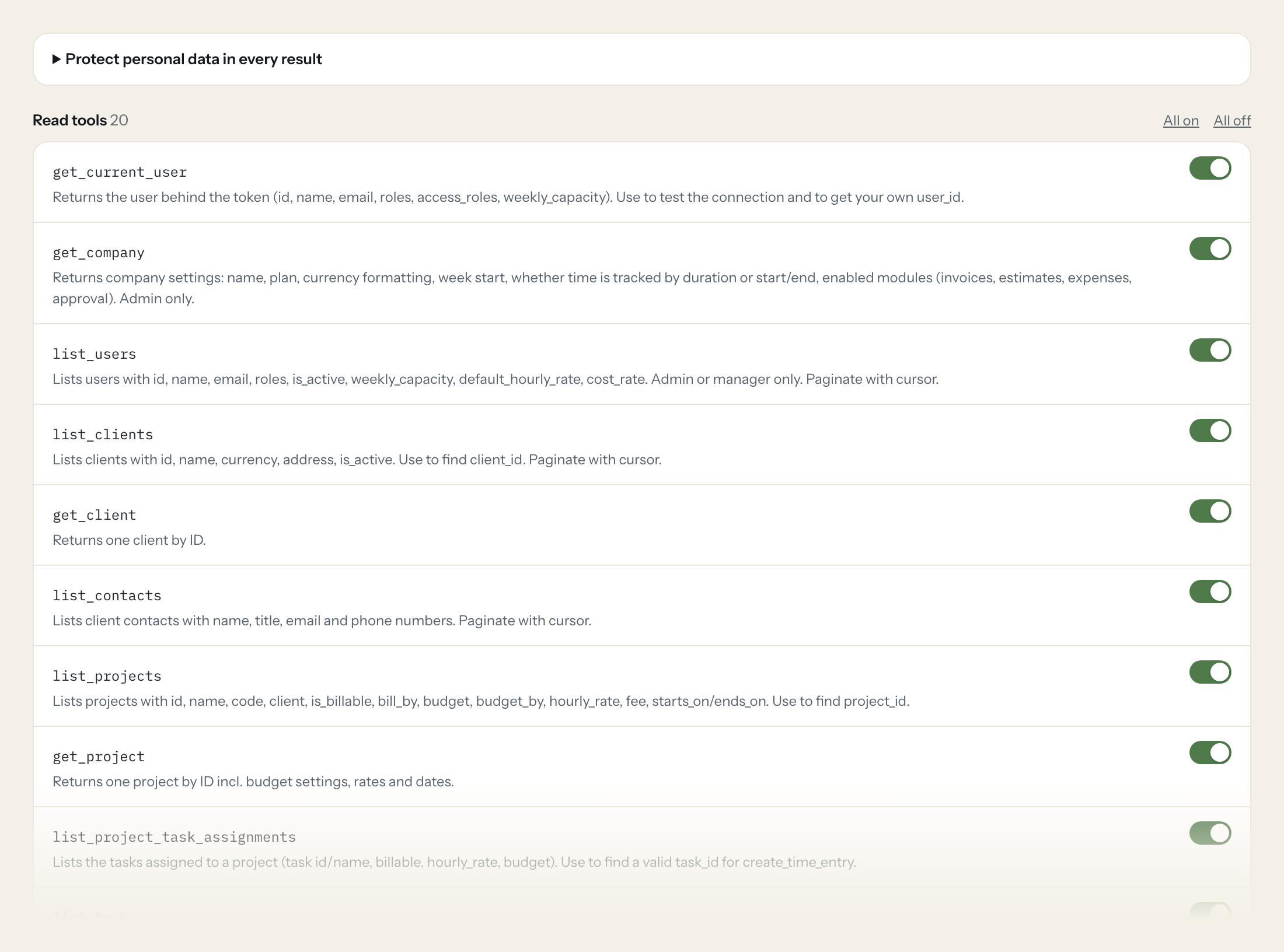
Twenty read tools cover users, clients and contacts, projects and tasks, time entries, expenses, invoices, estimates and the time, uninvoiced and budget reports. The three write tools, logging a time entry, creating a client and creating a draft invoice, stay off until you switch them on for a role.
- Project Management
“Hours per project for the client Nordlicht GmbH in September, billable and non-billable.”
Answered by
get_time_report - Finance
“Which projects have uninvoiced hours or expenses from the last quarter, with amounts?”
Answered by
get_uninvoiced_report - Project Management
“How much of the budget of 'Relaunch 2026' is spent and what is left?”
Answered by
get_project_budget_report - Finance
“Which invoices are open and past their due date, sorted by due amount?”
Answered by
list_invoices - Management
“Which estimates sent this year are still neither accepted nor declined?”
Answered by
list_estimates - Project Management
“Log 2.5 hours on Relaunch 2026, task Development, for today with the note 'Checkout form'.”
Answered by
create_time_entry
What the Harvest connector can do.
| Tool | What it does | Access | Default |
|---|---|---|---|
| get_current_user | Returns the user behind the token (id, name, email, roles, access_roles, weekly_capacity). Use to test the connection and to get your own user_id. | Read | On |
| get_company | Returns company settings: name, plan, currency formatting, week start, whether time is tracked by duration or start/end, enabled modules (invoices, estimates, expenses, approval… | Read | On |
| list_users | Lists users with id, name, email, roles, is_active, weekly_capacity, default_hourly_rate, cost_rate. Admin or manager only. | Read | On |
| list_clients | Lists clients with id, name, currency, address, is_active. Use to find client_id. | Read | On |
| get_client | Returns one client by ID. | Read | On |
| list_contacts | Lists client contacts with name, title, email and phone numbers. Paginate with cursor. | Read | On |
| list_projects | Lists projects with id, name, code, client, is_billable, bill_by, budget, budget_by, hourly_rate, fee, starts_on/ends_on. Use to find project_id. | Read | On |
| get_project | Returns one project by ID incl. budget settings, rates and dates. | Read | On |
| list_project_task_assignments | Lists the tasks assigned to a project (task id/name, billable, hourly_rate, budget). Use to find a valid task_id for create_time_entry. | Read | On |
| list_tasks | Lists all tasks of the account (id, name, billable_by_default, default_hourly_rate, is_active). | Read | On |
| list_time_entries | Lists time entries (spent_date, hours, notes, user, client, project, task, billable, is_billed, approval status, billable/cost rate). Filter by date range and IDs. | Read | On |
| get_time_entry | Returns one time entry by ID. | Read | On |
| list_expenses | Lists expenses (spent_date, total_cost, units, category, project, user, billable, is_billed, approval status). | Read | On |
| list_invoices | Lists invoices with number, client, amount, due_amount, state, issue_date, due_date, sent_at, paid_at, currency. Dates filter on issue_date. | Read | On |
| get_invoice | Returns one invoice incl. line_items, tax, discount, payment term and totals. | Read | On |
| list_estimates | Lists estimates (quotes) with number, client, amount, state, issue_date. Admin or manager with estimate rights only. | Read | On |
| get_estimate | Returns one estimate incl. line items. | Read | On |
| get_time_report | Aggregated hours and billable amounts for a period, grouped by clients, projects, tasks or team (users). Best tool for 'how many hours/what revenue per X'. | Read | On |
| get_uninvoiced_report | Per project: uninvoiced hours, uninvoiced amount and uninvoiced expenses in a period. Use to find work that still needs to be billed. | Read | On |
| get_project_budget_report | Per project: budget, budget_spent, budget_remaining and budget_by. Use for budget burn questions. | Read | On |
| create_time_entry | WRITE: Logs time via duration for a project and task (accounts that track by duration). Without hours a running timer is started. | Write | Off |
| create_client | WRITE: Creates a new client. | Write | Off |
| create_draft_invoice | WRITE: Creates a free-form invoice in state draft (not sent). Get client_id from list_clients. | Write | Off |
Write tools are off for every role until you switch them on, one tool for one role. The names are what the model sees; it also gets the full parameter description of each tool.
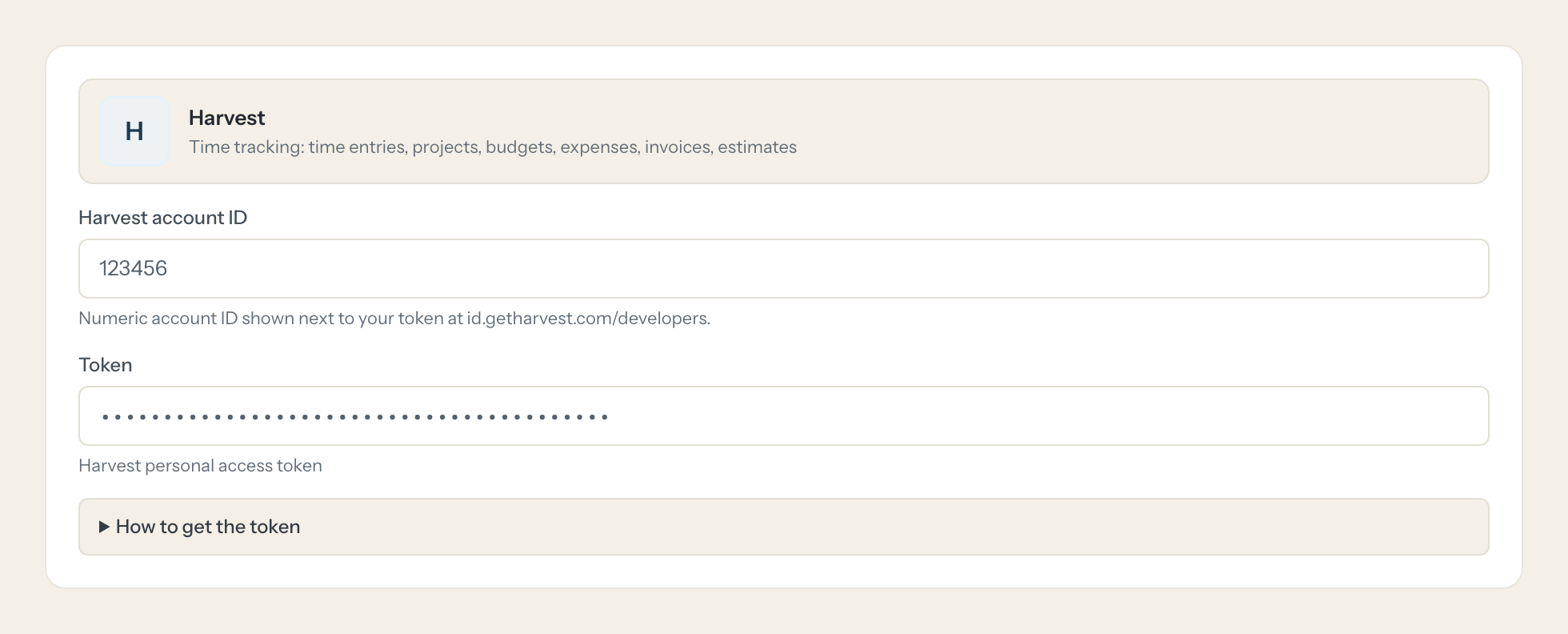
Getting the Harvest token.
Five minutes, once. Nobody on your team ever sees it.
- 1
Log in as the user Loopthink should act as and open id.getharvest.com/developers.
- 2
Click 'Create new personal access token' and give it a name (e.g. 'Loopthink').
- 3
Copy the token and the Account ID shown for your Harvest account (not a Forecast account).
- 4
In Loopthink, add Harvest from the catalog and paste the token. It also asks for harvest account id. Your team sees the tools a minute later.
The token acts as its user. Users, company, estimates and team-wide reports need Administrator or Manager rights. Rate limits: 100 requests per 15 seconds, reports 100 per 15 minutes.
What we suggest masking in Harvest.
Harvest holds people data on both sides: the team's names, emails, hourly and cost rates, and the client contacts' phone numbers and addresses. The suggested fields mask those and keep hours, dates, project and task names, amounts and statuses, so a Project Management role can see that 212 hours went into Relaunch 2026 without seeing anyone's cost rate.
- telephone
- mobile_phone
- phone_office
- phone_mobile
- fax
- address
- first_name
- last_name
- cost_rate
- default_hourly_rate
- avatar_url
Harvest and Loopthink
- Harvest personal tokens have no scopes. Which user should own the token?
- The token acts as its user, so create a dedicated Harvest user and use that user's token. Users, company settings, estimates and team-wide reports need Administrator or Manager rights; a plain member only sees their own time. Copy the Account ID of your Harvest account, not a Forecast account.
- Are there rate limits we should know about?
- 100 requests per 15 seconds for the normal tools and 100 per 15 minutes for the report tools. The model uses the report tools for totals and the list tools for details, which keeps a typical question well under both.
- Can the AI send an invoice or change booked time?
- No. create_draft_invoice creates a free-form invoice in draft state and does not send it, create_time_entry logs a duration or starts a timer, and create_client adds a client. There is no tool that sends, edits or deletes anything, and all three write tools are off until you enable them for a role.
- Does every team member need their own Harvest account?
- No. Loopthink holds one key or token for Harvest. Your people sign in to Loopthink with their own identity, and every call to Harvest is logged under their name. Seats in Harvest stay where they are today.
- Where does the Harvest key live?
- In Loopthink, encrypted, in the EU. It never reaches the AI client and never reaches the people using the connector. Rotate it in Harvest whenever you like and paste the new one once.
- Can somebody write to Harvest from the chat?
- Not unless you switch it on. Write actions are a separate row in the permission matrix and are off for every role by default. If a role needs one write tool, you grant that one tool to that one role.
- What does the model see?
- The result of the tool call, after masking. Fields you mark as personal, such as emails, names or card details, are masked before the answer travels to the AI client. The model gets the numbers, not the people.
- What does it cost?
- Free for one person and two connectors, no card. Pro is €19 a month for up to five people and every connector on the site, with roles, field masking and a 30-day audit. Team is €49 for ten people and adds your own REST APIs and SQL databases, your own domain and your own identity provider. No call needed.
Stuck, or a tool you need is missing? A person who knows this connector answers within one working day.


