 Support connector
Intercom in Claude, ChatGPT and any MCP client. For your whole team.
Conversations, tickets, contacts, companies and help center articles. One token in Loopthink, one login per person, roles per tool and an audit entry for every call.
Free for 2 connectors, no card · Pro €19 · EU-hosted · 22 read tools, 2 write tools off by default
“Open conversations assigned to the Billing team that have waited more than four hours.”
Three conversations have been waiting longer than four hours:
| Conversation | Company | Waiting | Priority |
|---|---|---|---|
| Invoice shows wrong VAT rate | Nordwind Handel | 7 h 20 min | high |
| Card declined on renewal | Alpen Logistik | 5 h 45 min | normal |
| Duplicate charge in September | Huber AG | 4 h 10 min | high |
- read-only
- masked
One token in, the tools come out.
Intercom holds the conversations with your users: chats and emails, tickets, the contacts and companies behind them, teams, tags, segments and the Help Center articles people get pointed to. Support lives in it; Product, Sales and Management ask Support for a summary.
With the Intercom connector they ask in Claude or ChatGPT and get the answer from the live workspace. Loopthink holds one app access token, every person signs in with their own identity, and every call is logged under their name.
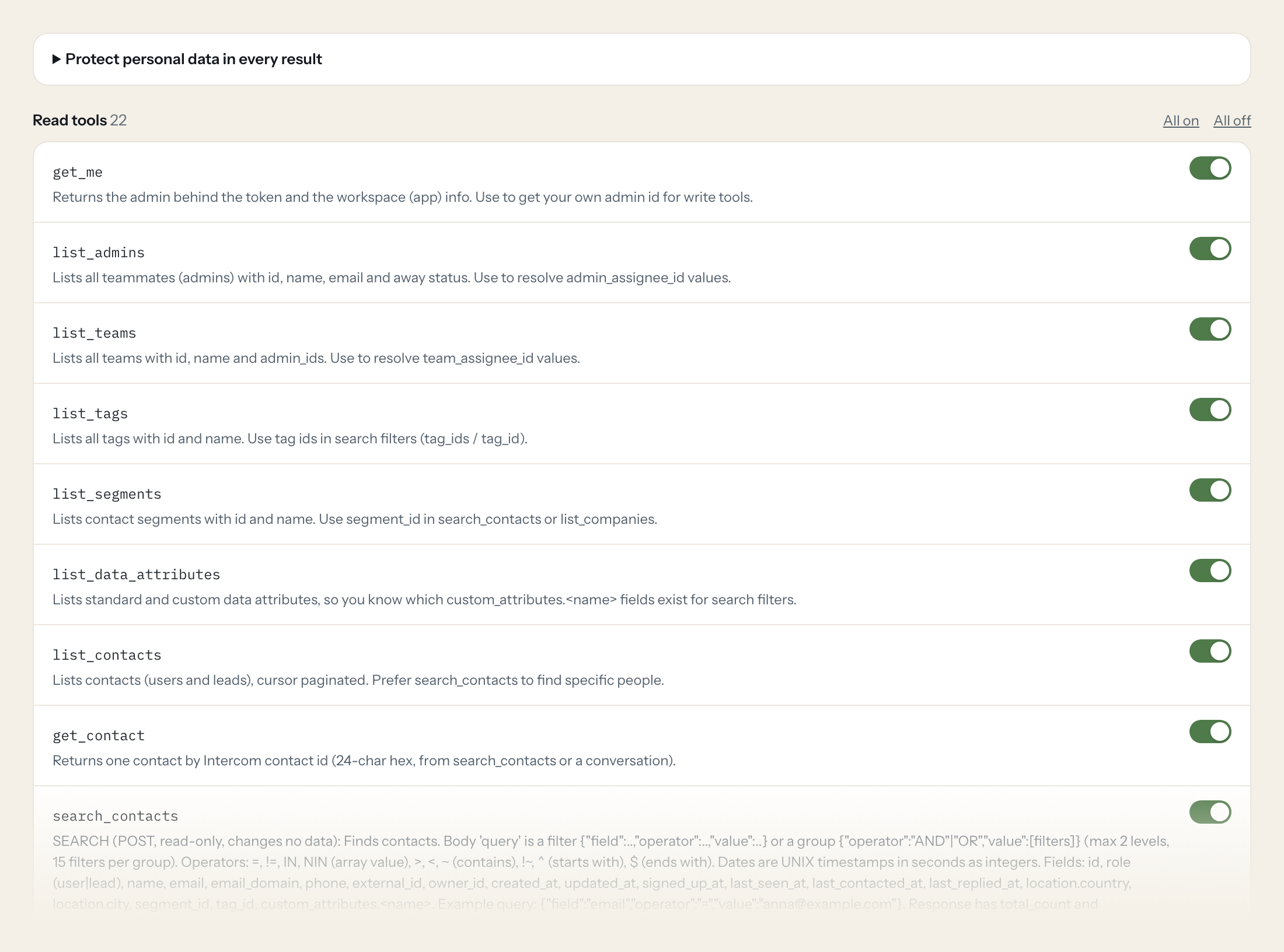
22 read tools cover admins, teams, tags, segments, data attributes, contacts with notes and companies, conversations, companies, tickets and Help Center articles. The two write tools, an internal note on a conversation or a contact, stay off until you switch them on for a role.
- Support
“Open conversations assigned to the Billing team that have waited more than four hours.”
Answered by
search_conversations - Account management
“Everything Nordlicht GmbH wrote to us this quarter: conversations and tickets, with state.”
Answered by
list_company_contacts - Product
“Conversations tagged 'feature request' in the last 30 days, grouped by what they ask for.”
Answered by
search_conversations - Support
“Summarise conversation 1289 for me and tell me what is still open.”
Answered by
get_conversation - Support
“Do we have a Help Center article on exporting invoices? Give me the link.”
Answered by
search_articles - Support
“Add an internal note to conversation 1289: customer confirmed the fix works.”
Answered by
add_conversation_note
What the Intercom connector can do.
| Tool | What it does | Access | Default |
|---|---|---|---|
| get_me | Returns the admin behind the token and the workspace (app) info. Use to get your own admin id for write tools. | Read | On |
| list_admins | Lists all teammates (admins) with id, name, email and away status. Use to resolve admin_assignee_id values. | Read | On |
| list_teams | Lists all teams with id, name and admin_ids. Use to resolve team_assignee_id values. | Read | On |
| list_tags | Lists all tags with id and name. Use tag ids in search filters (tag_ids / tag_id). | Read | On |
| list_segments | Lists contact segments with id and name. Use segment_id in search_contacts or list_companies. | Read | On |
| list_data_attributes | Lists standard and custom data attributes, so you know which custom_attributes.<name> fields exist for search filters. | Read | On |
| list_contacts | Lists contacts (users and leads), cursor paginated. Prefer search_contacts to find specific people. | Read | On |
| get_contact | Returns one contact by Intercom contact id (24-char hex, from search_contacts or a conversation). | Read | On |
| search_contacts | SEARCH (POST, read-only, changes no data): Finds contacts. Body 'query' is a filter {"field":..,"operator":..,"value":..} or a group {"operator":"AND"|"OR","value":[filters]} (m… | Read | On |
| list_contact_notes | Lists internal notes written by teammates on one contact. | Read | On |
| list_contact_companies | Lists the companies a contact is attached to. | Read | On |
| list_conversations | Lists conversations (newest activity first), cursor paginated, without filters. Use search_conversations for open, assigned or date-filtered conversations. | Read | On |
| get_conversation | Returns one conversation with all conversation parts (messages, notes, assignments) as plain text. conversation_id is numeric, from list or search. | Read | On |
| search_conversations | SEARCH (POST, read-only, changes no data): Finds conversations. Body 'query' is a filter {"field":..,"operator":..,"value":..} or a group {"operator":"AND"|"OR","value":[filters… | Read | On |
| list_companies | Lists or looks up companies. Pass name or company_id (your own external id) to look one up; tag_id or segment_id to filter. | Read | On |
| get_company | Returns one company by Intercom company id (the 'id' field, not your external company_id). | Read | On |
| list_company_contacts | Lists contacts attached to a company. | Read | On |
| get_ticket | Returns one ticket with its attributes, state and parts. | Read | On |
| search_tickets | SEARCH (POST, read-only, changes no data): Finds tickets. Body 'query' is a filter {"field":..,"operator":..,"value":..} or a group {"operator":"AND"|"OR","value":[filters]} (ma… | Read | On |
| list_ticket_types | Lists ticket types with id, name, category and attributes. Use ids in search_tickets (ticket_type_id). | Read | On |
| search_articles | Searches Help Center articles by phrase. Use to answer product or how-to questions from the knowledge base. | Read | On |
| get_article | Returns one Help Center article with its full body (HTML). | Read | On |
| add_conversation_note | WRITE: Adds an internal note to a conversation. Only teammates see it; the customer is not notified. | Write | Off |
| create_contact_note | WRITE: Adds an internal note to a contact profile. Not visible to the contact. | Write | Off |
Write tools are off for every role until you switch them on, one tool for one role. The names are what the model sees; it also gets the full parameter description of each tool.
Getting the Intercom token.
Five minutes, once. Nobody on your team ever sees it.
- 1
In Intercom open Settings > Integrations > Developer Hub and click 'New app' (internal integration for your workspace).
- 2
Open the app > Configure > Authentication and adjust the permissions to the read scopes below (plus write conversations only if notes are needed).
- 3
Copy the Access Token shown on the Authentication page.
- 4
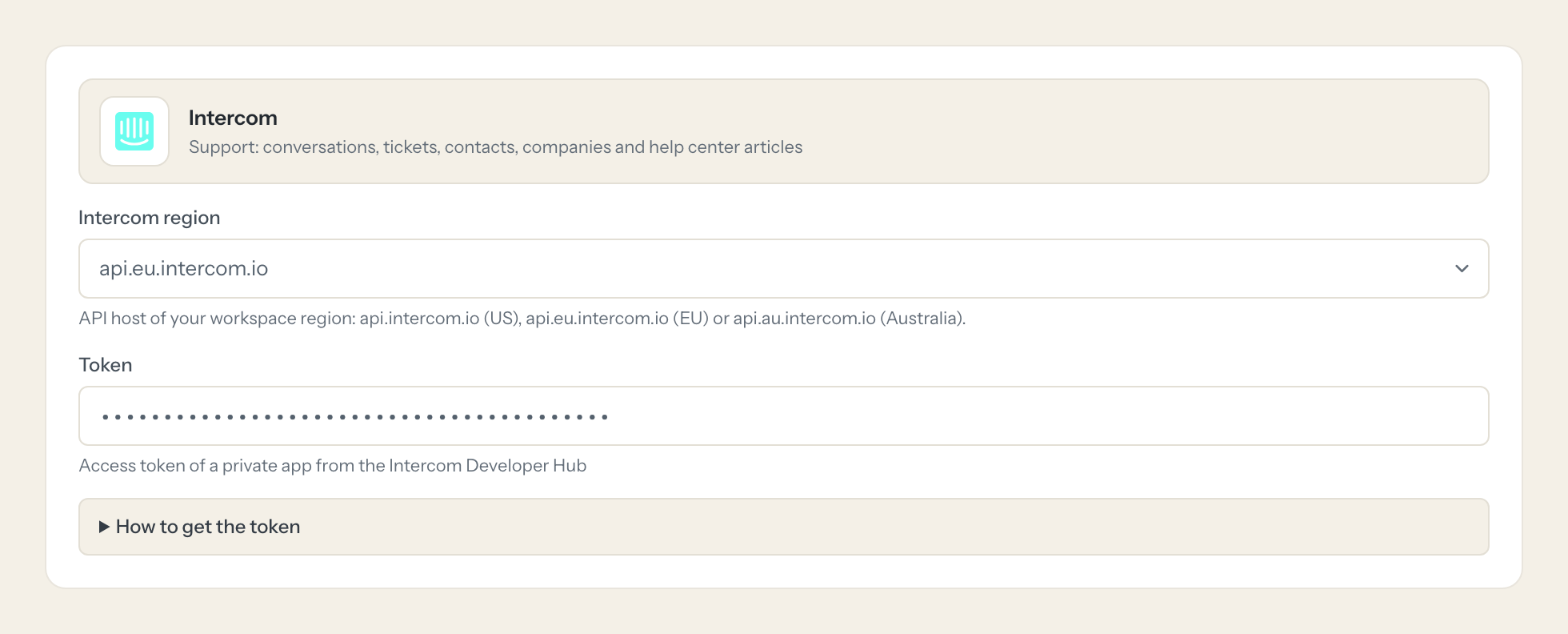
In Loopthink, add Intercom from the catalog and paste the token. It also asks for intercom region. Your team sees the tools a minute later.
The token belongs to the app, not to a person, and is valid until regenerated. Create the app with a dedicated admin seat so it survives employee changes. Choose the API host matching your workspace region.
What we suggest masking in Intercom.
A conversation is a person talking: name, email, phone, location, browser and the body of every message. The suggested fields mask contact data and message bodies for roles that only need counts, states and tags; Support, who reads the conversation anyway, gets a role without that rule.
- phone
- name
- location
- avatar
- source.author.email
- source.author.name
- source.body
- conversation_parts.body
- custom_attributes
- external_id
- browser
- os
What Intercom's own MCP server does not give you.
- One login per person in any MCP client, with an audit entry under that person's name.
- Tools per role: Product searches conversations, only Support may add a note.
- Masking of contact data and message bodies before the answer leaves the EU.
- Write tools off by default, switchable per tool and role.
- The same server in Claude, ChatGPT and Langdock, governed once.
Intercom and Loopthink
- Which Intercom permissions does the app need?
- Read and list users and companies, read conversations, tickets, admins and teams, tags, segments, data attributes and articles. Add write conversations and write users and companies only if a role should use the two note tools.
- Our workspace is hosted in the EU. Does that matter?
- Yes. Pick the EU region when you connect; the connector then uses the EU API host. A token is only valid on the host of its workspace region.
- Does a note reach the customer?
- No. Both write tools add internal notes that only teammates see. Replying to a customer is not something the connector can do.
- Does every team member need their own Intercom account?
- No. Loopthink holds one key or token for Intercom. Your people sign in to Loopthink with their own identity, and every call to Intercom is logged under their name. Seats in Intercom stay where they are today.
- Where does the Intercom key live?
- In Loopthink, encrypted, in the EU. It never reaches the AI client and never reaches the people using the connector. Rotate it in Intercom whenever you like and paste the new one once.
- Can somebody write to Intercom from the chat?
- Not unless you switch it on. Write actions are a separate row in the permission matrix and are off for every role by default. If a role needs one write tool, you grant that one tool to that one role.
- What does the model see?
- The result of the tool call, after masking. Fields you mark as personal, such as emails, names or card details, are masked before the answer travels to the AI client. The model gets the numbers, not the people.
- What does it cost?
- Free for one person and two connectors, no card. Pro is €19 a month for up to five people and every connector on the site, with roles, field masking and a 30-day audit. Team is €49 for ten people and adds your own REST APIs and SQL databases, your own domain and your own identity provider. No call needed.
Stuck, or a tool you need is missing? A person who knows this connector answers within one working day.


