Zammad in Claude, ChatGPT and any MCP client. For your whole team.
Tickets, articles, customers, organizations, time tracking. One token in Loopthink, one login per person, roles per tool and an audit entry for every call.
Free for 2 connectors, no card · Pro €19 · EU-hosted · 19 read tools, 4 write tools off by default
“Which tickets are open for more than three days with priority high?”
Three high-priority tickets have been open for more than three days:
| Ticket | Title | Organization | Open since |
|---|---|---|---|
| #67012 | Login loop after password reset | Nordwind Handel | 14 Oct 2026 |
| #67048 | Invoice PDF shows wrong VAT | Kraus & Partner | 15 Oct 2026 |
| #67091 | API rate limit hit nightly | Acme GmbH | 17 Oct 2026 |
- read-only
- masked
One token in, the tools come out.
Zammad is the helpdesk of teams that want their tickets on their own server: tickets with the whole conversation, customers and organizations, groups, states, priorities, tags and time accounting. The search is good once you know the syntax; most people in the company do not.
With the Zammad connector, Support, Account management and Management ask in Claude or ChatGPT and get the answer from the live instance. Loopthink holds one access token of a Zammad agent, every person signs in with their own identity, and every call is logged under their name.
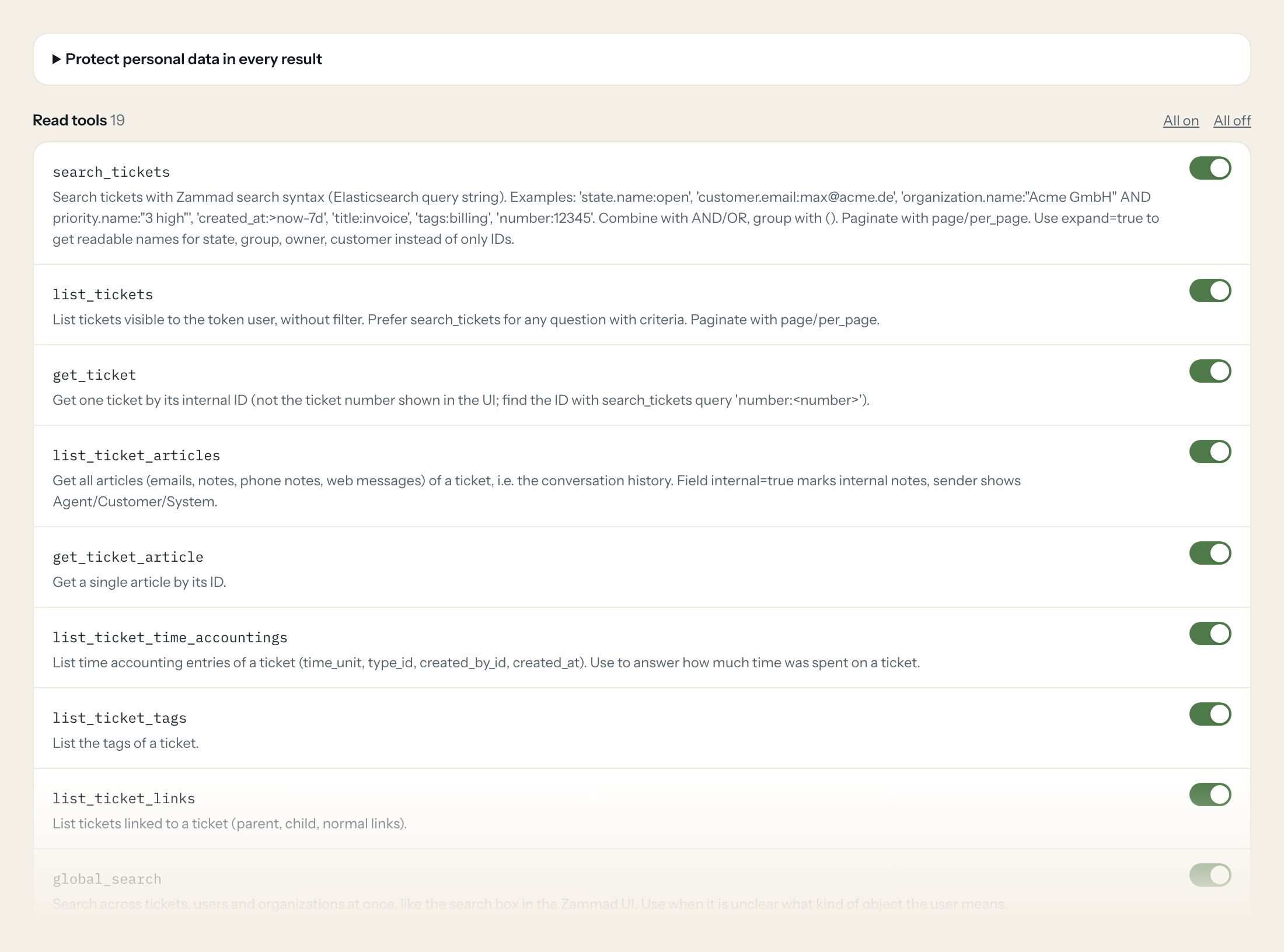
Nineteen read tools cover ticket search, articles, time accounting, tags, links, users, organizations, groups, states and priorities. Four write tools, an internal note, a tag, a state change and a new ticket, stay off until you switch them on for a role.
- Support
“Which tickets are open for more than three days with priority high?”
Answered by
search_tickets - Account management
“All tickets from Nordlicht GmbH this quarter, with state and last update.”
Answered by
search_tickets - Support
“Summarise the conversation in ticket 48112 for me.”
Answered by
list_ticket_articles - Management
“Tickets created and closed per week in the last two months.”
Answered by
search_tickets - Support
“How much time was booked on ticket 48112, and by whom?”
Answered by
list_ticket_time_accountings - Support
“Add an internal note to 48112: customer called, waiting for the log file.”
Answered by
add_internal_note
What the Zammad connector can do.
| Tool | What it does | Access | Default |
|---|---|---|---|
| search_tickets | Search tickets with Zammad search syntax (Elasticsearch query string). Examples: 'state.name:open', 'customer.email:max@acme.de', 'organization.name:"Acme GmbH" AND priority.nam… | Read | On |
| list_tickets | List tickets visible to the token user, without filter. Prefer search_tickets for any question with criteria. | Read | On |
| get_ticket | Get one ticket by its internal ID (not the ticket number shown in the UI; find the ID with search_tickets query 'number:<number>'). | Read | On |
| list_ticket_articles | Get all articles (emails, notes, phone notes, web messages) of a ticket, i.e. the conversation history. | Read | On |
| get_ticket_article | Get a single article by its ID. | Read | On |
| list_ticket_time_accountings | List time accounting entries of a ticket (time_unit, type_id, created_by_id, created_at). Use to answer how much time was spent on a ticket. | Read | On |
| list_ticket_tags | List the tags of a ticket. | Read | On |
| list_ticket_links | List tickets linked to a ticket (parent, child, normal links). | Read | On |
| global_search | Search across tickets, users and organizations at once, like the search box in the Zammad UI. Use when it is unclear what kind of object the user means. | Read | On |
| get_current_user | Get the user the token belongs to. Useful to check the connection and the user's ID. | Read | On |
| search_users | Search users (customers and agents) by name, email, login or with search syntax like 'email:max@acme.de' or 'organization.name:"Acme GmbH"'. Returns IDs for get_user and for tic… | Read | On |
| list_users | List users without filter. Prefer search_users. | Read | On |
| get_user | Get one Zammad user by ID, including name, email, organization and role. | Read | On |
| search_organizations | Search organizations (customer companies) by name or domain. | Read | On |
| list_organizations | List organizations. Paginate with page/per_page. | Read | On |
| get_organization | Get one organization by ID, including member_ids. | Read | On |
| list_groups | List ticket groups (queues) with IDs and names. Needs admin.group permission on the token. | Read | On |
| list_ticket_states | List ticket states (e.g. new, open, pending reminder, closed) with IDs. | Read | On |
| list_ticket_priorities | List ticket priorities (e.g. '1 low', '2 normal', '3 high') with IDs. | Read | On |
| add_internal_note | WRITE: Adds an internal note (not visible to the customer, no email is sent) to an existing ticket. Use for summaries or hints for agents. | Write | Off |
| add_ticket_tag | WRITE: Adds a tag to a ticket. Creates the tag if it does not exist and the user is allowed to. | Write | Off |
| update_ticket_state | WRITE: Changes the state and priority of a ticket. Use state names from list_ticket_states (e.g. | Write | Off |
| create_ticket | WRITE: Creates a new ticket with an initial internal note (no email to the customer). customer is the customer's email address; use 'guess:<email>' to create the customer if unk… | Write | Off |
Write tools are off for every role until you switch them on, one tool for one role. The names are what the model sees; it also gets the full parameter description of each tool.
Getting the Zammad token.
Five minutes, once. Nobody on your team ever sees it.
- 1
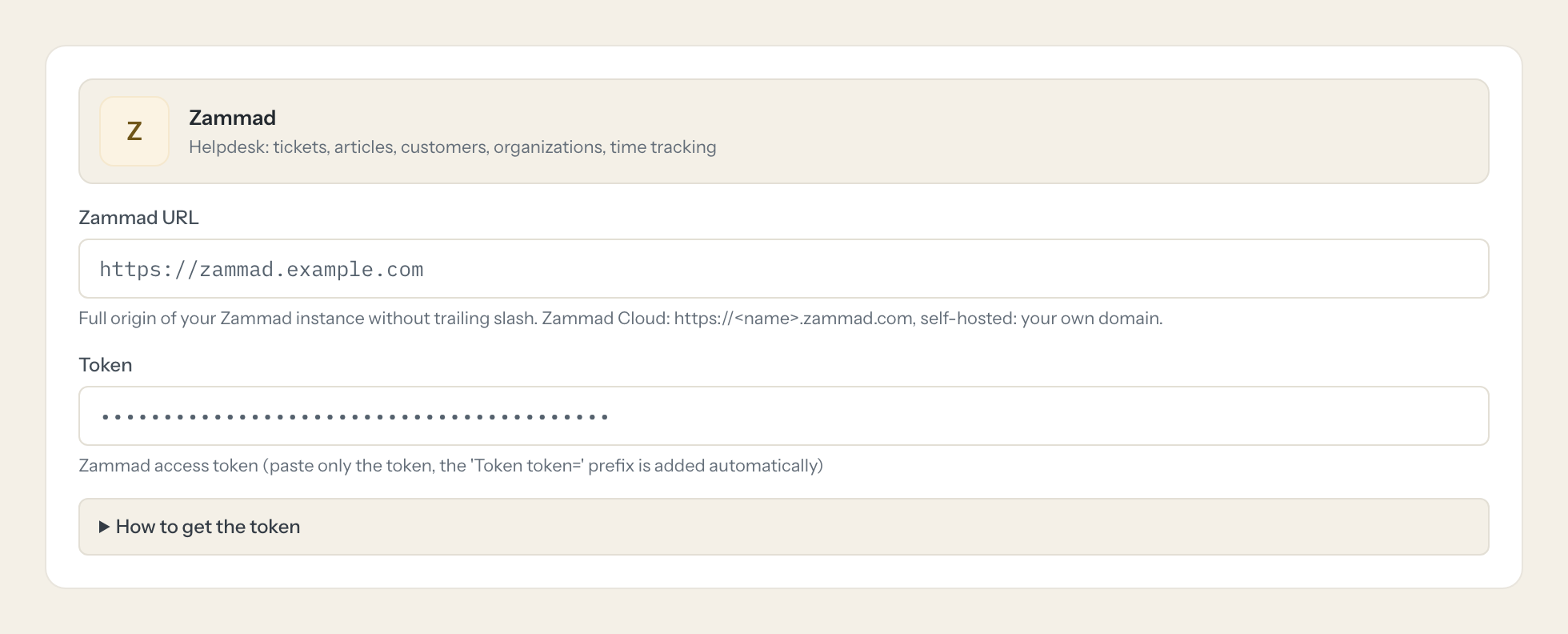
As admin: Settings > System > API and switch on 'API Token Access'.
- 2
Log in as the user the token should act as (needs permission user_preferences.access_token).
- 3
Click the avatar > Profile > Token Access > Create, give it a name and select the permissions.
- 4
Copy the token. It is shown only once.
- 5
In Loopthink, add Zammad from the catalog and paste the token. It also asks for zammad url. Your team sees the tools a minute later.
The token acts with the rights of the creating user, limited to the selected permissions. With ticket.agent the user sees only tickets of the groups he has access to, so give the technical user exactly the groups the AI may read.
What we suggest masking in Zammad.
A ticket is a conversation with a person: sender and recipient addresses, phone numbers, the body of every article. The suggested fields mask contact data and article bodies for roles that only need the counts and states; Support, who reads the conversation anyway, gets a role without that rule.
- phone
- mobile
- fax
- firstname
- lastname
- street
- zip
- city
- address
- from
- to
- cc
- body
- login
- web
- note
Zammad and Loopthink
- Which Zammad permissions does the token need?
- ticket.agent for tickets, articles, tags, links, time accounting, users and organizations. admin.group only if you want list_groups. Create the token under a technical agent that is member of exactly the groups the AI may read, because an agent sees only the tickets of its groups.
- Does a note or state change send an email to the customer?
- No. add_internal_note writes an internal article, and create_ticket starts with an internal note. Nothing the connector does sends mail to a customer.
- We host Zammad ourselves. Does the connector reach it?
- If the instance is reachable from the internet, yes, directly. If it is only reachable in your network, it needs the Loopthink Runner inside that network; tell us and we set it up with you.
- Does every team member need their own Zammad account?
- No. Loopthink holds one key or token for Zammad. Your people sign in to Loopthink with their own identity, and every call to Zammad is logged under their name. Seats in Zammad stay where they are today.
- Where does the Zammad key live?
- In Loopthink, encrypted, in the EU. It never reaches the AI client and never reaches the people using the connector. Rotate it in Zammad whenever you like and paste the new one once.
- Can somebody write to Zammad from the chat?
- Not unless you switch it on. Write actions are a separate row in the permission matrix and are off for every role by default. If a role needs one write tool, you grant that one tool to that one role.
- What does the model see?
- The result of the tool call, after masking. Fields you mark as personal, such as emails, names or card details, are masked before the answer travels to the AI client. The model gets the numbers, not the people.
- What does it cost?
- Free for one person and two connectors, no card. Pro is €19 a month for up to five people and every connector on the site, with roles, field masking and a 30-day audit. Team is €49 for ten people and adds your own REST APIs and SQL databases, your own domain and your own identity provider. No call needed.
Stuck, or a tool you need is missing? A person who knows this connector answers within one working day.


