Jira Data Center in Claude, ChatGPT and any MCP client. For your whole team.
Issues by JQL, comments, worklogs, projects, boards and sprints. One token in Loopthink, one login per person, roles per tool and an audit entry for every call.
Free for 2 connectors, no card · Pro €19 · EU-hosted · 18 read tools, 4 write tools off by default
“Which issues in project SHOP are overdue and still not done?”
Three issues in SHOP are overdue and still open:
| Issue | Summary | Status | Due |
|---|---|---|---|
| SHOP-1482 | Checkout fails with PayPal Express | In Review | 16 Oct 2026 |
| SHOP-1490 | Tiered prices for Nordwind Handel | In Progress | 20 Oct 2026 |
| SHOP-1503 | Invoice export to DATEV | Open | 22 Oct 2026 |
- read-only
- masked
One token in, the tools come out.
Jira Data Center is where many larger companies in the DACH region run their projects on their own servers: issues with their whole history, comments, worklogs, versions, components, boards and sprints. JQL finds anything, once you know the field names and the syntax; most people outside the dev team do not.
AI connectors for Jira mostly cover the cloud edition, so teams on Data Center have been left out. With the Jira Data Center connector, Product, Engineering, Project management and Management ask in Claude or ChatGPT and get the answer from their own instance. Loopthink holds one personal access token of a Jira user, every person signs in with their own identity, and every call is logged under their name.
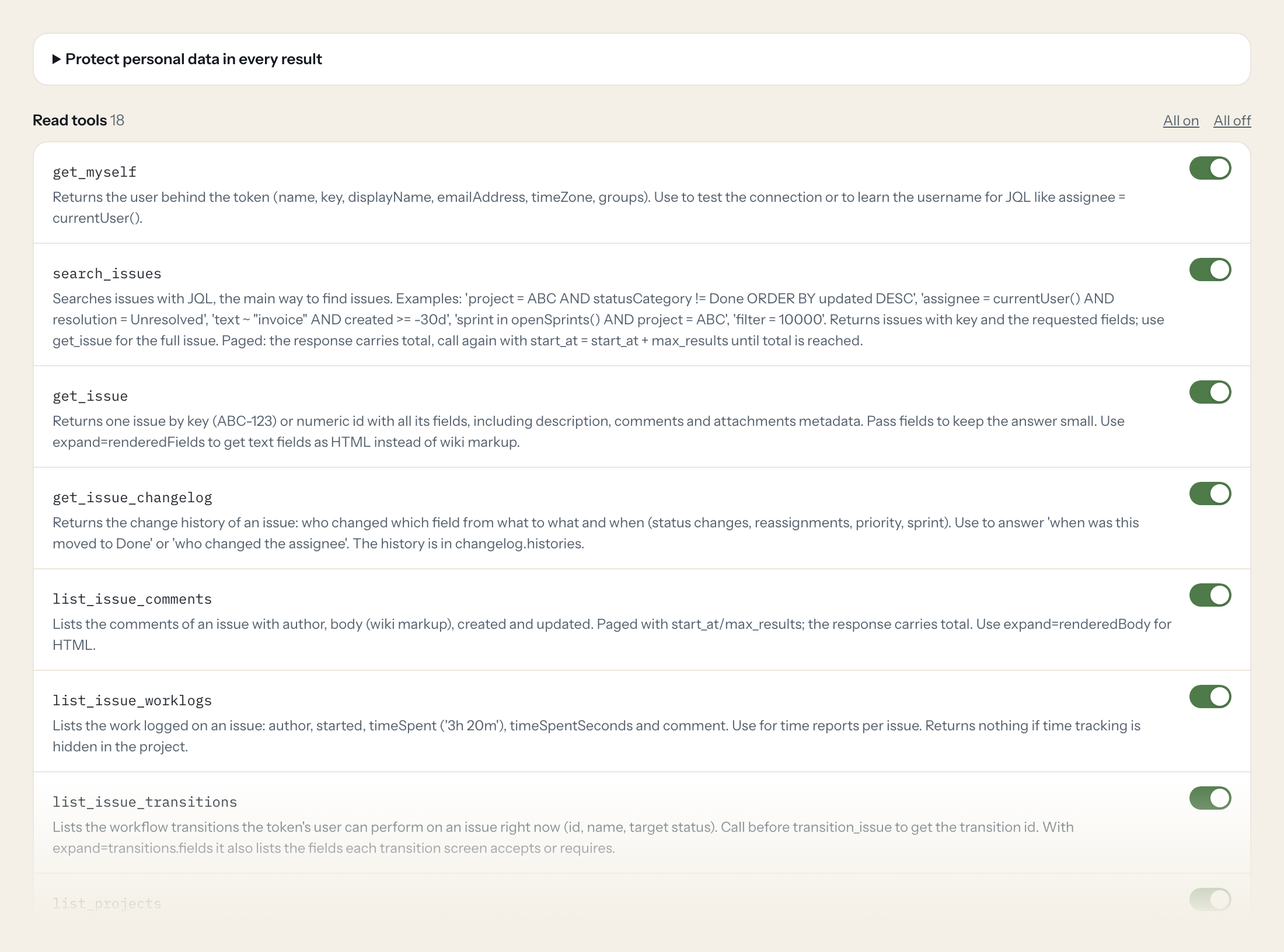
Eighteen read tools cover JQL search, issues, change history, comments, worklogs, transitions, projects, versions, components, statuses, users, fields, saved filters, boards and sprints. Four write tools, a comment, a new issue, a transition and a worklog, stay off until you switch them on for a role.
- Project management
“Which issues in project SHOP are overdue and still not done?”
Answered by
search_issues - Engineering
“What is left in the current sprint of the Platform board, and who has it?”
Answered by
list_sprint_issues - Product
“When did SHOP-1482 move to In Review, and who changed the priority?”
Answered by
get_issue_changelog - Management
“How many hours were logged on SHOP-1490 so far, and by whom?”
Answered by
list_issue_worklogs - Product
“Which versions of SHOP are overdue and not yet released?”
Answered by
list_project_versions - Engineering
“Comment on SHOP-1482: fix is on staging, please retest.”
Answered by
add_comment
What the Jira Data Center connector can do.
| Tool | What it does | Access | Default |
|---|---|---|---|
| get_myself | Returns the user behind the token (name, key, displayName, emailAddress, timeZone, groups). Use to test the connection or to learn the username for JQL like assignee = currentUs… | Read | On |
| search_issues | Searches issues with JQL, the main way to find issues. Examples: 'project = ABC AND statusCategory != Done ORDER BY updated DESC', 'assignee = currentUser() AND resolution = Unr… | Read | On |
| get_issue | Returns one issue by key (ABC-123) or numeric id with all its fields, including description, comments and attachments metadata. Pass fields to keep the answer small. | Read | On |
| get_issue_changelog | Returns the change history of an issue: who changed which field from what to what and when (status changes, reassignments, priority, sprint). Use to answer 'when was this moved… | Read | On |
| list_issue_comments | Lists the comments of an issue with author, body (wiki markup), created and updated. Paged with start_at/max_results; the response carries total. | Read | On |
| list_issue_worklogs | Lists the work logged on an issue: author, started, timeSpent ('3h 20m'), timeSpentSeconds and comment. Use for time reports per issue. | Read | On |
| list_issue_transitions | Lists the workflow transitions the token's user can perform on an issue right now (id, name, target status). Call before transition_issue to get the transition id. | Read | On |
| list_projects | Lists all projects the user can browse (id, key, name, projectTypeKey). Call first to get a project key for JQL or the other project tools. | Read | On |
| get_project | Returns one project by key or id: name, description, lead, issue types, components, versions and roles. | Read | On |
| list_project_versions | Lists the versions (releases) of a project with name, released, archived, releaseDate and overdue. Use for fixVersion JQL and release questions. | Read | On |
| list_project_components | Lists the components of a project with name, description and lead. Use for component JQL. | Read | On |
| list_project_statuses | Lists the issue types of a project, each with the statuses its workflow uses. Use to write correct status names in JQL or to explain a workflow. | Read | On |
| search_users | Finds users by username, name or email fragment. Returns name (the username used in JQL and in assignee fields), key, displayName and emailAddress. | Read | On |
| list_fields | Lists all system and custom fields with id (customfield_10010), name, whether it is custom, and the JQL clause names. Use to translate a field name like 'Story Points' into the… | Read | On |
| list_favourite_filters | Lists the saved filters the user marked as favourite, each with id, name, owner and its jql. Run a filter with search_issues and jql 'filter = <id>' or its jql. | Read | On |
| list_boards | Lists Jira Software boards (id, name, type scrum or kanban). Use to find the board id for list_board_sprints. | Read | On |
| list_board_sprints | Lists the sprints of a scrum board with id, name, state, startDate, endDate, completeDate and goal. Filter with state=active to find the current sprint. | Read | On |
| list_sprint_issues | Lists the issues in a sprint, optionally narrowed by JQL (e.g. 'statusCategory != Done'). | Read | On |
| add_comment | WRITE: Adds a comment to an issue as the token's user. The body is Jira wiki markup (*bold*, {code}...{code}, [~username] mentions notify that user). | Write | Off |
| create_issue | WRITE: Creates an issue in a project. Needs project key, issue type name (e.g. | Write | Off |
| transition_issue | WRITE: Moves an issue through its workflow (e.g. to In Progress or Done). | Write | Off |
| log_work | WRITE: Logs time spent on an issue as the token's user. time_spent uses Jira duration syntax ('1h 30m', '2d'); started is when the work began. | Write | Off |
Write tools are off for every role until you switch them on, one tool for one role. The names are what the model sees; it also gets the full parameter description of each tool.
Getting the Jira Data Center token.
Five minutes, once. Nobody on your team ever sees it.
- 1
Log in to Jira as the user the AI should act as (ideally a dedicated technical user with browse permission on exactly the projects the AI may read).
- 2
Click your avatar (top right) > Profile, then Personal Access Tokens in the left menu.
- 3
Click Create token, enter a name and an expiry in days (your admin may enforce a maximum, 365 days by default), then Create.
- 4
Copy the token immediately. It is not shown again after you close the dialog.
- 5
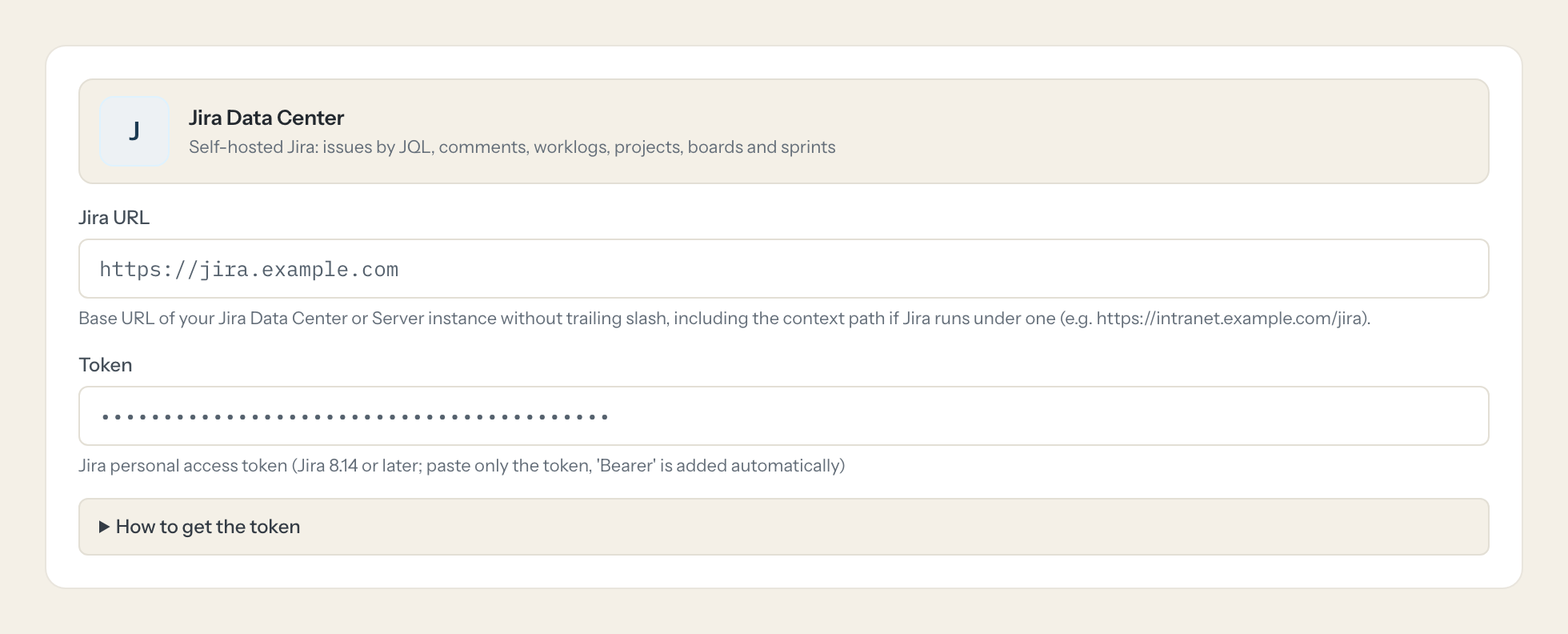
In Loopthink, add Jira Data Center from the catalog and paste the token. It also asks for jira url. Your team sees the tools a minute later.
Personal access tokens exist from Jira 8.14 (Jira Service Management 4.15) and have no scopes: a token acts with all permissions of its user. Give a technical user only the project roles the AI needs; write tools additionally need the matching project permissions (Add Comments, Create Issues, Transition Issues, Work On Issues). Admins can disable tokens or cap their lifetime with the atlassian.pats.* system properties. Boards and sprints need Jira Software.
What we suggest masking in Jira Data Center.
Issues carry people and free text: reporter, assignee, comment authors with names and e-mail addresses, and descriptions that often quote customers. The suggested fields mask names, e-mail addresses, comment bodies and descriptions for roles that only need status, dates and counts; the team that works the issues gets a role without that rule.
- displayName
- emailAddress
- name
- key
- author
- updateAuthor
- creator
- reporter
- assignee
- lead
- owner
- body
- comment
- description
- avatarUrls
- timeZone
Jira Data Center and Loopthink
- Which Jira user and permissions does the token need?
- A personal access token, available from Jira 8.14. It has no scopes and acts with all permissions of its user, so create it under a technical user that can browse exactly the projects the AI may read. The write tools additionally need Add Comments, Create Issues, Transition Issues or Work On Issues in those projects. Boards and sprints need Jira Software.
- Atlassian has announced the end of Data Center. Is this still worth it?
- Atlassian has announced the end of Data Center support for March 2029. Until then, your instance holds the issues your teams work on every day, and the connector makes them usable in Claude and ChatGPT now, without a migration. If you move to Cloud later, the roles, masking rules and Audit-Log stay in Loopthink.
- Our Jira runs in our own data center. Does the connector reach it?
- The instance has to be reachable from the internet over HTTPS, for example through your reverse proxy. If it is only reachable in your network, tell us and we look at it with you.
- Can the assistant change issues?
- Only if you allow it. The four write tools are off by default. Switched on for a role, they act as the token's user, and every call is logged with the name of the person who asked.
- Does every team member need their own Jira Data Center account?
- No. Loopthink holds one key or token for Jira Data Center. Your people sign in to Loopthink with their own identity, and every call to Jira Data Center is logged under their name. Seats in Jira Data Center stay where they are today.
- Where does the Jira Data Center key live?
- In Loopthink, encrypted, in the EU. It never reaches the AI client and never reaches the people using the connector. Rotate it in Jira Data Center whenever you like and paste the new one once.
- Can somebody write to Jira Data Center from the chat?
- Not unless you switch it on. Write actions are a separate row in the permission matrix and are off for every role by default. If a role needs one write tool, you grant that one tool to that one role.
- What does the model see?
- The result of the tool call, after masking. Fields you mark as personal, such as emails, names or card details, are masked before the answer travels to the AI client. The model gets the numbers, not the people.
- What does it cost?
- Free for one person and two connectors, no card. Pro is €19 a month for up to five people and every connector on the site, with roles, field masking and a 30-day audit. Team is €49 for ten people and adds your own REST APIs and SQL databases, your own domain and your own identity provider. No call needed.
Stuck, or a tool you need is missing? A person who knows this connector answers within one working day.

