JTL-Wawi in Claude, ChatGPT and any MCP client. For your whole team.
Orders, invoices, customers, items, stock levels, returns. One token in Loopthink, one login per person, roles per tool and an audit entry for every call.
Free for 2 connectors, no card · Pro €19 · EU-hosted · 17 read tools
“Has order AU-2026-18821 shipped, and when was the delivery note created?”
Delivery notes for order AU-2026-18821:
| Delivery note | Created | Carrier | Status |
|---|---|---|---|
| LS-2026-30417 | 19 Oct 2026 10:12 | DHL | shipped |
| LS-2026-30418 | 19 Oct 2026 10:12 | DHL | shipped |
| LS-2026-30552 | 21 Oct 2026 08:40 | DPD | packed |
- read-only
- logged
One token in, the tools come out.
JTL-Wawi is the merchandise management behind a lot of German online shops: sales orders from every channel, invoices, customers, items, stock per warehouse, suppliers and returns. Its REST server runs on a machine next to the Wawi, in the office or the data centre, and is usually not reachable from the internet.
That is the part the JTL-Wawi connector is built for. The Loopthink Runner runs inside your network, talks to the REST server locally and answers questions from Claude or ChatGPT over an outbound connection. No inbound port, no VPN, and the API key never leaves your network.
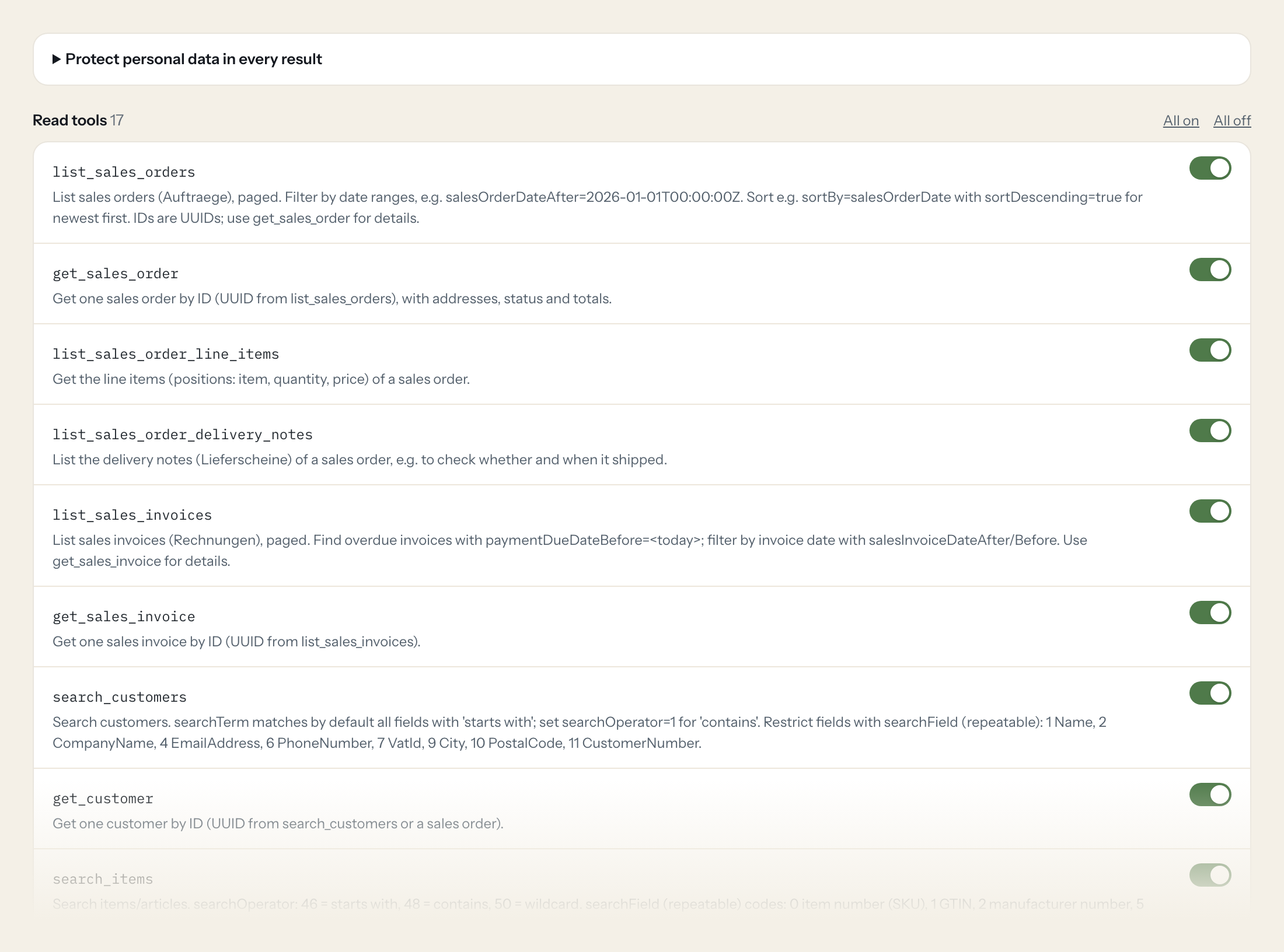
Seventeen read tools cover sales orders with line items and delivery notes, invoices, customers, items, stock per warehouse and storage location, suppliers, returns and sales channels. There are no write tools.
- Support
“Has order AU-2026-18821 shipped, and when was the delivery note created?”
Answered by
list_sales_order_delivery_notes - Finance
“Which invoices were due before today and are still unpaid?”
Answered by
list_sales_invoices - Warehouse
“How much of item 4711-BLK do we have, per warehouse?”
Answered by
list_stocks - Purchasing
“Which items are below 10 units in the main warehouse?”
Answered by
list_stock_items - Management
“Orders per sales channel this month, with totals.”
Answered by
list_sales_orders - Support
“Which returns did customer 10492 open this year, and for which orders?”
Answered by
list_returns
What the JTL-Wawi connector can do.
| Tool | What it does | Access | Default |
|---|---|---|---|
| list_sales_orders | List sales orders (Auftraege), paged. Filter by date ranges, e.g. | Read | On |
| get_sales_order | Get one sales order by ID (UUID from list_sales_orders), with addresses, status and totals. | Read | On |
| list_sales_order_line_items | Get the line items (positions: item, quantity, price) of a sales order. | Read | On |
| list_sales_order_delivery_notes | List the delivery notes (Lieferscheine) of a sales order, e.g. to check whether and when it shipped. | Read | On |
| list_sales_invoices | List sales invoices (Rechnungen), paged. Find overdue invoices with paymentDueDateBefore=<today>; filter by invoice date with salesInvoiceDateAfter/Before. | Read | On |
| get_sales_invoice | Get one sales invoice by ID (UUID from list_sales_invoices). | Read | On |
| search_customers | Search customers. searchTerm matches by default all fields with 'starts with'; set searchOperator=1 for 'contains'. | Read | On |
| get_customer | Get one customer by ID (UUID from search_customers or a sales order). | Read | On |
| search_items | Search items/articles. searchOperator: 46 = starts with, 48 = contains, 50 = wildcard. | Read | On |
| get_item | Get one item by ID (UUID from search_items) including all sub-elements (prices, descriptions, suppliers). | Read | On |
| list_item_availabilities | List the availability states that can be assigned to items (id, name). | Read | On |
| list_stocks | Stock per item, optionally per warehouse or storage location. Use itemId from search_items to answer 'how many are in stock'. | Read | On |
| list_stock_items | Paged list of stock items across the inventory. | Read | On |
| list_warehouses | List warehouses with IDs. | Read | On |
| list_suppliers | List suppliers, paged, optionally by creation/change date. | Read | On |
| list_returns | List returns (Retouren). Filter by returnNumber, customerId or salesOrderId (UUIDs). | Read | On |
| list_sales_channels | List sales channels (shops, marketplaces) with IDs. | Read | On |
Write tools are off for every role until you switch them on, one tool for one role. The names are what the model sees; it also gets the full parameter description of each tool.
Getting the JTL-Wawi token.
Five minutes, once. Nobody on your team ever sees it.
- 1
In JTL-Wawi (new interface) open Admin > App registration and start a registration.
- 2
Send the registration request POST /authentication with the app data (AppId, DisplayName, Description, Version, ProviderName, ProviderWebsite, MandatoryApiScopes) and an x-challengecode header (Loopthink support provides the request).
- 3
Approve the registration request in the Wawi admin panel.
- 4
Fetch GET /authentication/{registrationId} with the same challenge code and copy the ApiKey. It is shown only once.
- 5
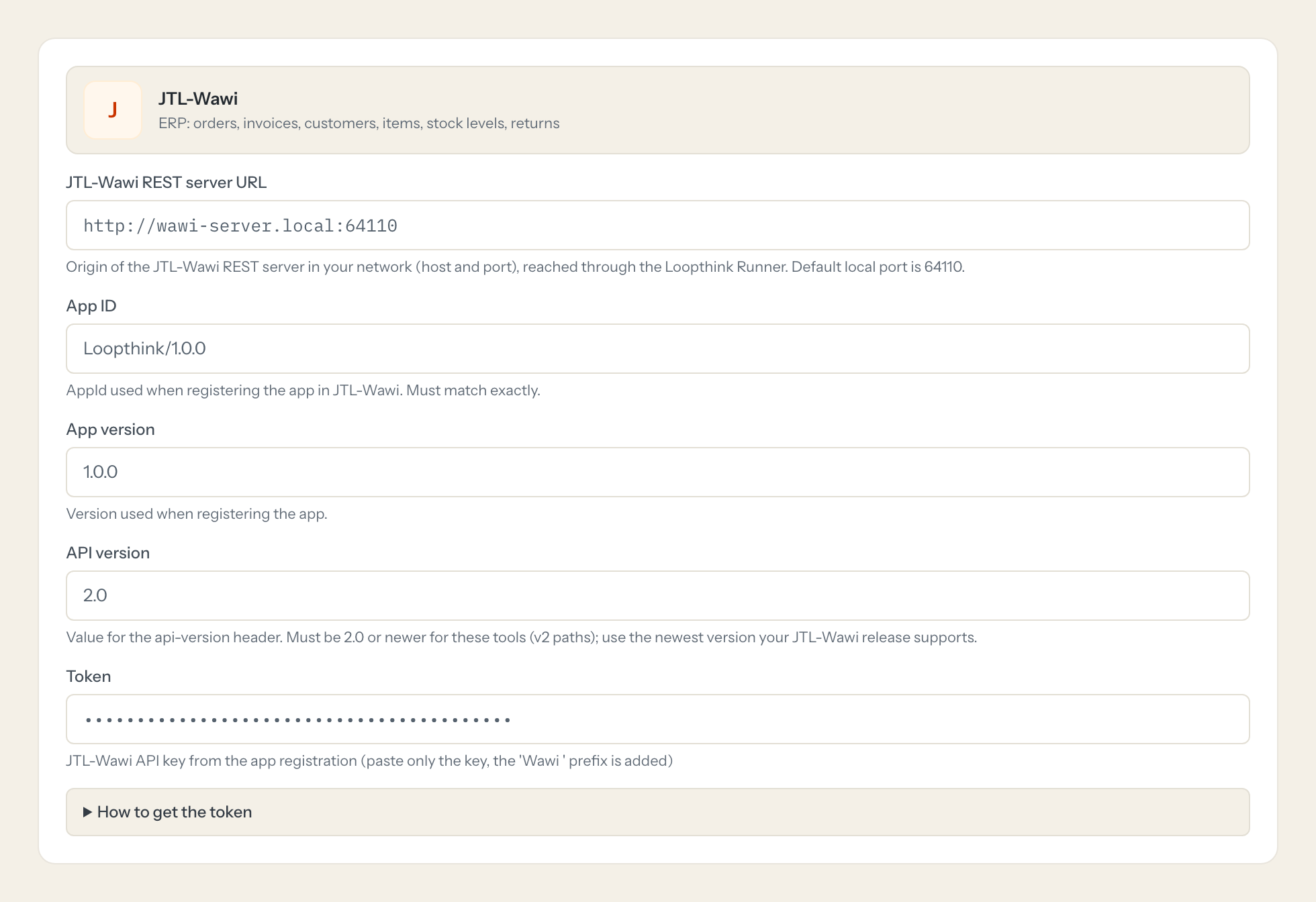
In Loopthink, add JTL-Wawi from the catalog and paste the token. It also asks for jtl-wawi rest server url, app id, app version and api version. Your team sees the tools a minute later.
The REST server runs on-premise next to JTL-Wawi and is usually not reachable from the internet, so this connection needs the Loopthink Runner. The key belongs to the registered app with its granted scopes, not to a person.
What we suggest masking in JTL-Wawi.
Every order carries a buyer: name, address, email, phone, sometimes an eBay user name and a customer comment. The suggested fields mask those and the bank details, and keep order numbers, items, quantities, amounts and dates. Support can still find an order by its number; what they do not need is the buyer's phone number in the chat.
- firstName
- lastName
- company
- street
- address2
- postalCode
- city
- emailAddress
- phoneNumber
- mobilePhoneNumber
- fax
- vatId
- customerComment
- comment
- ebayUsername
- iban
- bic
JTL-Wawi and Loopthink
- Our JTL-Wawi REST server is not on the internet. Does this work?
- Yes, that is the normal case. The connector runs through the Loopthink Runner, a small service you start inside your network. It connects outbound to Loopthink, so no port has to be opened and the key stays with you.
- What are the app id and app version the connector asks for?
- The JTL REST server identifies integrations by a registered app with an id and a version, and the key belongs to that app with the scopes you granted it. Register Loopthink as an app in the JTL-Wawi settings, grant the read scopes, and enter id, version and key.
- Can the AI change stock or orders?
- No. The connector has read tools only, and the app key you grant should carry read scopes only, so even a mistake on our side could not write.
- Does every team member need their own JTL-Wawi account?
- No. Loopthink holds one key or token for JTL-Wawi. Your people sign in to Loopthink with their own identity, and every call to JTL-Wawi is logged under their name. Seats in JTL-Wawi stay where they are today.
- Where does the JTL-Wawi key live?
- In Loopthink, encrypted, in the EU. It never reaches the AI client and never reaches the people using the connector. Rotate it in JTL-Wawi whenever you like and paste the new one once.
- Can somebody write to JTL-Wawi from the chat?
- Not unless you switch it on. Write actions are a separate row in the permission matrix and are off for every role by default. If a role needs one write tool, you grant that one tool to that one role.
- What does the model see?
- The result of the tool call, after masking. Fields you mark as personal, such as emails, names or card details, are masked before the answer travels to the AI client. The model gets the numbers, not the people.
- What does it cost?
- Free for one person and two connectors, no card. Pro is €19 a month for up to five people and every connector on the site, with roles, field masking and a 30-day audit. Team is €49 for ten people and adds your own REST APIs and SQL databases, your own domain and your own identity provider. No call needed.
Stuck, or a tool you need is missing? A person who knows this connector answers within one working day.

