Xentral in Claude, ChatGPT and any MCP client. For your whole team.
Orders, invoices, delivery notes, customers, items, stock levels. One token in Loopthink, one login per person, roles per tool and an audit entry for every call.
Free for 2 connectors, no card · Pro €19 · EU-hosted · 21 read tools
“How many units of product 100123 are available, per warehouse and sales channel?”
Product 100123 across warehouses, available after reservations:
| Warehouse | Available | Reserved | Channel |
|---|---|---|---|
| Main warehouse Hamburg | 1,240 | 180 | Shop, Amazon |
| Outlet Munich | 86 | 0 | Retail |
| Returns depot | 12 | 0 | none |
- read-only
- logged
One token in, the tools come out.
Xentral is the ERP of a lot of D2C brands and small manufacturers: sales orders, invoices, credit notes, delivery notes, purchase orders, products with stock per warehouse and storage location, reservations and projects per shop or brand. Many of its questions start with "how many do we have" and end in a spreadsheet export.
With the Xentral connector, Sales, Warehouse, Purchasing and Finance ask those questions in Claude or ChatGPT and get the answer from the live instance. Loopthink holds one personal access token, every person signs in with their own identity, and every call is logged under their name.
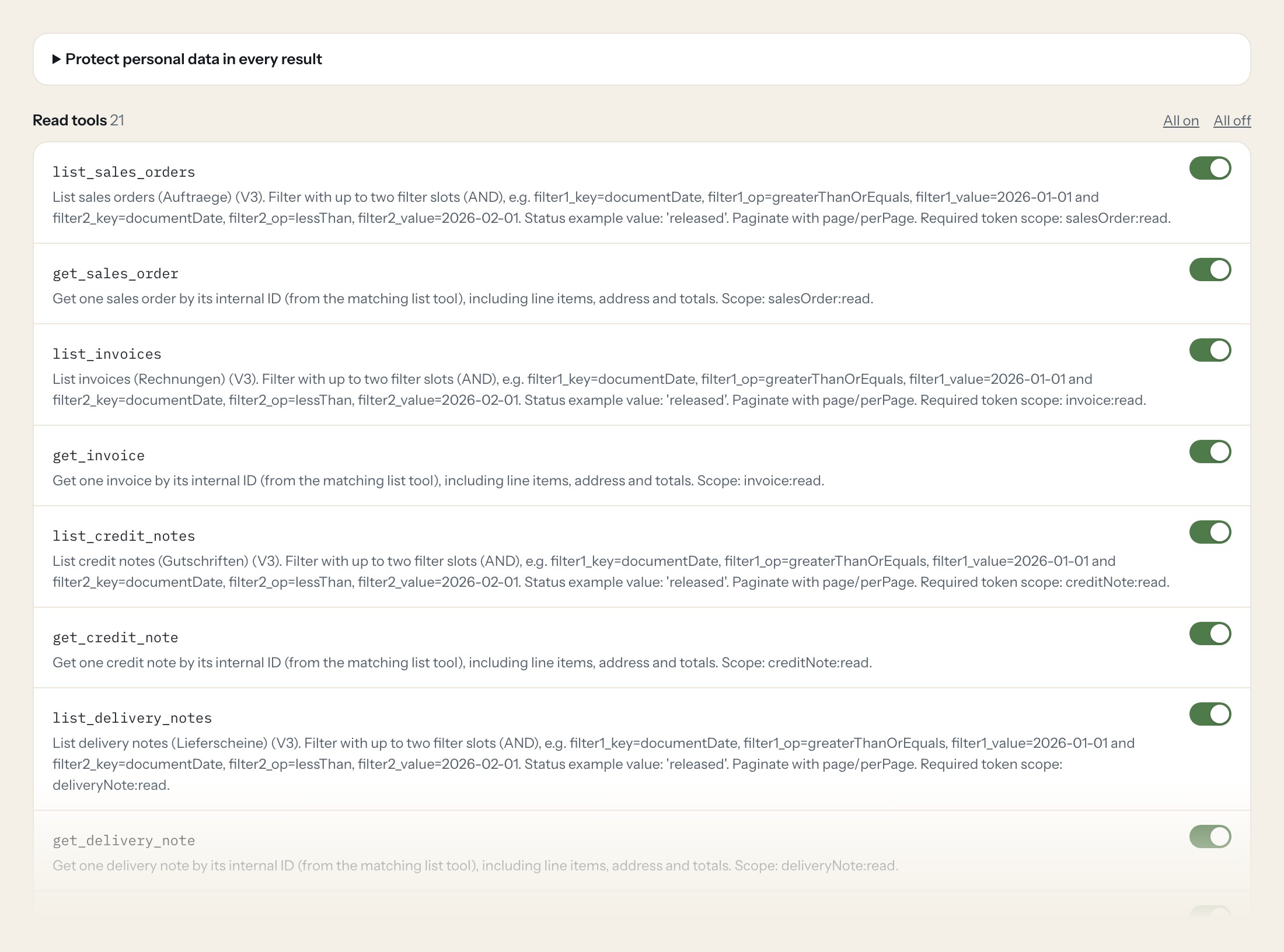
The connector is read-only: 21 tools across orders, invoices, credit notes, delivery notes, purchase orders, customers, suppliers, products, stock, storage locations, reservations, warehouses and projects. Xentral's tokens are powerful, so we expose nothing that writes.
- Warehouse
“How many units of product 100123 are available, per warehouse and sales channel?”
Answered by
get_product_stock - Sales
“Which sales orders from the Shopify project are still open, and what is reserved for them?”
Answered by
list_sales_orders - Finance
“Invoices and credit notes for customer Nordlicht GmbH in Q3, with totals.”
Answered by
list_invoices - Purchasing
“Which purchase orders to our packaging supplier are open, and since when?”
Answered by
list_purchase_orders - Support
“Has order 2026-44871 been delivered? Show me the delivery note.”
Answered by
list_delivery_notes - Warehouse
“In which storage bins is product 100123, with how much in each?”
Answered by
list_product_storage_locations
What the Xentral connector can do.
| Tool | What it does | Access | Default |
|---|---|---|---|
| list_sales_orders | List sales orders (Auftraege) (V3). Filter with up to two filter slots (AND), e.g. | Read | On |
| get_sales_order | Get one sales order by its internal ID (from the matching list tool), including line items, address and totals. Scope: salesOrder:read. | Read | On |
| list_invoices | List invoices (Rechnungen) (V3). Filter with up to two filter slots (AND), e.g. | Read | On |
| get_invoice | Get one invoice by its internal ID (from the matching list tool), including line items, address and totals. Scope: invoice:read. | Read | On |
| list_credit_notes | List credit notes (Gutschriften) (V3). Filter with up to two filter slots (AND), e.g. | Read | On |
| get_credit_note | Get one credit note by its internal ID (from the matching list tool), including line items, address and totals. Scope: creditNote:read. | Read | On |
| list_delivery_notes | List delivery notes (Lieferscheine) (V3). Filter with up to two filter slots (AND), e.g. | Read | On |
| get_delivery_note | Get one delivery note by its internal ID (from the matching list tool), including line items, address and totals. Scope: deliveryNote:read. | Read | On |
| list_purchase_orders | List purchase orders (Bestellungen beim Lieferanten) (V3). Filter with up to two filter slots (AND), e.g. | Read | On |
| get_purchase_order | Get one purchase order by its internal ID (from the matching list tool), including line items, address and totals. Scope: purchaseOrder:read. | Read | On |
| list_customers | List customers (V3, beta). Filter e.g. | Read | On |
| get_customer | Get one customer by its internal ID (from the matching list tool), including line items, address and totals. Scope: customer:read. | Read | On |
| list_suppliers | List suppliers (V3, beta). Filter keys: id, name, number, email, city, country, tags, createdAt. | Read | On |
| get_supplier | Get one supplier by its internal ID (from the matching list tool), including line items, address and totals. Scope: supplier:read. | Read | On |
| list_products | List products (V2). Filter e.g. | Read | On |
| get_product | Get one product by internal ID (digits, from list_products). | Read | On |
| get_product_stock | Get stock of a product: totals, per warehouse and per sales channel. Use for 'how many do we have in stock'. | Read | On |
| list_product_storage_locations | List the storage locations (bins) that hold a product, with quantities. | Read | On |
| list_product_reservations | List reservations of a product (stock reserved for open orders). | Read | On |
| list_warehouses | List active warehouses (beta endpoint). Paginate with page_number/page_size. | Read | On |
| list_projects | List projects (Xentral projects group orders and settings, e.g. per shop or brand). | Read | On |
Write tools are off for every role until you switch them on, one tool for one role. The names are what the model sees; it also gets the full parameter description of each tool.
Getting the Xentral token.
Five minutes, once. Nobody on your team ever sees it.
- 1
Log in to Xentral with an admin user.
- 2
Go to Administration (bottom left) > Account settings > Developer Settings > Personal Access Tokens.
- 3
Click '+ Create Token', enter a name (max 50 chars) and click Create Token.
- 4
Copy the token. It is shown only once.
- 5
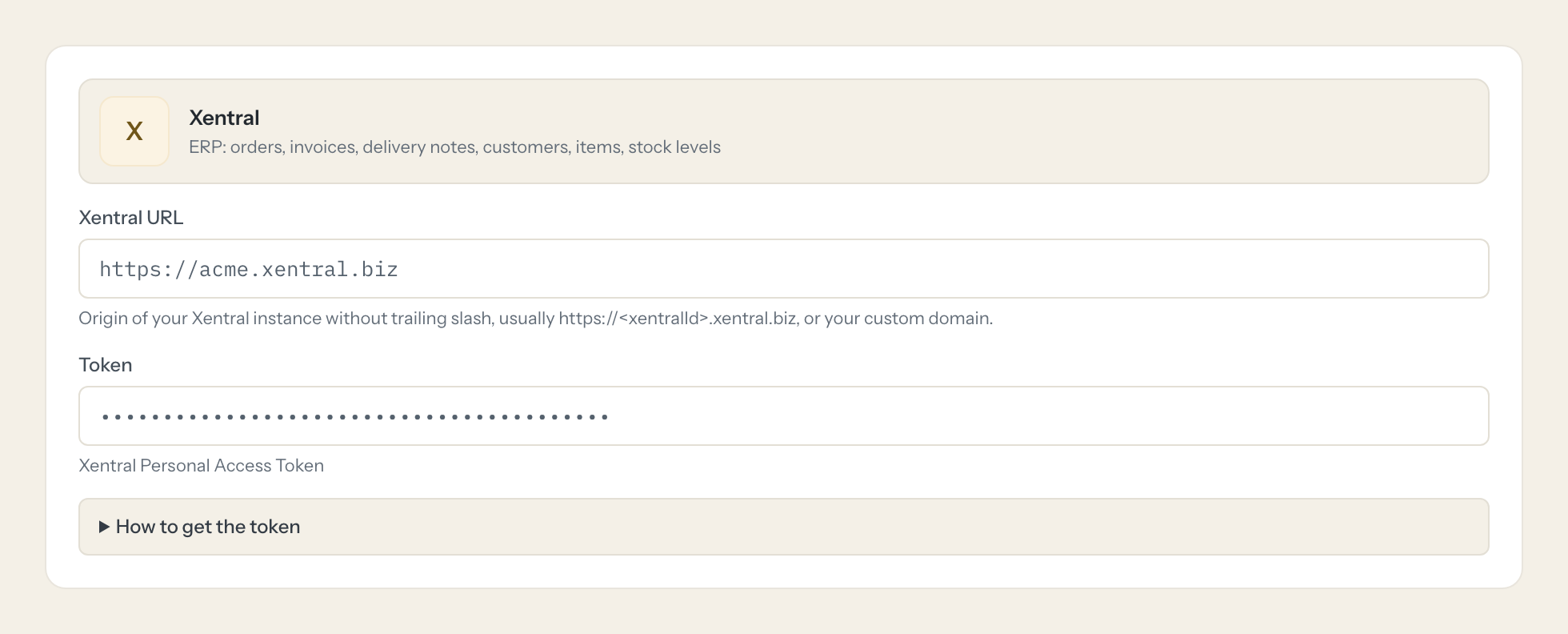
In Loopthink, add Xentral from the catalog and paste the token. It also asks for xentral url. Your team sees the tools a minute later.
The authentication page says PATs grant unlimited permissions without expiry, while endpoint pages list scopes. Treat the token as full access: Loopthink exposes only read tools here. Creating tokens needs admin rights.
What we suggest masking in Xentral.
Orders and documents in Xentral carry the customer's name, address, email, phone and sometimes a birthday or bank account. The suggested fields mask those and keep document numbers, items, quantities, amounts, dates and statuses. A stock question never needed a customer's phone number anyway.
- phone
- mobile
- fax
- name
- contactPerson
- street
- zipCode
- city
- documentAddress
- iban
- bic
- vatId
- birthday
- bankAccount
Xentral and Loopthink
- Xentral says a personal access token has unlimited permissions. Is that safe?
- Treat the token as full access, because that is what Xentral's own documentation says. Two things limit the risk: the token is stored encrypted in Loopthink and never reaches a user or an AI client, and the connector exposes read tools only, so nothing in the chat can write to Xentral.
- Who can create the token?
- An admin in Xentral. Create it under a dedicated technical user where your plan allows, so it does not disappear when a colleague leaves.
- Which Xentral URL does the connector need?
- The address of your instance, for example https://acme.xentral.biz. The connector builds the API calls from it.
- Does every team member need their own Xentral account?
- No. Loopthink holds one key or token for Xentral. Your people sign in to Loopthink with their own identity, and every call to Xentral is logged under their name. Seats in Xentral stay where they are today.
- Where does the Xentral key live?
- In Loopthink, encrypted, in the EU. It never reaches the AI client and never reaches the people using the connector. Rotate it in Xentral whenever you like and paste the new one once.
- Can somebody write to Xentral from the chat?
- Not unless you switch it on. Write actions are a separate row in the permission matrix and are off for every role by default. If a role needs one write tool, you grant that one tool to that one role.
- What does the model see?
- The result of the tool call, after masking. Fields you mark as personal, such as emails, names or card details, are masked before the answer travels to the AI client. The model gets the numbers, not the people.
- What does it cost?
- Free for one person and two connectors, no card. Pro is €19 a month for up to five people and every connector on the site, with roles, field masking and a 30-day audit. Team is €49 for ten people and adds your own REST APIs and SQL databases, your own domain and your own identity provider. No call needed.
Stuck, or a tool you need is missing? A person who knows this connector answers within one working day.

