weclapp in Claude, ChatGPT and any MCP client. For your whole team.
Customers, orders, quotes, invoices, purchasing, items, open items. One token in Loopthink, one login per person, roles per tool and an audit entry for every call.
Free for 2 connectors, no card · Pro €19 · EU-hosted · 23 read tools
“Which open receivables are more than 30 days overdue, grouped by customer?”
Three customers have receivables more than 30 days overdue:
| Customer | Open items | Amount | Oldest due date |
|---|---|---|---|
| Nordwind Handel | 3 | 18,640.00 € | 28 Aug 2026 |
| Müller & Söhne GmbH | 1 | 7,120.50 € | 09 Sep 2026 |
| Huber AG | 2 | 4,385.00 € | 15 Sep 2026 |
- read-only
- logged
One token in, the tools come out.
weclapp runs the whole order-to-cash loop of a trading or service company: customers and suppliers, quotations, sales orders, invoices, purchase orders, open items, articles, the sales pipeline and recurring contracts. It is also where "can you quickly check" questions pile up on the two people who know the filters.
With the weclapp connector, Sales, Purchasing, Finance and Management ask those questions in Claude or ChatGPT and get the answer from the live tenant. Loopthink holds one API token for a weclapp user, every person signs in with their own identity, and every call is logged under their name.
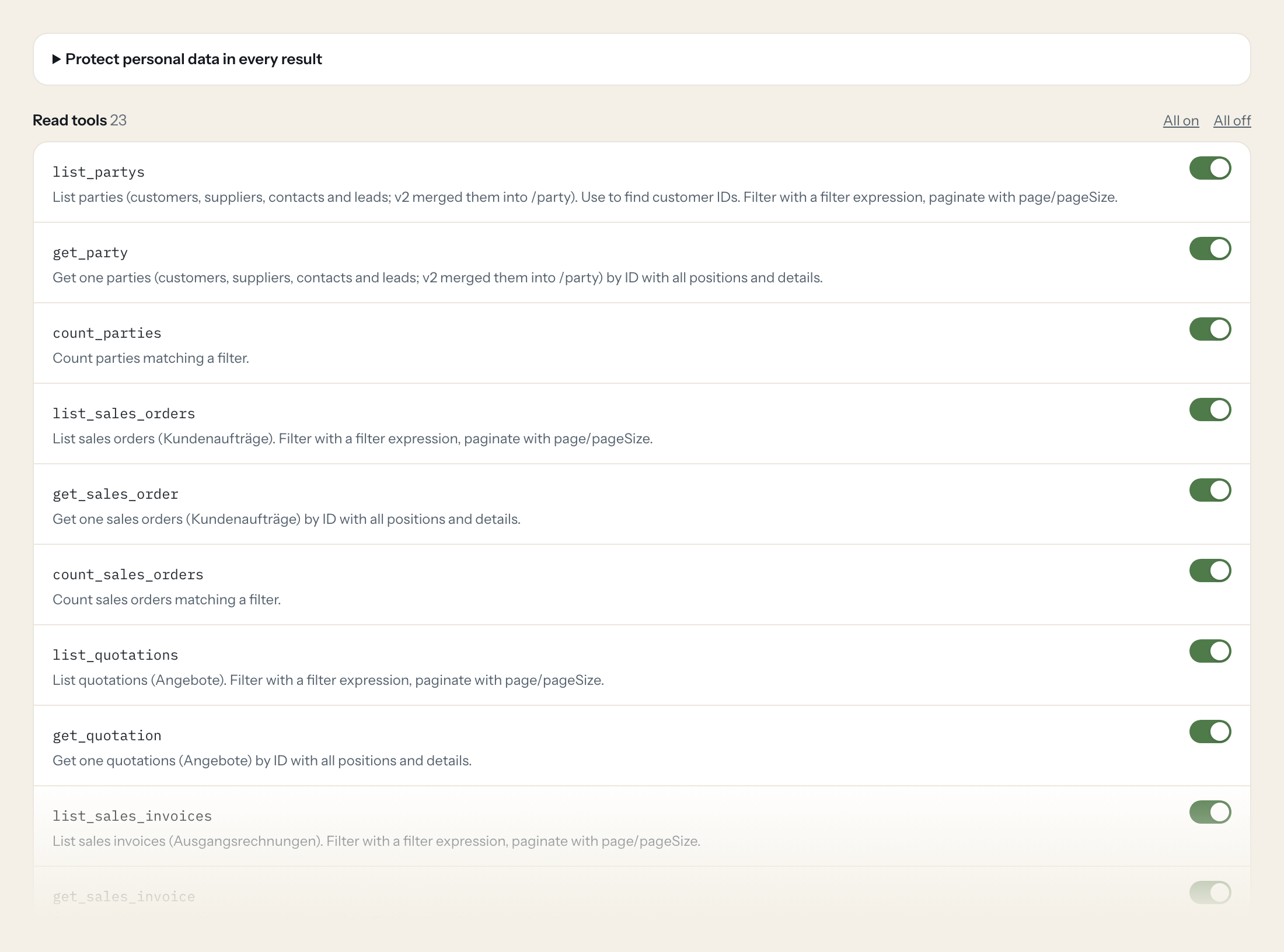
The connector is read-only: 23 tools for parties, sales orders, quotations, sales and purchase invoices, open items on both sides, purchase orders, articles, opportunities, contracts and comments. Nothing on the website can write to weclapp.
- Finance
“Which open receivables are more than 30 days overdue, grouped by customer?”
Answered by
list_sales_open_items - Sales
“How many sales orders did we book this month, and what is their total value?”
Answered by
count_sales_orders - Sales
“Which quotations over 10,000 are still open, and since when?”
Answered by
list_quotations - Purchasing
“Which purchase orders to Schmidt Metall are still not fully delivered?”
Answered by
list_purchase_orders - Management
“Pipeline by stage: all open opportunities with value and expected close.”
Answered by
list_opportunitys - Finance
“Which recurring contracts end in the next 90 days?”
Answered by
list_contracts
What the weclapp connector can do.
| Tool | What it does | Access | Default |
|---|---|---|---|
| list_partys | List parties (customers, suppliers, contacts and leads; v2 merged them into /party). Use to find customer IDs. | Read | On |
| get_party | Get one parties (customers, suppliers, contacts and leads; v2 merged them into /party) by ID with all positions and details. | Read | On |
| count_parties | Count parties matching a filter. | Read | On |
| list_sales_orders | List sales orders (Kundenaufträge). Filter with a filter expression, paginate with page/pageSize. | Read | On |
| get_sales_order | Get one sales orders (Kundenaufträge) by ID with all positions and details. | Read | On |
| count_sales_orders | Count sales orders matching a filter. | Read | On |
| list_quotations | List quotations (Angebote). Filter with a filter expression, paginate with page/pageSize. | Read | On |
| get_quotation | Get one quotations (Angebote) by ID with all positions and details. | Read | On |
| list_sales_invoices | List sales invoices (Ausgangsrechnungen). Filter with a filter expression, paginate with page/pageSize. | Read | On |
| get_sales_invoice | Get one sales invoices (Ausgangsrechnungen) by ID with all positions and details. | Read | On |
| list_sales_open_items | List open receivables (offene Posten Debitoren): unpaid or partly paid sales invoices. | Read | On |
| list_purchase_orders | List purchase orders (Bestellungen). Filter with a filter expression, paginate with page/pageSize. | Read | On |
| get_purchase_order | Get one purchase orders (Bestellungen) by ID with all positions and details. | Read | On |
| list_purchase_invoices | List purchase invoices (Eingangsrechnungen). Filter with a filter expression, paginate with page/pageSize. | Read | On |
| get_purchase_invoice | Get one purchase invoices (Eingangsrechnungen) by ID with all positions and details. | Read | On |
| list_purchase_open_items | List open payables (offene Posten Kreditoren). | Read | On |
| list_articles | List articles (products and services) with prices. Filter with a filter expression, paginate with page/pageSize. | Read | On |
| get_article | Get one articles (products and services) with price by ID with all positions and details. | Read | On |
| list_opportunitys | List opportunities (sales pipeline). Filter with a filter expression, paginate with page/pageSize. | Read | On |
| get_opportunity | Get one opportunities (sales pipeline) by ID with all positions and details. | Read | On |
| list_contracts | List contracts (recurring billing contracts). Filter with a filter expression, paginate with page/pageSize. | Read | On |
| get_contract | Get one contracts (recurring billing contracts) by ID with all positions and details. | Read | On |
| list_comments | List comments on records. | Read | On |
Write tools are off for every role until you switch them on, one tool for one role. The names are what the model sees; it also gets the full parameter description of each tool.
Getting the weclapp token.
Five minutes, once. Nobody on your team ever sees it.
- 1
Log in to weclapp with the user whose rights the AI should have (ideally a dedicated technical user with a read-only role).
- 2
Click the user icon top right and open 'Meine Einstellungen' (My settings).
- 3
In the 'API-Token' section click to create/show the token and copy it.
- 4
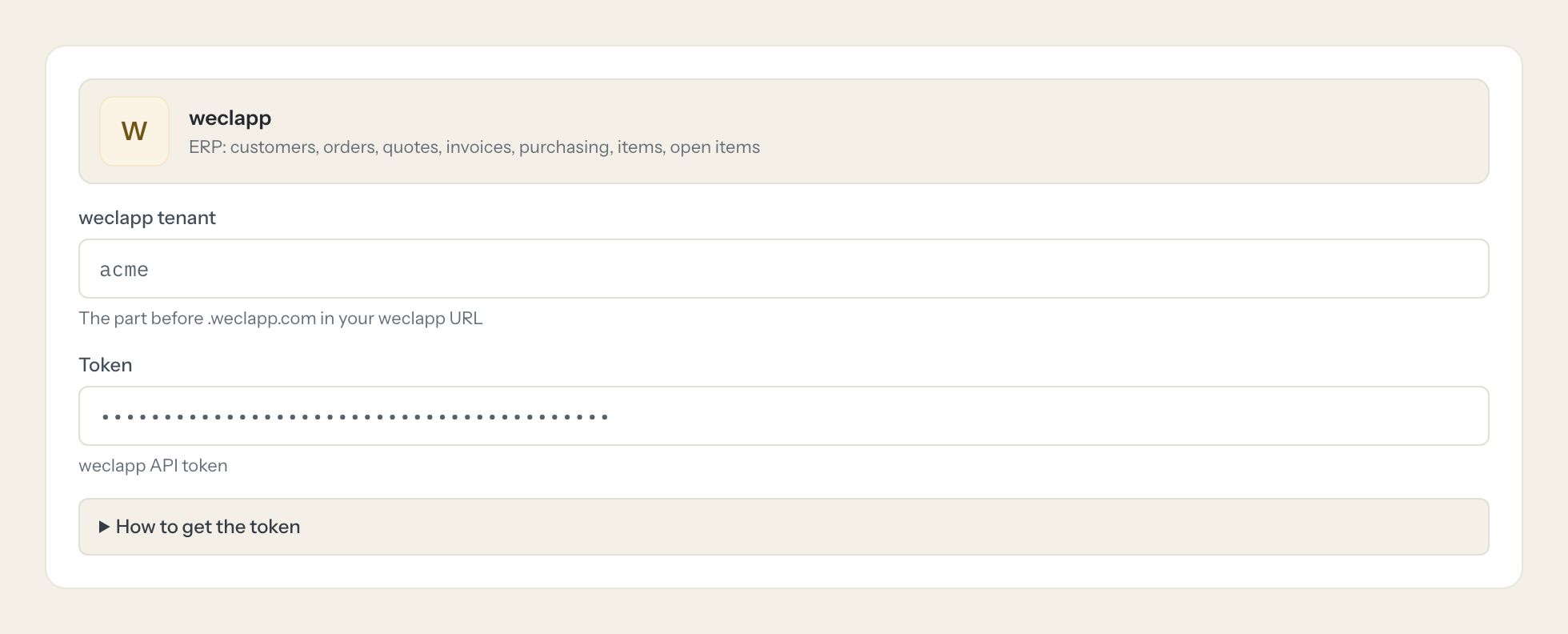
In Loopthink, add weclapp from the catalog and paste the token. It also asks for weclapp tenant. Your team sees the tools a minute later.
The token is tied to the user and exposes exactly that user's permissions. Regenerate it if leaked. A technical user may need an extra weclapp licence.
What we suggest masking in weclapp.
A weclapp party record is a person as much as a company: contact persons, private email and phone, birth date, bank accounts and tax ids sit next to the order data. The suggested fields mask the personal and banking parts and keep order numbers, amounts, dates and statuses, which is what a sales or finance question needs.
- emailHome
- phone
- mobilePhone1
- fax
- firstName
- lastName
- birthDate
- street1
- street2
- zipcode
- city
- iban
- bic
- accountHolder
- vatRegistrationNumber
- taxId
- contacts
- addresses
- bankAccounts
weclapp and Loopthink
- The token has no scopes. How do we restrict what the AI can read?
- The token exposes exactly the permissions of its weclapp user. Create a technical user with a role that has read access to sales, purchasing and master data only, and use that user's token. A second licence may be needed for the extra user; check your weclapp plan.
- What is the weclapp tenant the connector asks for?
- The part before .weclapp.com in your weclapp URL. If you sign in at acme.weclapp.com, the tenant is acme.
- Can the AI change anything in weclapp?
- No. The connector ships read tools only. If a role needs to create a record, that is a request to us, not a switch you can flip by accident.
- Does every team member need their own weclapp account?
- No. Loopthink holds one key or token for weclapp. Your people sign in to Loopthink with their own identity, and every call to weclapp is logged under their name. Seats in weclapp stay where they are today.
- Where does the weclapp key live?
- In Loopthink, encrypted, in the EU. It never reaches the AI client and never reaches the people using the connector. Rotate it in weclapp whenever you like and paste the new one once.
- Can somebody write to weclapp from the chat?
- Not unless you switch it on. Write actions are a separate row in the permission matrix and are off for every role by default. If a role needs one write tool, you grant that one tool to that one role.
- What does the model see?
- The result of the tool call, after masking. Fields you mark as personal, such as emails, names or card details, are masked before the answer travels to the AI client. The model gets the numbers, not the people.
- What does it cost?
- Free for one person and two connectors, no card. Pro is €19 a month for up to five people and every connector on the site, with roles, field masking and a 30-day audit. Team is €49 for ten people and adds your own REST APIs and SQL databases, your own domain and your own identity provider. No call needed.
Stuck, or a tool you need is missing? A person who knows this connector answers within one working day.

