Kimai in Claude, ChatGPT and any MCP client. For your whole team.
Timesheets, customers, projects, activities, users, teams, invoices. One token in Loopthink, one login per person, roles per tool and an audit entry for every call.
Free for 2 connectors, no card · Pro €19 · EU-hosted · 17 read tools, 3 write tools off by default
“How many hours went into the Nordwind relaunch in October, per activity?”
So far 86.5 hours were booked on the Nordwind relaunch in October:
| Activity | Entries | Hours | Last entry |
|---|---|---|---|
| Development | 31 | 58.0 | 23 Oct 2026 |
| Concept | 9 | 19.5 | 21 Oct 2026 |
| Client meetings | 7 | 9.0 | 22 Oct 2026 |
- read-only
- masked
One token in, the tools come out.
Kimai is the open-source time tracking of many agencies, consultancies and IT service providers in the DACH region, on their own server or in Kimai Cloud: timesheets per customer, project and activity, budgets, teams and invoices. The numbers are all there; a question like how much budget is left means a report, a filter and a spreadsheet.
With the Kimai connector, Project management, Controlling, team leads and everyone who books time ask in Claude or ChatGPT and get the answer from the live instance. Loopthink holds one API token of a Kimai user, every person signs in with their own identity, and every call is logged under their name.
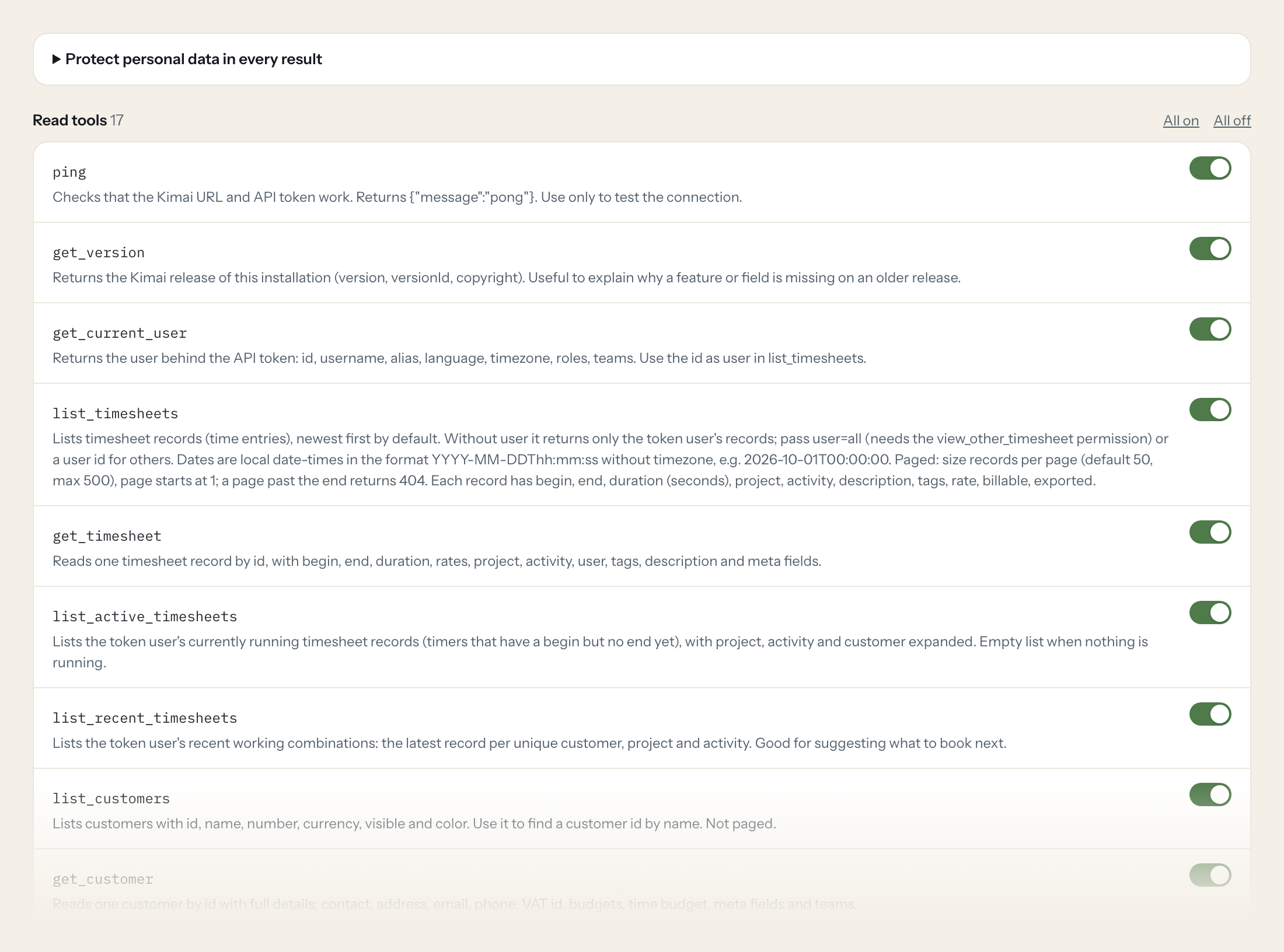
Seventeen read tools cover timesheets, running timers, recent work, customers, projects, activities, users, teams, tags and invoices. Three write tools, creating, changing and stopping a timesheet, stay off until you switch them on for a role.
- Project management
“How many hours went into the Nordwind relaunch in October, per activity?”
Answered by
list_timesheets - Controlling
“What is the time budget of the Kraus & Partner project, and how much is used?”
Answered by
get_project - Team lead
“Who in my team booked less than 30 hours last week?”
Answered by
list_timesheets - Controlling
“Which Kimai invoices from September are still open?”
Answered by
list_invoices - Consultant
“Is a timer still running for me?”
Answered by
list_active_timesheets - Consultant
“Book 2.5 hours yesterday afternoon on Acme, workshop preparation.”
Answered by
create_timesheet
What the Kimai connector can do.
| Tool | What it does | Access | Default |
|---|---|---|---|
| ping | Checks that the Kimai URL and API token work. Returns {"message":"pong"}. | Read | On |
| get_version | Returns the Kimai release of this installation (version, versionId, copyright). Useful to explain why a feature or field is missing on an older release. | Read | On |
| get_current_user | Returns the user behind the API token: id, username, alias, language, timezone, roles, teams. Use the id as user in list_timesheets. | Read | On |
| list_timesheets | Lists timesheet records (time entries), newest first by default. Without user it returns only the token user's records; pass user=all (needs the view_other_timesheet permission)… | Read | On |
| get_timesheet | Reads one timesheet record by id, with begin, end, duration, rates, project, activity, user, tags, description and meta fields. | Read | On |
| list_active_timesheets | Lists the token user's currently running timesheet records (timers that have a begin but no end yet), with project, activity and customer expanded. Empty list when nothing is ru… | Read | On |
| list_recent_timesheets | Lists the token user's recent working combinations: the latest record per unique customer, project and activity. Good for suggesting what to book next. | Read | On |
| list_customers | Lists customers with id, name, number, currency, visible and color. Use it to find a customer id by name. | Read | On |
| get_customer | Reads one customer by id with full details: contact, address, email, phone, VAT id, budgets, time budget, meta fields and teams. | Read | On |
| list_projects | Lists projects with id, name, customer, order number, start and end. By default only projects running today; pass ignore_dates=1 for all. | Read | On |
| get_project | Reads one project by id with customer, order number and date, start and end, budgets, time budget, global-activities flag and meta fields. | Read | On |
| list_activities | Lists activities (the kind of work, e.g. Development, Meeting). | Read | On |
| list_users | Lists users with id, username, alias, enabled and color. Needs the view_user permission. | Read | On |
| list_teams | Lists the teams the token user may see, with id, name and color. Teams decide who sees which customers, projects and activities. | Read | On |
| list_tags | Lists tag names used on timesheets. Use the names in the tags filter of list_timesheets. | Read | On |
| list_invoices | Lists invoices created in Kimai with number, customer, created date, total, tax, currency, status and due date. Needs the view_invoice permission. | Read | On |
| get_invoice | Reads one invoice by id: number, customer, user, created date, total, tax, VAT, currency, status, due days, payment date and comment. | Read | On |
| create_timesheet | Creates a timesheet record. Without end the record keeps running as a timer; without begin it starts now. | Write | Off |
| update_timesheet | Changes a timesheet record. Send only the fields to change. | Write | Off |
| stop_timesheet | Stops a running timesheet record (sets end to now). Get the id from list_active_timesheets. | Write | Off |
Write tools are off for every role until you switch them on, one tool for one role. The names are what the model sees; it also gets the full parameter description of each tool.
Getting the Kimai token.
Five minutes, once. Nobody on your team ever sees it.
- 1
Log in to Kimai as the user Loopthink should act as.
- 2
Open your personal user menu (top right) and choose 'API access'.
- 3
Click 'Create', give the token a name (e.g. 'Loopthink') and optionally an expiration date.
- 4
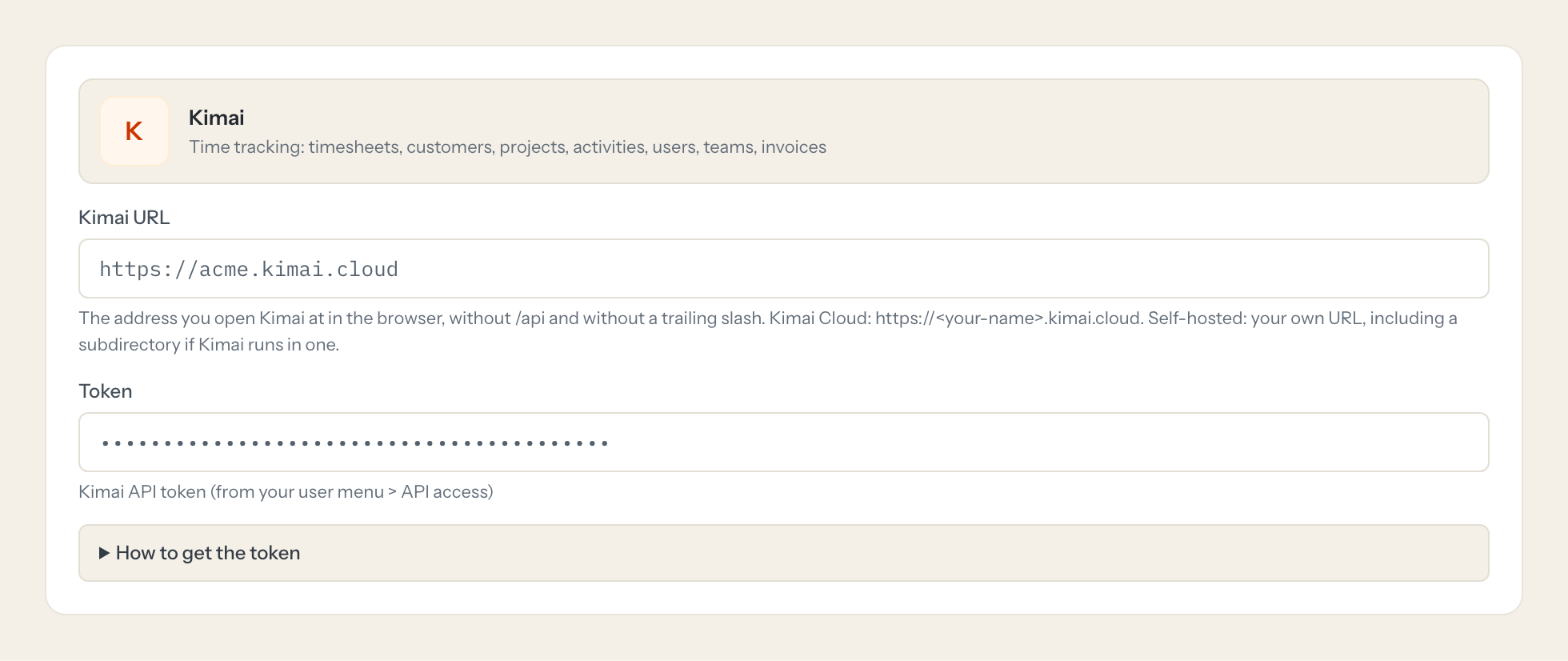
Copy the token right away: it is shown only once. Enter your Kimai URL (without /api) here.
- 5
In Loopthink, add Kimai from the catalog and paste the token. It also asks for kimai url. Your team sees the tools a minute later.
Needs Kimai 2.14.0 or newer (April 2024), the first release with API tokens sent as 'Authorization: Bearer'. The older X-AUTH-USER / X-AUTH-TOKEN API passwords were deprecated then and removed after Q2 2026, so they are not supported here. The token acts as its user: reading other users' timesheets (user=all), the user list, teams and invoices needs a role with those permissions (e.g. Teamlead or Admin). create_timesheet books for the token's user unless the role may create timesheets for others.
What we suggest masking in Kimai.
Timesheets are personal data: who worked when, for how long and on what, often with a description. Customers carry contacts, addresses, phone numbers and VAT ids. The suggested fields mask usernames, aliases, e-mail addresses, contact details and comments for roles that only need hours per project; team leads who approve the times get a role without that rule.
- username
- alias
- title
- initials
- accountNumber
- contact
- address
- phone
- mobile
- fax
- vatId
- comment
Kimai and Loopthink
- Which Kimai version and user does the connector need?
- Kimai 2.14.0 or newer, the first release with API tokens. The token has no scopes and acts with the role of its user: reading other people's timesheets, the user list, teams and invoices needs a role with those permissions, for example Teamlead or Admin. A plain user sees only their own times.
- Does the connector work with the old API passwords?
- No. The older API passwords were deprecated with Kimai 2.14 and removed after Q2 2026. Create an API token in your user menu under API access instead.
- In whose name does the assistant book time?
- create_timesheet books for the token's user, unless that user's role may create timesheets for others. The write tools are off by default; every call is logged with the name of the person who asked.
- We host Kimai ourselves. Does the connector reach it?
- Kimai Cloud works directly. A self-hosted instance has to be reachable from the internet over HTTPS. If it is only reachable in your network, tell us and we look at it with you.
- Does every team member need their own Kimai account?
- No. Loopthink holds one key or token for Kimai. Your people sign in to Loopthink with their own identity, and every call to Kimai is logged under their name. Seats in Kimai stay where they are today.
- Where does the Kimai key live?
- In Loopthink, encrypted, in the EU. It never reaches the AI client and never reaches the people using the connector. Rotate it in Kimai whenever you like and paste the new one once.
- Can somebody write to Kimai from the chat?
- Not unless you switch it on. Write actions are a separate row in the permission matrix and are off for every role by default. If a role needs one write tool, you grant that one tool to that one role.
- What does the model see?
- The result of the tool call, after masking. Fields you mark as personal, such as emails, names or card details, are masked before the answer travels to the AI client. The model gets the numbers, not the people.
- What does it cost?
- Free for one person and two connectors, no card. Pro is €19 a month for up to five people and every connector on the site, with roles, field masking and a 30-day audit. Team is €49 for ten people and adds your own REST APIs and SQL databases, your own domain and your own identity provider. No call needed.
Stuck, or a tool you need is missing? A person who knows this connector answers within one working day.


