Lightspeed Retail (X-Series) in Claude, ChatGPT and any MCP client. For your whole team.
Point of sale (X-Series, formerly Vend): sales, products, inventory levels, customers, outlets, registers, stock orders, purchase orders. One token in Loopthink, one login per person, roles per tool and an audit entry for every call.
Free for 2 connectors, no card · Pro €19 · EU-hosted · 24 read tools, 1 write tools off by default
“Closed sales at the Hamburg outlet yesterday: receipts, total and the split by payment type.”
Hamburg, 20 October 2026, 84 closed receipts totalling 6,412.30 €:
| Payment type | Receipts | Total | Share |
|---|---|---|---|
| Card | 51 | 4,105.80 € | 64 % |
| Cash | 29 | 1,893.50 € | 30 % |
| Voucher | 4 | 413.00 € | 6 % |
- read-only
- logged
One token in, the tools come out.
Lightspeed Retail (X-Series) is the till: every sale with its line items and payments, products with prices and SKUs, stock per outlet with reorder points, registers and their open periods, stock orders and transfers, purchase orders, suppliers and customers. The questions are simple, "what did the Hamburg outlet take yesterday", "which products are below their reorder point", "is the purchase order from Meyer & Co fully received", but today they take the back office, the right report and an outlet filter per question.
With the Lightspeed Retail connector, Store Managers, Purchasing and Management ask in Claude or ChatGPT and get the answer from the live store. Loopthink holds one personal token, every person signs in with their own identity, and every call is logged under their name. The token never reaches the AI client.
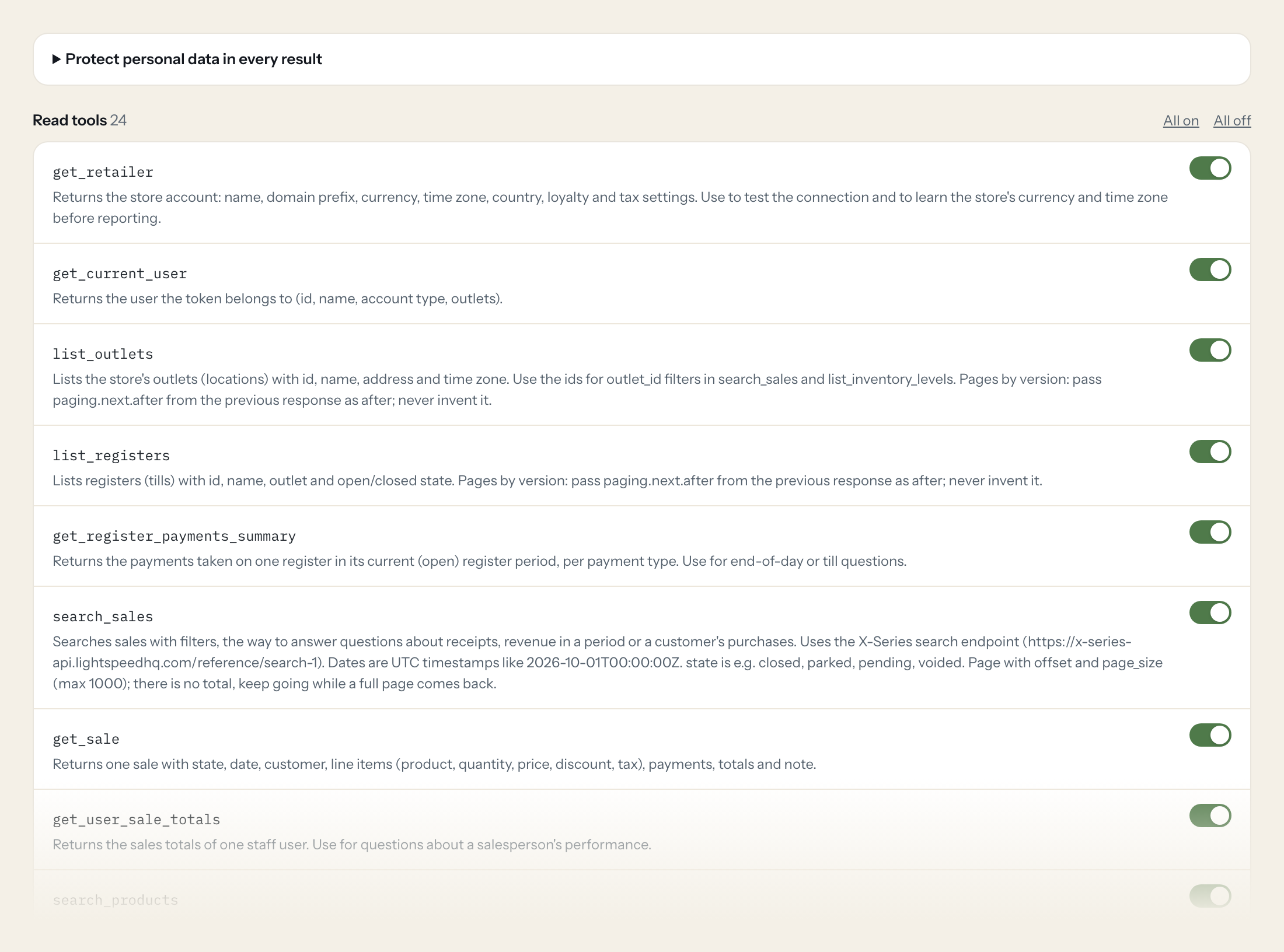
Twenty-four read tools cover the retailer and current user, outlets, registers and register payments, sales and sales totals per staff user, products, categories and inventory levels, consignments and their products, purchase orders and line items, suppliers, customers, staff users and payment types. The one write tool, creating a customer, stays off until you switch it on for a role.
- Store Manager
“Closed sales at the Hamburg outlet yesterday: number of receipts, total and the split by payment type.”
Answered by
search_sales - Purchasing
“Which products across all outlets need reordering right now, with the quantity to procure?”
Answered by
list_inventory_levels - Store Manager
“How much has been taken on register 2 in the current open period, per payment type?”
Answered by
get_register_payments_summary - Purchasing
“Which lines of purchase order PO-0231 from Meyer & Co are still not fully received?”
Answered by
list_purchase_order_line_items - Management
“Sales totals for staff user Tim Hofmann this month.”
Answered by
get_user_sale_totals - Store Manager
“Create a customer Clara Neumann, Neumann Interieur, Berlin, country DE.”
Answered by
create_customer
What the Lightspeed Retail (X-Series) connector can do.
| Tool | What it does | Access | Default |
|---|---|---|---|
| get_retailer | Returns the store account: name, domain prefix, currency, time zone, country, loyalty and tax settings. Use to test the connection and to learn the store's currency and time zon… | Read | On |
| get_current_user | Returns the user the token belongs to (id, name, account type, outlets). | Read | On |
| list_outlets | Lists the store's outlets (locations) with id, name, address and time zone. Use the ids for outlet_id filters in search_sales and list_inventory_levels. | Read | On |
| list_registers | Lists registers (tills) with id, name, outlet and open/closed state. Pages by version: pass paging.next.after from the previous response as after; never invent it. | Read | On |
| get_register_payments_summary | Returns the payments taken on one register in its current (open) register period, per payment type. Use for end-of-day or till questions. | Read | On |
| search_sales | Searches sales with filters, the way to answer questions about receipts, revenue in a period or a customer's purchases. Uses the X-Series search endpoint (https://x-series-api.l… | Read | On |
| get_sale | Returns one sale with state, date, customer, line items (product, quantity, price, discount, tax), payments, totals and note. | Read | On |
| get_user_sale_totals | Returns the sales totals of one staff user. Use for questions about a salesperson's performance. | Read | On |
| search_products | Searches products by SKU, supplier, brand, tag, product type or variant parent. Uses the X-Series search endpoint (https://x-series-api.lightspeedhq.com/reference/search-1). | Read | On |
| list_products | Lists all products (variants) with id, family_id, variant name, SKU, codes, prices and active flag; or loads one product by SKU. Pages by version: pass paging.next.after from th… | Read | On |
| get_product | Returns one product (variant) with SKU, codes, prices, supplier info, images, measurements and outlet taxes. Add includes to side-load the product family, brand, categories, sup… | Read | On |
| list_product_categories | Lists product categories sorted by category path. parent filters to the children of one category, or 'none' for root categories. | Read | On |
| list_inventory_levels | Returns current stock per product and outlet: available quantity, reorder point and amount, quantity to procure and cost totals. Filter by products, outlets or suppliers; to_be_… | Read | On |
| get_product_inventory | Returns the stock of one product at every outlet (available quantity, reorder settings). | Read | On |
| list_consignments | Lists consignments: supplier stock orders (SUPPLIER), transfers between outlets (OUTLET), inventory counts (STOCKTAKE) and supplier returns (RETURN), with status. Pages by versi… | Read | On |
| get_consignment | Returns one consignment (stock order, transfer, count or return) with type, status, outlets, supplier and dates. | Read | On |
| list_consignment_products | Lists the products of a consignment with ordered/received or counted quantities. Pages by version: pass paging.next.after from the previous response as after; never invent it. | Read | On |
| list_purchase_orders | Lists purchase orders with order number, supplier, delivery outlet, status, due date and quantity total. Pages by version: pass paging.next.after from the previous response as a… | Read | On |
| list_purchase_order_line_items | Lists the line items of one purchase order (product, quantities ordered and received). Cost fields only appear when the token may read costs. | Read | On |
| list_suppliers | Lists suppliers with id, name, description and contact. Pages by version: pass paging.next.after from the previous response as after; never invent it. | Read | On |
| search_customers | Searches customers by name, company, email, phone or customer code. Uses the X-Series search endpoint (https://x-series-api.lightspeedhq.com/reference/search-1). | Read | On |
| get_customer | Returns one customer with contact data, addresses, customer group, account balance, loyalty balance and year-to-date spend. | Read | On |
| create_customer | Creates a customer. Give at least a name or company; country codes are ISO 3166-1 alpha-2 (e.g. | Write | Off |
| list_users | Lists staff users with id, display name, account type and outlets. Use to resolve user_id on sales. | Read | On |
| list_payment_types | Lists the payment types (cash, card, gift card, ...) with id and name, for payment_type_id filters on search_sales. Pages by version: pass paging.next.after from the previous re… | Read | On |
Write tools are off for every role until you switch them on, one tool for one role. The names are what the model sees; it also gets the full parameter description of each tool.
Getting the Lightspeed Retail (X-Series) token.
Five minutes, once. Nobody on your team ever sees it.
- 1
Log in to Lightspeed Retail (X-Series) as an admin user. Personal tokens are only available on the Plus plan.
- 2
Open Setup > Personal tokens and add a new token; give it a name such as Loopthink and, if offered, an expiry date.
- 3
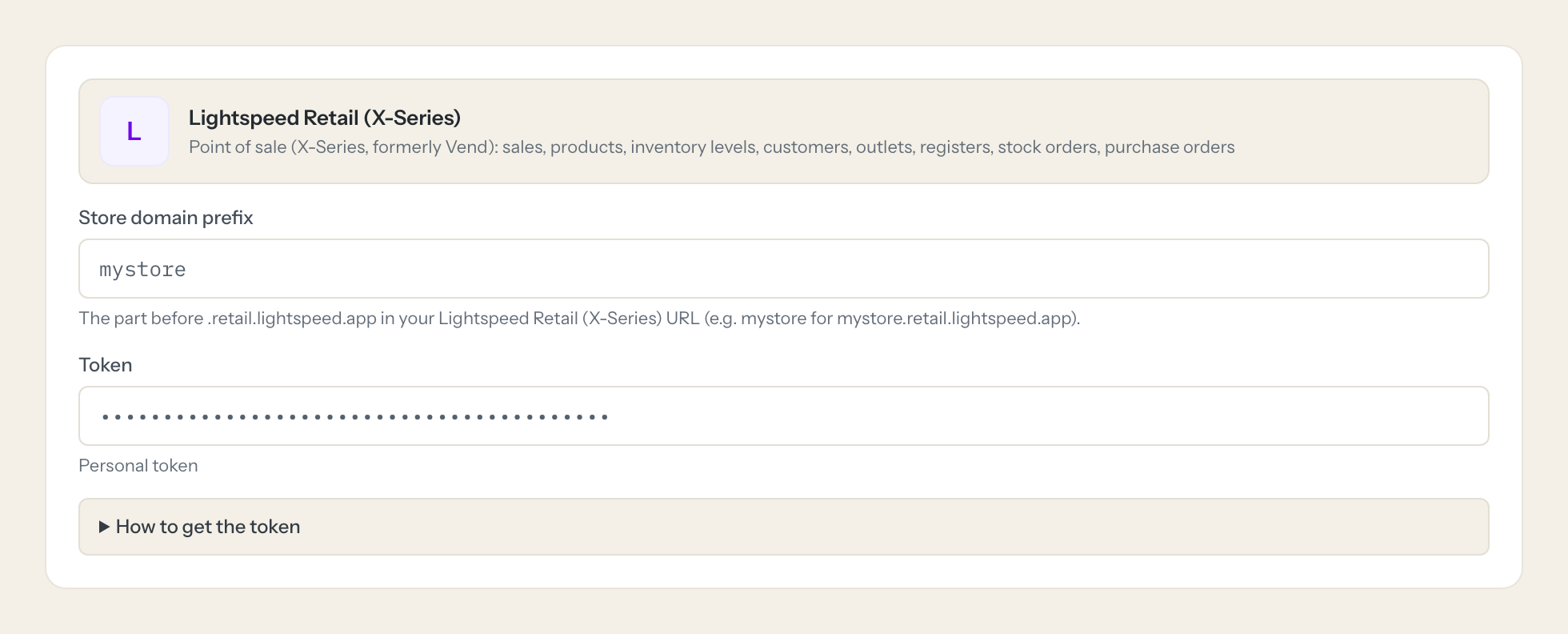
Copy the token and paste it into Loopthink. Enter the domain prefix of your store URL (<prefix>.retail.lightspeed.app).
- 4
In Loopthink, add Lightspeed Retail (X-Series) from the catalog and paste the token. It also asks for store domain prefix. Your team sees the tools a minute later.
Personal tokens have no scopes: a token acts as the admin who created it with full API access (reads and writes). It is not deleted when that user resets their password, so regenerate tokens if a password may be compromised. Use a dedicated admin user so the token can be revoked without affecting staff. Write tools ship disabled. Tools use the date-based API version 2026-10 (supported at least 12 months).
What we suggest masking in Lightspeed Retail (X-Series).
The customer records in Lightspeed carry names, company, email, phone and mobile, date of birth, gender, physical and postal address, tax id, social handles, notes and the customer code, and staff users have usernames. The suggested fields mask all of that, so a Management role can see that the Hamburg outlet took 4,820 euros yesterday on 63 receipts, or that 17 products are below their reorder point, without seeing which customer bought what. A Store Manager role can have the customer name visible for a receipt question while the address and date of birth stay hidden.
- first_name
- last_name
- name
- display_name
- company_name
- phone
- mobile
- fax
- date_of_birth
- gender
- physical_address_1
- physical_address_2
- physical_suburb
- physical_city
- physical_postcode
- physical_state
- postal_address_1
- postal_address_2
- postal_suburb
- postal_city
- postal_postcode
- postal_state
- tax_id
- website
- note
- customer_code
- username
Lightspeed Retail (X-Series) and Loopthink
- Personal tokens have no scopes. How do we limit what the token can do?
- The token acts as the admin who created it with full API access, reads and writes. Create a dedicated admin user for Loopthink so the token can be revoked without affecting staff, and give it an expiry date if the dialog offers one. The token is not deleted when that user resets their password, so regenerate it if a password may be compromised. In Loopthink only read tools are on by default and create_customer is off until you enable it for a role.
- Which plan do we need?
- Personal tokens are only available on the Plus plan of Lightspeed Retail (X-Series), the product formerly known as Vend. Without a Plus plan there is no token to paste, so check the plan before you start the setup.
- Why do sales dates look different from what the till shows?
- The search endpoint takes UTC timestamps such as 2026-10-01T00:00:00Z, so the model first reads the store's time zone from get_retailer and converts "yesterday" accordingly. Searches return no total; the tool keeps going while a full page comes back. The tools use the date-based API version 2026-10, which Lightspeed supports for at least 12 months.
- Does every team member need their own Lightspeed Retail (X-Series) account?
- No. Loopthink holds one key or token for Lightspeed Retail (X-Series). Your people sign in to Loopthink with their own identity, and every call to Lightspeed Retail (X-Series) is logged under their name. Seats in Lightspeed Retail (X-Series) stay where they are today.
- Where does the Lightspeed Retail (X-Series) key live?
- In Loopthink, encrypted, in the EU. It never reaches the AI client and never reaches the people using the connector. Rotate it in Lightspeed Retail (X-Series) whenever you like and paste the new one once.
- Can somebody write to Lightspeed Retail (X-Series) from the chat?
- Not unless you switch it on. Write actions are a separate row in the permission matrix and are off for every role by default. If a role needs one write tool, you grant that one tool to that one role.
- What does the model see?
- The result of the tool call, after masking. Fields you mark as personal, such as emails, names or card details, are masked before the answer travels to the AI client. The model gets the numbers, not the people.
- What does it cost?
- Free for one person and two connectors, no card. Pro is €19 a month for up to five people and every connector on the site, with roles, field masking and a 30-day audit. Team is €49 for ten people and adds your own REST APIs and SQL databases, your own domain and your own identity provider. No call needed.
Stuck, or a tool you need is missing? A person who knows this connector answers within one working day.


