ready2order in Claude, ChatGPT and any MCP client. For your whole team.
Products, stock, bills, customers, open orders and tables. One token in Loopthink, one login per person, roles per tool and an audit entry for every call.
Free for 2 connectors, no card · Pro €19 · EU-hosted · 20 read tools, 3 write tools off by default
“Total sales per day last week, split by cash and card.”
Sales per day for the last week, cash and card separated:
| Day | Cash | Card | Total |
|---|---|---|---|
| Thu 15 Oct 2026 | 612.40 € | 1,884.70 € | 2,497.10 € |
| Fri 16 Oct 2026 | 734.90 € | 2,310.25 € | 3,045.15 € |
| Sat 17 Oct 2026 | 1,021.30 € | 3,462.80 € | 4,484.10 € |
- read-only
- logged
One token in, the tools come out.
ready2order is the till: every bill with its line items and payment method, the products and their stock, the product groups on the menu, the customers, the open orders on tables and the daily report. The questions are simple, "what did we take yesterday, cash versus card", "how many bottles of the house red are left", but today they take the admin interface, the right date range and a CSV export.
With the ready2order connector, Owners, Shift Leads and Finance ask in Claude or ChatGPT and get the answer from the live account. Loopthink holds one ready2order Account Token, every person signs in with their own identity, and every call is logged under their name. The token never reaches the AI client.
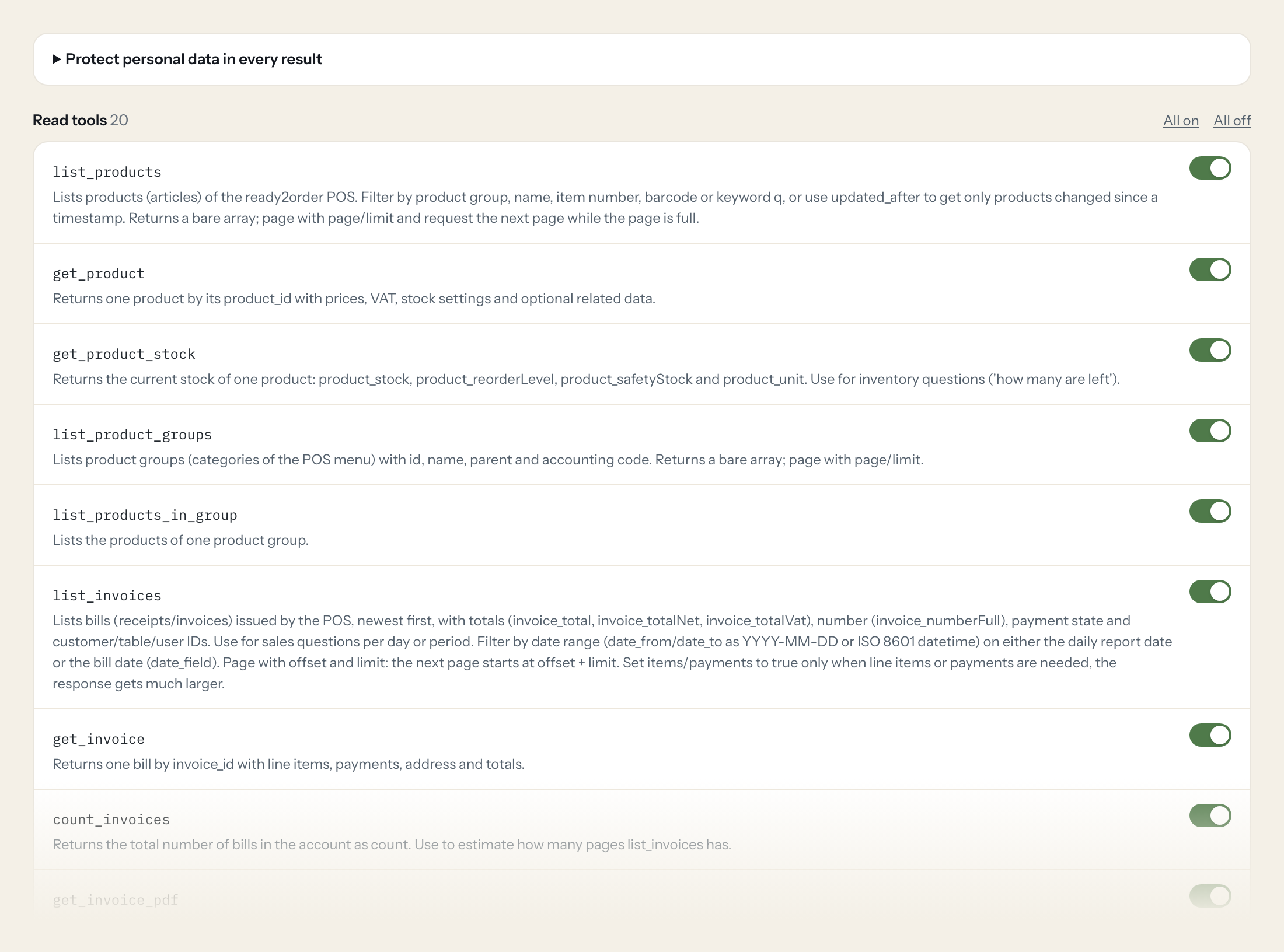
Twenty read tools cover bills and their PDFs, products, stock, product groups, customers and categories, open orders, tables and areas, payment methods, POS users, VAT rates and the daily report status. The three write tools, creating a customer, updating a customer and changing a product's stock, stay off until you switch them on for a role.
- Owner
“Total sales per day last week, split by cash and card.”
Answered by
list_invoices - Shift Lead
“How many bottles of Grüner Veltliner 2024 are left, and are we below the reorder level?”
Answered by
get_product_stock - Shift Lead
“Which tables are occupied right now, and which ones have been idle for a while?”
Answered by
get_table_availability - Finance
“Show me bill R-2026-01877 with its line items and how it was paid.”
Answered by
get_invoice - Owner
“What is currently ordered on table 12 but not yet billed?”
Answered by
list_orders - Shift Lead
“We received 24 bottles of Grüner Veltliner 2024, add them to the stock.”
Answered by
update_product_stock
What the ready2order connector can do.
| Tool | What it does | Access | Default |
|---|---|---|---|
| list_products | Lists products (articles) of the ready2order POS. Filter by product group, name, item number, barcode or keyword q, or use updated_after to get only products changed since a tim… | Read | On |
| get_product | Returns one product by its product_id with prices, VAT, stock settings and optional related data. | Read | On |
| get_product_stock | Returns the current stock of one product: product_stock, product_reorderLevel, product_safetyStock and product_unit. Use for inventory questions ('how many are left'). | Read | On |
| list_product_groups | Lists product groups (categories of the POS menu) with id, name, parent and accounting code. Returns a bare array; page with page/limit. | Read | On |
| list_products_in_group | Lists the products of one product group. | Read | On |
| list_invoices | Lists bills (receipts/invoices) issued by the POS, newest first, with totals (invoice_total, invoice_totalNet, invoice_totalVat), number (invoice_numberFull), payment state and… | Read | On |
| get_invoice | Returns one bill by invoice_id with line items, payments, address and totals. | Read | On |
| count_invoices | Returns the total number of bills in the account as count. Use to estimate how many pages list_invoices has. | Read | On |
| get_invoice_pdf | Returns a download link (uri) to the PDF of one bill. The link is generated by ready2order; format A4 (default), 80mm or 58mm (receipt printer widths). | Read | On |
| list_customers | Lists customers (customer_id, customer_number, name, company, VAT ID, category, notes, birthday, address). Returns a bare array without filters; page with page/limit and request… | Read | On |
| get_customer | Returns one customer by customer_id with addresses and notes. | Read | On |
| list_customer_categories | Lists customer categories (customerCategory_id, name, description). A category ID is required to create a customer. | Read | On |
| list_orders | Lists open orders: items booked on tables that have not been billed yet. Use for 'what is currently open on table X' or which products are ordered but unpaid. | Read | On |
| list_tables | Lists tables (table_id, name, description, table area). Returns a bare array; page with page/limit. | Read | On |
| get_table_availability | Returns every table with its status: free (no unbilled orders), occupied (unbilled orders) or idle (last order older than the idle time). Use for a live overview of the venue. | Read | On |
| list_table_areas | Lists table areas (rooms, terrace, bar) used to group tables. Returns a bare array; page with page/limit. | Read | On |
| list_payment_methods | Lists the payment methods configured in the POS (cash, card, voucher ...) with their IDs, to interpret paymentMethod_id on bills. | Read | On |
| list_users | Lists POS users (cashiers/waiters) with user_id, name, username and last login. Use to resolve user_id on bills and orders. | Read | On |
| list_vat_rates | Lists the VAT rates available in the account. | Read | On |
| get_daily_report_status | Returns whether the current daily report (Tagesabschluss) is open or closed (status). | Read | On |
| create_customer | Creates a customer. customer_category_id is required (from list_customer_categories). | Write | Off |
| update_customer | Updates a customer. Send only the fields to change as a JSON object with the API's field names: customerCategory_id, company, firstName, lastName, email, phone, mobilePhone, str… | Write | Off |
| update_product_stock | Changes the stock of one product. Pass product_stock_delta to add (positive) or subtract (negative) from the current stock, or product_stock to set an absolute value. | Write | Off |
Write tools are off for every role until you switch them on, one tool for one role. The names are what the model sees; it also gets the full parameter description of each tool.
Getting the ready2order token.
Five minutes, once. Nobody on your team ever sees it.
- 1
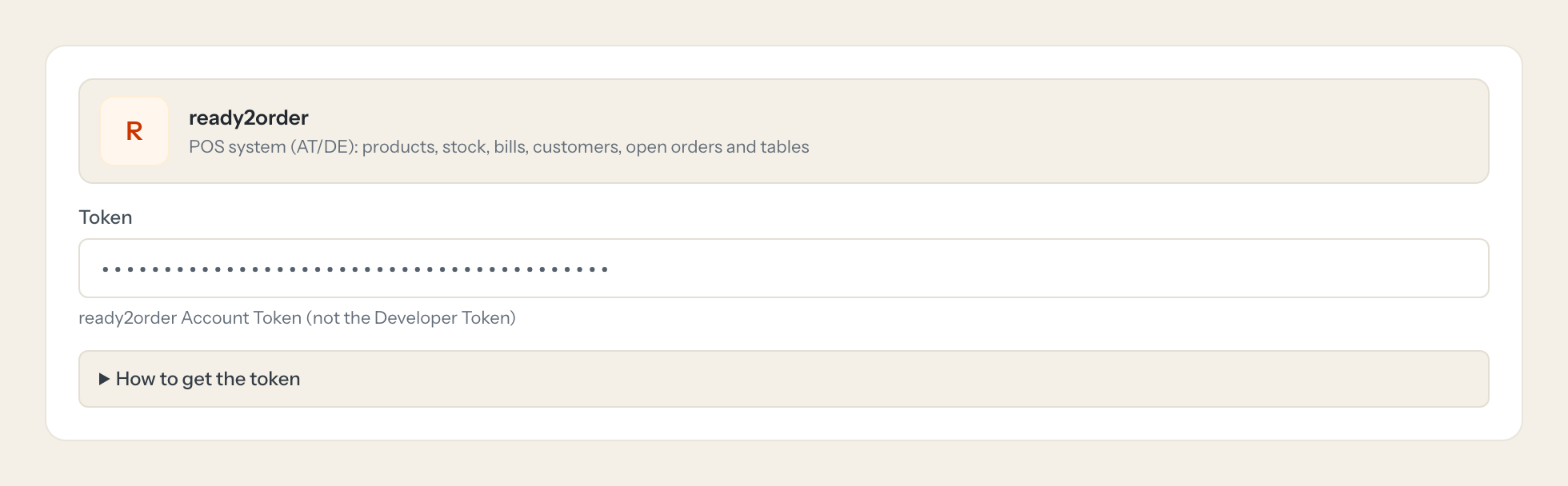
ready2order has no token button in the admin interface. An Account Token comes from a one-time approval flow that starts with a Developer Token.
- 2
Request a Developer Token with the API access form linked under Resources > API at the bottom of ready2order.com (or api.ready2order.com). It requires an existing ready2order account and arrives by email.
- 3
Follow the link in that email (or call POST https://api.ready2order.com/v1/developerToken/grantAccessToken with 'Authorization: Bearer <Developer Token>' and open the returned grantAccessUri). Log in as the account owner and click Approve within 10 minutes.
- 4
Copy the resulting Account Token (shown after approval, or returned by GET /v1/developerToken/grantAccessToken/{grantAccessToken} with the Developer Token) and paste it into Loopthink. Do not paste the Developer Token, it is rejected with 403.
- 5
The approval then appears in the ready2order admin interface under Settings > API access, where it can be revoked.
- 6
In Loopthink, add ready2order from the catalog and paste the token. Your team sees the tools a minute later.
The Account Token is valid until revoked and has no scopes: it can read and change everything in the account the API offers, including bills. It is bound to the account, not to a POS user, so a technical user does not limit it. Keep write tools off unless needed. Rate limit: 60 requests per minute per Account Token.
What we suggest masking in ready2order.
Bills and customers carry personal data: the customer's name, company, birthday, notes, VAT id, the full invoice address with email and phone, and the first and last name of the cashier on every bill. The suggested fields mask all of these and keep totals, VAT, dates, bill numbers, payment method, product and table, so a Finance role can see that Tuesday took 2,340 euros across 118 bills without a list of who ate and who served.
- customer_name
- customer_company
- customer_notes
- customer_birthday
- birthday
- firstName
- lastName
- phone
- mobilePhone
- street
- zip
- city
- vatId
- uid
- notes
- salutation
- title
- invoice_address_company
- invoice_address_vatId
- invoice_address_firstName
- invoice_address_lastName
- invoice_address_street
- invoice_address_city
- invoice_address_zip
- invoice_address_email
- invoice_address_phone
- user_firstName
- user_lastName
- user_username
ready2order and Loopthink
- Where do I get the Account Token? There is no button in the admin interface.
- The Account Token comes from a one-time approval flow. You request a Developer Token with the API access form on ready2order.com, follow the link in the email, log in as the account owner and approve within 10 minutes. The Account Token shown after approval is the one to paste into Loopthink; the Developer Token itself is rejected with a 403. The approval appears under Settings > API access, where you can revoke it.
- The token has no scopes. Can a technical user limit it?
- No. The Account Token is bound to the account, not to a POS user, and it can read and change everything the API offers, including bills. The limit sits in Loopthink: only read tools by default, tools per role, masking of customer and cashier fields, and the three write tools off until you enable them for a role.
- Is there a rate limit?
- ready2order allows 60 requests per minute per Account Token. Bills are paged, so a question across a long period takes several calls; the model pages through them and adds the numbers up. count_invoices tells it how many pages to expect.
- Does every team member need their own ready2order account?
- No. Loopthink holds one key or token for ready2order. Your people sign in to Loopthink with their own identity, and every call to ready2order is logged under their name. Seats in ready2order stay where they are today.
- Where does the ready2order key live?
- In Loopthink, encrypted, in the EU. It never reaches the AI client and never reaches the people using the connector. Rotate it in ready2order whenever you like and paste the new one once.
- Can somebody write to ready2order from the chat?
- Not unless you switch it on. Write actions are a separate row in the permission matrix and are off for every role by default. If a role needs one write tool, you grant that one tool to that one role.
- What does the model see?
- The result of the tool call, after masking. Fields you mark as personal, such as emails, names or card details, are masked before the answer travels to the AI client. The model gets the numbers, not the people.
- What does it cost?
- Free for one person and two connectors, no card. Pro is €19 a month for up to five people and every connector on the site, with roles, field masking and a 30-day audit. Team is €49 for ten people and adds your own REST APIs and SQL databases, your own domain and your own identity provider. No call needed.
Stuck, or a tool you need is missing? A person who knows this connector answers within one working day.


