 Whiteboard connector
Miro in Claude, ChatGPT and any MCP client. For your whole team.
Boards, sticky notes, cards, frames, tags, board members. One token in Loopthink, one login per person, roles per tool and an audit entry for every call.
Free for 2 connectors, no card · Pro €19 · EU-hosted · 14 read tools, 3 write tools off by default
“Summarise the sticky notes in the 'Risks' frame of the Q4 planning board.”
14 sticky notes in 'Risks', grouped by theme:
| Theme | Notes | Example |
|---|---|---|
| Hiring and capacity | 6 | Two backend roles still open |
| Vendor dependency | 5 | Payment provider migration slips |
| Regulatory | 3 | NIS2 audit evidence not collected |
- read-only
- logged
One token in, the tools come out.
Miro boards are where workshops end up: sticky notes in frames, cards with owners, docs, tags and the arrows between them. The thinking is on the board; getting it out of the board into a summary or a task list is an afternoon of copy and paste.
With the Miro connector, Facilitators, Product and Management ask in Claude or ChatGPT and get the answer from the live boards. Loopthink holds one app token bound to a team, every person signs in with their own identity, and every call is logged under their name.
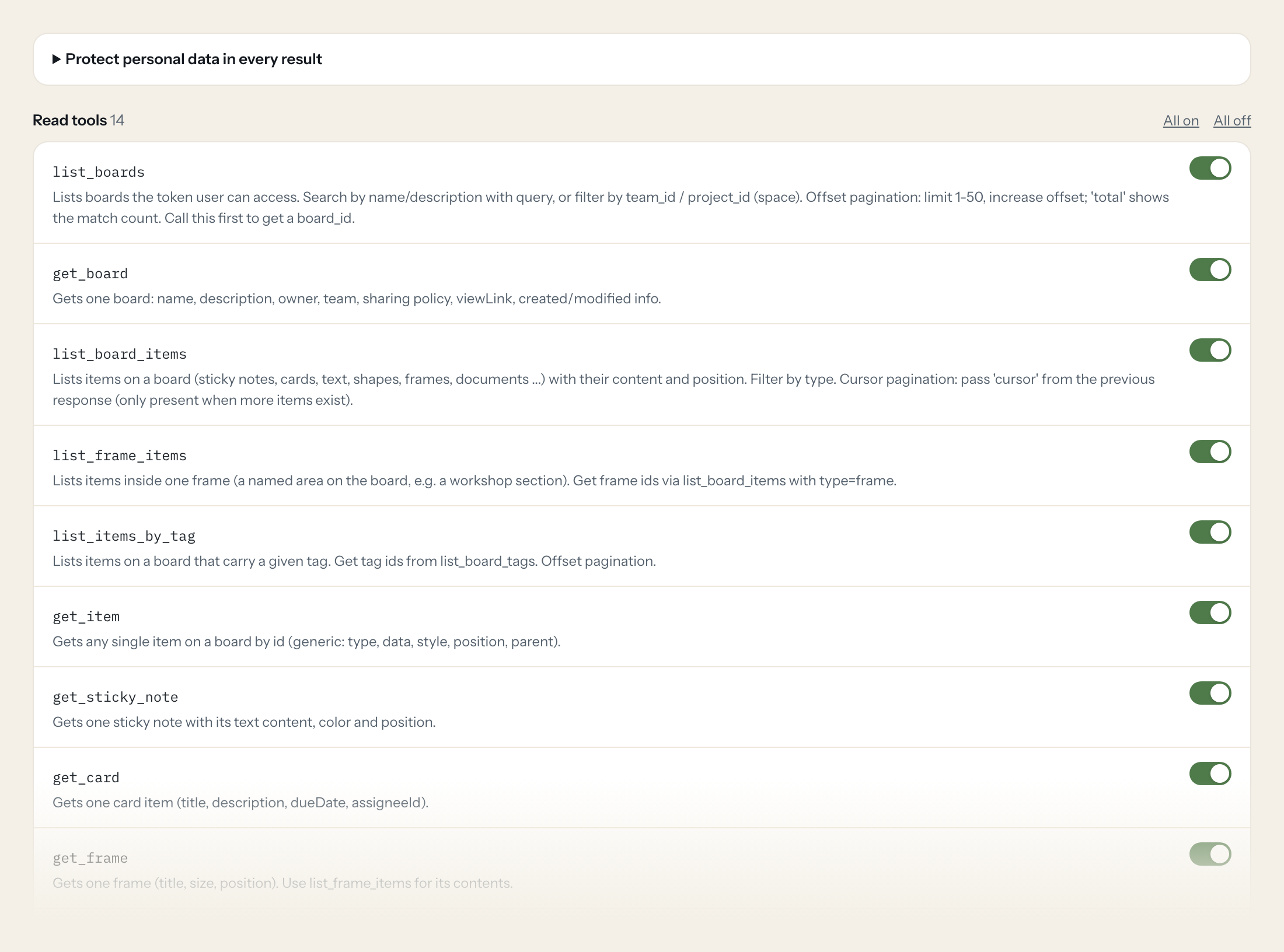
Fourteen read tools cover boards, items on a board or in a frame, items by tag, sticky notes, cards, frames, docs, members, tags and connectors. The three write tools, adding a sticky note, a card or a text item, stay off until you switch them on for a role.
- Facilitator
“Summarise the sticky notes in the 'Risks' frame of the Q4 planning board.”
Answered by
list_frame_items - Product
“All cards on the roadmap board with a due date this month and their assignees.”
Answered by
list_board_items - Facilitator
“Which items on the retro board are tagged 'action item'?”
Answered by
list_items_by_tag - Management
“Which boards were changed in the last week, and by whom?”
Answered by
list_boards - Product
“Read me the doc 'Decision log' on the architecture board.”
Answered by
get_doc - Facilitator
“Add a sticky note 'Follow up with legal' to the 'Open' frame.”
Answered by
create_sticky_note
What the Miro connector can do.
| Tool | What it does | Access | Default |
|---|---|---|---|
| list_boards | Lists boards the token user can access. Search by name/description with query, or filter by team_id / project_id (space). | Read | On |
| get_board | Gets one board: name, description, owner, team, sharing policy, viewLink, created/modified info. | Read | On |
| list_board_items | Lists items on a board (sticky notes, cards, text, shapes, frames, documents ...) with their content and position. Filter by type. | Read | On |
| list_frame_items | Lists items inside one frame (a named area on the board, e.g. a workshop section). | Read | On |
| list_items_by_tag | Lists items on a board that carry a given tag. Get tag ids from list_board_tags. | Read | On |
| get_item | Gets any single item on a board by id (generic: type, data, style, position, parent). | Read | On |
| get_sticky_note | Gets one sticky note with its text content, color and position. | Read | On |
| get_card | Gets one card item (title, description, dueDate, assigneeId). | Read | On |
| get_frame | Gets one frame (title, size, position). Use list_frame_items for its contents. | Read | On |
| get_doc | Gets a doc-format item (Miro Doc on a board) with its text content as markdown. | Read | On |
| list_board_members | Lists members of a board with role (viewer, commenter, editor, coowner, owner). Offset pagination. | Read | On |
| list_board_tags | Lists all tags defined on a board (id, title, fillColor). | Read | On |
| list_item_tags | Lists the tags attached to one item. | Read | On |
| list_connectors | Lists connectors (arrows/lines between items) on a board, with startItem and endItem ids. Use to understand flows or dependencies drawn on the board. | Read | On |
| create_sticky_note | WRITE: Adds a sticky note to a board. data is required, e.g. | Write | Off |
| create_card | WRITE: Adds a card (task-like item) to a board. data e.g. | Write | Off |
| create_text | WRITE: Adds a free text item to a board. data e.g. | Write | Off |
Write tools are off for every role until you switch them on, one tool for one role. The names are what the model sees; it also gets the full parameter description of each tool.
Getting the Miro token.
Five minutes, once. Nobody on your team ever sees it.
- 1
In Miro click your avatar > Settings > 'Your apps' and click '+ Create new app' (needs a Developer team or app creation rights in your team). Leave 'Expire user authorization token' unchecked.
- 2
In the app settings set the permissions (scopes) listed below.
- 3
At the bottom click 'Install app and get OAuth token', pick the team whose boards Loopthink should read, click 'Install & authorize'.
- 4
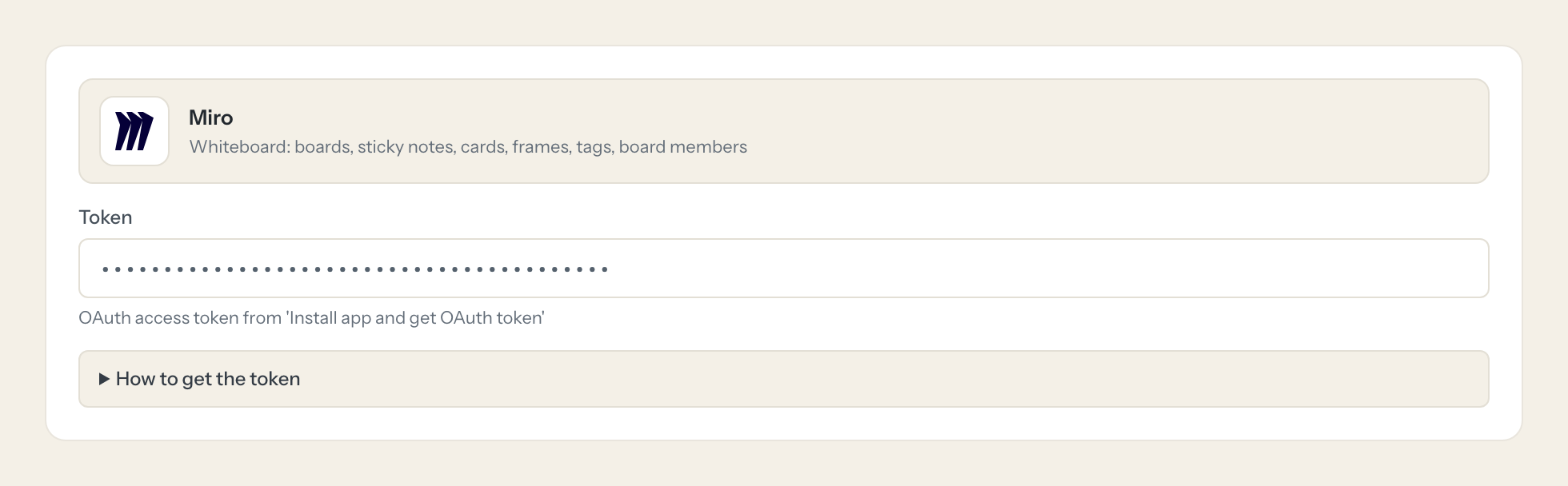
Copy the access token shown and paste it into Loopthink.
- 5
In Loopthink, add Miro from the catalog and paste the token. Your team sees the tools a minute later.
The token is bound to the user who installed the app and to the selected team. It sees only boards that user can access. Tokens are non-expiring only if expiry was not enabled when creating the app; this cannot be changed later.
What we suggest masking in Miro.
Boards name the people who made them: owner, creator, last editor, the current member, assignees on cards, and the content of notes itself. The suggested fields mask the names and, for roles that only need structure and counts, the content; a Facilitator gets a role that reads the notes.
- name
- owner.name
- createdBy.name
- modifiedBy.name
- lastOpenedBy.name
- currentUserMembership.name
- data.content
- data.description
- assigneeId
What Miro's own MCP server does not give you.
- One login per person in any MCP client, with the audit under that person's name.
- Tools per role: Management lists boards, only Facilitators add items.
- Masking of names and note content before the answer leaves the EU.
- Write tools off by default, switchable per tool and role.
- The same server in Claude, ChatGPT and Langdock, governed once.
Miro and Loopthink
- Which boards does the connector see?
- The boards the installing user can access in the team the app was installed to. Install the app as a technical user that is a member of the right boards, or share the boards with that user.
- Does the token expire?
- Only if expiry was enabled when the app was created, and that cannot be changed afterwards. For a connector, create the app without expiry and rotate the token by hand when needed.
- Can the AI move or delete items?
- No. The write tools add a sticky note, a card or a text item. Nothing on the board is moved, changed or removed.
- Does every team member need their own Miro account?
- No. Loopthink holds one key or token for Miro. Your people sign in to Loopthink with their own identity, and every call to Miro is logged under their name. Seats in Miro stay where they are today.
- Where does the Miro key live?
- In Loopthink, encrypted, in the EU. It never reaches the AI client and never reaches the people using the connector. Rotate it in Miro whenever you like and paste the new one once.
- Can somebody write to Miro from the chat?
- Not unless you switch it on. Write actions are a separate row in the permission matrix and are off for every role by default. If a role needs one write tool, you grant that one tool to that one role.
- What does the model see?
- The result of the tool call, after masking. Fields you mark as personal, such as emails, names or card details, are masked before the answer travels to the AI client. The model gets the numbers, not the people.
- What does it cost?
- Free for one person and two connectors, no card. Pro is €19 a month for up to five people and every connector on the site, with roles, field masking and a 30-day audit. Team is €49 for ten people and adds your own REST APIs and SQL databases, your own domain and your own identity provider. No call needed.
Stuck, or a tool you need is missing? A person who knows this connector answers within one working day.


