Nextcloud in Claude, ChatGPT and any MCP client. For your whole team.
Files, shares and users of your Nextcloud: search, browse folders, read documents and PDFs. One technical login in Loopthink, one login per person, roles per tool and an audit entry for every call.
Free for 2 connectors, no card · Pro €19 · EU-hosted · 8 read tools
“What is in the Nordwind project folder, newest first?”
The folder Projects/Nordwind holds four files:
| File | Type | Size | Modified |
|---|---|---|---|
| Offer-v3.pdf | 412 KB | 24 Oct 2026 | |
| Kickoff-notes.md | Text | 6 KB | 22 Oct 2026 |
| Schedule.xlsx | Excel | 38 KB | 21 Oct 2026 |
| Framework-agreement.pdf | 1.2 MB | 2 Sep 2026 |
- read-only
- masked
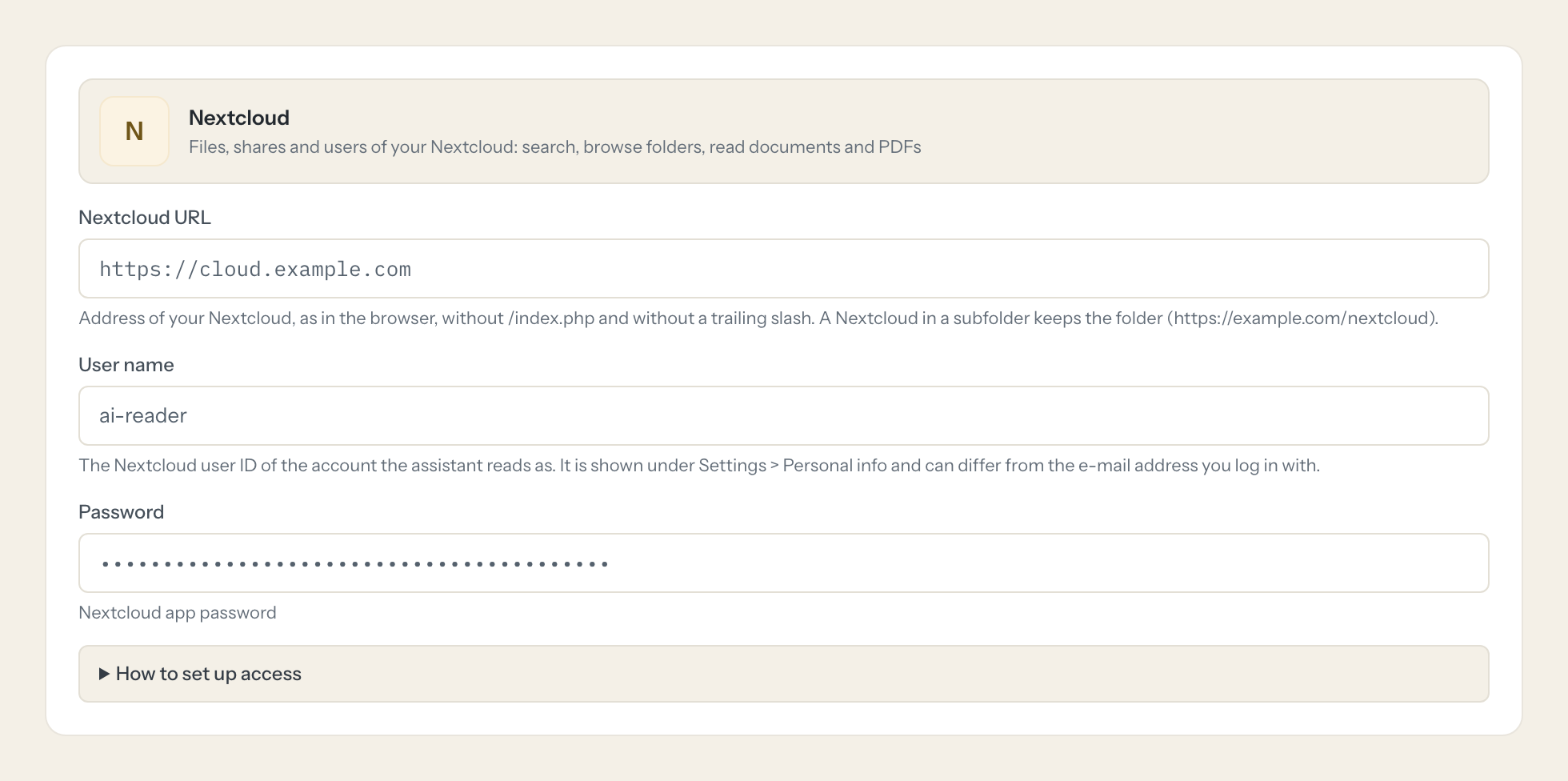
Credentials in once, the tools come out.
Nextcloud is where many companies in the DACH region keep their files on their own server: contracts, offers, project folders, scanned letters, shared with colleagues and customers. Finding the right version of a document is a search, a click through folders and a download; asking a question about it is a second job.
With the Nextcloud connector, Sales, Project management and the back office ask in Claude or ChatGPT and get the answer from the live instance. Loopthink holds one app password of a technical Nextcloud user, every person signs in with their own identity, and every call is logged under their name.
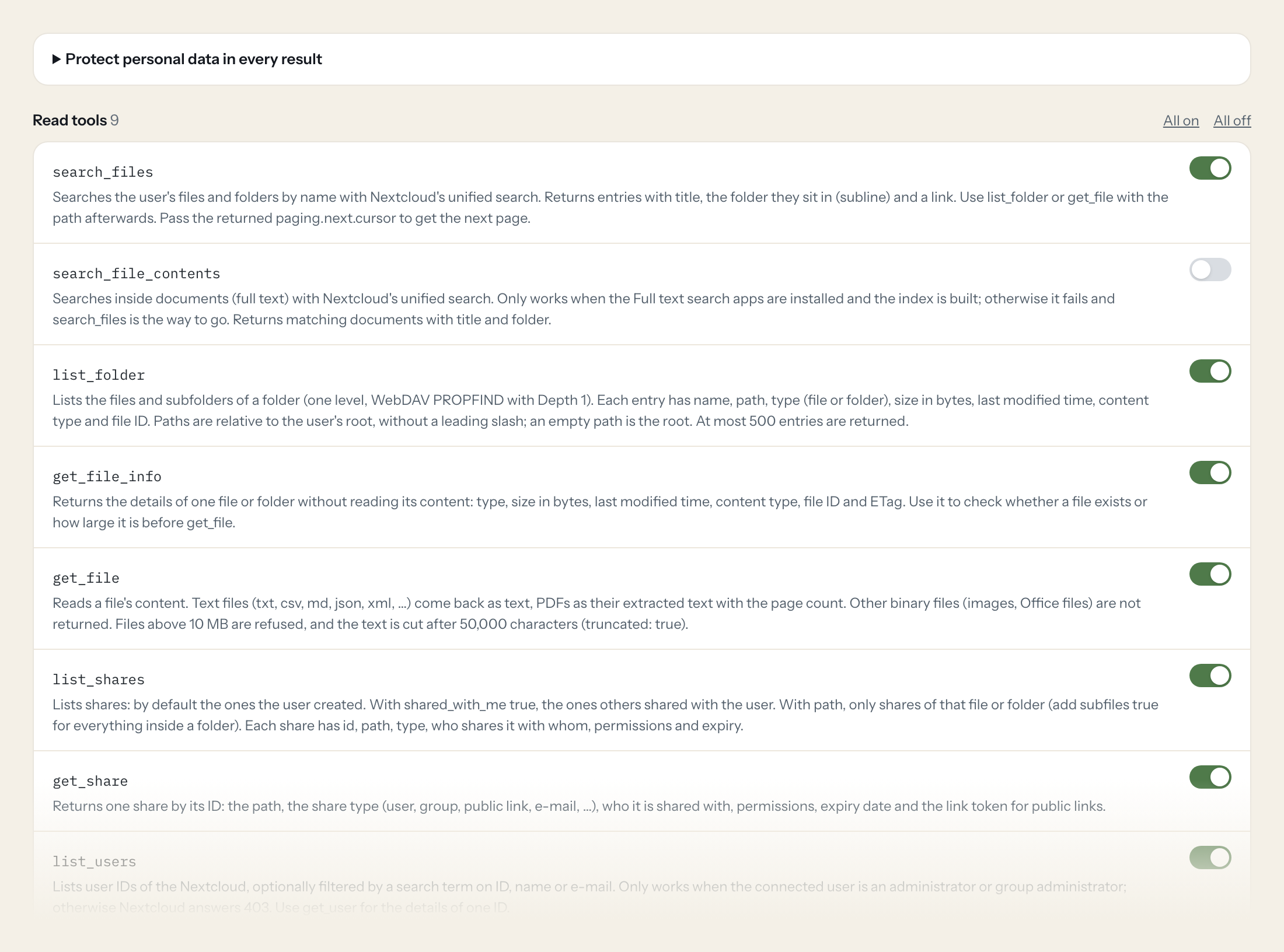
Nine read tools cover name search, full-text search where the apps for it are installed, folders, file details, reading text files and PDFs, shares and users. Nothing writes: the connector reads what the technical user may see, and nothing more.
- Sales
“Find the framework agreement with Acme and tell me the notice period.”
Answered by
get_file - Project management
“What changed in the Nordwind project folder this week?”
Answered by
list_folder - Back office
“Which documents in Contracts/2026 are PDFs larger than 5 MB?”
Answered by
list_folder - Sales
“Search for the offer we sent to Kraus & Partner in September.”
Answered by
search_files - IT
“Which folders are shared with a public link, and do the links expire?”
Answered by
list_shares - IT
“Which users have not logged in for three months?”
Answered by
get_user
What the Nextcloud connector can do.
| Tool | What it does | Access | Default |
|---|---|---|---|
| search_files | Searches the user's files and folders by name with Nextcloud's unified search. Returns entries with title, the folder they sit in (subline) and a link. | Read | On |
| search_file_contents | Searches inside documents (full text) with Nextcloud's unified search. Only works when the Full text search apps are installed and the index is built; otherwise it fails and sea… | Read | Off |
| list_folder | Lists the files and subfolders of a folder (one level, WebDAV PROPFIND with Depth 1). Each entry has name, path, type (file or folder), size in bytes, last modified time, conten… | Read | On |
| get_file_info | Returns the details of one file or folder without reading its content: type, size in bytes, last modified time, content type, file ID and ETag. Use it to check whether a file ex… | Read | On |
| get_file | Reads a file's content. Text files (txt, csv, md, json, xml, …) come back as text, PDFs as their extracted text with the page count. | Read | On |
| list_shares | Lists shares: by default the ones the user created. With shared_with_me true, the ones others shared with the user. | Read | On |
| get_share | Returns one share by its ID: the path, the share type (user, group, public link, e-mail, …), who it is shared with, permissions, expiry date and the link token for public links. | Read | On |
| list_users | Lists user IDs of the Nextcloud, optionally filtered by a search term on ID, name or e-mail. Only works when the connected user is an administrator or group administrator; other… | Read | On |
| get_user | Returns the details of one user: display name, e-mail, groups, quota and usage, language, last login and whether the account is enabled. Needs an administrator or group administ… | Read | On |
Write tools are off for every role until you switch them on, one tool for one role. The names are what the model sees; it also gets the full parameter description of each tool.
Setting up access to Nextcloud.
Five minutes, once. Nobody on your team ever sees the credentials.
- 1
Log in to Nextcloud as the user the assistant should read as. A dedicated technical user that only sees the shared folders it needs is the safest choice.
- 2
Open Settings > Security (personal settings, not administration).
- 3
Under 'Devices & sessions', enter an app name such as 'Loopthink' and click 'Create new app password'.
- 4
Copy the generated password and paste it here. Nextcloud shows it only once.
- 5
In Loopthink, add Nextcloud from the catalog and enter the password. It also asks for nextcloud url and user name. Your team sees the tools a minute later.
list_users and get_user only work when the user is an administrator or a group administrator. File content search needs the Nextcloud Full text search apps; name search works without them.
What we suggest masking in Nextcloud.
File contents are the sensitive part: a contract names people, a CV is personal from top to bottom. Owner names and the people a folder is shared with are personal too. The suggested fields mask display names, e-mail addresses and share recipients for roles that only need to find documents; for content, give those roles a technical user that does not see the HR folders at all.
- displayname
- phone
- address
- uid_owner
- displayname_owner
- share_with
- share_with_displayname
- owner
- ownerDisplayName
- content
- subline
Nextcloud and Loopthink
- Which Nextcloud user should the connector use?
- A dedicated technical user with an app password. Share exactly the folders the assistant may read with that user, and nothing else. The connector sees what that user sees: no admin rights are needed, except for list_users and get_user.
- Can the assistant change or delete files?
- No. All nine tools read. Writing files and creating shares are planned as separate tools that stay off until you switch them on.
- Does it read Word and Excel files?
- Text files (TXT, CSV, Markdown, JSON, XML) and PDFs, as text. Word, Excel and images are listed and described, but their content is not returned yet.
- We host Nextcloud ourselves. Does the connector reach it?
- If the instance is reachable from the internet over HTTPS, yes, directly. If it is only reachable in your network, tell us and we look at it with you.
- Does every team member need their own Nextcloud account?
- No. Loopthink holds one key or token for Nextcloud. Your people sign in to Loopthink with their own identity, and every call to Nextcloud is logged under their name. Seats in Nextcloud stay where they are today.
- Where does the Nextcloud key live?
- In Loopthink, encrypted, in the EU. It never reaches the AI client and never reaches the people using the connector. Rotate it in Nextcloud whenever you like and paste the new one once.
- Can somebody write to Nextcloud from the chat?
- Not unless you switch it on. Write actions are a separate row in the permission matrix and are off for every role by default. If a role needs one write tool, you grant that one tool to that one role.
- What does the model see?
- The result of the tool call, after masking. Fields you mark as personal, such as emails, names or card details, are masked before the answer travels to the AI client. The model gets the numbers, not the people.
- What does it cost?
- Free for one person and two connectors, no card. Pro is €19 a month for up to five people and every connector on the site, with roles, field masking and a 30-day audit. Team is €49 for ten people and adds your own REST APIs and SQL databases, your own domain and your own identity provider. No call needed.
Stuck, or a tool you need is missing? A person who knows this connector answers within one working day.


