Odoo in Claude, ChatGPT and any MCP client. For your whole team.
Contacts, sales, invoices, products, stock, CRM, projects and other models, per model (Odoo 19+). One token in Loopthink, one login per person, roles per tool and an audit entry for every call.
Free for 2 connectors, no card · Pro €19 · EU-hosted · 4 read tools, 2 write tools off by default
“Which customer invoices are overdue?”
Three customer invoices are overdue, EUR 18,420.00 in total:
| Invoice | Customer | Open | Due since |
|---|---|---|---|
| INV/2026/00812 | Nordwind Handel | EUR 9,860.00 | 2 Oct 2026 |
| INV/2026/00837 | Kraus & Partner | EUR 4,250.00 | 9 Oct 2026 |
| INV/2026/00851 | Acme GmbH | EUR 4,310.00 | 14 Oct 2026 |
- read-only
- masked
One token in, the tools come out.
Odoo is the ERP of many growing companies in the DACH region: contacts, CRM, quotations and sales orders, invoices and journal items, products and stock, purchasing, projects, timesheets and employees, all in one database. Each app has its own views and filters; a question that spans two of them ends in an export.
AI connectors for Odoo exist mostly as community containers you run yourself or for Odoo.sh. With the Odoo connector, Sales, Finance, Purchasing, Warehouse and Management ask in Claude or ChatGPT and get the answer from the live database, hosted or on Odoo Online. Loopthink holds one API key of an Odoo user, every person signs in with their own identity, and every call is logged under their name.
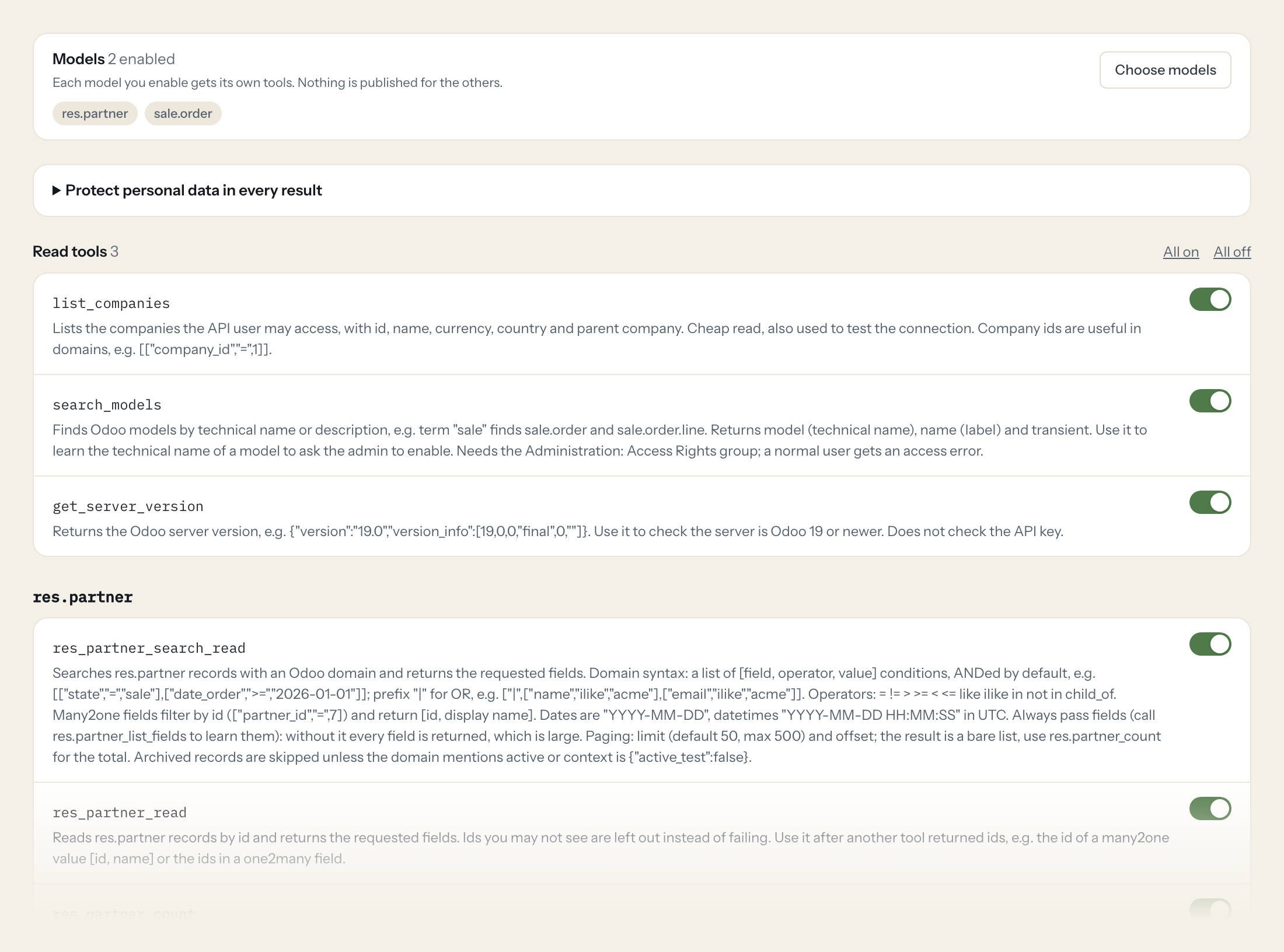
The tools follow the models you enable: fifteen common ones such as res.partner, sale.order, account.move, stock.quant and crm.lead are offered for one click, any other model by its technical name. Each model gets four read tools (search, read, count, list fields) and two write tools (create, update) that stay off until you switch them on for a role. Three more tools list companies, find models and show the server version.
- Finance
“Which customer invoices are overdue by more than 30 days, and for how much?”
Answered by
account_move_search_read - Sales
“All quotations for Nordwind Handel that are not confirmed yet.”
Answered by
sale_order_search_read - Warehouse
“How many units of the Comfort office chair are on hand per location?”
Answered by
stock_quant_search_read - Management
“How many new leads came in this month, and from which source?”
Answered by
crm_lead_count - Purchasing
“Which purchase orders from Kraus & Partner are confirmed but not yet received?”
Answered by
purchase_order_search_read - Sales
“Update the phone number of Acme GmbH to +49 89 4521 300.”
Answered by
res_partner_write
What the Odoo connector can do.
Odoo is organised by model. You enable the models the server exposes (res.partner, sale.order, sale.order.line, purchase.order, account.move and 10 more, plus your own), and each one gets the tools below, named after it. Shown here for res.partner.
| Tool | What it does | Access | Default |
|---|---|---|---|
| listEntities | Lists the Odoo models enabled on this server (technical names such as res.partner or sale.order), with what each contains. Call this first, then use the tools named after a mode… | Read | On |
| res.partner_search_read | Searches res.partner records with an Odoo domain and returns the requested fields. Domain syntax: a list of [field, operator, value] conditions, ANDed by default, e.g. | Read | On |
| res.partner_read | Reads res.partner records by id and returns the requested fields. Ids you may not see are left out instead of failing. | Read | On |
| res.partner_count | Counts res.partner records matching a domain (same syntax as res.partner_search_read). Use it for totals and before paging through large result sets. | Read | On |
| res.partner_list_fields | Lists the fields of res.partner: technical name, label (string), type (char, integer, float, monetary, date, datetime, boolean, selection, many2one, one2many, many2many, ...), r… | Read | On |
| res.partner_create | Creates one res.partner record and returns its id in a list, e.g. [42]. | Write | Off |
| res.partner_write | Updates res.partner records: sets the same values on every id given. Returns true. | Write | Off |
Write tools are off for every role until you switch them on, one tool for one role. The names are what the model sees; it also gets the full parameter description of each tool.
Getting the Odoo token.
Five minutes, once. Nobody on your team ever sees it.
- 1
Recommended: create a dedicated internal user for Loopthink (Settings > Users & Companies > Users > New) and give it only the app access rights it needs, e.g. Sales: User: Own Documents Only, Invoicing: Billing, Inventory: User. Leave its password empty so it cannot log in interactively.
- 2
Log in as that user (or impersonate it as admin), open the user menu (top right) > My Preferences (Preferences) > Account Security and click 'New API Key'.
- 3
Enter a description (e.g. 'Loopthink') and choose a duration. Odoo does not allow keys longer than three months, so plan to rotate the key.
- 4
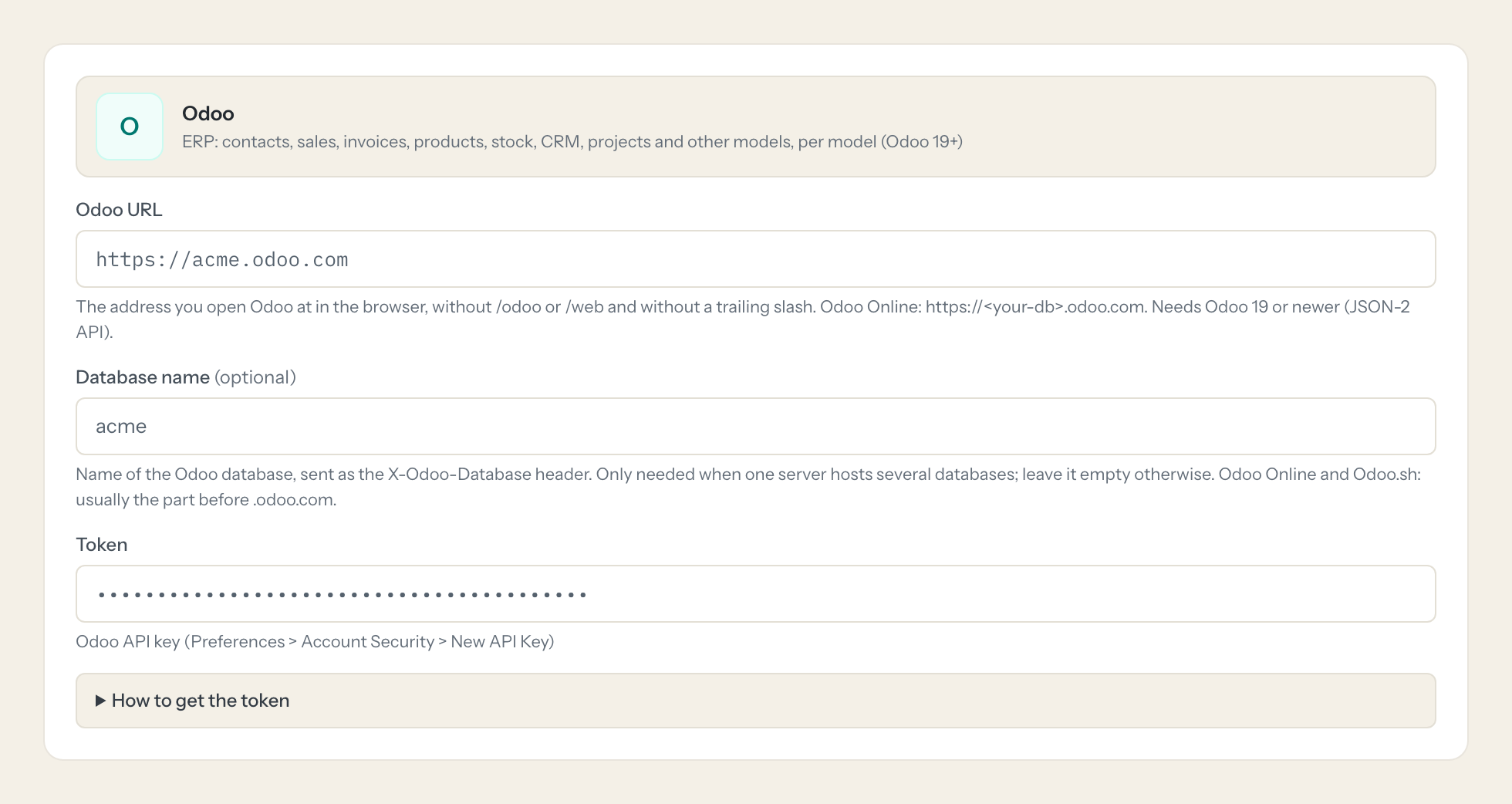
Copy the key right away: it is shown only once. Enter your Odoo URL and database name here.
- 5
In Loopthink, add Odoo from the catalog and paste the token. It also asks for odoo url and database name. Your team sees the tools a minute later.
Only Odoo 19 and newer: this template uses the JSON-2 API (POST /json/2/<model>/<method>). Odoo 17/18 only have XML-RPC/JSON-RPC, which are not supported. On Odoo Online the external API is only available on the Custom pricing plan, not on One App Free or Standard. API keys expire after at most three months and must be rotated. search_models needs the Administration: Access Rights group (ir.model is not readable by normal users).
What we suggest masking in Odoo.
An ERP holds people everywhere: contacts with e-mail, phone and address, VAT and register numbers, bank accounts, and in the employee model private addresses, birthdays and ID numbers. The suggested fields mask names, contact details, addresses, bank data and the private HR fields for roles that only need amounts, states and quantities. Odoo's own access rights still apply first: the key sees only what its user may see.
- name
- display_name
- complete_name
- partner_id
- partner_name
- contact_name
- email_from
- email_normalized
- phone
- mobile
- phone_sanitized
- street
- street2
- zip
- city
- vat
- company_registry
- website
- work_email
- work_phone
- mobile_phone
- private_email
- private_phone
- private_street
- private_street2
- private_zip
- private_city
- birthday
- identification_id
- passport_id
- ssnid
- acc_number
- bank_account_id
- login
Odoo and Loopthink
- Which Odoo versions are supported?
- Odoo 19 and newer, because the connector uses the JSON-2 API that Odoo 19 introduced. Odoo 17 and 18 only offer XML-RPC and JSON-RPC, which are not supported. On Odoo Online the external API is only available on the Custom plan, not on One App Free or Standard.
- Which user should the API key belong to?
- A dedicated internal user with only the app access rights the AI needs, for example Sales: User: Own Documents Only, Invoicing: Billing, Inventory: User. The key has no scopes and carries every access right, record rule and field restriction of its user. search_models additionally needs Administration: Access Rights.
- Do I have to renew the key?
- Yes. Odoo does not allow API keys longer than three months. Plan the rotation and replace the key in Loopthink before it expires; nobody else has to change anything.
- We host Odoo ourselves. Does the connector reach it?
- Odoo Online and Odoo.sh work directly. A self-hosted instance has to be reachable from the internet over HTTPS. If it is only reachable in your network, tell us and we look at it with you.
- Does every team member need their own Odoo account?
- No. Loopthink holds one key or token for Odoo. Your people sign in to Loopthink with their own identity, and every call to Odoo is logged under their name. Seats in Odoo stay where they are today.
- Where does the Odoo key live?
- In Loopthink, encrypted, in the EU. It never reaches the AI client and never reaches the people using the connector. Rotate it in Odoo whenever you like and paste the new one once.
- Can somebody write to Odoo from the chat?
- Not unless you switch it on. Write actions are a separate row in the permission matrix and are off for every role by default. If a role needs one write tool, you grant that one tool to that one role.
- What does the model see?
- The result of the tool call, after masking. Fields you mark as personal, such as emails, names or card details, are masked before the answer travels to the AI client. The model gets the numbers, not the people.
- What does it cost?
- Free for one person and two connectors, no card. Pro is €19 a month for up to five people and every connector on the site, with roles, field masking and a 30-day audit. Team is €49 for ten people and adds your own REST APIs and SQL databases, your own domain and your own identity provider. No call needed.
Stuck, or a tool you need is missing? A person who knows this connector answers within one working day.

