Placetel in Claude, ChatGPT and any MCP client. For your whole team.
Calls, call lists, contacts, phone numbers, call center, recordings. One token in Loopthink, one login per person, roles per tool and an audit entry for every call.
Free for 2 connectors, no card · Pro €19 · EU-hosted · 23 read tools, 1 write tools off by default
“Which calls to the sales number +49 40 123456 went unanswered today?”
Three missed calls on +49 40 123456 today:
| Time | Caller | Rang | Result |
|---|---|---|---|
| 09:12 | +49 89 55xx xx12 | 38 s | no answer |
| 11:47 | +49 30 41xx xx80 | 25 s | voicemail |
| 14:05 | +49 40 77xx xx31 | 41 s | no answer |
- read-only
- masked
One token in, the tools come out.
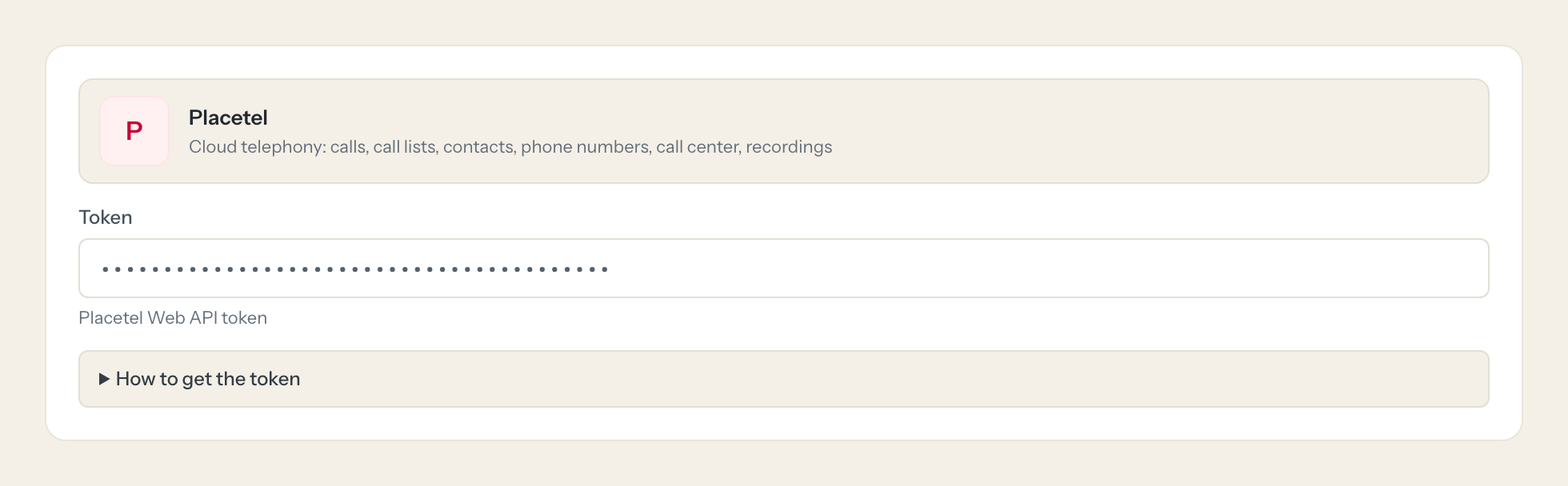
Placetel is the phone system: every call with its numbers and duration, the call center queues and agents, the phone book, the numbers and how each one is routed, faxes and recordings. The questions are simple, "who called the sales line this morning and did anyone pick up", "how long did callers wait in the support queue yesterday", but today they take the portal, the right day and an export.
With the Placetel connector, Sales, Support and Management ask in Claude or ChatGPT and get the answer from the live account. Loopthink holds one Placetel Web API token, every person signs in with their own identity, and every call is logged under their name. The token never reaches the AI client.
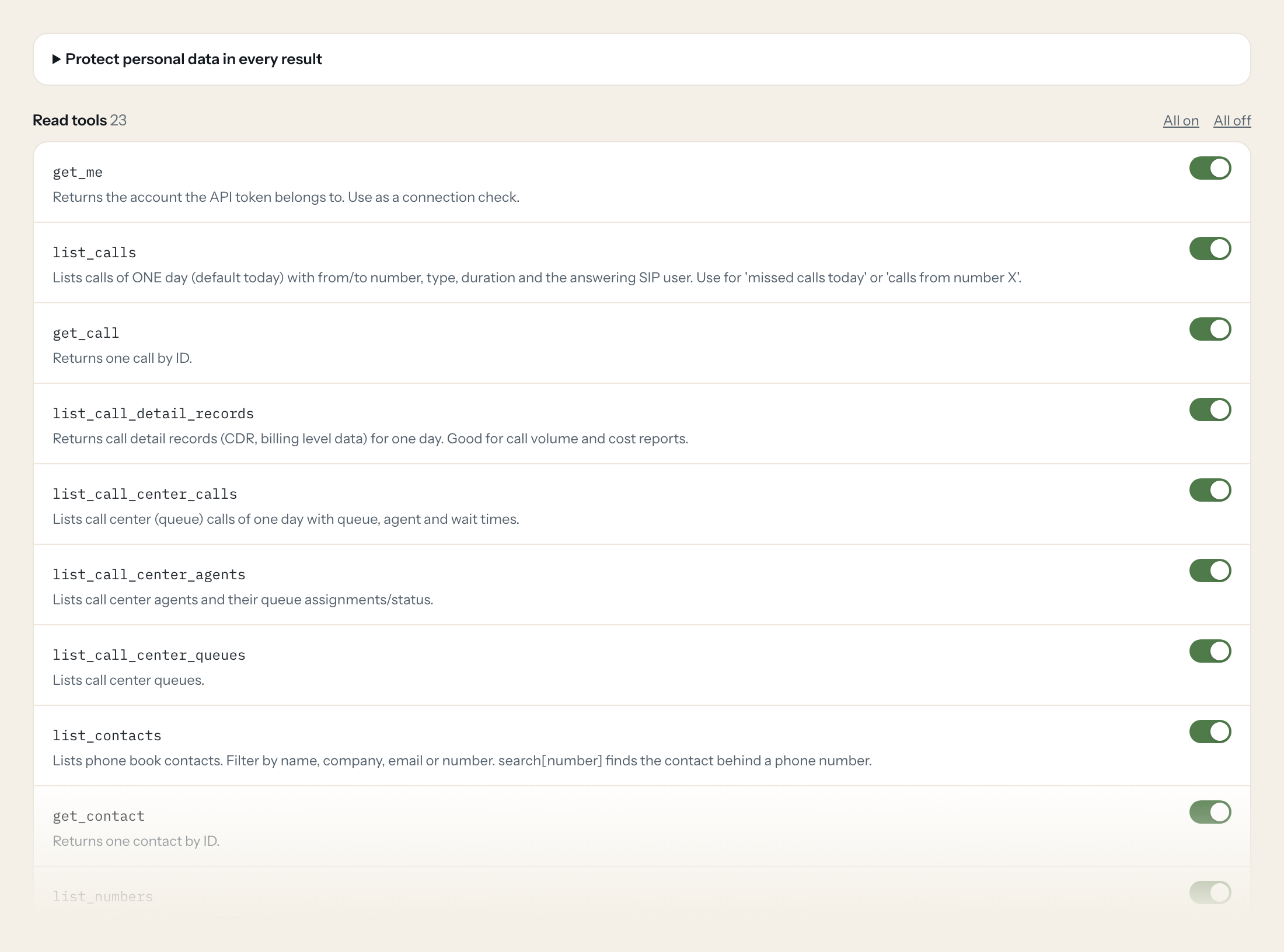
Twenty-three read tools cover calls and call detail records, call center calls, queues and agents, contacts, phone numbers, SIP users, portal users, call groups, faxes, recordings, routings and sites. The one write tool, creating a phone book contact, stays off until you switch it on for a role.
- Sales
“Which calls to the sales number +49 40 123456 went unanswered today?”
Answered by
list_calls - Support
“How many calls hit the Support queue yesterday, and what was the average wait time?”
Answered by
list_call_center_calls - Management
“Call volume and cost per day for last week.”
Answered by
list_call_detail_records - Sales
“Which contact belongs to the number +49 171 2345678?”
Answered by
list_contacts - Support
“Where does the number 0800 1234567 route to, and what happens outside business hours?”
Answered by
get_routing - Sales
“Add Petra Hansen, Hansen Logistik GmbH, +49 40 9876543 to the phone book.”
Answered by
create_contact
What the Placetel connector can do.
| Tool | What it does | Access | Default |
|---|---|---|---|
| get_me | Returns the account the API token belongs to. Use as a connection check. | Read | On |
| list_calls | Lists calls of ONE day (default today) with from/to number, type, duration and the answering SIP user. Use for 'missed calls today' or 'calls from number X'. | Read | On |
| get_call | Returns one call by ID. | Read | On |
| list_call_detail_records | Returns call detail records (CDR, billing level data) for one day. Good for call volume and cost reports. | Read | On |
| list_call_center_calls | Lists call center (queue) calls of one day with queue, agent and wait times. | Read | On |
| list_call_center_agents | Lists call center agents and their queue assignments/status. | Read | On |
| list_call_center_queues | Lists call center queues. | Read | On |
| list_contacts | Lists phone book contacts. Filter by name, company, email or number. | Read | On |
| get_contact | Returns one contact by ID. | Read | On |
| list_numbers | Lists the phone numbers (DIDs) of the account with name, description and site. | Read | On |
| get_number | Returns one phone number by ID. | Read | On |
| list_sip_users | Lists SIP users (phone extensions/lines) with name, username and DID. | Read | On |
| get_sip_user | Returns one SIP user by ID. | Read | On |
| list_users | Lists portal users (main account and subusers). | Read | On |
| get_user | Returns one portal user by ID. | Read | On |
| list_groups | Lists call groups (ring_all, monitoring, hunt) and their members. | Read | On |
| get_group | Returns one call group by ID. | Read | On |
| list_faxes | Lists inbound and outbound faxes. | Read | On |
| list_recordings | Lists call recordings (metadata and file link). Filter by day and numbers. | Read | On |
| get_recording | Returns one call recording by ID. | Read | On |
| list_routings | Lists call routings (how each number is routed). | Read | On |
| get_routing | Returns the routing of a phone number (e.g. 4940123456) or routing ID. | Read | On |
| list_sites | Lists sites (locations) of the account. | Read | On |
| create_contact | WRITE: creates a new contact in the Placetel phone book. Check list_contacts with search[number] first to avoid duplicates. | Write | Off |
Write tools are off for every role until you switch them on, one tool for one role. The names are what the model sees; it also gets the full parameter description of each tool.
Getting the Placetel token.
Five minutes, once. Nobody on your team ever sees it.
- 1
Log in to the Placetel web portal (web.placetel.de) with a full admin account.
- 2
Open Integrations and scroll to the Web API section.
- 3
Click 'Create a new API token' and copy it.
- 4
In Loopthink, add Placetel from the catalog and paste the token. Your team sees the tools a minute later.
One token per account with full API access, no scopes. Resetting the token breaks all existing integrations using it. Web API requires a paid plan.
What we suggest masking in Placetel.
Call lists are personal data on both ends: the caller's number and the number dialled, the names, emails, addresses and phone numbers in the phone book, and the links to recordings. The suggested fields mask numbers, names and recording links and keep timestamps, duration, direction, queue and the answering extension, so a Management role can see that 38 calls reached the sales line on Monday and nine went unanswered, without a list of who called.
- from_number
- to_number
- phone
- mobile
- phone_work
- mobile_work
- email_work
- first_name
- last_name
- address
- address_work
- caller
- recording_url
Placetel and Loopthink
- The Placetel token has no scopes. How do we limit what it can do?
- You cannot on the Placetel side: there is one token per account with full API access, created by a full admin. The limit sits in Loopthink: only read tools by default, tools per role, masking of numbers and names, and create_contact off until you enable it for a role.
- Does the Web API need a specific plan?
- Placetel's Web API requires a paid plan. The call tools answer one day per call, today by default, so for a week the model asks day by day and adds the numbers up.
- What happens if we reset the token in Placetel?
- Resetting the token breaks every integration that uses it, not only this connector. If you do reset it, paste the new token into the connector once; nobody on your team has to do anything.
- Does every team member need their own Placetel account?
- No. Loopthink holds one key or token for Placetel. Your people sign in to Loopthink with their own identity, and every call to Placetel is logged under their name. Seats in Placetel stay where they are today.
- Where does the Placetel key live?
- In Loopthink, encrypted, in the EU. It never reaches the AI client and never reaches the people using the connector. Rotate it in Placetel whenever you like and paste the new one once.
- Can somebody write to Placetel from the chat?
- Not unless you switch it on. Write actions are a separate row in the permission matrix and are off for every role by default. If a role needs one write tool, you grant that one tool to that one role.
- What does the model see?
- The result of the tool call, after masking. Fields you mark as personal, such as emails, names or card details, are masked before the answer travels to the AI client. The model gets the numbers, not the people.
- What does it cost?
- Free for one person and two connectors, no card. Pro is €19 a month for up to five people and every connector on the site, with roles, field masking and a 30-day audit. Team is €49 for ten people and adds your own REST APIs and SQL databases, your own domain and your own identity provider. No call needed.
Stuck, or a tool you need is missing? A person who knows this connector answers within one working day.


