Qonto in Claude, ChatGPT and any MCP client. For your whole team.
Balance, transactions, receipts, outgoing and incoming invoices, transfers. One token in Loopthink, one login per person, roles per tool and an audit entry for every call.
Free for 2 connectors, no card · Pro €19 · EU-hosted · 23 read tools, 1 write tools off by default
“What is the balance and the authorized balance of each of our Qonto accounts right now?”
Three accounts, balance and authorized balance as of this minute:
| Account | Balance | Authorized |
|---|---|---|
| Main account | 184,320.45 € | 181,870.45 € |
| Payroll | 62,500.00 € | 62,500.00 € |
| Marketing cards | 4,280.12 € | 3,915.62 € |
- read-only
- logged
One token in, the tools come out.
Qonto is where a company's money moves: the balance per account, every transaction with its receipt, outgoing invoices and quotes, supplier invoices, SEPA transfers and the payees behind them. The questions are simple, "what is on the main account right now", "which supplier invoices are due this week", but today they take a login, the right account tab and a date filter only the person doing the books knows.
With the Qonto connector, Finance, Management and Operations ask in Claude or ChatGPT and get the answer from the live account. Loopthink holds one organization API key, every person signs in with their own identity, and every call is logged under their name. The key never reaches the AI client.
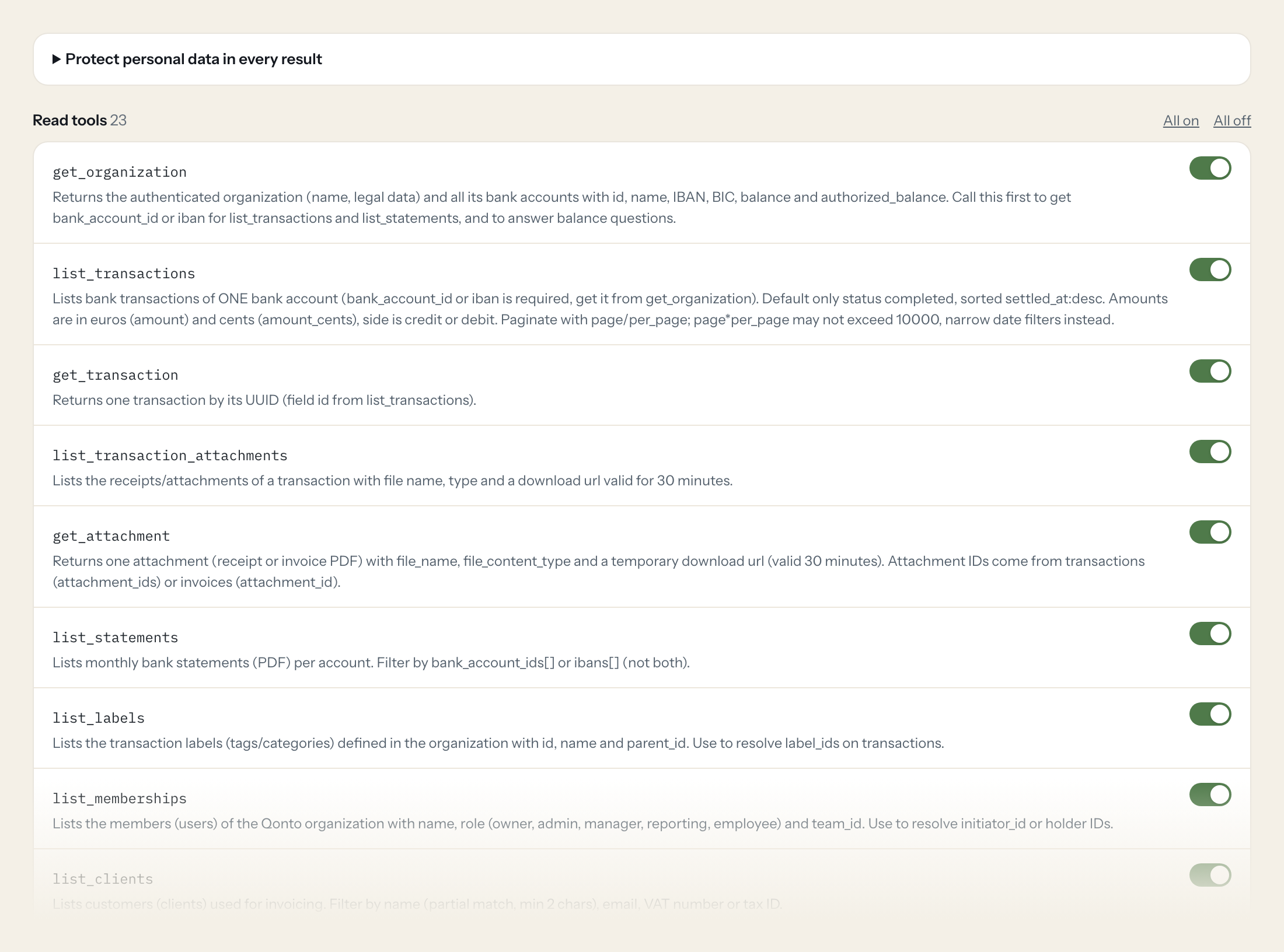
23 read tools cover the organization and its accounts, transactions with attachments and statements, labels and members, clients, outgoing invoices, quotes and credit notes, supplier invoices, SEPA transfers and beneficiaries, and approval requests. The one write tool, creating a client, stays off until you switch it on for a role.
- Management
“What is the balance and the authorized balance of each of our Qonto accounts right now?”
Answered by
get_organization - Finance
“List all debits above 1,000 euros on the main account in September, with counterparty and label.”
Answered by
list_transactions - Finance
“Which outgoing invoices are unpaid and past their due date, sorted by amount?”
Answered by
list_client_invoices - Finance
“Which supplier invoices from Hetzner and Google are still due this month?”
Answered by
list_supplier_invoices - Operations
“Which transactions from last week still have no receipt attached?”
Answered by
list_transaction_attachments - Finance
“Create a client 'Nordlicht Design GmbH', currency EUR, locale de, with the billing address I paste below.”
Answered by
create_client
What the Qonto connector can do.
| Tool | What it does | Access | Default |
|---|---|---|---|
| get_organization | Returns the authenticated organization (name, legal data) and all its bank accounts with id, name, IBAN, BIC, balance and authorized_balance. Call this first to get bank_account… | Read | On |
| list_transactions | Lists bank transactions of ONE bank account (bank_account_id or iban is required, get it from get_organization). Default only status completed, sorted settled_at:desc. | Read | On |
| get_transaction | Returns one transaction by its UUID (field id from list_transactions). | Read | On |
| list_transaction_attachments | Lists the receipts/attachments of a transaction with file name, type and a download url valid for 30 minutes. | Read | On |
| get_attachment | Returns one attachment (receipt or invoice PDF) with file_name, file_content_type and a temporary download url (valid 30 minutes). Attachment IDs come from transactions (attachm… | Read | On |
| list_statements | Lists monthly bank statements (PDF) per account. Filter by bank_account_ids[] or ibans[] (not both). | Read | On |
| list_labels | Lists the transaction labels (tags/categories) defined in the organization with id, name and parent_id. Use to resolve label_ids on transactions. | Read | On |
| list_memberships | Lists the members (users) of the Qonto organization with name, role (owner, admin, manager, reporting, employee) and team_id. Use to resolve initiator_id or holder IDs. | Read | On |
| list_clients | Lists customers (clients) used for invoicing. Filter by name (partial match, min 2 chars), email, VAT number or tax ID. | Read | On |
| get_client | Returns one client by UUID with addresses, VAT number, currency and locale. | Read | On |
| list_client_invoices | Lists outgoing (sales) invoices created in Qonto. Use to answer questions about open or overdue receivables. | Read | On |
| get_client_invoice | Returns one client invoice with items, client, amounts, due date and attachment_id (PDF, fetch via get_attachment). | Read | On |
| list_quotes | Lists quotes (offers) sent to clients. | Read | On |
| get_quote | Returns one quote by UUID with items, client and amounts. | Read | On |
| list_credit_notes | Lists credit notes issued against client invoices. | Read | On |
| get_credit_note | Returns one credit note by UUID. | Read | On |
| list_supplier_invoices | Lists incoming (purchase) invoices. Use for payables questions: what is due, what is paid, by supplier. | Read | On |
| get_supplier_invoice | Returns one supplier invoice by UUID with amounts, dates, supplier and matched transactions. | Read | On |
| list_sepa_transfers | Lists outgoing SEPA transfers (EUR) with amount, beneficiary_id, reference, status and scheduled_date. | Read | On |
| get_sepa_transfer | Returns one SEPA transfer by ID. | Read | On |
| list_sepa_beneficiaries | Lists saved SEPA payees with name, IBAN, status and trusted flag. Use to resolve beneficiary_id on transfers. | Read | On |
| list_requests | Lists approval requests (transfer, multi_transfer, flash_card, virtual_card) with status and amounts. Business/Enterprise plans only. | Read | On |
| search_suppliers | WRITE: technically a POST, but it only searches and changes nothing. Finds suppliers by partial name and returns id, name, address, currency. | Read | On |
| create_client | WRITE: creates a new client (customer) in Qonto invoicing. There is no duplicate check, so call list_clients with filter[name] first. | Write | Off |
Write tools are off for every role until you switch them on, one tool for one role. The names are what the model sees; it also gets the full parameter description of each tool.
Getting the Qonto token.
Five minutes, once. Nobody on your team ever sees it.
- 1
Log in to app.qonto.com as owner or admin and select the organization.
- 2
Go to Integrations and Partnerships > API key.
- 3
Copy the sign-in (login) and click Generate to create the secret key.
- 4
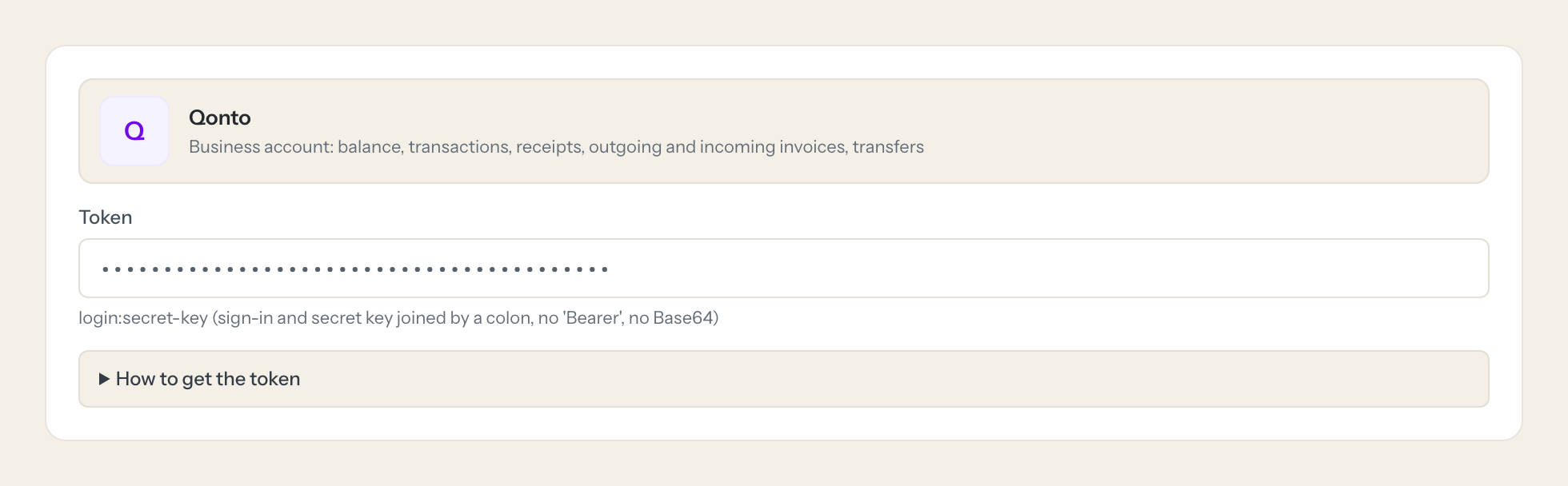
Paste both as login:secret-key.
- 5
In Loopthink, add Qonto from the catalog and paste the token. Your team sees the tools a minute later.
The API key is an organization key with read access to most data and no scopes. Payments and card endpoints need OAuth with SCA and are not usable with this key. Rotating the secret key breaks the connection.
What we suggest masking in Qonto.
A bank account is personal data by design: IBAN and BIC on every transfer and beneficiary, names, email, phone, birthdate and nationality of members and clients, card last digits, VAT and tax ids, legal and billing addresses. The suggested fields mask all of that and keep amounts, dates, statuses, labels and references, so Management can see that 4,200 euros went out to a supplier on 14 October without seeing the payee's IBAN.
- iban
- bic
- phone
- first_name
- last_name
- birthdate
- nationality
- card_last_digits
- vat_number
- tax_identification_number
- billing_address
- legal_address
Qonto and Loopthink
- Qonto has no scopes. How much can the API key do?
- The key is an organization key with read access to most data and no scopes. Payments and card endpoints need OAuth with strong customer authentication and are not reachable with it, so the connector cannot move money. The one write tool, create_client, only touches invoicing and stays off until you enable it for a role.
- What do we paste as the token?
- The sign-in (login) and the secret key from Integrations and Partnerships > API key, joined by a colon as login:secret-key, without Bearer and without Base64. Only an owner or admin can generate the secret key.
- Does regenerating the secret key break the connector?
- Yes. Rotating the secret key in Qonto ends the connection immediately. Paste the new login:secret-key pair into the connector once; nobody on your team has to do anything.
- Does every team member need their own Qonto account?
- No. Loopthink holds one key or token for Qonto. Your people sign in to Loopthink with their own identity, and every call to Qonto is logged under their name. Seats in Qonto stay where they are today.
- Where does the Qonto key live?
- In Loopthink, encrypted, in the EU. It never reaches the AI client and never reaches the people using the connector. Rotate it in Qonto whenever you like and paste the new one once.
- Can somebody write to Qonto from the chat?
- Not unless you switch it on. Write actions are a separate row in the permission matrix and are off for every role by default. If a role needs one write tool, you grant that one tool to that one role.
- What does the model see?
- The result of the tool call, after masking. Fields you mark as personal, such as emails, names or card details, are masked before the answer travels to the AI client. The model gets the numbers, not the people.
- What does it cost?
- Free for one person and two connectors, no card. Pro is €19 a month for up to five people and every connector on the site, with roles, field masking and a 30-day audit. Team is €49 for ten people and adds your own REST APIs and SQL databases, your own domain and your own identity provider. No call needed.
Stuck, or a tool you need is missing? A person who knows this connector answers within one working day.


