Runn in Claude, ChatGPT and any MCP client. For your whole team.
People, projects, assignments, timesheets, leave and capacity reports. One token in Loopthink, one login per person, roles per tool and an audit entry for every call.
Free for 2 connectors, no card · Pro €19 · EU-hosted · 20 read tools, 5 write tools off by default
“Who is scheduled on the Hansen Logistik rollout in November, and for how many hours per week?”
Three people are scheduled on the rollout in November 2026:
| Person | Role | Hours/week |
|---|---|---|
| J. Weber | Project lead | 20 |
| A. Lindqvist | Integration engineer | 32 |
| P. Hoffmann | Trainer | 16 |
- read-only
- masked
One token in, the tools come out.
Runn is the plan: who is scheduled on which project and for how many hours, what was actually booked, who is on leave, which contracts and roles exist, and what each project has burnt against its budget. The questions are simple, "who is free in November", "how far is the Hansen project over its budget", but today they take the planner view, the right date range and a report nobody has time to build.
With the Runn connector, Resource Managers, Project Managers and Management ask in Claude or ChatGPT and get the answer from the live account. Loopthink holds one Runn API token, every person signs in with their own identity, and every call is logged under their name. The token never reaches the AI client.
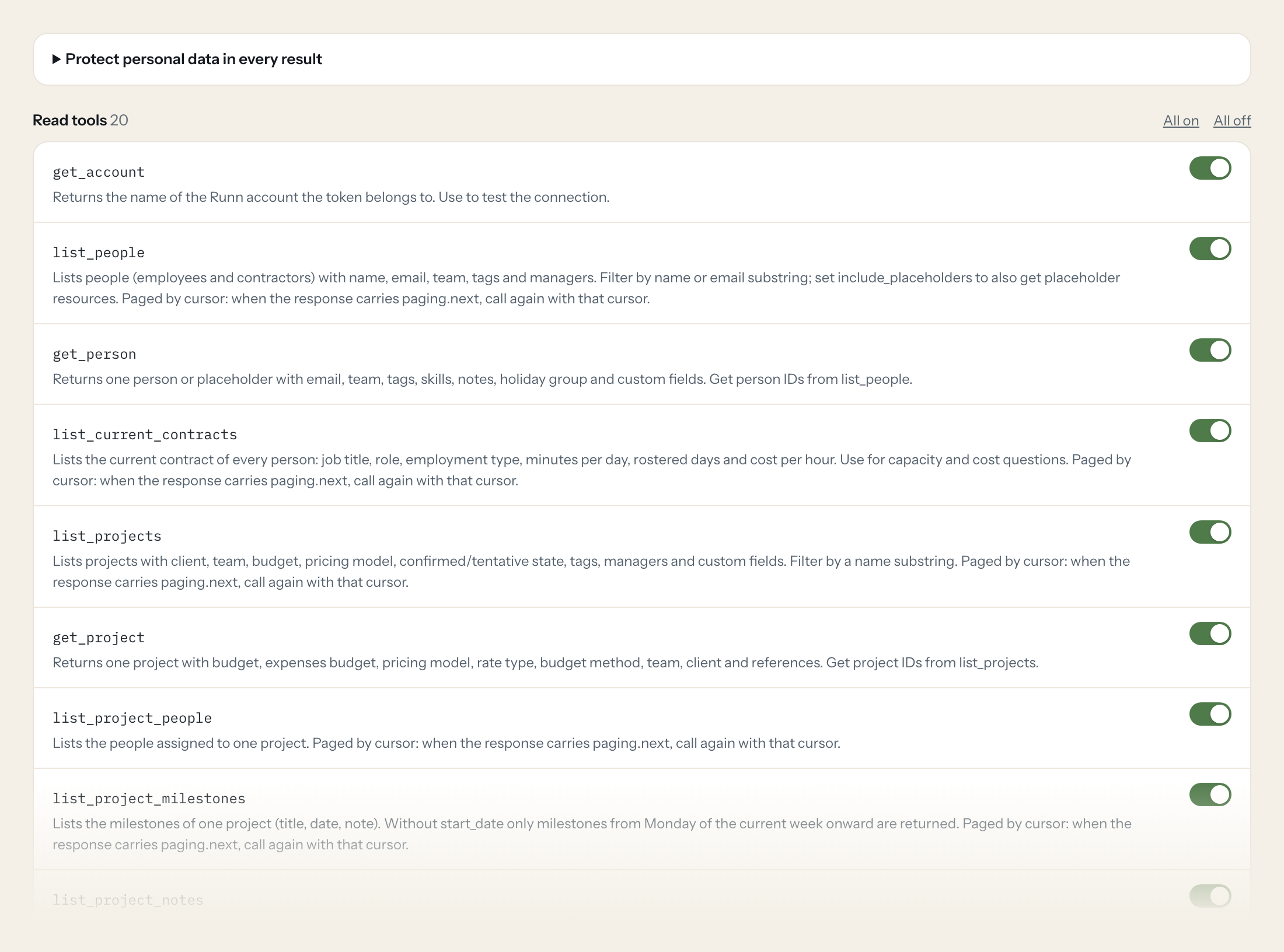
Twenty read tools cover people and contracts, projects, milestones and notes, clients, assignments, actuals, hours per person and per project, project totals, leave, holidays, roles, teams and skills. The five write tools, creating an assignment, adding time, recording leave, adding a project note and updating a project, stay off until you switch them on for a role.
- Resource Manager
“Who is scheduled on the Hansen Logistik rollout in November, and for how many hours per week?”
Answered by
list_assignments - Project Manager
“How many billable hours were booked on the Hansen Logistik rollout in September versus what was planned?”
Answered by
get_project_hours - Management
“Planned versus actual hours for every active project, sorted by the biggest gap.”
Answered by
list_project_totals - Resource Manager
“Which developers with the skill "React" have free capacity in the first two weeks of December?”
Answered by
list_people - Resource Manager
“Who is on leave between 20 and 31 December?”
Answered by
list_leave - Project Manager
“Schedule Mara Keller on the Hansen Logistik rollout as a Frontend Developer, 1 to 19 December, 6 hours a day.”
Answered by
create_assignment
What the Runn connector can do.
| Tool | What it does | Access | Default |
|---|---|---|---|
| get_account | Returns the name of the Runn account the token belongs to. Use to test the connection. | Read | On |
| list_people | Lists people (employees and contractors) with name, email, team, tags and managers. Filter by name or email substring; set include_placeholders to also get placeholder resources. | Read | On |
| get_person | Returns one person or placeholder with email, team, tags, skills, notes, holiday group and custom fields. Get person IDs from list_people. | Read | On |
| list_current_contracts | Lists the current contract of every person: job title, role, employment type, minutes per day, rostered days and cost per hour. Use for capacity and cost questions. | Read | On |
| list_projects | Lists projects with client, team, budget, pricing model, confirmed/tentative state, tags, managers and custom fields. Filter by a name substring. | Read | On |
| get_project | Returns one project with budget, expenses budget, pricing model, rate type, budget method, team, client and references. Get project IDs from list_projects. | Read | On |
| list_project_people | Lists the people assigned to one project. Paged by cursor: when the response carries paging.next, call again with that cursor. | Read | On |
| list_project_milestones | Lists the milestones of one project (title, date, note). Without start_date only milestones from Monday of the current week onward are returned. | Read | On |
| list_project_notes | Lists the notes written on one project, with author email and timestamps. Paged by cursor: when the response carries paging.next, call again with that cursor. | Read | On |
| list_clients | Lists clients with name, website and archive flag. Filter by a name substring. | Read | On |
| list_assignments | Lists planned assignments (who is scheduled on which project and role, minutes per day, from/to dates, billable flag). Filter by person, project, role and date range. | Read | On |
| list_actuals | Lists actuals (timesheet entries): billable and non-billable minutes per day, person, project, role and notes. Filter by person, project, role and date range. | Read | On |
| get_person_hours | Returns by-day entries for one person combining planned assignments and actuals (billable, non-billable and total minutes per project and role). Use for utilisation of a person… | Read | On |
| get_project_hours | Returns by-day entries for one project combining planned assignments and actuals per person and role (billable, non-billable and total minutes). Use for burn and forecast questi… | Read | On |
| list_project_totals | Lists totals per project: billable, non-billable and total minutes of assignments and actuals. At most 10 projects per page. | Read | On |
| list_leave | Lists leave time offs (vacation, sick leave) with person, start and end date, minutes per day and note. Filter by person and date range. | Read | On |
| list_holidays | Lists public holiday time offs per person. Filter by person. | Read | On |
| list_roles | Lists roles with default hourly cost, standard rate and the people holding them. Use to resolve role IDs for assignments and actuals. | Read | On |
| list_teams | Lists teams (id, name). Use to resolve teamId on people and projects. | Read | On |
| list_skills | Lists skills (id, name). Use with get_person to find people with a skill. | Read | On |
| create_assignment | Schedules a person on a project: creates an assignment covering every working day from startDate to endDate with the same minutes per day (480 = 8 hours). Get IDs from list_peop… | Write | Off |
| add_time_entry | Books time: adds billable and non-billable minutes to the actual of a person on a project, role and day, or creates it if there is none. Minutes are added, not overwritten. | Write | Off |
| create_leave | Records leave (vacation, sick day) for a person from startDate to endDate. Omit minutesPerDay for full days. | Write | Off |
| create_project_note | Adds a text note to a project. | Write | Off |
| update_project | Updates a project: name, confirmed/tentative state, archive flag, budget, expenses budget, client or team. Only the fields you pass change. | Write | Off |
Write tools are off for every role until you switch them on, one tool for one role. The names are what the model sees; it also gets the full parameter description of each tool.
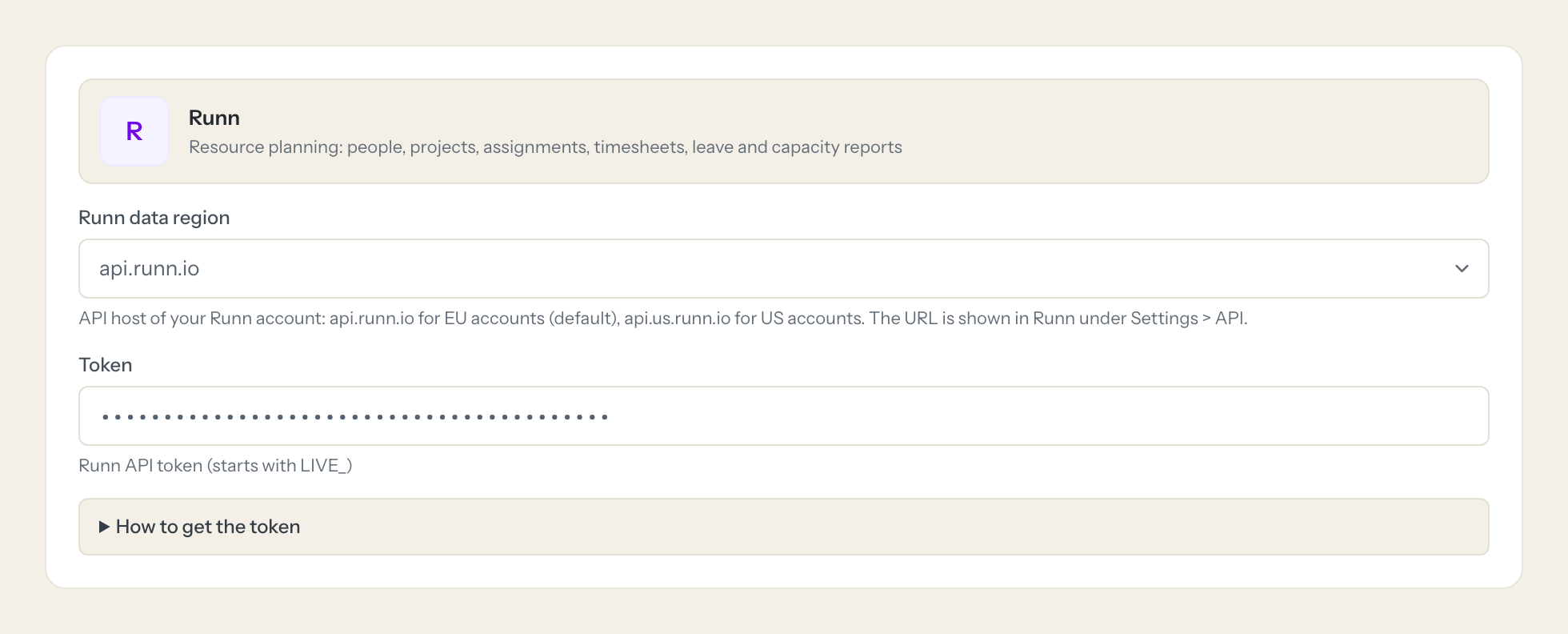
Getting the Runn token.
Five minutes, once. Nobody on your team ever sees it.
- 1
Log in to Runn as an admin with 'Edit Account Settings and Data' switched on.
- 2
Click your profile icon (top right) > Settings > API.
- 3
Note the API URL shown there and pick the matching data region in Loopthink.
- 4
Click 'Create API Token', choose the read scope (or write if write tools should be used) and an optional expiry.
- 5
Copy the token (shown only once, starts with LIVE_) and paste it into Loopthink.
- 6
In Loopthink, add Runn from the catalog and paste the token. It also asks for runn data region. Your team sees the tools a minute later.
Runn tokens belong to the account, not to a user, and see all data of the account. A read-scoped token is enough for every read tool; write tools need a write-scoped token. Test-account tokens start with TEST_. Rate limit: 120 requests per minute per key and IP.
What we suggest masking in Runn.
Runn mixes planning data with personal data: the first and last name and email of every person, the email of whoever wrote a note, the notes themselves, the managers of a person and the cost per hour on contracts and roles. The suggested fields mask names, emails, notes and cost per hour and keep project, role, team, dates and minutes, so a Project Manager role can see that 320 planned hours face 410 booked hours on the Hansen rollout without seeing what each person costs.
- firstName
- lastName
- createdByEmail
- note
- notes
- billableNote
- nonbillableNote
- managers
- costPerHour
Runn and Loopthink
- Which token scope do we need?
- A read-scoped token is enough for every read tool. Only the five write tools, create_assignment, add_time_entry, create_leave, create_project_note and update_project, need a write-scoped token. Create the token under Settings > API as an admin with Edit Account Settings and Data; it is shown once and starts with LIVE_ (TEST_ for a test account).
- Does the token see everything?
- Yes. Runn tokens belong to the account, not to a user, so a technical user does not limit them. The limit sits in Loopthink: tools per role, masking of names, emails and cost per hour, and the write tools off until you enable them.
- EU or US account, and is there a rate limit?
- Pick the data region in Loopthink that matches the API URL shown under Settings > API: api.runn.io for EU accounts, api.us.runn.io for US accounts. Runn allows 120 requests per minute per key and IP; the list tools page by cursor, so a long date range takes several calls that the model works through on its own.
- Does every team member need their own Runn account?
- No. Loopthink holds one key or token for Runn. Your people sign in to Loopthink with their own identity, and every call to Runn is logged under their name. Seats in Runn stay where they are today.
- Where does the Runn key live?
- In Loopthink, encrypted, in the EU. It never reaches the AI client and never reaches the people using the connector. Rotate it in Runn whenever you like and paste the new one once.
- Can somebody write to Runn from the chat?
- Not unless you switch it on. Write actions are a separate row in the permission matrix and are off for every role by default. If a role needs one write tool, you grant that one tool to that one role.
- What does the model see?
- The result of the tool call, after masking. Fields you mark as personal, such as emails, names or card details, are masked before the answer travels to the AI client. The model gets the numbers, not the people.
- What does it cost?
- Free for one person and two connectors, no card. Pro is €19 a month for up to five people and every connector on the site, with roles, field masking and a 30-day audit. Team is €49 for ten people and adds your own REST APIs and SQL databases, your own domain and your own identity provider. No call needed.
Stuck, or a tool you need is missing? A person who knows this connector answers within one working day.

