ServiceNow in Claude, ChatGPT and any MCP client. For your whole team.
Incidents, changes, requests, CMDB, knowledge and SLA reports. One token in Loopthink, one login per person, roles per tool and an audit entry for every call.
Free for 2 connectors, no card · Pro €19 · EU-hosted · 17 read tools, 3 write tools off by default
“How many open incidents do we have per priority and per assignment group right now?”
Open incidents by assignment group and priority:
| Assignment group | P1 | P2 | P3 |
|---|---|---|---|
| Network Operations | 2 | 7 | 19 |
| Service Desk | 0 | 4 | 46 |
| SAP Basis | 1 | 3 | 11 |
- read-only
- logged
One token in, the tools come out.
ServiceNow is where IT work is tracked: incidents, problems, changes, catalogue requests, the SLAs attached to them, the CMDB behind them and the knowledge base that should have answered the question first. The questions are everyday ones, "how many P1 incidents are open per team", "is the change for Friday approved", but today they take a filter in an encoded query that only the service desk lead knows how to write.
With the ServiceNow connector, IT Operations, Service Desk and Management ask in Claude or ChatGPT and get the answer from the live instance. Loopthink holds one REST API key, every person signs in with their own identity, and every call is logged under their name. The key never reaches the AI client.
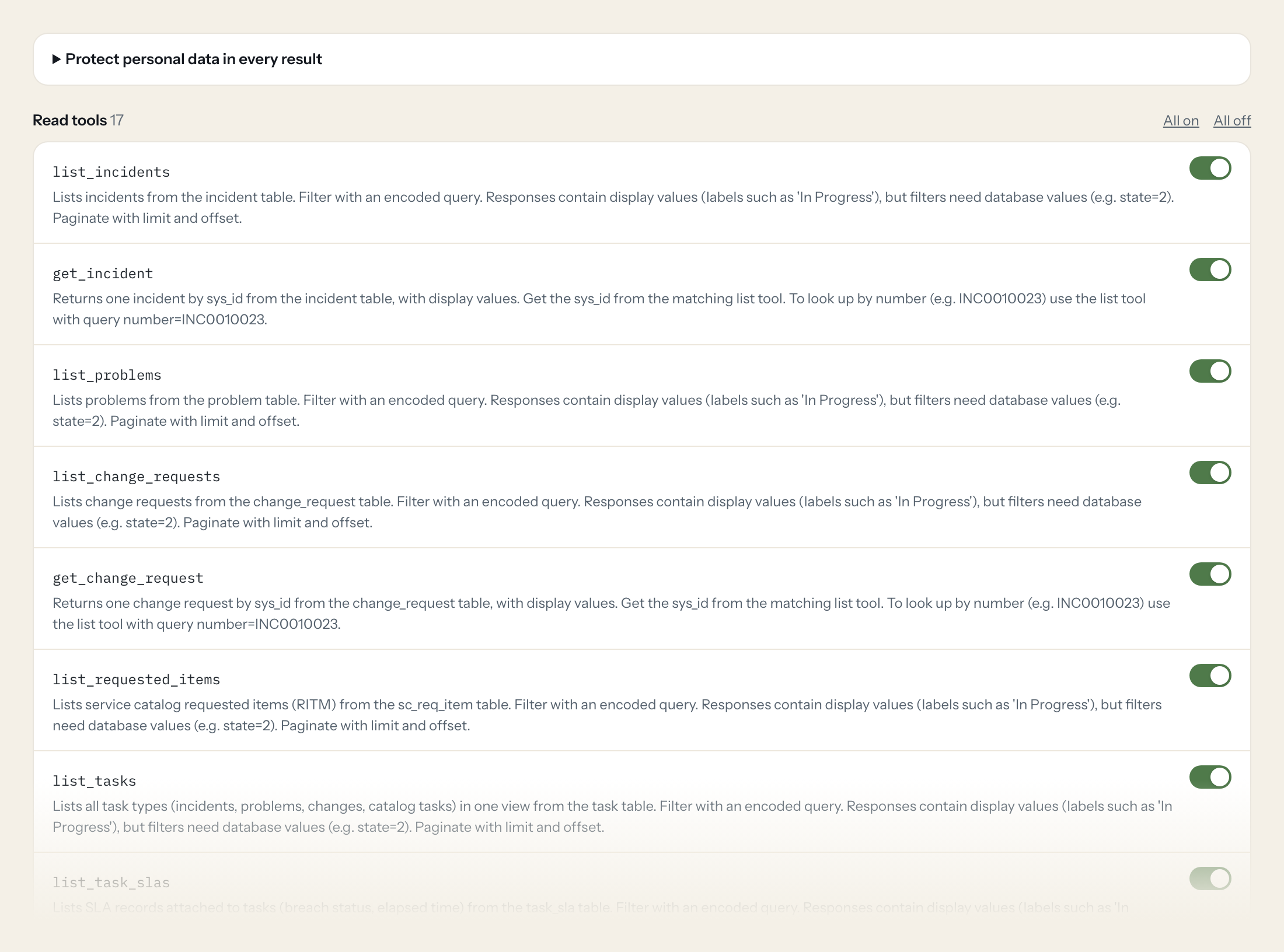
Seventeen read tools cover incidents, problems, change requests, requested items, tasks and their SLAs, users and groups, configuration items, journal entries, generic table and record reads, aggregates and knowledge articles. The three write tools, creating an incident and adding a work note or a comment, stay off until you switch them on for a role.
- Management
“How many open incidents do we have per priority and per assignment group right now?”
Answered by
aggregate_records - Service Desk
“Show me INC0010023 with its state, assignment group and the last three work notes.”
Answered by
get_incident - IT Operations
“Which change requests are scheduled for this weekend and which of them are not yet approved?”
Answered by
list_change_requests - IT Operations
“Which open incidents have breached or are about to breach their resolution SLA?”
Answered by
list_task_slas - Service Desk
“Is there a knowledge article on resetting the VPN certificate on a managed MacBook?”
Answered by
search_knowledge_articles - Service Desk
“Add a work note to INC0010023: database failover confirmed by the DBA team at 14:20, monitoring for one hour.”
Answered by
add_incident_work_note
What the ServiceNow connector can do.
| Tool | What it does | Access | Default |
|---|---|---|---|
| list_incidents | Lists incidents from the incident table. Filter with an encoded query. | Read | On |
| get_incident | Returns one incident by sys_id from the incident table, with display values. Get the sys_id from the matching list tool. | Read | On |
| list_problems | Lists problems from the problem table. Filter with an encoded query. | Read | On |
| list_change_requests | Lists change requests from the change_request table. Filter with an encoded query. | Read | On |
| get_change_request | Returns one change request by sys_id from the change_request table, with display values. Get the sys_id from the matching list tool. | Read | On |
| list_requested_items | Lists service catalog requested items (RITM) from the sc_req_item table. Filter with an encoded query. | Read | On |
| list_tasks | Lists all task types (incidents, problems, changes, catalog tasks) in one view from the task table. Filter with an encoded query. | Read | On |
| list_task_slas | Lists SLA records attached to tasks (breach status, elapsed time) from the task_sla table. Filter with an encoded query. | Read | On |
| list_users | Lists users from the sys_user table. Filter with an encoded query. | Read | On |
| list_groups | Lists assignment groups from the sys_user_group table. Filter with an encoded query. | Read | On |
| list_configuration_items | Lists configuration items (CMDB) from the cmdb_ci table. Filter with an encoded query. | Read | On |
| list_journal_entries | Lists comments and work notes of a record from sys_journal_field. Query by the record's sys_id: element_id=<sys_id>^ORDERBYDESCsys_created_on. | Read | On |
| query_table | Generic read on any table the token user may read, for tables without a dedicated tool (e.g. sc_task, kb_knowledge, cmn_location, core_company, alm_hardware). | Read | On |
| get_record | Generic read of one record by table name and sys_id. Use when a reference in another record points to a table without a dedicated get tool. | Read | On |
| aggregate_records | Counts or aggregates records of a table (Aggregate API), e.g. open incidents per priority or per assignment group. | Read | On |
| search_knowledge_articles | Full-text search in published knowledge base articles (Knowledge API). Use for 'how do I' questions before opening an incident. | Read | On |
| get_knowledge_article | Returns one knowledge article with its content. id is the article sys_id or the KB number (e.g. | Read | On |
| create_incident | WRITE: Creates a new incident. Returns the new record with number and sys_id. | Write | Off |
| add_incident_work_note | WRITE: Adds an internal work note (not visible to the caller) to an incident. Does not change other fields. | Write | Off |
| add_incident_comment | WRITE: Adds a customer-visible additional comment to an incident. The caller is usually notified by email. | Write | Off |
Write tools are off for every role until you switch them on, one tool for one role. The names are what the model sees; it also gets the full parameter description of each tool.
Getting the ServiceNow token.
Five minutes, once. Nobody on your team ever sees it.
- 1
As admin, activate the 'API Key and HMAC Authentication' plugin if needed, then open System Web Services > API Access Policies > Inbound Authentication Profiles > New > API Key profile with auth parameter 'x-sn-apikey' (header).
- 2
Create a dedicated integration user (e.g. loopthink.integration) with only the read roles you need (e.g. itil for ITSM reads, knowledge for KB) and mark it 'Web service access only'.
- 3
Open REST API Key > New, select that user, leave Expiry empty or set a rotation date, save and copy the generated token.
- 4
Under REST API Access Policies create one policy each for Table API, Aggregate API and Knowledge API (sn_km_api) and attach the API Key profile. Token auth is not allowed in the global policy.
- 5
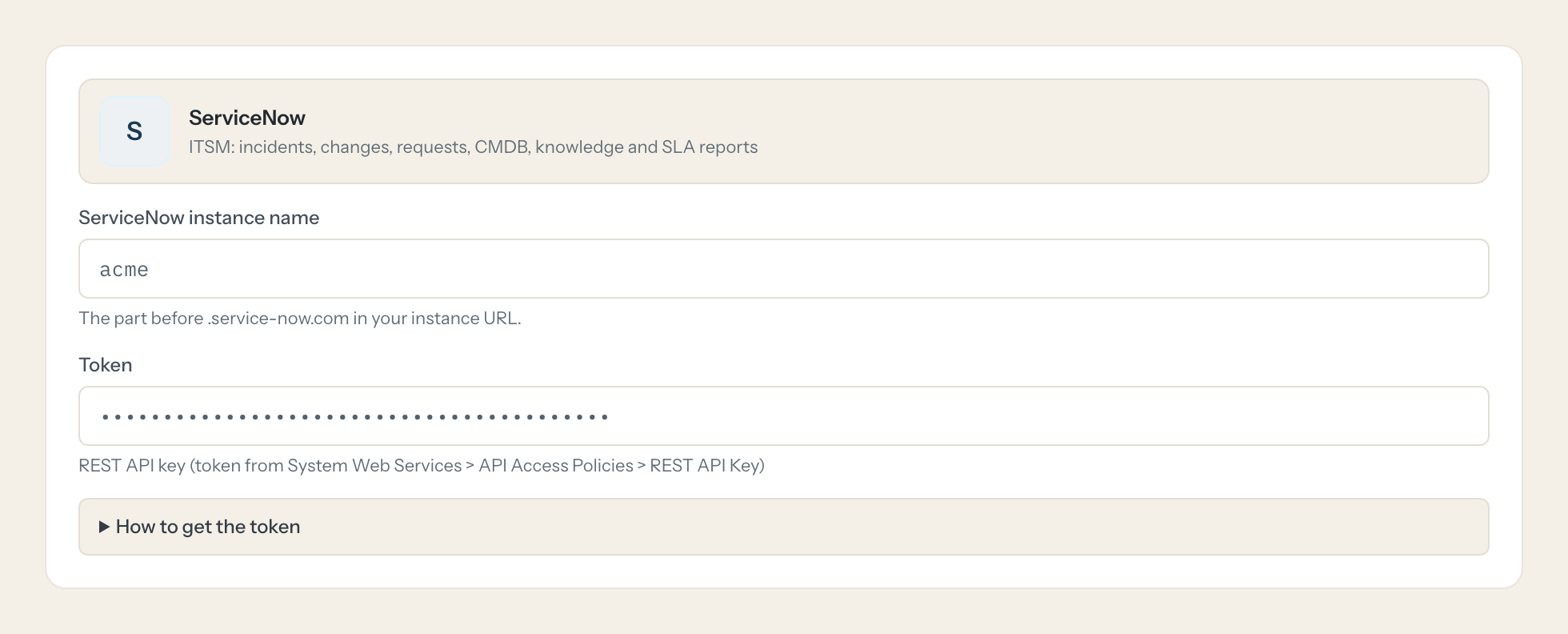
In Loopthink, add ServiceNow from the catalog and paste the token. It also asks for servicenow instance name. Your team sees the tools a minute later.
The API key acts as the user selected in the REST API Key record, so ACLs of that user apply. Requires a recent release (API Access Policies with API key). Older instances only support Basic auth or OAuth.
What we suggest masking in ServiceNow.
Tickets are full of people: caller, requester, assignee and opener with their names, user names, email and phone numbers, plus free text in descriptions, comments and work notes that often repeats them. The suggested fields mask all of that and keep numbers, states, priorities, categories, groups, timestamps and SLA status, so Management can see that 14 P1 incidents are open in the network group without reading who called them in.
- caller_id
- requested_for
- assigned_to
- opened_by
- phone
- mobile_phone
- name
- user_name
- sys_created_by
- value
- description
- comments
- work_notes
ServiceNow and Loopthink
- Whose rights does the API key carry?
- The key acts as the user selected in the REST API Key record, so that user's roles and ACLs apply. Create a dedicated integration user marked 'Web service access only' with itil for ITSM reads and knowledge for the knowledge base, plus read ACLs on sys_user, sys_user_group, cmdb_ci, task_sla and sys_journal_field. The write tools need itil write on incident.
- Which ServiceNow releases support this?
- The connector uses API Access Policies with an API key profile, which needs a recent release and the 'API Key and HMAC Authentication' plugin. Older instances only offer Basic auth or OAuth. You also create one REST API access policy each for the Table API, the Aggregate API and the Knowledge API, because token auth is not allowed in the global policy.
- What can the write tools change?
- Only incidents: create_incident opens a new one, add_incident_work_note adds an internal note the caller does not see, and add_incident_comment adds a customer-visible comment that usually triggers an email to the caller. No tool changes state, assignment or any other field of an existing record.
- Does every team member need their own ServiceNow account?
- No. Loopthink holds one key or token for ServiceNow. Your people sign in to Loopthink with their own identity, and every call to ServiceNow is logged under their name. Seats in ServiceNow stay where they are today.
- Where does the ServiceNow key live?
- In Loopthink, encrypted, in the EU. It never reaches the AI client and never reaches the people using the connector. Rotate it in ServiceNow whenever you like and paste the new one once.
- Can somebody write to ServiceNow from the chat?
- Not unless you switch it on. Write actions are a separate row in the permission matrix and are off for every role by default. If a role needs one write tool, you grant that one tool to that one role.
- What does the model see?
- The result of the tool call, after masking. Fields you mark as personal, such as emails, names or card details, are masked before the answer travels to the AI client. The model gets the numbers, not the people.
- What does it cost?
- Free for one person and two connectors, no card. Pro is €19 a month for up to five people and every connector on the site, with roles, field masking and a 30-day audit. Team is €49 for ten people and adds your own REST APIs and SQL databases, your own domain and your own identity provider. No call needed.
Stuck, or a tool you need is missing? A person who knows this connector answers within one working day.


