 Project management connector
Trello in Claude, ChatGPT and any MCP client. For your whole team.
Boards, lists, cards, comments. One token in Loopthink, one login per person, roles per tool and an audit entry for every call.
Free for 2 connectors, no card · Pro €19 · EU-hosted · 15 read tools, 3 write tools off by default
“Which cards on the Website Relaunch board are in 'Doing' and overdue?”
Three cards in Doing are past their due date:
| Card | Due | Member | Days overdue |
|---|---|---|---|
| Migrate blog posts | 14 Oct 2026 | J. Weber | 7 |
| Set up redirects | 17 Oct 2026 | A. Lindqvist | 4 |
| Accessibility audit | 19 Oct 2026 | P. Hoffmann | 2 |
- read-only
- logged
One token in, the tools come out.
Trello is where team work is laid out: boards with their lists, cards with due dates, members, labels, checklists and custom fields, and the activity log of who moved what. The questions are everyday ones, "what is still in Doing on the campaign board", "which cards are due this week", but today they take opening each board and reading the columns one by one.
With the Trello connector, Project Management, Marketing and Team Leads ask in Claude or ChatGPT and get the answer from the live boards. Loopthink holds one API key and token pair, every person signs in with their own identity, and every call is logged under their name. The token never reaches the AI client.
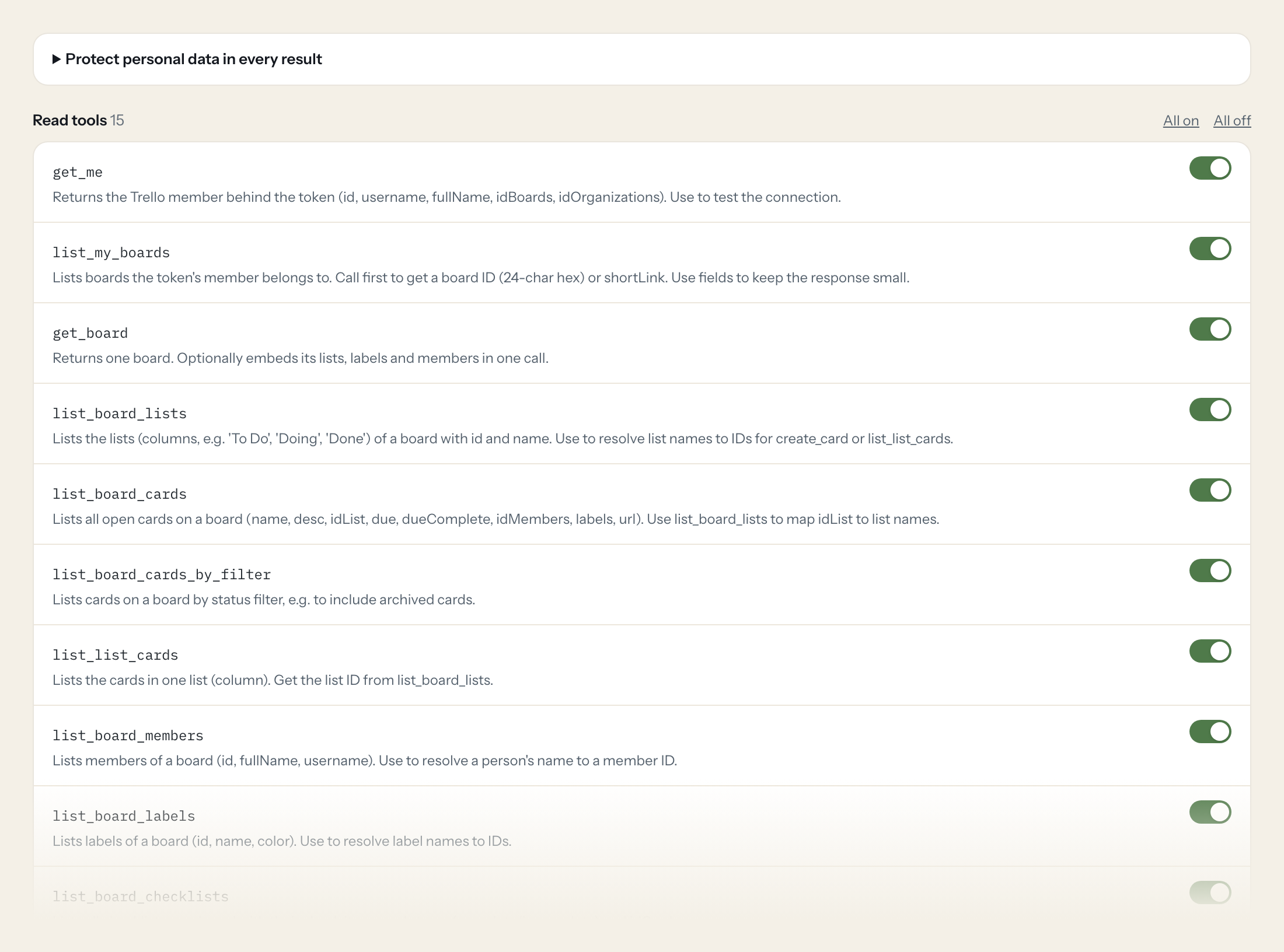
Fifteen read tools cover the member behind the token, boards and their lists, cards by list or filter, board members, labels, checklists, custom fields, board activity, single cards with their history and a full-text search. The three write tools, creating a card, updating a card and adding a comment, stay off until you switch them on for a role.
- Project Management
“Which cards on the Website Relaunch board are in 'Doing' and overdue?”
Answered by
list_board_cards - Marketing
“Find all open cards with the label 'urgent' that are due this week across my boards.”
Answered by
search - Team Lead
“What happened on the Campaign Q4 board this week? Who moved or commented on which cards?”
Answered by
list_board_activity - Project Management
“Which checklists on the Trade Fair board still have open items?”
Answered by
list_board_checklists - Marketing
“What was discussed on the card 'Landing page copy', latest comments first?”
Answered by
list_card_actions - Team Lead
“Move the card 'Print brochures' to 'Done' and mark its due date complete.”
Answered by
update_card
What the Trello connector can do.
| Tool | What it does | Access | Default |
|---|---|---|---|
| get_me | Returns the Trello member behind the token (id, username, fullName, idBoards, idOrganizations). Use to test the connection. | Read | On |
| list_my_boards | Lists boards the token's member belongs to. Call first to get a board ID (24-char hex) or shortLink. | Read | On |
| get_board | Returns one board. Optionally embeds its lists, labels and members in one call. | Read | On |
| list_board_lists | Lists the lists (columns, e.g. 'To Do', 'Doing', 'Done') of a board with id and name. | Read | On |
| list_board_cards | Lists all open cards on a board (name, desc, idList, due, dueComplete, idMembers, labels, url). Use list_board_lists to map idList to list names. | Read | On |
| list_board_cards_by_filter | Lists cards on a board by status filter, e.g. to include archived cards. | Read | On |
| list_list_cards | Lists the cards in one list (column). Get the list ID from list_board_lists. | Read | On |
| list_board_members | Lists members of a board (id, fullName, username). Use to resolve a person's name to a member ID. | Read | On |
| list_board_labels | Lists labels of a board (id, name, color). Use to resolve label names to IDs. | Read | On |
| list_board_checklists | Lists all checklists on a board with their check items and states (complete/incomplete) and idCard. | Read | On |
| list_board_custom_fields | Lists custom field definitions of a board (id, name, type, options). Combine with get_card customFieldItems=true to read values. | Read | On |
| list_board_activity | Lists recent actions on a board (who moved, created, commented on which card). Use for 'what happened this week' questions. | Read | On |
| get_card | Returns one card with details. Optionally embed checklists, attachments, members, custom field values and comments. | Read | On |
| list_card_actions | Lists the history of a card. Default filter returns comments (commentCard). | Read | On |
| search | Full-text search across cards, boards, members and workspaces the member can see. Supports Trello search operators in query (e.g. | Read | On |
| create_card | WRITE: Creates a new card in a list. Get idList from list_board_lists, member and label IDs from list_board_members / list_board_labels. | Write | Off |
| update_card | WRITE: Updates a card: rename, change description, move to another list (idList), set/complete due date, archive (closed=true). Only pass fields to change. | Write | Off |
| add_card_comment | WRITE: Adds a comment to a card as the token's member. | Write | Off |
Write tools are off for every role until you switch them on, one tool for one role. The names are what the model sees; it also gets the full parameter description of each tool.
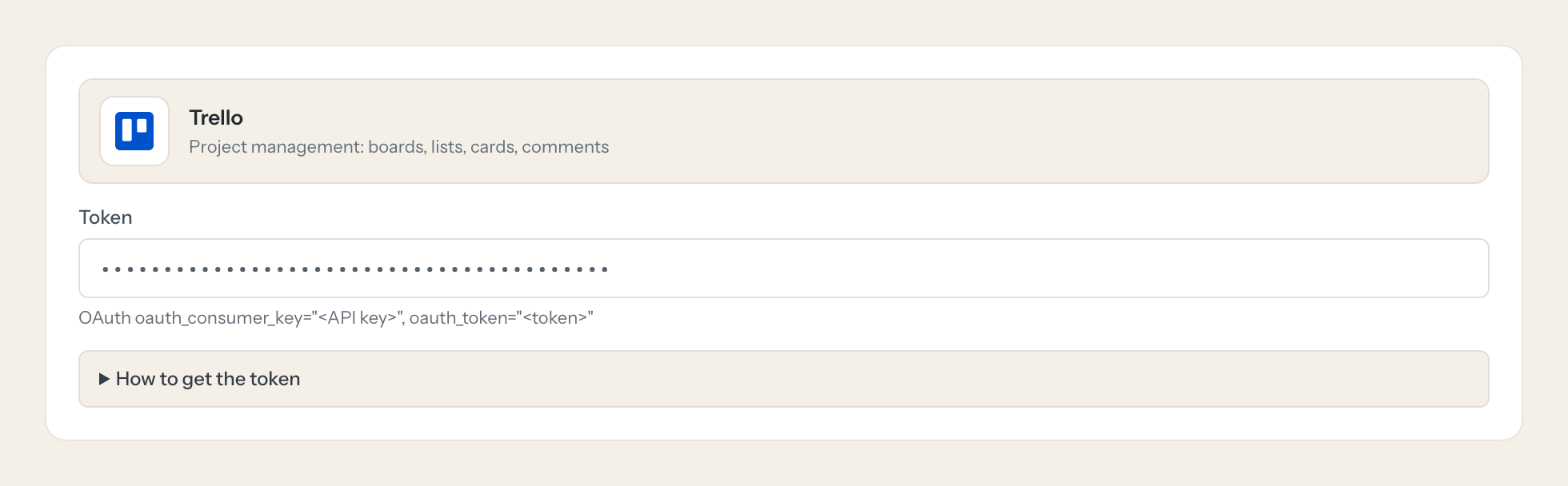
Getting the Trello token.
Five minutes, once. Nobody on your team ever sees it.
- 1
Open trello.com/apps/admin, create a Power-Up (any name, e.g. 'Loopthink') and open its 'Trello Auth' / API key tab. Generate a new API key.
- 2
While logged in as the user Loopthink should act as, open https://trello.com/1/authorize?expiration=never&scope=read,write&response_type=token&key=<API key> (use scope=read for read-only) and click Allow.
- 3
Copy the token shown on the next page.
- 4
Paste into Loopthink as: OAuth oauth_consumer_key="<API key>", oauth_token="<token>"
- 5
In Loopthink, add Trello from the catalog and paste the token. Your team sees the tools a minute later.
The token acts as the Trello member who authorized it and sees exactly the boards and workspaces that member can see. Use a dedicated member added only to the relevant boards. Expiration options: 1hour, 1day, 30days, never.
What we suggest masking in Trello.
Boards are full of people: members with full name, user name, email and avatar, the creator on every action, and card descriptions and comment text that often name customers. The suggested fields mask all of that and keep card names, lists, labels, due dates, checklist states and timestamps, so a Team Lead can see that six cards on the campaign board are overdue without reading who wrote each comment.
- fullName
- username
- avatarUrl
- memberCreator.fullName
- memberCreator.username
- desc
- data.text
Trello and Loopthink
- Which scope does the token need?
- read is enough for the fifteen read tools. Authorize with scope=read,write only if a role should use create_card, update_card or add_card_comment. The token acts as the Trello member who authorized it and sees exactly the boards and workspaces that member can see, so use a dedicated member added only to the relevant boards.
- How long does the token live?
- You choose at authorization time: 1hour, 1day, 30days or never. For a connector that should keep running, pick never and revoke the token in Trello when you no longer need it.
- What can the write tools change?
- create_card adds a card to a list, update_card renames a card, changes its description, moves it to another list, sets or completes its due date or archives it, and add_card_comment posts a comment as the token's member. No tool deletes cards or boards.
- Does every team member need their own Trello account?
- No. Loopthink holds one key or token for Trello. Your people sign in to Loopthink with their own identity, and every call to Trello is logged under their name. Seats in Trello stay where they are today.
- Where does the Trello key live?
- In Loopthink, encrypted, in the EU. It never reaches the AI client and never reaches the people using the connector. Rotate it in Trello whenever you like and paste the new one once.
- Can somebody write to Trello from the chat?
- Not unless you switch it on. Write actions are a separate row in the permission matrix and are off for every role by default. If a role needs one write tool, you grant that one tool to that one role.
- What does the model see?
- The result of the tool call, after masking. Fields you mark as personal, such as emails, names or card details, are masked before the answer travels to the AI client. The model gets the numbers, not the people.
- What does it cost?
- Free for one person and two connectors, no card. Pro is €19 a month for up to five people and every connector on the site, with roles, field masking and a 30-day audit. Team is €49 for ten people and adds your own REST APIs and SQL databases, your own domain and your own identity provider. No call needed.
Stuck, or a tool you need is missing? A person who knows this connector answers within one working day.

