Zenkit in Claude, ChatGPT and any MCP client. For your whole team.
Project management and databases: workspaces, collections, items, fields, comments and notifications. One token in Loopthink, one login per person, roles per tool and an audit entry for every call.
Free for 2 connectors, no card · Pro €19 · EU-hosted · 15 read tools, 4 write tools off by default
“Which items in the Launch Q4 collection have the label "Blocked" and a due date this month?”
Three blocked items in Launch Q4 are due in October:
| Item | Due | Owner | Blocked since |
|---|---|---|---|
| Onboarding emails | 23 Oct 2026 | N. Fischer | 15 Oct 2026 |
| Partner logo wall | 28 Oct 2026 | S. Keller | 19 Oct 2026 |
| Pricing FAQ | 30 Oct 2026 | T. Novak | 20 Oct 2026 |
- read-only
- logged
One token in, the tools come out.
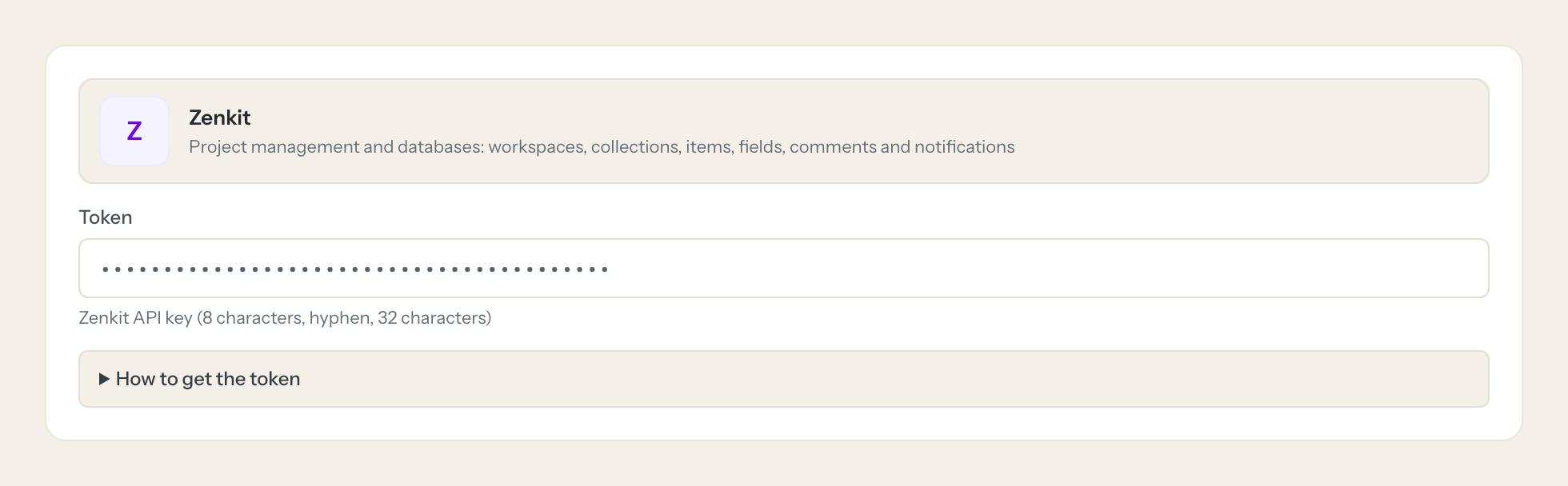
Zenkit is where teams keep their collections: workspaces full of lists, boards and tables, each item with its fields, labels, people, comments and history, plus the notifications that follow every change. The questions are simple, "which items in the Launch board are still assigned to nobody", "what changed on the roadmap this week", but today they take the right workspace, the right view and a filter built by hand.
With the Zenkit connector, Team Leads, Project Managers and Management ask in Claude or ChatGPT and get the answer from the live account. Loopthink holds one Zenkit API key, every person signs in with their own identity, and every call is logged under their name. The key never reaches the AI client.
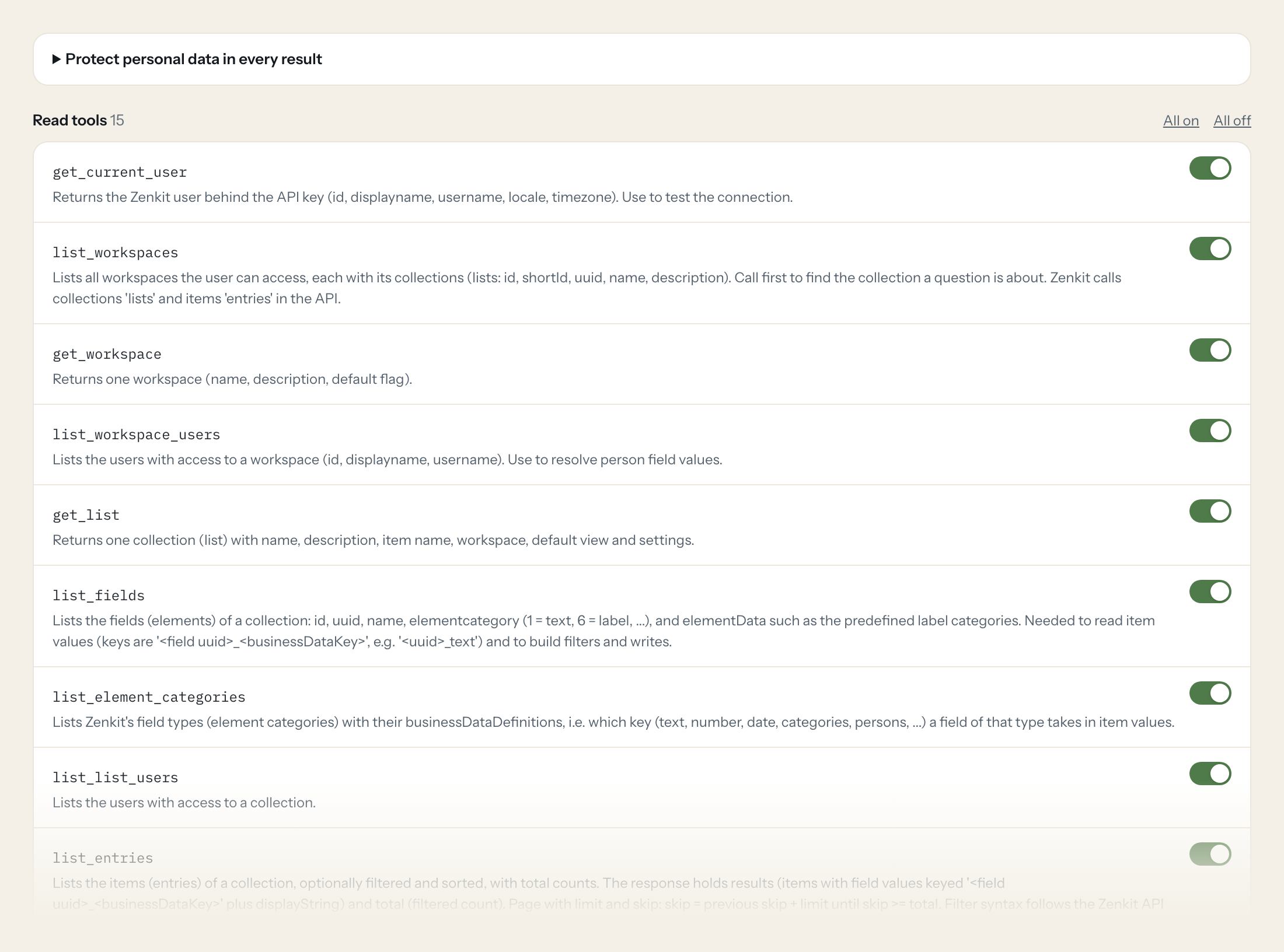
Fifteen read tools cover workspaces and their users, collections, fields and field types, items with filters and search, item details, activity streams of items, collections and workspaces, and notifications. The four write tools, creating an item, updating an item and commenting on an item or a collection, stay off until you switch them on for a role.
- Project Manager
“Which items in the Launch Q4 collection have the label "Blocked" and a due date this month?”
Answered by
list_entries - Team Lead
“What changed on the Roadmap 2027 collection in the last seven days?”
Answered by
list_list_activities - Management
“Which workspaces and collections do we have, and what is each one for?”
Answered by
list_workspaces - Team Lead
“Find the item about the "Hamburg office move", I do not remember which collection it is in.”
Answered by
search_entries - Project Manager
“Show me the comments on the item "Supplier contract Meier" and who wrote the last one.”
Answered by
list_entry_activities - Project Manager
“Add the item "Order new badges" to the Office collection with the label "To do" and the due date 30 October.”
Answered by
create_entry
What the Zenkit connector can do.
| Tool | What it does | Access | Default |
|---|---|---|---|
| get_current_user | Returns the Zenkit user behind the API key (id, displayname, username, locale, timezone). Use to test the connection. | Read | On |
| list_workspaces | Lists all workspaces the user can access, each with its collections (lists: id, shortId, uuid, name, description). Call first to find the collection a question is about. | Read | On |
| get_workspace | Returns one workspace (name, description, default flag). | Read | On |
| list_workspace_users | Lists the users with access to a workspace (id, displayname, username). Use to resolve person field values. | Read | On |
| get_list | Returns one collection (list) with name, description, item name, workspace, default view and settings. | Read | On |
| list_fields | Lists the fields (elements) of a collection: id, uuid, name, elementcategory (1 = text, 6 = label, ...), and elementData such as the predefined label categories. Needed to read… | Read | On |
| list_element_categories | Lists Zenkit's field types (element categories) with their businessDataDefinitions, i.e. which key (text, number, date, categories, persons, ...) a field of that type takes in i… | Read | On |
| list_list_users | Lists the users with access to a collection. | Read | On |
| list_entries | Lists the items (entries) of a collection, optionally filtered and sorted, with total counts. The response holds results (items with field values keyed '<field uuid>_<businessDa… | Read | On |
| search_entries | Searches items across all collections the user can access by text. Use when the user names an item but the collection is unknown. | Read | On |
| get_entry | Returns one item (entry) with all field values (keys '<field uuid>_<businessDataKey>'), displayString, checklists, comment_count and created/updated metadata. Use list_fields to… | Read | On |
| list_entry_activities | Lists the activity stream of one item: comments (message) and change history, with user and time. Set filter=2 for comments only. | Read | On |
| list_list_activities | Lists the activity stream of a collection: comments and changes on the collection and its items. Page with limit and skip. | Read | On |
| list_workspace_activities | Lists the activity stream of a workspace. Page with limit and skip. | Read | On |
| list_notifications | Lists the notifications of the API key's user (mentions, changes on subscribed items, reminders), newest first by default. Page with limit and skip. | Read | On |
| create_entry | Creates an item (entry) in a collection. Pass values as a JSON object keyed '<field uuid>_<businessDataKey>' (from list_fields and list_element_categories), e.g. | Write | Off |
| update_entry | Updates field values of an item. Pass only the fields to change as a JSON object keyed '<field uuid>_<businessDataKey>', e.g. | Write | Off |
| add_entry_comment | Adds a comment to an item, shown in its activity stream. | Write | Off |
| add_list_comment | Adds a comment to a collection's activity stream. | Write | Off |
Write tools are off for every role until you switch them on, one tool for one role. The names are what the model sees; it also gets the full parameter description of each tool.
Getting the Zenkit token.
Five minutes, once. Nobody on your team ever sees it.
- 1
Log in to Zenkit as the user Loopthink should act as.
- 2
Open your Zenkit profile settings and find the API key section (the API docs page on base.zenkit.com also shows the key while you are logged in).
- 3
Click 'Generate new API key' if none exists yet.
- 4
Copy the key and paste it into Loopthink.
- 5
In Loopthink, add Zenkit from the catalog and paste the token. Your team sees the tools a minute later.
The API key has no scopes: it gives full access to everything the user can reach, including shared collections and workspaces. Generating a new key invalidates the old one. Share only the needed collections with a dedicated user. Rate limit: 200 requests per minute per user.
What we suggest masking in Zenkit.
Zenkit shows people at every turn: the display name, full name, username, initials and emails of users, the same fields on whoever created, updated or deprecated an item, the profile image link, the text of comments and the display string of items. The suggested fields mask names, emails, image links and message text and keep field values, labels, dates, counts and timestamps, so a Management role can see that seven items in Launch Q4 are blocked and three changed yesterday without reading the comments or seeing who wrote them.
- displayname
- fullname
- username
- initials
- emails
- api_key
- imageLink
- userDisplayName
- userFullname
- userUsername
- userInitials
- created_by_displayname
- updated_by_displayname
- deprecated_by_displayname
- message
- displayString
Zenkit and Loopthink
- The API key has no scopes. How do we limit what the AI can see?
- The key gives full access to everything its user can reach, including shared collections and workspaces. Create a dedicated Zenkit user, share only the collections the AI may read with it, and use that user's key. In Loopthink, tools per role and masking narrow it further.
- What happens if we generate a new API key?
- Generating a new key invalidates the old one immediately, for every integration that used it. Paste the new key into the connector once; nobody on your team has to do anything.
- Is there a rate limit, and why does the model ask for the fields first?
- Zenkit allows 200 requests per minute per user. Item values are keyed by field uuid rather than field name, so the model calls list_fields once per collection to map keys to names and to build filters; after that, questions on that collection need only one or two calls.
- Does every team member need their own Zenkit account?
- No. Loopthink holds one key or token for Zenkit. Your people sign in to Loopthink with their own identity, and every call to Zenkit is logged under their name. Seats in Zenkit stay where they are today.
- Where does the Zenkit key live?
- In Loopthink, encrypted, in the EU. It never reaches the AI client and never reaches the people using the connector. Rotate it in Zenkit whenever you like and paste the new one once.
- Can somebody write to Zenkit from the chat?
- Not unless you switch it on. Write actions are a separate row in the permission matrix and are off for every role by default. If a role needs one write tool, you grant that one tool to that one role.
- What does the model see?
- The result of the tool call, after masking. Fields you mark as personal, such as emails, names or card details, are masked before the answer travels to the AI client. The model gets the numbers, not the people.
- What does it cost?
- Free for one person and two connectors, no card. Pro is €19 a month for up to five people and every connector on the site, with roles, field masking and a 30-day audit. Team is €49 for ten people and adds your own REST APIs and SQL databases, your own domain and your own identity provider. No call needed.
Stuck, or a tool you need is missing? A person who knows this connector answers within one working day.

