SSH in Claude, ChatGPT and any MCP client. For your whole team.
Status and logs of Linux servers through fixed, read-only commands. No free shell. One technical login in Loopthink, one login per person, roles per tool and an audit entry for every call.
Free for 2 connectors, no card · Pro €19 · EU-hosted · 7 read tools
“Is a disk on app-01 running full?”
One partition is nearly full, /var at 91 %:
| Filesystem | Size | Used | Mounted on |
|---|---|---|---|
| /dev/sda1 | 40G | 38 % | / |
| /dev/sdb1 | 100G | 91 % | /var |
| tmpfs | 3.9G | 1 % | /run |
- read-only
- fixed command
Credentials in once, the tools come out.
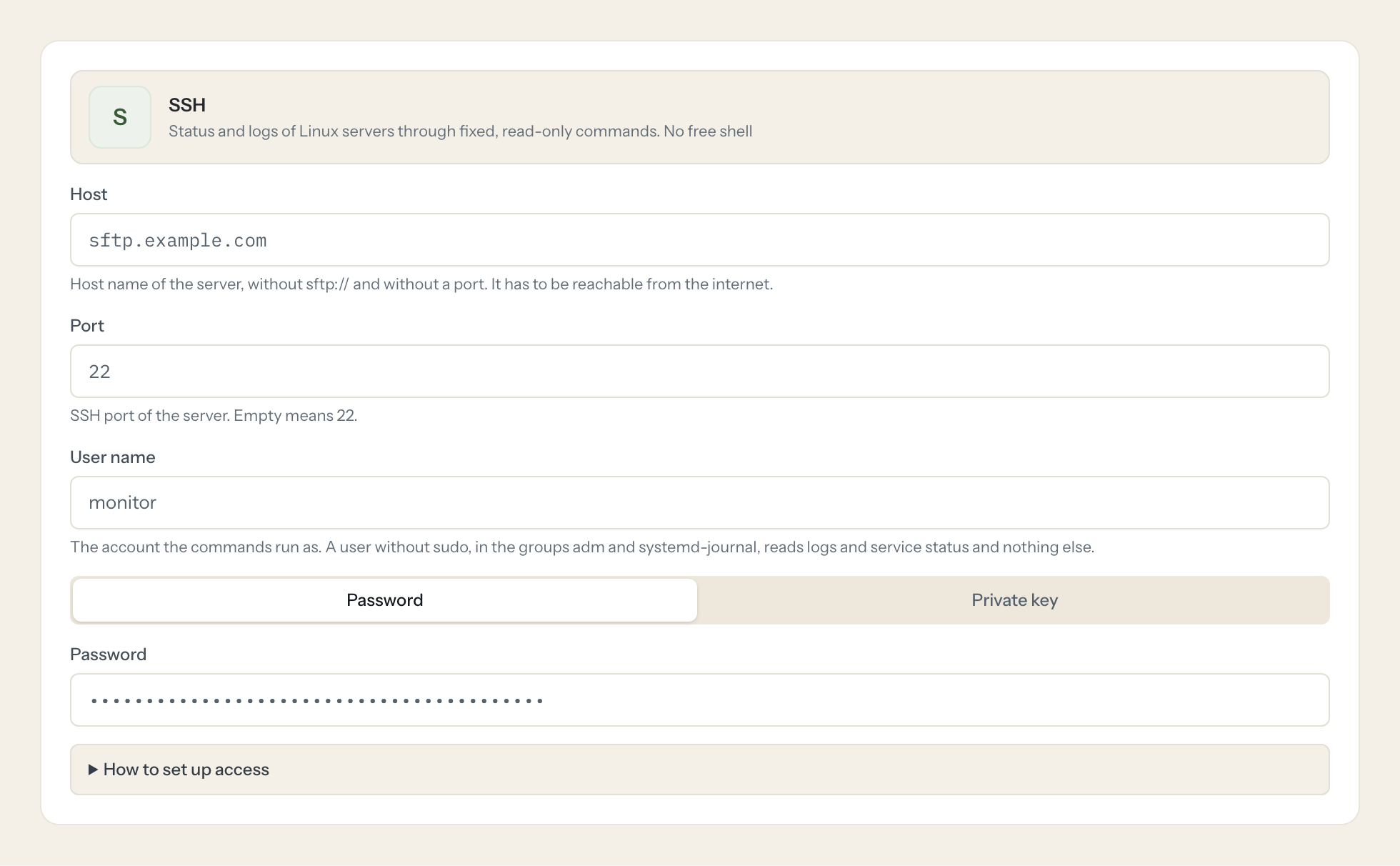
When a service is slow or a disk is full, the first questions are always the same: what is the load, how much space is left, is the service running, what does the log say. Answering them means an SSH session, a handful of commands and someone who remembers them.
With the SSH connector, Operations and Support ask in Claude or ChatGPT and get the answer from the host. There is no free shell: the template defines fixed commands, and a model only fills in a service name, a log path or a line count, each checked against a pattern or an allow-list and quoted before it reaches the shell.
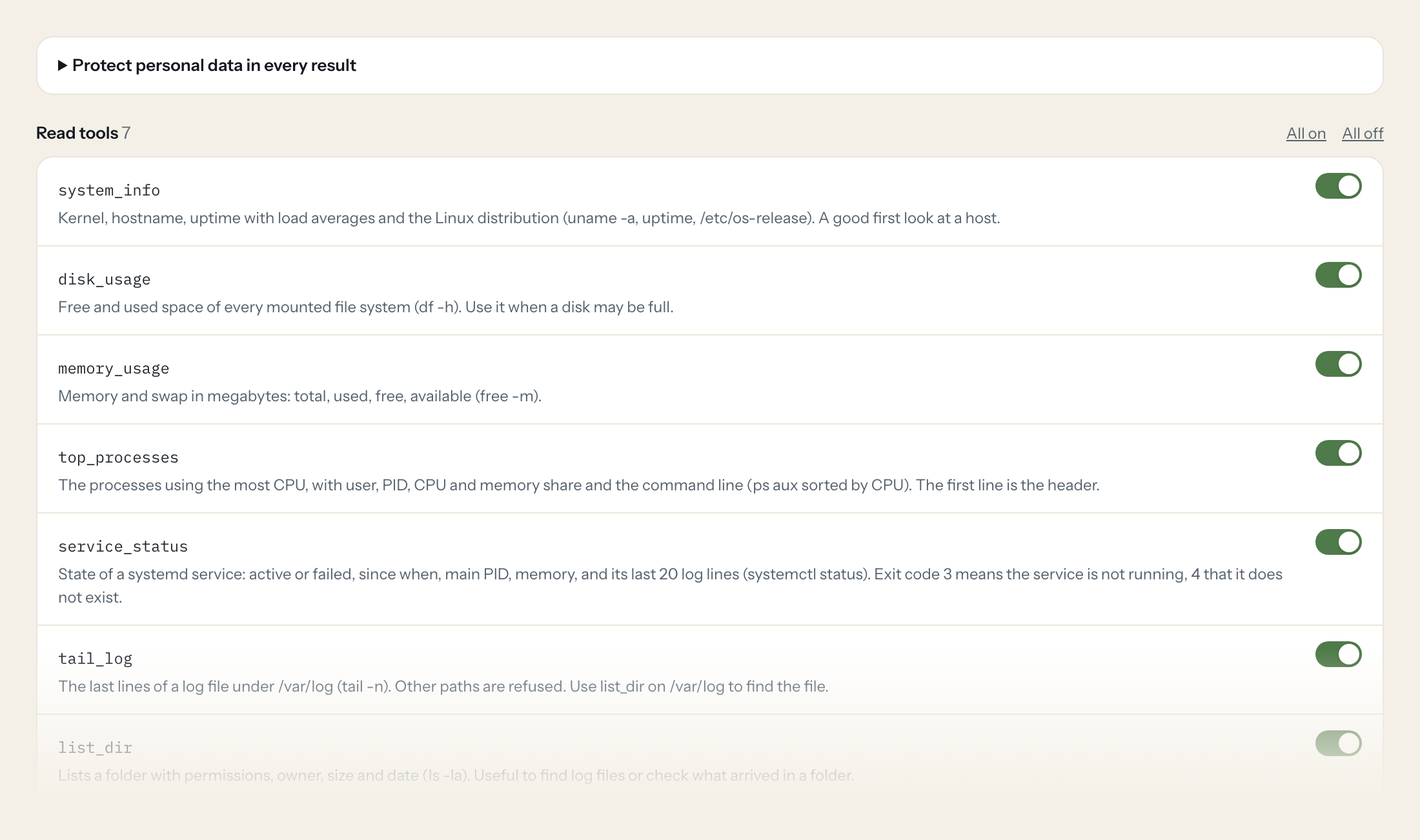
Seven read tools cover system info, disk and memory usage, the top processes, the status of a systemd service, the tail of a log under /var/log and a directory listing. Loopthink holds one login of a user without sudo, every person signs in with their own identity, and every call is logged with the exact command that ran.
- Operations
“Is a disk on app-01 running full?”
Answered by
disk_usage - Operations
“Why is the server slow right now? Show me the top processes.”
Answered by
top_processes - Support
“Is nginx running, and what were its last log lines?”
Answered by
service_status - Support
“Show me the last 200 lines of the nginx error log.”
Answered by
tail_log - Operations
“How long has the host been up, and which distribution does it run?”
Answered by
system_info - Operations
“How much memory is free, and is it swapping?”
Answered by
memory_usage
What the SSH connector can do.
| Tool | What it does | Access | Default |
|---|---|---|---|
| system_info | Kernel, hostname, uptime with load averages and the Linux distribution (uname -a, uptime, /etc/os-release). A good first look at a host. $ uname -a; uptime; cat /etc/os-release | Read | On |
| disk_usage | Free and used space of every mounted file system (df -h). Use it when a disk may be full. $ df -h | Read | On |
| memory_usage | Memory and swap in megabytes: total, used, free, available (free -m). $ free -m | Read | On |
| top_processes | The processes using the most CPU, with user, PID, CPU and memory share and the command line (ps aux sorted by CPU). The first line is the header. $ ps aux --sort=-%cpu | head -n {limit} | Read | On |
| service_status | State of a systemd service: active or failed, since when, main PID, memory, and its last 20 log lines (systemctl status). Exit code 3 means the service is not running, 4 that it… $ systemctl status --no-pager --lines=20 {service} | Read | On |
| tail_log | The last lines of a log file under /var/log (tail -n). Other paths are refused. $ tail -n {lines} {path} | Read | On |
| list_dir | Lists a folder with permissions, owner, size and date (ls -la). Useful to find log files or check what arrived in a folder. $ ls -la {path} | Read | On |
Write tools are off for every role until you switch them on, one tool for one role. The names are what the model sees; it also gets the full parameter description of each tool.
Setting up access to SSH.
Five minutes, once. Nobody on your team ever sees the credentials.
- 1
Create a user without sudo rights for the assistant, e.g. useradd -m monitor, and add it to the groups that may read logs (usermod -aG adm,systemd-journal monitor).
- 2
Create a key pair (ssh-keygen -t ed25519) and put the public key into /home/monitor/.ssh/authorized_keys. A password works too, a key is better.
- 3
Paste the private key (the whole block from -----BEGIN to -----END) and its passphrase, if it has one.
- 4
Click 'Test connection' and compare the shown host key fingerprint with the server's (ssh-keygen -lf /etc/ssh/ssh_host_ed25519_key.pub).
- 5
In Loopthink, add SSH from the catalog and enter the password or private key. It also asks for host, port and user name. Your team sees the tools a minute later.
There is no tool that runs a command of the caller's choosing. Values a model passes (service name, log path, line count) are checked against a pattern or an allow-list and quoted. The host key is pinned on the first connection; a changed key blocks every call until an admin confirms it.
What we suggest masking in SSH.
Logs carry what users sent: e-mail addresses, IP addresses, sometimes tokens in a URL. Command output comes back in stdout, so the e-mail pattern and rules on stdout keep that out of the answer for roles that only need the status. Process lists show command lines, which can include arguments you would rather not hand out.
- stdout
- stderr
SSH and Loopthink
- Can the assistant run any command it wants?
- No. Every tool is a command written in the template. A model fills only the placeholders, a service name that has to look like a unit name, a log path under /var/log, a line count up to a limit, and every value goes in single-quoted. There is no tool that takes a command.
- Which user should the connector log in as?
- A user without sudo, in the groups adm and systemd-journal, so it can read logs and service status and nothing else. The tools never ask for more rights than that.
- How does it know it talks to the right host?
- The host key is recorded on the first connection and its fingerprint shown to you. A changed key blocks every call until an admin confirms the new one.
- Can we add our own commands?
- Not yet. Admin-defined commands with the same placeholder rules and their own audit entry are planned; tell us which ones you need.
- Does every team member need their own SSH account?
- No. Loopthink holds one key or token for SSH. Your people sign in to Loopthink with their own identity, and every call to SSH is logged under their name. Seats in SSH stay where they are today.
- Where does the SSH key live?
- In Loopthink, encrypted, in the EU. It never reaches the AI client and never reaches the people using the connector. Rotate it in SSH whenever you like and paste the new one once.
- Can somebody write to SSH from the chat?
- Not unless you switch it on. Write actions are a separate row in the permission matrix and are off for every role by default. If a role needs one write tool, you grant that one tool to that one role.
- What does the model see?
- The result of the tool call, after masking. Fields you mark as personal, such as emails, names or card details, are masked before the answer travels to the AI client. The model gets the numbers, not the people.
- What does it cost?
- Free for one person and two connectors, no card. Pro is €19 a month for up to five people and every connector on the site, with roles, field masking and a 30-day audit. Team is €49 for ten people and adds your own REST APIs and SQL databases, your own domain and your own identity provider. No call needed.
Stuck, or a tool you need is missing? A person who knows this connector answers within one working day.


